10 Best Link Building Tools for WordPress (2026 Guide)
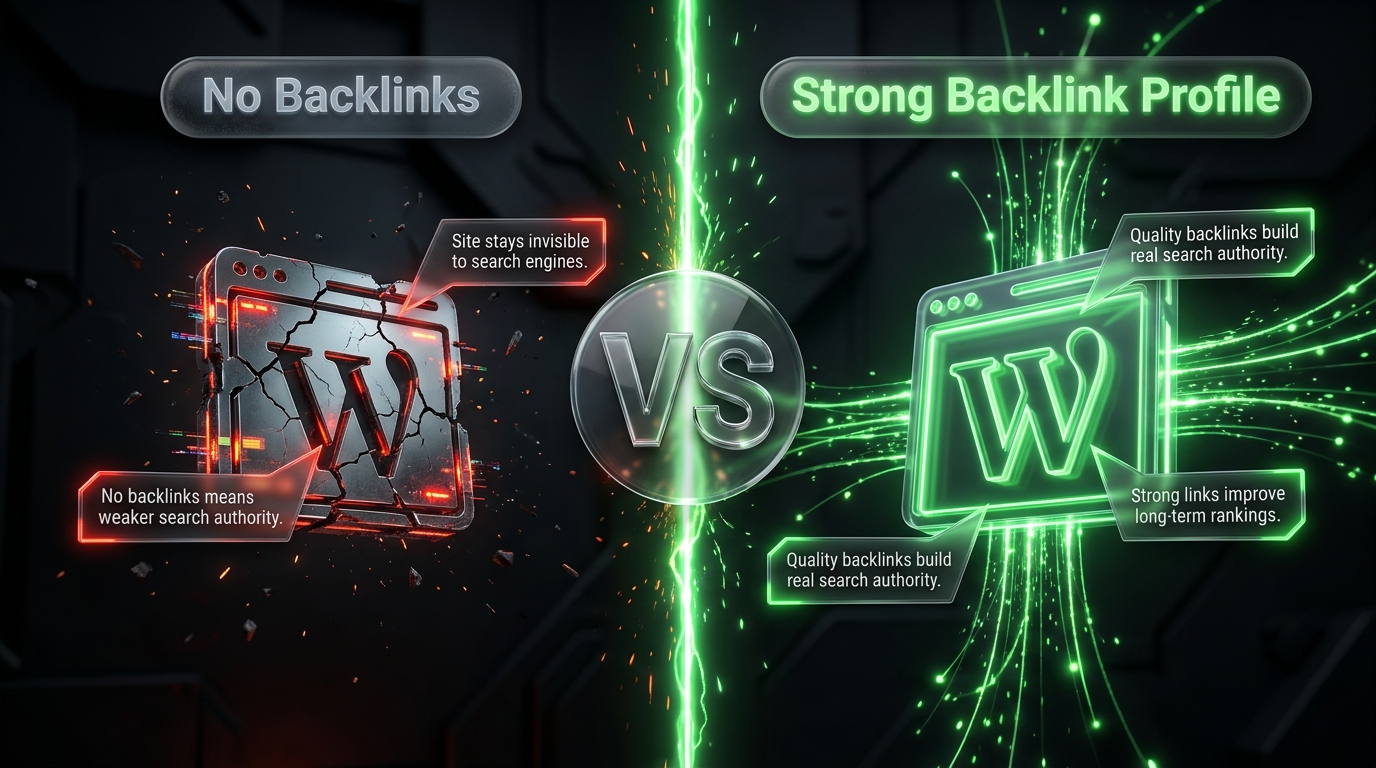
If you run a WordPress website, you already know that great content alone doesn’t guarantee great rankings. Search engines still lean heavily on backlinks and internal links as trust signals. The tricky part isn’t understanding why link building matters. It’s finding the right tools to make the process manageable instead of overwhelming.
This guide breaks down the 10 best link building tools for WordPress in 2026. Some are WordPress plugins you install directly on your site. Others are standalone platforms that plug into your WordPress workflow for research, outreach, and tracking. Together, they cover everything from internal linking automation to competitor backlink analysis to full outreach campaigns.
Let’s get into it.
Why Link Building Still Matters for WordPress Sites
Before jumping into the tools, it helps to understand what “link building” actually covers in 2026. It’s no longer just about collecting as many backlinks as possible. It’s about three connected activities:
- Internal linking connecting your own pages so search engines (and readers) understand your site’s structure
- Backlink acquisition earning links from other credible websites
- Link monitoring and cleanup tracking which links are live, which are broken, and which are hurting rather than helping
A strong WordPress link building stack usually touches all three. That’s why this list mixes plugins for on site linking with platforms built for outreach and research.
1. Rank Math
Best for: On page SEO readiness before you start building links
Rank Math is one of the most popular all in one SEO plugins for WordPress, and its value in a link building context is often underrated. Before you send a single outreach email, your pages need to be technically sound properly structured, crawlable, and optimized enough to actually benefit from the links pointing to them.
Rank Math handles this groundwork. It also includes an AI powered link management module that audits your internal linking structure, flags broken links, and suggests fixes without requiring you to comb through every post manually.
Key features:
- Automated internal link suggestions
- Broken link detection and repair
- Schema markup and technical SEO checks
- Free version available; Pro plans start under $100/year
Who should use it: Any WordPress site owner who wants their pages “link-ready” before starting outreach. If your content isn’t structured well, even great backlinks won’t move the needle much.
2. Link Whisper
Best for: Automated internal linking
Internal linking is one of the most overlooked parts of SEO, and Link Whisper is built specifically to fix that. Instead of manually hunting for opportunities to connect your posts and pages, Link Whisper scans your entire WordPress site and uses AI to recommend relevant internal links as you write or update content.
This matters more than people realize. Internal links help distribute authority across your site, guide readers to related content, and make it easier for search engines to understand your topic clusters.
Key features:
- AI based internal link recommendations while writing
- Visual reports showing which pages have too few or too many internal links
- Broken link detection
- Outbound link reports to track links to external sites
Who should use it: Content-heavy WordPress sites blogs, publishers, and niche sites that want to strengthen their internal structure without hours of manual work.
3. Yoast SEO
Best for: General SEO management with basic link guidance
Yoast SEO remains one of the most widely installed WordPress plugins, and while it’s not a dedicated link building tool, it plays a supporting role that’s hard to ignore. It nudges you toward better internal linking while you write, checks readability, and flags cornerstone content that should be receiving more internal links from other posts.
Compared to Link Whisper, Yoast’s internal linking suggestions are more basic, but for smaller sites that don’t need advanced automation, it’s often enough.
Key features:
- Cornerstone content tagging
- Internal linking suggestions inside the content editor
- Readability and SEO analysis
- Free version covers most core needs
Who should use it: Beginners and smaller WordPress sites that want straightforward SEO guidance without a steep learning curve.
4. Ahrefs
Best for: Backlink research and competitor analysis
Ahrefs is widely considered the gold standard for backlink analysis, and it’s not tied to WordPress specifically but that’s exactly why it belongs in this list. Once your WordPress site is technically ready, Ahrefs helps you figure out where to actually go looking for links.
Its Site Explorer and Link Intersect tools let you see which sites link to your competitors but not to you a goldmine for prospecting. Content Explorer helps identify content that historically attracts a lot of backlinks in your niche, so you know what kind of content to create.
Key features:
- Massive, frequently refreshed backlink index
- Competitor backlink gap analysis
- Broken link building opportunities
- Domain Rating and URL Rating metrics for judging link quality
Who should use it: WordPress site owners serious about scaling backlink acquisition, not just internal linking. It’s a paid tool, and pricing can be steep for beginners, but the research depth is hard to match.
5. Semrush
Best for: All in one backlink research plus outreach management
Semrush pairs solid backlink analytics with a dedicated Link Building Tool that manages prospecting, outreach, and tracking inside a single platform. For WordPress users who don’t want to juggle five different tools, this consolidation is genuinely useful.
Semrush also integrates well with content and keyword research, so you can connect your link building efforts directly to the content strategy driving your WordPress blog.
Key features:
- Backlink Analytics and Link Building Tool in one subscription
- Outreach tracking with email integration
- Toxic link identification for disavow decisions
- Competitor gap analysis
Who should use it: Teams or solo site owners who want prospecting, sending, and tracking in the same dashboard rather than stitching together separate tools.
6. Moz Pro
Best for: A second opinion on link quality
Moz Pro is often used alongside Ahrefs or Semrush rather than instead of them. Its Link Explorer and Domain Authority (DA) score are widely recognized, even outside the SEO industry, which makes it a useful benchmark when evaluating potential link partners.
Moz’s Spam Score feature is particularly helpful for WordPress site owners doing outreach it flags low quality or spammy domains before you waste time pitching them.
Key features:
- Domain Authority and Page Authority scoring
- Spam Score to filter weak link prospects
- Link Explorer for backlink discovery
- Beginner-friendly interface
Who should use it: Newer link builders who want an approachable tool, or anyone who wants a second data source to cross-check link quality decisions.
7. SE Ranking
Best for: Budget-conscious backlink monitoring
SE Ranking is a value focused SEO platform that includes a solid backlink checker and ongoing monitoring, without the steep price tag of some enterprise tools. For smaller WordPress sites or freelancers managing a handful of client sites, this makes it an attractive middle ground option.
It won’t match Ahrefs’ index size, but for day to day monitoring tracking new and lost backlinks, keeping an eye on referring domains it gets the job done reliably.
Key features:
- Backlink checker and monitoring
- Website audit tools
- Competitive research features
- More affordable pricing tiers than most enterprise competitors
Who should use it: Smaller teams and budget-conscious WordPress site owners who need reliable monitoring without paying for features they won’t use.
8. BuzzStream
Best for: Organizing outreach campaigns
Once you’ve identified link prospects, you need a system to manage the actual outreach who you’ve contacted, when, and what the response was. BuzzStream is an outreach CRM built specifically for link builders, and it keeps that process from turning into a chaotic spreadsheet.
It stores contact details, tracks email sequences and follow-ups, and keeps relationship history so you’re not accidentally re-pitching the same contact twice.
Key features:
- Contact and relationship management built for link building
- Email sequence automation
- Team collaboration features for agencies
- Reporting on outreach performance
Who should use it: WordPress site owners or agencies running outreach campaigns at any real volume. Once you’re sending more than a handful of pitches a week, spreadsheets stop working.
9. Hunter.io
Best for: Finding contact information
Outreach only works if you can actually reach the right person. Hunter.io solves a specific but important problem: finding verified email addresses tied to a domain, so your outreach doesn’t get lost in a generic contact form.
It’s a lightweight tool compared to the others on this list, but it fills a genuine gap. Many link building campaigns stall not because the pitch is bad, but because the email never reaches a real decision-maker.
Key features:
- Domain search for email discovery
- Email verification to reduce bounce rates
- Browser extension for quick lookups while browsing prospect sites
- Free tier available for light use
Who should use it: Anyone doing manual or semi-manual outreach who needs reliable contact data before sending pitches.
10. Broken Link Checker (WordPress Plugin)
Best for: Ongoing link health monitoring, directly inside WordPress
Rounding out the list is a simpler but essential tool: a dedicated broken link checker plugin for WordPress. Backlinks and internal links both lose value when they point to dead pages, and broken links quietly damage user experience and SEO over time.
This type of plugin runs in the background, scanning your posts and pages for broken internal and outbound links, then alerting you so you can fix or remove them before they cause problems.
Key features:
- Automatic scanning for broken links and missing images
- Alerts inside the WordPress dashboard
- Options to edit or unlink broken URLs directly
- Lightweight and easy to set up
Who should use it: Every WordPress site, honestly. It’s a low-effort, high-value addition to any link building stack, and it catches problems that would otherwise go unnoticed for months.
How to Build a Link Building Stack, Not Just a Tool List
A common mistake is trying to use every tool on this list at once. That’s overkill for most sites. Instead, think in terms of stages:
1. Prepare your site. Use Rank Math or Yoast SEO to make sure your pages are technically sound and structured well before you invest time in outreach.
2. Strengthen internal linking. Link Whisper (or Yoast’s built in suggestions for smaller sites) helps distribute authority across your own content and improve topical relevance.
3. Research backlink opportunities. Ahrefs, Semrush, or SE Ranking pick one based on your budget to find where competitors are getting links and where you have gaps.
4. Run outreach. BuzzStream keeps your campaigns organized, and Hunter.io makes sure your emails actually reach someone.
5. Monitor continuously. Moz Pro’s Spam Score and a broken link checker plugin help you maintain link quality over time, rather than treating link building as a one-time project.
Most WordPress site owners don’t need all 10 tools simultaneously. A realistic starter stack looks like: one SEO plugin (Rank Math or Yoast), one internal linking tool (Link Whisper), one backlink research platform (Ahrefs, Semrush, or SE Ranking depending on budget), and a broken link checker running quietly in the background.
Frequently Asked Questions
Do I need both an SEO plugin and a separate link building tool? Yes, generally. SEO plugins like Rank Math and Yoast focus on making your site link-ready and improving internal linking. Backlink research tools like Ahrefs or Semrush focus on external link acquisition. They solve different problems and work best together.
Is Link Whisper worth it if I already use Rank Math or Yoast? It depends on how much content you publish. Rank Math and Yoast offer basic internal linking guidance, but Link Whisper’s AI-driven suggestions are more thorough especially useful for sites with hundreds of posts where manual internal linking becomes impractical.
What’s the cheapest way to start link building on WordPress? Start with the free versions of Rank Math or Yoast SEO, add a free broken link checker plugin, and use Hunter.io’s free tier for outreach. You can add a paid backlink research tool once you have a clearer sense of your budget and goals.
How often should I check for broken links? A broken link checker plugin can run continuously in the background, so you don’t need to think about timing manually. For backlink monitoring through tools like Ahrefs or Semrush, a monthly check is usually sufficient for most small to mid sized sites.
Can I do link building without any paid tools? To a limited extent, yes. Free versions of SEO plugins and Hunter.io can get you started. But serious backlink research seeing what competitors are ranking for and who links to them generally requires a paid tool like Ahrefs, Semrush, or SE Ranking. There isn’t a strong free substitute for that level of data.
Final Thoughts
Link building for WordPress isn’t a single task it’s a combination of technical readiness, internal structure, external outreach, and ongoing maintenance. No single tool on this list handles all of that alone, which is exactly why a thoughtful stack matters more than any individual “best” pick.
Start small. Get your on-page SEO and internal linking in order first with Rank Math, Yoast, or Link Whisper. Then layer in backlink research and outreach tools as your site grows and your link building efforts become more ambitious. The tools will keep evolving, but the underlying goal stays the same: build a WordPress site that both search engines and real people trust enough to link to.