10 Checkout Optimization Tips for Shopify
Every Shopify store owner eventually asks the same question, why are people adding products to their cart and then just… disappearing? You ran the ads, you wrote the product descriptions, you got them all the way to checkout, and then a huge chunk of them simply vanish before completing the purchase. It’s one of the most frustrating parts of running an ecommerce store, and it’s also one of the most fixable.
Checkout is the final stretch, and small friction points here have an outsized impact on whether someone actually completes their order. The traffic is already there, the intent is already there, so improving checkout is genuinely one of the highest leverage things you can do for your revenue without spending another rupee on ads. Here are ten specific, practical tips to help you tighten up your Shopify checkout and turn more of that hard-earned traffic into completed sales.
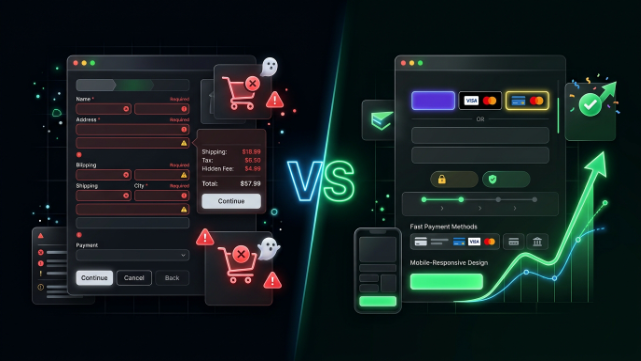
1. Turn On Express Checkout Buttons
Shopify supports express checkout options like Shop Pay, Apple Pay, and Google Pay, which let returning customers or people with saved payment details skip most of the checkout form entirely. These buttons typically appear right on the product page and cart page, letting someone go from “I want this” to “purchased” in just a couple of taps.
Make sure these express options are enabled and visible in your theme, since some themes bury them lower on the page or don’t display them prominently enough. For repeat customers especially, this can shave an enormous amount of friction off the buying process, and every second removed from checkout is a second less for doubt to creep in.
2. Autofill and Address Suggestions Should Be Working
Shopify’s checkout has built-in address autocomplete, which suggests addresses as customers start typing. If this feature isn’t working smoothly on your store, whether due to a theme conflict or an app interfering with checkout scripts, customers end up manually typing out full addresses, which is tedious on mobile in particular.
Test this yourself periodically. Go through your own checkout on both desktop and mobile, and make sure address suggestions are popping up as expected. This is a small detail, but it removes real friction, especially for the large percentage of your customers checking out from a phone.
3. Keep Form Fields to the Essentials
Every additional field you ask a customer to fill out is another small decision point where they could pause, get annoyed, or abandon entirely. Go through your checkout settings and ask yourself honestly whether you need every field that’s currently there. A company name field for a store that sells almost exclusively to individual consumers, for example, is just extra clutter.
The general rule here is simple, only ask for what you genuinely need to fulfill and ship the order. Anything beyond that should be optional or removed entirely.
4. Be Transparent About Shipping Costs Before Checkout
Surprise shipping fees at checkout are one of the single biggest reasons people abandon a cart. If someone has mentally committed to a total price in their head based on what they saw on your product or cart page, and the number changes once they hit checkout, that gap creates hesitation exactly when you don’t want it.
Use a shipping calculator on your cart page so customers can see estimated costs before they ever reach checkout. If you offer free shipping over a certain order value, make that threshold clearly visible throughout the shopping experience, not just something they discover after adding items to their cart.
5. Offer Cash on Delivery Where It Matters
For Pakistani ecommerce brands specifically, this tip carries a lot of weight. Cash on delivery remains one of the most trusted payment methods for a large segment of Pakistani online shoppers, particularly for customers who are still building trust with newer or lesser known brands. If your checkout only supports card payments, you’re likely cutting off a meaningful chunk of customers who simply aren’t comfortable paying online yet.
If COD isn’t currently viable for your logistics setup, at minimum make sure your card and digital payment options are ones your target customer actually recognizes and trusts. A payment method that looks unfamiliar or sketchy at checkout can kill a sale just as effectively as a broken payment gateway.
6. Add a Progress Indicator
Shopify’s checkout naturally breaks into a few clear stages, contact information, shipping, and payment. Making sure customers can see where they are in that process, and roughly how much is left, reduces the uncertainty that can cause people to abandon partway through. Nobody likes feeling like they’re filling out an endless form with no end in sight.
Most modern Shopify themes handle this automatically with a visual step indicator at the top of the checkout page. If your theme doesn’t clearly show this, it’s worth checking whether a theme update or a small customization can add it, since this kind of clarity meaningfully reduces perceived friction even if the actual number of steps hasn’t changed.
7. Handle Errors Gracefully
Few things kill a sale faster than a checkout error that isn’t clearly explained. If a customer’s card gets declined, or a required field is missing, and the error message is vague or the page just seems to freeze, most people won’t troubleshoot, they’ll simply leave. A clear, specific error message that tells someone exactly what went wrong and how to fix it makes the difference between a recovered sale and a lost one.
Periodically test your checkout with intentionally invalid information, an expired card number, a missing field, to see what the customer actually experiences. If the messaging is confusing or unhelpful, that’s worth fixing sooner rather than later, since these moments happen more often than most store owners realize.
8. Send Abandoned Checkout Emails Promptly
Even a well optimized checkout will still see some abandonment, that’s just the nature of online shopping. What matters is what you do afterward. Shopify’s built in abandoned checkout emails should be turned on for every store, and it’s worth reviewing the timing and messaging rather than just leaving the default settings untouched.
A first email sent within an hour or two of abandonment, followed by a second reminder a day later, tends to perform well for a lot of stores. If you’re selling in Pakistan, pairing this with WhatsApp based cart recovery can be even more effective, given how central WhatsApp already is to how people communicate and shop here.
9. Make Sure Discount Codes Don’t Create Doubt
An empty, prominent discount code field can quietly do more harm than good. If a customer doesn’t have a code, seeing that field can send them off to search for one, sometimes to a totally unrelated coupon website, and they don’t always come back. If you’re running a specific promotion, apply the discount automatically wherever possible, or make sure customers already know the code before they ever reach checkout so entering it feels like claiming something they expected, not hunting for a deal they suspect exists.
10. Test Your Checkout on a Real Phone, Regularly
This one might be the most important tip on this entire list. A huge share of Shopify traffic, especially in Pakistan, comes from mobile devices, and checkout is the one part of your store where a clunky mobile experience directly costs you a completed sale rather than just a bit of browsing time.
Don’t rely solely on your browser’s mobile preview mode. Actually check out on your own phone every so often, ideally on a slower mobile connection rather than fast home WiFi, so you’re seeing something closer to what a real customer on a 4G connection outside a major city might experience. Pay attention to load times, button tap targets, and whether the right keyboard type pops up for fields like phone numbers. If anything feels remotely clunky to you, it’s costing you sales you don’t even realize you’re losing.
Putting It All Together
None of these tips are individually dramatic, and that’s actually the point. Checkout optimization is rarely about one big overhaul, it’s about steadily removing small pieces of friction until the path from “add to cart” to “order confirmed” feels as effortless as possible. Each of these fixes on its own might only move your conversion rate by a small amount, but they compound, and across a month of sales, that adds up to real revenue you were otherwise leaving on the table.
If auditing and fixing all of this yourself feels like a lot to take on alongside everything else involved in running a store, that’s exactly the kind of work we help with at TheScriptFlow. We work with Shopify merchants across Pakistan and internationally to review, customize, and optimize checkout flows, set up the right payment and COD configurations, and build abandoned cart recovery systems that actually bring customers back. If your checkout hasn’t been looked at in a while, it’s probably worth a closer look.