10 Common Shopify Migration Mistakes to Avoid
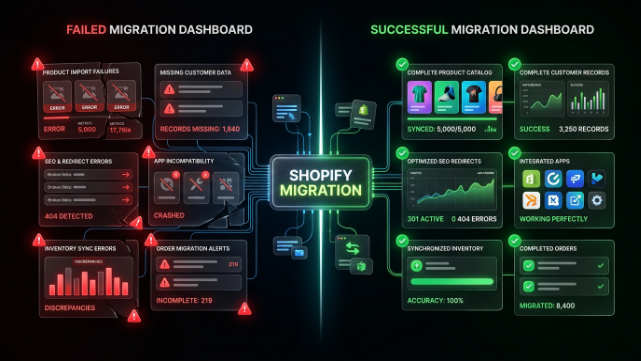
Every week, someone reaches out after a Shopify migration has already gone wrong. Traffic dropped overnight. Customer accounts vanished. Half the product images broke. The thing is, almost every one of these situations was avoidable. Migration mistakes aren’t usually caused by bad luck, they’re caused by skipping steps that seemed unimportant until they weren’t.
If you’re planning to move your store to Shopify, or you’re already mid migration and something feels off, this list will walk you through the mistakes that trip people up most often, and more importantly, how to avoid them.
Mistake One: Not Backing Up Your Existing Store First
This is the one that should never happen, yet it does more often than you’d think. Before anyone touches your existing store to begin migration, there needs to be a complete backup of your products, customer data, order history, content, and theme files. If something goes wrong mid migration, and things do go wrong sometimes, a backup is your safety net.
Without one, you’re stuck trying to recover data from memory or scattered spreadsheets, which is a nightmare nobody should have to deal with. Always confirm a full backup exists before migration begins, and ideally keep a copy yourself, not just with whoever is handling the move.
Mistake Two: Ignoring URL Structure and Redirects
This is probably the single most damaging mistake in any migration, and it’s tied directly to your SEO rankings. Your old platform almost certainly used a different URL structure than Shopify does. WooCommerce, Magento, and custom built sites all format product and category URLs differently.
When you migrate without setting up proper 301 redirects from your old URLs to your new Shopify URLs, search engines lose track of your pages entirely. All those months or years of ranking work just evaporates. Customers who bookmarked pages or clicked old links from Google end up on 404 error pages instead of your products.
The fix is straightforward but requires actual effort. Every important URL from your old site needs to be mapped to its new Shopify equivalent before launch, not after you notice traffic dropping.
Mistake Three: Rushing the Migration Timeline
There’s a strong temptation to get migration over with as fast as possible, especially if your current platform is causing daily headaches. But rushing is where mistakes hide. A same day or 48 hour migration for anything beyond a tiny store usually means skipped testing, missed redirects, or incomplete data transfer.
Give your migration the time it actually needs. A store with a few hundred products typically needs one to two weeks done properly, and larger or more complex stores need even longer. Anyone promising a lightning fast turnaround for a complex catalog should raise questions, not excitement.
Mistake Four: Skipping the Staging Environment
Making changes directly on your live store during migration is asking for trouble. A staging environment is essentially a private testing copy of your new store where everything can be built, tested, and reviewed before anything goes public.
Without staging, customers might see a half finished store, broken pages, or missing products while work is still in progress. Always insist on a staging environment for testing before your migration goes live. This single step catches the majority of issues before they ever become visible to your customers.
Mistake Five: Forgetting About Customer Accounts and Order History
Your customers care about their order history, especially repeat buyers who track past purchases or use previous orders for reordering. If customer accounts and order history aren’t properly migrated, you’ll get a wave of confused support requests the moment people log in and find nothing there.
This part of migration requires careful mapping since different platforms store customer data differently. Passwords typically can’t transfer directly due to security encryption differences, so customers usually need to reset their password on first login. Make sure this is communicated clearly rather than customers discovering it on their own and assuming something’s broken.
Mistake Six: Not Testing Payment Gateways and Checkout Thoroughly
Nothing kills conversions faster than a broken checkout. Before going live, every payment method needs to be tested thoroughly, not just glanced at. This includes credit card processing, any local payment gateways you use, and cash on delivery if that’s part of your setup.
It’s not enough to confirm the checkout page loads. Test actual transactions, test failed payment scenarios, test different devices and browsers. A checkout that works perfectly on desktop Chrome might behave differently on mobile Safari, and you won’t know until you actually test it.
Mistake Seven: Overlooking Product Reviews and Social Proof
Shopify doesn’t have a built in reviews system, so if your old platform had years of accumulated product reviews, those need a specific migration plan. Most store owners use an app like Judge.me or Loox for reviews on Shopify, and historical reviews need to be properly imported into whichever app you choose.
Skipping this means launching your new store looking brand new with zero social proof, even though you might have hundreds of genuine reviews built up over time. Those reviews are trust signals that directly affect conversion rates, so losing them isn’t a small cosmetic issue, it’s a real business impact.
Mistake Eight: Neglecting Mobile Optimization During the Rebuild
It’s easy to get so focused on making sure everything transfers correctly that mobile experience gets treated as an afterthought. But the majority of ecommerce traffic today comes from mobile devices, and if your new Shopify theme isn’t properly optimized for mobile, you’ll see conversion rates drop even if everything else migrated perfectly.
Test your new store thoroughly on actual mobile devices, not just by shrinking your browser window. Check load speeds, button sizes, checkout flow, and image display specifically on phones before considering your migration complete.
Mistake Nine: Not Auditing Third Party Apps and Integrations
If your old store relied on specific tools, whether that’s email marketing platforms, inventory management systems, accounting software, or shipping integrations, these connections don’t automatically carry over to Shopify. Each one needs to be reassessed and reconnected, sometimes with a completely different app since your old tool might not even have a Shopify version.
Make a full list of every integration your old store depended on before migration starts. Going live only to discover your accounting software stopped syncing or your email platform lost its connection creates unnecessary chaos that’s easily prevented with a bit of upfront planning.
Mistake Ten: Launching Without a Post Migration Monitoring Plan
The moment your new store goes live isn’t the finish line, it’s actually when close attention matters most. Broken links, missing redirects, checkout glitches, or data errors often don’t show up until real customers start using the site.
A proper migration includes monitoring for at least one to two weeks after launch. This means checking search console for crawl errors, watching analytics for traffic drops, keeping an eye on customer support tickets for recurring complaints, and being ready to fix issues quickly rather than discovering them weeks later when the damage is already done.
A Quick Word on Pakistan Specific Migration Considerations
If you’re running a store serving Pakistani customers, a few additional mistakes are worth watching for specifically. Don’t assume your payment gateway setup will transfer automatically. JazzCash, Easypaisa, and bank transfer options usually need to be reconfigured from scratch on Shopify, and testing these thoroughly before launch is essential since payment failures hit trust hard in this market.
Cash on delivery configuration is another spot where migrations often stumble. If COD was a major payment method on your old platform, make sure it’s properly set up on Shopify with any verification steps you previously had in place, since COD fraud and failed deliveries are a real concern for many Pakistani stores.
Courier integrations with services like Leopards, TCS, or M&P need testing too. Don’t assume these connections just work after migration. Actually place test orders and confirm tracking information flows correctly before you’re relying on it for real customer orders.
Lastly, double check your pricing displays correctly in PKR with proper formatting rather than defaulting to USD or showing awkward currency symbols that confuse local shoppers at checkout.
How to Avoid Most of These Mistakes Entirely
If there’s one theme running through this whole list, it’s that almost every mistake here comes down to rushing or skipping steps. A proper migration checklist, a staging environment, thorough testing, and a monitoring period after launch will catch the vast majority of issues before they ever affect your customers or your revenue.
The stores that struggle after migration are almost always the ones where corners got cut somewhere along the way, whether that’s skipping redirects, ignoring mobile testing, or launching without a backup plan. The stores that transition smoothly are the ones where someone took the time to actually plan the process properly instead of treating migration as a quick weekend project.
Final Thoughts
Migration mistakes are frustrating precisely because they’re preventable. Nobody wants to lose months of SEO progress because of missing redirects, or field a wave of angry customer messages because order history disappeared. The good news is that every mistake covered here has a clear, known fix. It just requires someone who knows to look for these issues before they become problems, not after.
If you’re planning a Shopify migration and want to avoid these pitfalls entirely, TheScriptFlow has handled migrations for stores of all sizes, including the specific complexities that come with serving Pakistani customers, from local payment gateways to COD workflows and courier integrations. Reach out and we’ll walk you through a migration plan built around avoiding exactly these mistakes from day one.