Which Shopify Apps Does Your Store Need in 2026?
Running a successful Shopify store involves more than adding products and accepting orders. Merchants need the right tools to attract customers, improve conversions, increase average order value, and encourage repeat purchases. From optimizing product pages for search engines to building customer trust, recovering lost sales, and engaging shoppers through email marketing, the right Shopify apps can simplify store management and support business growth.
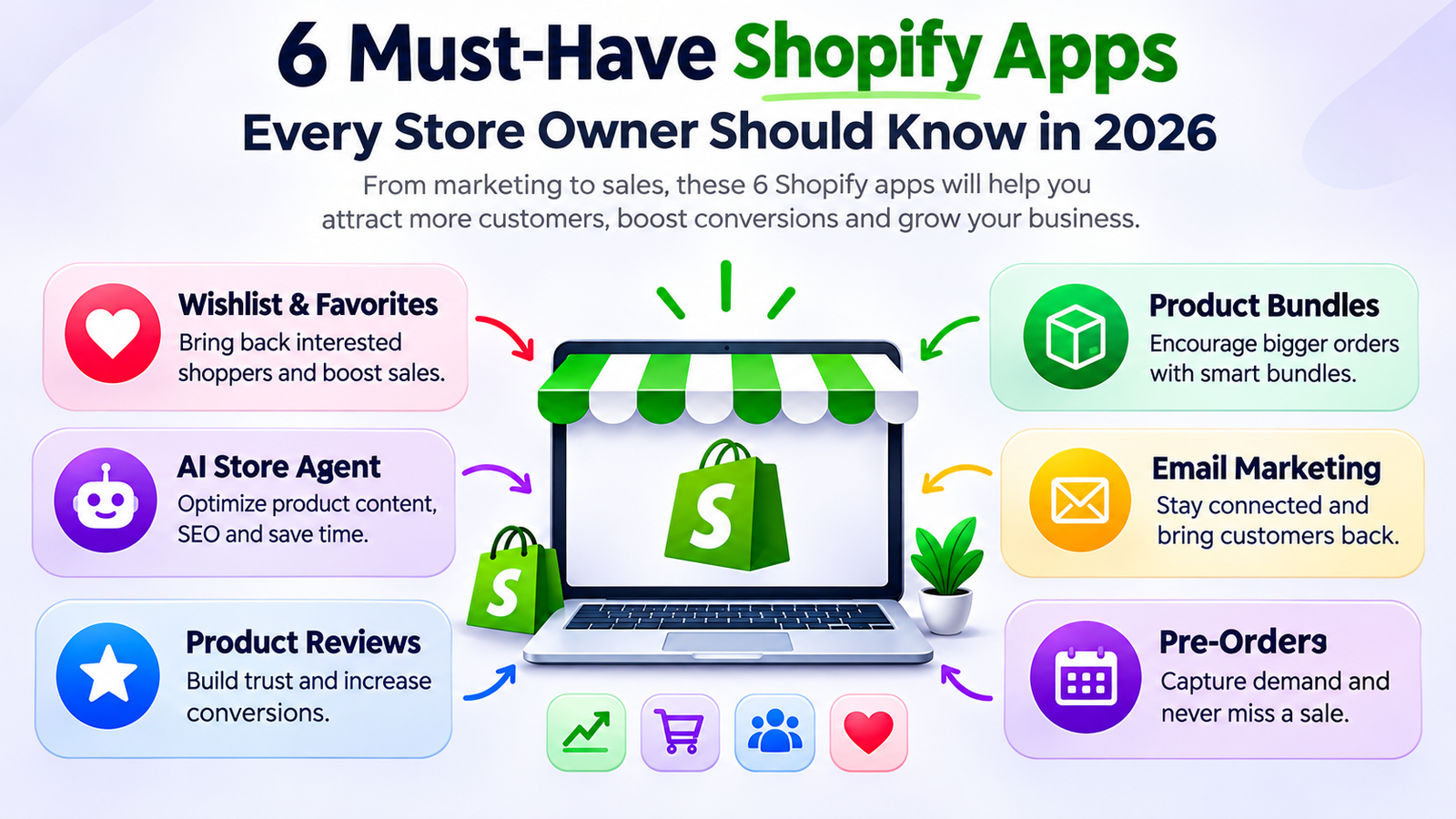
With thousands of apps available in the Shopify App Store, choosing the right ones can be challenging. In this guide, we explore six must-have Shopify apps for 2026, covering wishlist management, AI-powered store optimization, product reviews, product bundles, email marketing, and pre-orders. Each app offers different features to help merchants meet their business goals while choosing solutions that fit their needs and budget.
1. Wishlist Guru: Wishlist & Favorites
Best for: Encouraging repeat visits, saving favorite products, and recovering potential sales.
About Wishlist Guru
Wishlist Guru helps Shopify merchants allow customers to save products they love and return to them when they are ready to buy. Instead of losing interested shoppers who are not prepared to purchase immediately, merchants can give customers an easy way to save their favorite items.
The app supports multiple wishlists, product variants, wishlist sharing, and automated alerts for price drops, low stock, and back-in-stock products. These features help merchants reconnect with interested shoppers and encourage them to complete their purchases.
Merchants can also customize wishlist buttons, icons, pages, and email templates to match their store’s branding. Multilingual support and GDPR-related email preferences make the app useful for stores serving customers in different markets.
Key Features
- Multiple wishlists: Allow customers to create and manage separate lists of favorite products.
- Wishlist icons: Add wishlist buttons or icons to product pages, collection pages, and product cards.
- Automated alerts: Send price-drop, low-stock, and back-in-stock notifications to encourage purchases.
- Multilingual support: Customize storefront text and email templates for different languages.
- Social sharing: Let customers share wishlists through links, email, or social media.
- Product variant support: Allow customers to save their preferred product variants.
- Marketing integrations: Connect with Klaviyo and Shopify Flow to support customer engagement workflows.
- Analytics and reports: Monitor wishlist activity and understand customer preferences.
- B2B functionality: Configure options to show or hide prices and add-to-cart buttons.
- Customization and privacy controls: Adjust wishlist displays and email preferences to suit store requirements.
Wishlist Guru Pricing
- Free Plan: $0
- Basic Plan: $5.99/month or $59.99/year
- Pro Plan: $12.99/month or $129.99/year
- Premium Plan: $19.99/month or $199.99/year
Why choose Wishlist Guru?
Wishlist Guru is a useful choice for merchants who want to turn browsing interest into future purchases. It helps customers save products, share their preferences, and receive timely reminders when products become more attractive or available again.
Explore Wishlist Guru on the Shopify App Store
2. Section Kit Bundles: Quantity Breaks, BOGO & Product Bundles
Best for: Increasing average order value through quantity discounts, product bundles, BOGO offers, and free gifts.
About Section Kit Bundles
Offering discounts when customers purchase multiple products can encourage shoppers to spend more per order. Quantity breaks, bundle offers and free gifts are effective ways to create attractive promotions and increase average order value (AOV).
Section Kit Bundles helps Shopify merchants create quantity breaks, Buy One Get One (BOGO) offers, free gift promotions and product bundles without coding. Merchants can manage different promotional campaigns through a centralized dashboard and display offers directly on product pages to encourage customers to purchase more.
The app also provides customization options to match bundle widgets with your store’s design and analytics tools to help merchants evaluate promotion performance.
Key Features
- Quantity breaks: Offer tiered discounts based on the quantity of products customers purchase.
- BOGO offers: Create Buy One Get One promotions and free gift offers.
- Product bundles: Combine products into attractive bundle offers to encourage larger orders.
- Free gift tiers: Reward customers with free gifts based on their purchase quantity or qualifying conditions.
- Target specific markets: Configure promotions for selected markets.
- Widget customization: Customize colors, swatches, fonts and styles to match your storefront.
- A/B testing: Analyze and test promotional offers to understand their performance.
Section Kit Bundles Pricing
- Free Plan: $0
- Starter Plan: $9.99/month
- Essential Plan: $14.99/month
- Professional Plan: $39.99/month
Pricing and feature availability may vary by plan. Check the app’s pricing page for the latest details.
Why choose Section Kit Bundles?
Section Kit Bundles is a useful option for Shopify merchants who want to create flexible promotional offers without manually managing discounts. With quantity breaks, BOGO offers, free gifts and product bundles, merchants can encourage customers to purchase more while managing different promotions from one place.
3. AI Theme Code Editor: Edit Your Theme with AI Prompts
Best for: Customizing Shopify themes, building storefront features and editing theme code using AI.
About AI Theme Code Editor
Customizing a Shopify store often requires editing Liquid, CSS or JavaScript code. Merchants who don’t have coding experience may find it difficult to modify theme layouts, add custom sections, improve storefront functionality or implement design changes.
AI Theme Code Editor simplifies theme customization with AI-powered code editing. Merchants can describe their requirements in natural language and use AI to generate or modify theme code without manually searching through theme files.
From creating custom sections and modifying layouts to implementing CSS and JavaScript fixes, the app helps merchants make storefront changes more efficiently. It also provides a sandbox environment to preview code changes before implementing them, helping merchants review customizations more safely.
Key Features
- AI-powered code editing: Generate and modify theme code using natural-language prompts.
- Custom storefront features: Build new sections, blocks and functionality without manually writing code.
- Theme customization: Modify Liquid, CSS and JavaScript to adjust storefront design and functionality.
- Sandbox preview: Review and preview code changes in a sandbox environment before applying them.
- Advanced theme modifications: Make complex theme customizations and structural changes using AI assistance.
- Multi-theme support: Manage and connect multiple Shopify themes depending on your subscription plan.
- Code optimization: Apply supported performance and conversion-related code improvements.
AI Theme Code Editor Pricing
- Free Plan: $0
- Starter Plan: $19/month
- Business Plan: $49/month
- Premium Plan: $129/month
Paid plans offer different AI token limits, theme connections, processing priorities and advanced customization capabilities. Check the app’s pricing page for the latest plan details.
Why choose AI Theme Code Editor?
AI Theme Code Editor is worth considering for merchants who want to customize their Shopify storefront without relying on manual coding for every change. It can help implement design improvements, build custom storefront features, modify theme files and troubleshoot code-related issues using AI-powered assistance.
4. Shopify Bundles
Best for: Increasing average order value through product bundles and multipacks.
About Shopify Bundles
Selling complementary products together is a simple way to encourage customers to purchase more items in a single order. For example, a skincare store can bundle a cleanser, serum, and moisturizer, while a clothing store can offer matching products as a set.
Shopify Bundles is Shopify’s own bundling app, allowing merchants to create fixed product bundles and multipacks directly from the Shopify admin. Customers can select available product variants, such as size or color, while inventory updates in real time to help prevent overselling.
The app is a convenient option for merchants who want to offer product bundles without adding a paid third-party app to their store.
Key Features
- Fixed product bundles: Combine multiple products into a single bundle.
- Multipack offers: Sell multiple units of a product together.
- Variant selection: Allow customers to choose supported options, such as size and color.
- Easy setup: Create bundles directly from Shopify admin without coding.
- Product page customization: Add images, variants, and product options to bundle listings.
- Real-time inventory updates: Keep bundle inventory aligned with product availability.
Shopify Bundles Pricing
Free ($0)
Why choose Shopify Bundles?
Shopify Bundles is a good starting point for merchants who want to test product bundling and encourage customers to buy related items together. It offers a straightforward way to introduce bundles without a monthly app subscription.
5. Mailchimp: Email SMS Marketing
Best for: Email campaigns, customer retention, and marketing automation.
About Mailchimp Email SMS Marketing
Attracting new customers is important, but maintaining relationships with existing customers is equally valuable. Email and SMS marketing help Shopify merchants stay connected with shoppers, promote new products, announce offers, and encourage customers to return.
Mailchimp Email SMS Marketing helps businesses create marketing campaigns and automate communications based on customer behavior. Merchants can use welcome emails, abandoned-cart reminders, back-in-stock notifications, and personalized product recommendations to engage customers at relevant moments.
By connecting Shopify customer data with marketing campaigns, businesses can create more targeted messages and measure the performance of their marketing activities.
Key Features
- Email marketing campaigns: Send product announcements, promotions, and newsletters.
- Abandoned-cart automation: Remind customers about products they leave in their carts.
- Welcome emails: Introduce new subscribers to your brand and products.
- Customer segmentation: Organize audiences based on customer information and behavior.
- SMS marketing: Send promotional messages through supported SMS features and add-ons.
- Personalized recommendations: Create relevant campaigns using customer and product data.
- Marketing automation: Trigger communications based on selected customer actions.
- Performance tracking: Monitor campaign engagement and attributed revenue.
- A/B testing: Test campaign variations to understand what works best.
Mailchimp Pricing
- Free Plan: $0
- Essentials Plan: Starts at $13/month
- Standard Plan: Starts at $20/month
- Premium Plan: Starts at $350/month
Pricing depends on factors such as the selected plan and contact count. SMS functionality may require an additional charge.
Why choose Mailchimp?
Mailchimp is worth considering for merchants who want to build an email marketing strategy, automate customer communications, and run targeted campaigns from a centralized platform.
6. PreOrder Guru: Pre-Orders & Back-in-Stock Alerts
Best for: Accepting advance orders, launching upcoming products, and recovering out-of-stock sales.
About PreOrder Guru
When a product is temporarily unavailable or has not yet launched, merchants can lose sales if customers have no way to express their interest or place an order.
PreOrder Guru helps Shopify merchants manage pre-orders, promote upcoming products, and notify shoppers when products return to stock. Merchants can display pre-order buttons, coming-soon countdown timers, and back-in-stock notification options to maintain customer interest even when products are not immediately available.
The app also supports partial payments, scheduled pre-orders, customizable messaging, and integrations with marketing and automation tools. These capabilities can help businesses plan product launches and capture demand before inventory arrives.
Key Features
- Pre-order management: Accept orders for eligible products before they become available.
- Coming-soon campaigns: Promote upcoming products with countdown timers.
- Partial payments: Allow supported pre-order configurations with partial payments.
- Back-in-stock alerts: Notify interested customers when products become available again.
- Email notifications: Customize pre-order confirmations and inventory alerts.
- Klaviyo integration: Connect supported pre-order workflows with marketing activities.
- Shopify Flow integration: Automate supported tasks using Shopify Flow.
- Multilingual support: Customize storefront content and email communications for different languages.
- Inventory controls: Configure preorder limits and scheduled preorder settings.
- Store customization: Adjust buttons, badges, messaging, and supported CSS/JavaScript settings.
PreOrder Guru Pricing
- Free Plan: $0
- Basic Plan: $4.99/month
- Pro Plan: $9.99/month
- Premium Plan: $14.99/month
The supplied pricing information also mentions usage-based charges for certain plans when preorder or email limits are exceeded. Merchants should review the current pricing page for applicable limits and additional fees before choosing a plan.
Why choose PreOrder Guru?
PreOrder Guru can help merchants capture demand before products are available, manage product launches, and reconnect with shoppers when stock returns. It is especially relevant for stores selling seasonal products, limited releases, or items that regularly go out of stock.
Explore PreOrder Guru on the Shopify App Store
Conclusion: Choose the Right Shopify Apps for Your Business
The right Shopify apps can help merchants improve store management, engage customers, and create a smoother shopping experience. However, every store has different priorities, so the best app combination depends on your products, audience, budget, and growth strategy.
Here is a quick recap of the six apps covered in this guide:
| Shopify App | Primary Purpose |
| Wishlist Guru | Save favorite products and encourage repeat purchases |
| Section Kit Bundles | Increase average order value through quantity breaks, BOGO offers and product bundles |
| AI Theme Code Editor | Customize Shopify themes and build storefront features using AI-powered code editing |
| Shopify Bundles | Encourage customers to purchase product bundles |
| Mailchimp | Automate email and SMS marketing |
| PreOrder Guru | Manage pre-orders and back-in-stock alerts |
You do not necessarily need all six apps from day one. Start by identifying the biggest challenge in your store. If shoppers browse but do not purchase immediately, a wishlist app may help. If product pages lack social proof, consider a review app. If you need to manage upcoming products or recover demand for unavailable items, a pre-order solution may be more appropriate.
The key is to choose apps that address specific business needs, integrate well with your existing setup, and provide value that justifies their cost.
Ready to improve your Shopify store in 2026? Explore these apps, compare their features and pricing, and choose the tools that best support your next stage of growth.