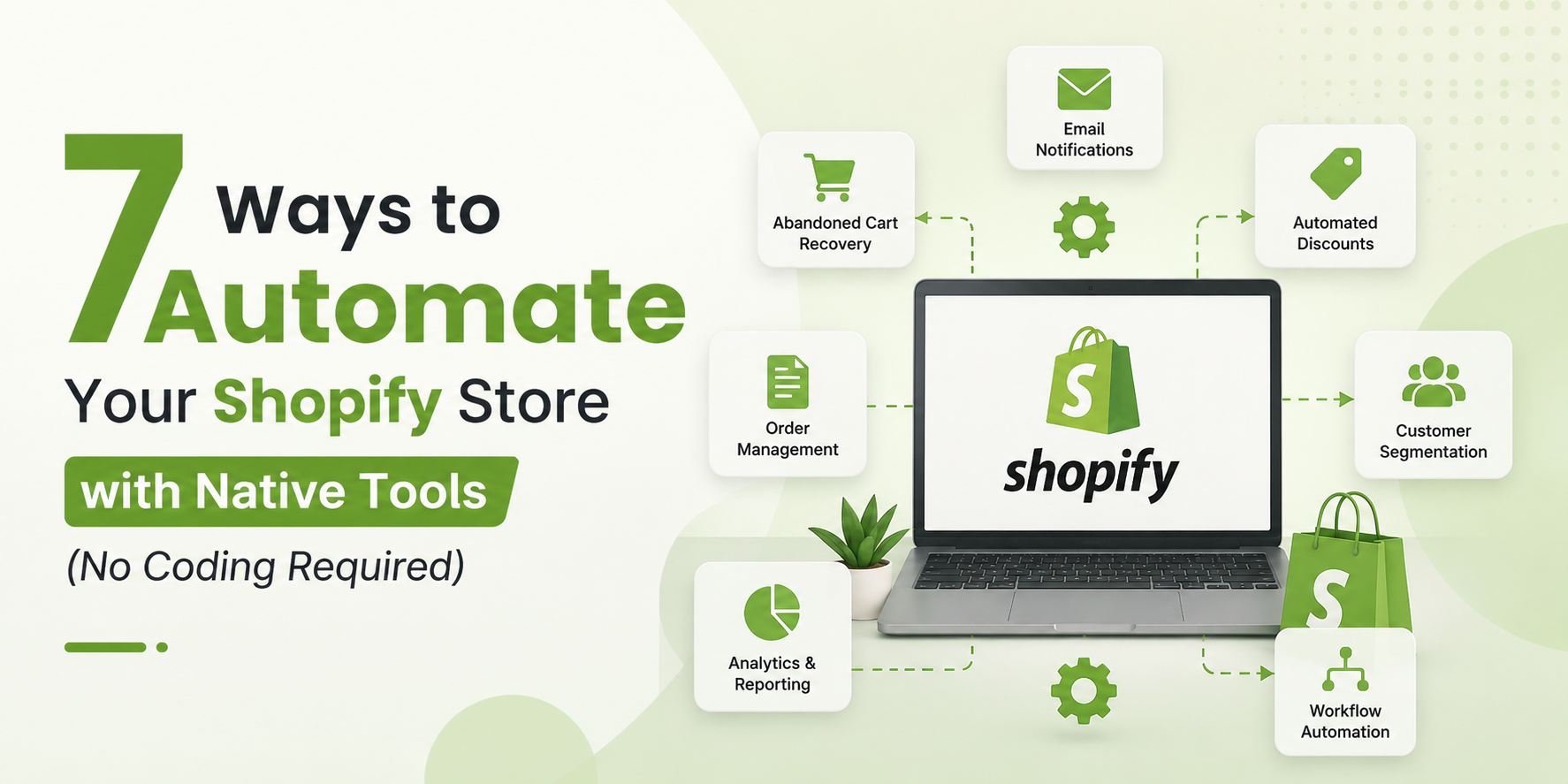
7 Ways to Automate Your Shopify Store with Native Tools (No Coding Required)
Running a Shopify store is exciting when you’re focused on growth, marketing, and serving your customers. But the reality of ecommerce is that a huge portion of your time gets eaten up by repetitive, manual tasks that feel necessary but aren’t exactly moving the needle. Tagging orders, sending follow up emails, updating inventory, managing discounts, and sorting through customer data are all things that have to get done, but they don’t have to be done by you manually every single time.
The good news is that Shopify has built a surprisingly powerful set of native automation tools directly into the platform. You don’t need to be a developer, you don’t need to write a single line of code, and in many cases you don’t even need a third-party app. With the right setup, your store can handle dozens of routine tasks on autopilot while you focus on the things that actually require your attention.
In this blog, we’re going to walk through seven practical ways to automate your Shopify store using tools that are already built into the platform. Whether you’re on a standard plan or Shopify Plus, there are options here for you.
Why Automation Matters for Ecommerce Stores
Before diving into the specific tools and methods, it’s worth understanding why automation is so important for ecommerce in the first place.
Time is the most finite resource you have as a store owner or operator. Every hour you or your team spends on manual, repetitive work is an hour not spent on strategy, customer relationships, product development, or marketing. As your store grows, the volume of these repetitive tasks grows with it. An order tagging process that takes five minutes a day at 10 orders per day becomes a serious time sink at 200 orders per day.
Beyond time savings, automation also reduces human error. When people manually process orders, update tags, send emails, or manage inventory, mistakes happen. An automated workflow executes the same logic perfectly every single time. That consistency improves your operations and protects your customer experience.
Finally, automation allows your business to operate outside of business hours. Customers shop at midnight. Orders come in on weekends. With proper automation in place, your store responds and operates intelligently even when no one is at their desk.
- Shopify Flow for Workflow Automation
Shopify Flow is the most powerful native automation tool available on the platform, and if you’re on Shopify Plus, you have access to it at no additional cost. Flow allows you to create custom automated workflows using a simple trigger, condition, and action structure. No coding required, just a visual interface where you define what should happen and when.
The basic idea is simple. You pick a trigger, which is an event that starts the workflow. Then you optionally add conditions, which are criteria that must be met for the workflow to continue. Then you define one or more actions, which are the things Flow will do automatically when the trigger fires and the conditions are met.
For example, you can create a workflow that triggers when an order is placed, checks whether the order value is above $500, and then automatically tags that order as a high-value order and sends an internal email notification to your team. All of that happens instantly and automatically without anyone lifting a finger.
Some of the most useful practical applications of Shopify Flow include automatically tagging customers based on their purchase history, hiding products from your storefront when inventory drops to zero, sending restock alerts to customers who have previously purchased a sold out item, flagging potentially fraudulent orders for manual review, automatically applying tags to orders based on the products purchased, creating customer segments based on spending thresholds, and notifying your fulfillment team about orders that contain specific products requiring special handling.
The workflow library in Flow also includes pre-built templates for common use cases, so you don’t have to start from scratch. You can browse the template library, pick a workflow that fits your needs, customize it slightly, and activate it in minutes. For Shopify Plus merchants, this is genuinely one of the most valuable tools in the entire platform.
If you’re not on Plus, don’t worry. The other automation methods in this list are available across all Shopify plans.
- Shopify Email for Automated Customer Communication
Shopify Email is Shopify’s built in email marketing tool, and it does more than just send one off campaigns. When used alongside Shopify’s automation features, it allows you to set up automated email sequences that go out to customers based on specific triggers and timing rules, all without any coding and without needing a separate email marketing platform.
The most powerful use of Shopify Email in an automated context is through its integration with customer segments and scheduled sends. You can create a customer segment based on specific criteria, such as customers who purchased in the last 30 days but haven’t returned, and then schedule a targeted email to that segment on a recurring basis.
Shopify also has a set of built in automated email notifications that go out at key moments in the customer journey. Order confirmation emails, shipping confirmation emails, delivery notifications, and abandoned checkout recovery emails are all handled automatically by Shopify’s system. These are active by default, but you can customize their content, design, and timing directly from your Shopify admin without touching any code.
For abandoned cart recovery specifically, Shopify sends automated emails to customers who added items to their cart but didn’t complete the purchase. You can customize the timing of these emails, adjust the messaging, and even add a discount code to incentivize completion. Studies consistently show that abandoned cart emails have significantly higher open and conversion rates than regular promotional emails, so having this running automatically is a genuine revenue driver.
Beyond the defaults, you can also use Shopify Email to create automated win back campaigns for lapsed customers, post purchase follow up sequences that encourage reviews or repeat purchases, and welcome series for new subscribers. The tool has become much more capable over the past couple of years and for many small to mid sized stores it can replace the need for a paid third party email platform entirely.
- Discount Codes and Automatic Discounts
Managing promotions manually is one of the biggest time wasters in ecommerce. Creating discount codes, communicating them to customers, tracking their use, and disabling them when the promotion ends all requires attention and effort. Shopify’s discount system allows you to automate a significant portion of this process.
Shopify lets you create two main types of discounts: discount codes that customers enter at checkout, and automatic discounts that apply without any code needed. Both types can be scheduled with start and end dates, which means you can set up a weekend sale, a holiday promotion, or a product launch discount well in advance and let it run and expire automatically without any manual intervention.
For automatic discounts, the logic is built directly into the checkout. If a customer meets the criteria you’ve defined, the discount applies automatically when they check out. You can set rules based on order value, specific products, customer tags, or combinations of these factors. For example, you can set up an automatic 10% discount for all orders over $100 that runs from Black Friday through Cyber Monday, and it will activate and deactivate on the exact dates you set.
Discount codes can also be bulk generated, which is useful for personalized campaigns. If you want to send every customer on your VIP list a unique 15% off code, you can generate thousands of unique codes at once and export them for use in your email campaigns. This prevents code sharing while still running a targeted promotion.
When you combine Shopify’s discount scheduling with automated email campaigns, you create a fully automated promotional cycle. The discount turns on, the email goes out to the right segment, customers shop and save, and the discount turns off, all without you needing to do anything on the day of the promotion.
- Inventory Management Automation with Low Stock Alerts and Rules
Inventory management is one of the most operationally intensive parts of running an ecommerce store, but Shopify has several native features that automate key parts of this process and reduce the manual monitoring required.
The most fundamental inventory automation in Shopify is the ability to set inventory tracking on a per product or per variant basis. When inventory tracking is enabled, Shopify automatically adjusts your stock levels with every order placed, return processed, or manual adjustment made. You never have to manually subtract units sold from your spreadsheet because the platform handles it in real time.
Beyond basic tracking, Shopify allows you to configure what happens when a product runs out of stock. You can set products to automatically become unavailable for purchase when inventory hits zero, preventing overselling without any manual intervention. Alternatively, you can allow continued sales with a backorder message so customers know the item will ship when it’s back in stock. These settings work automatically once configured.
If you’re using Shopify Flow, you can extend inventory automation significantly. You can build workflows that automatically hide a product from your storefront when it reaches zero inventory and then republish it automatically when stock is replenished. You can also create workflows that send you or your supplier an email notification when a product’s inventory drops below a defined threshold, acting as an automatic reorder alert.
For stores with multiple locations, Shopify’s inventory management automatically tracks stock levels across all locations and routes orders to the appropriate fulfillment location based on the rules you set. This multi location routing happens automatically with every order, saving enormous amounts of time for businesses with complex fulfillment operations.
While Shopify doesn’t have a native auto reorder feature that places purchase orders with suppliers, the combination of low stock alerts and Flow based notifications means you’re always informed at the right moment to take action, without having to manually monitor stock levels throughout the day.
- Shipping and Fulfillment Automation
The order fulfillment process involves several steps that can be automated to save time and reduce the manual effort required to get orders out the door. Shopify has built-in tools that handle much of the fulfillment workflow automatically.
Shopify’s order management system automatically organizes incoming orders and flags anything that needs attention. Orders that pass Shopify’s fraud analysis are clearly marked, while orders flagged as potentially fraudulent are highlighted for manual review. This automatic risk scoring means your team doesn’t have to evaluate every order manually, just the ones the system identifies as risky.
If you’re using Shopify Shipping to purchase and print shipping labels, the process is highly streamlined. You can configure automation rules that pre select shipping services based on order weight, dimensions, destination, or other criteria. When you open an order to fulfill it, the right shipping option is already selected based on your rules, and you just confirm and print. For high volume operations, this shaves significant time off every single shipment.
Shopify also allows you to set up automatic fulfillment for specific product types. If you sell digital products or gift cards, Shopify can fulfill those orders instantly and automatically as soon as payment is confirmed, sending the download link or gift card code to the customer without any manual involvement.
For stores working with third party logistics providers or dropshipping suppliers, Shopify’s integration with fulfillment services allows orders to be automatically forwarded to your fulfillment partner the moment they’re placed and paid for. The entire process from customer order to fulfillment notification can happen without anyone on your team touching it.
Tracking information is also handled automatically. When your fulfillment partner updates tracking information in Shopify, the system automatically sends the customer a shipping notification email with their tracking details. This automatic communication keeps customers informed and reduces the number of “where is my order” inquiries your support team has to handle.
- Customer Segmentation and Automated Targeting
Understanding your customer base and targeting different groups with relevant messages is fundamental to ecommerce growth. Shopify’s native customer segmentation tools allow you to create dynamic customer segments that update automatically as customer behavior changes, and then use those segments to power targeted marketing without manual list management.
Shopify’s customer segment editor uses a filter based system where you can combine multiple criteria to define exactly the group of customers you want to target. You can segment by purchase history, total spend, number of orders, location, tags, subscription status, and many other attributes. Importantly, these segments are dynamic, meaning they automatically add and remove customers as their data changes. A segment of customers who have purchased in the last 90 days will automatically update every day, adding new customers who qualify and removing those who have passed the 90 day window.
This dynamic segmentation is the foundation of automated targeting. Once your segments are defined, you can use them as the audience for your Shopify Email campaigns, ensuring that the right message always reaches the right group without manually updating lists.
Customer tags are another powerful tool for automated segmentation. You can manually add tags to customers, but more powerfully, you can use Shopify Flow to automatically apply tags based on customer behavior. For example, a flow can automatically tag any customer who has placed three or more orders as a repeat buyer, any customer who has spent more than $1,000 total as a vip, and any customer whose most recent order was more than 180 days ago as at risk. Once tagged, these customers can be targeted with specific campaigns, offered different service levels, or excluded from certain promotions, all driven by automatic logic rather than manual sorting.
For Shopify Plus merchants, this kind of automated tagging and segmentation can be connected to loyalty programs, personalized checkout experiences, and B2B pricing tiers, creating a sophisticated customer management system that runs largely on autopilot.
- Automated Reporting and Analytics
Data is only useful if you actually see it, and manually pulling reports every week or month is a task that often gets skipped when things are busy. Shopify’s reporting and analytics tools include several features that automate the delivery of key business insights so you stay informed without having to log in and generate reports manually.
Shopify’s analytics dashboard gives you a real time overview of your store’s performance including sales, traffic, conversion rate, and top products. But beyond the dashboard, Shopify allows you to create custom reports that focus on the specific metrics most important to your business. On the Advanced plan and Plus, you have access to the custom report builder where you can filter, group, and organize data exactly how you need it.
One of the most useful automation features within reporting is the ability to save custom reports and revisit them with a single click. Rather than recreating a complex report every time you want to check on a specific metric, you build it once, save it, and it’s always there ready to show you current data. While Shopify doesn’t currently offer email-scheduled report delivery natively for all plan levels, the combination of saved reports and dashboard customization means your most important data is always accessible without manual compilation.
For stores using Shopify’s finance features, automated financial reporting tracks your payouts, fees, taxes collected, and refunds in real time. The Finances section of your Shopify admin gives you a continuously updated picture of your financial position without requiring manual bookkeeping throughout the month. When it’s time to reconcile or share data with your accountant, the information is already organized and exportable.
Shopify also integrates natively with Google Analytics and other analytics platforms, allowing data to flow automatically from your store to your analytics tools without any manual export or import process. Once the integration is set up, the data pipeline runs continuously in the background, keeping your analytics platforms current with your store’s actual performance data.
For Plus merchants, Shopify’s ShopifyQL Notebooks provides a more advanced analytics environment where you can write queries to explore your data in depth. While this does involve writing query language, it’s far simpler than traditional database queries and allows for sophisticated analysis without needing a data engineering background.
Putting It All Together
The real power of Shopify’s native automation tools comes from using them together rather than in isolation. Think about a common scenario: a customer visits your store for the first time, browses, and abandons their cart. Shopify automatically sends them an abandoned cart email. They come back and complete their purchase. Shopify automatically fulfills the order if it’s a digital product, or forwards it to your fulfillment partner if it’s physical, and sends a shipping confirmation automatically. Flow automatically tags the customer based on their order value. They’re added to the right customer segment automatically. A week later, an automated post-purchase email goes out. If they don’t purchase again within 90 days, they’re automatically tagged as at-risk and added to a win-back campaign audience.
That entire customer journey, from first visit to potential re engagement, can run almost entirely on autopilot with tools that are either built into Shopify or included in your plan at no extra cost.
Getting Started Without Feeling Overwhelmed
If you’re new to automation, the temptation is to try to set everything up at once. A better approach is to start with the tasks that take the most time or cause the most problems right now. If abandoned carts are your biggest missed revenue opportunity, start with automating that recovery sequence. If order tagging is eating up an hour every day, start with Flow. If you’re constantly running out of stock unexpectedly, start with inventory alerts.
Pick one automation, set it up, let it run for a few weeks, and evaluate whether it’s working. Then move to the next one. Within a few months, you’ll have a store that handles a significant portion of its own operations, and you’ll have your time back to focus on the things that actually grow your business.
Automation isn’t about removing the human element from your store. It’s about making sure that human attention goes to the moments where it actually matters, the creative decisions, the strategic choices, the customer conversations that require empathy and judgment. Let the tools handle the rest.