Automate Merchandising, Inventory, and Store Operations with 8 Egnition Apps
Egnition apps for Shopify let merchants automatically sort collections, manage stock availability, synchronize store data, set purchasing rules, promote offers, and organize product information. These tools help you keep products discoverable, streamline daily work, and give shoppers clear information throughout the buying journey.
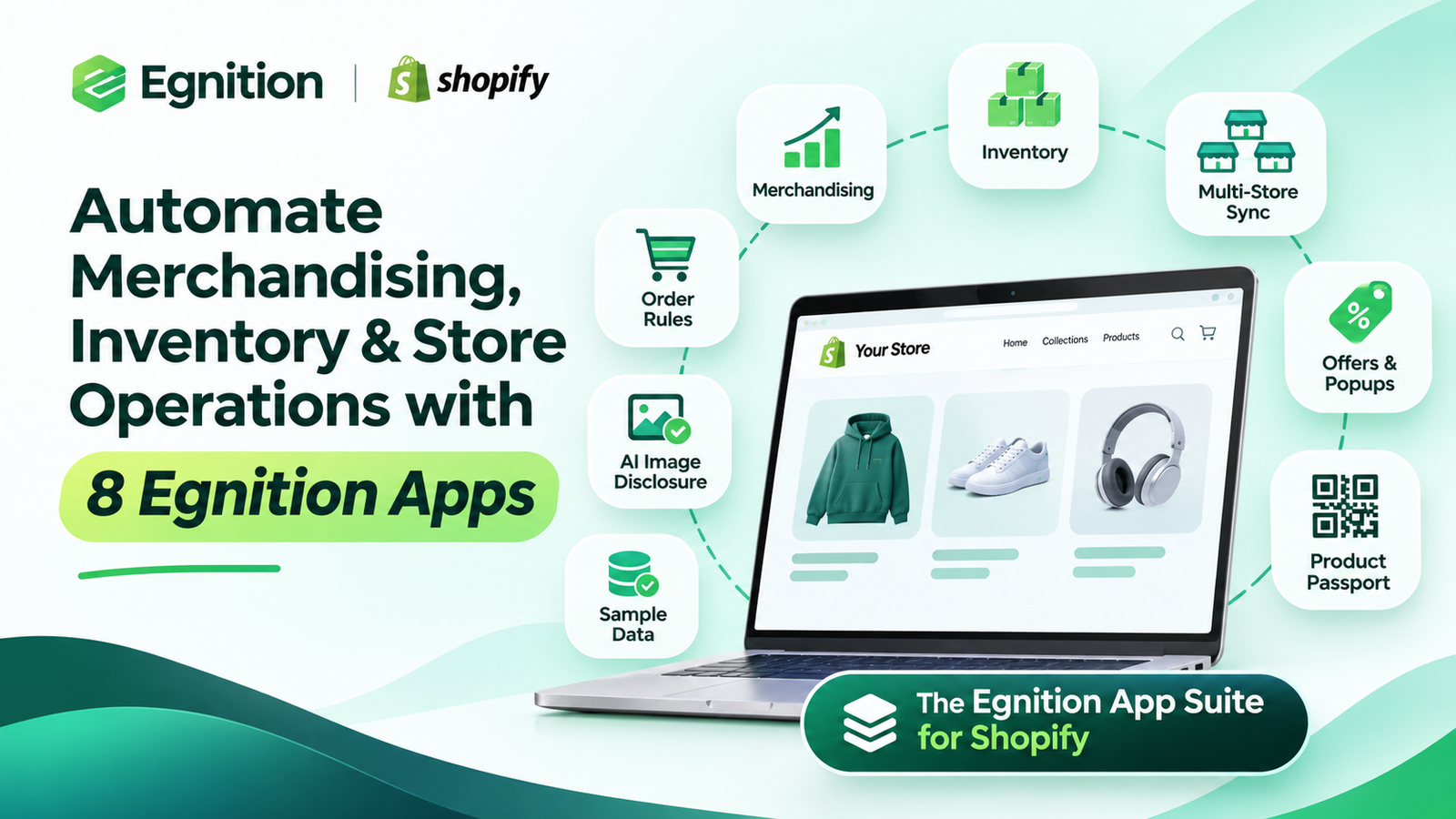
Use automated merchandising to showcase priority products, restock alerts to reconnect with interested buyers, order limits to support your sales model, and connected inventory data to manage multiple stores with less manual work.
The Egnition portfolio includes Bestsellers reSort, StockIQ, Multi Store Sync Power, Commetiq, Fomio, PicDisclose, EPASSA, and Simple Sample Data. Each app supports a specific part of your Shopify operations, from product discovery and promotions to development-store setup and product transparency.
Choose the app that matches your next operational goal, then review the business results as you use it.
[INSERT IMAGE 1 HERE – egnition-shopify-automation.webp]
Alt text: An ecommerce workspace connecting product displays, inventory, order packing, and multiple storefronts
Choose the Right Egnition App for Your Shopify Store
| Your priority | Start with | What it helps you do |
| Put priority products in more visible collection positions | Bestsellers reSort Collections | Automate product merchandising |
| Handle sold-out items and reconnect with shoppers after a restock | StockIQ – Out Of Stock Manager | Prioritize available products and capture restock interest |
| Keep multiple Shopify stores aligned | Multi Store Sync Power | Reduce repeated updates and inventory discrepancies |
| Set minimum orders, purchase limits, or pack quantities | Commetiq: MOQ & Order Limits | Make purchasing rules clear and protect order economics |
| Make offers more visible and capture leads | Fomio Sales Popups | Give visitors a clear next step |
| Review and label AI-generated or AI-modified images | PicDisclose EU AI Act | Manage image disclosure workflows |
| Share organized product information through a digital passport | EPASSA DPP – Product Passport | Make product details accessible through links and QR codes |
| Populate a development store for testing | Simple Sample Data | Spend less time preparing test data |
Explore the full Egnition portfolio on the Shopify App Store, or use the guide below to identify the problem worth solving first.
1. Bestsellers reSort: Sort Collections by Sales and Priorities
Bestsellers reSort Collections is an app for Shopify that automatically sorts products within collections based on sales, revenue, inventory, and other metrics. Merchants can pin selected products, promote new arrivals, and apply different priorities to different collections.
For a growing catalog, manual merchandising quickly becomes a recurring project. Yesterday’s featured product may stay at the top long after its promotion ends, while a strong seller sits several scrolls down the page.
Bestsellers reSort turns your merchandising decisions into a repeatable process. Your team chooses the commercial priorities; the app applies the sorting rules regularly.
For a seasonal launch: your main clothing collection highlights products with strong sales, while your new-season collection gives recent arrivals more visibility. You pin campaign products where shoppers can find them easily.
Bestsellers reSort helps shoppers discover relevant products while reducing the time your team spends rearranging collection product cards.
Your next step: choose one important collection and explore sorting rules with Bestsellers reSort.
2. StockIQ: Manage Out-of-Stock Products and Recover Demand
StockIQ – Out Of Stock Manager is an app for Shopify that moves unavailable products down collections or hides them, collects back-in-stock requests, and helps forecast replenishment needs.
Every unavailable product a shopper clicks adds friction. That matters even more when you have paid to bring the visitor to your store.
StockIQ helps you manage unavailable inventory through rules. For a fashion store, availability can depend on how many sizes remain, not simply whether a product has any stock at all. Back-in-stock notifications give interested shoppers a reason to return, while forecasting supports decisions about when and how much to reorder.
When a bestseller sells out: a popular hoodie loses availability in its main sizes. You move it lower in collections while keeping its product page available for restock requests. When inventory returns, you can reconnect with people who already wanted that product.
Your next step: explore StockIQ with a few high-demand products that regularly sell out.
3. Multi Store Sync Power: Synchronize Data Across Shopify Stores
Multi Store Sync Power synchronizes inventory, products, orders, and collections across connected Shopify stores. It supports inventory updates following orders, refunds, cancellations, and restocks, alongside product data synchronization.
A second storefront can help you reach a new market or separate wholesale from retail. It also introduces another set of updates: stock quantities, product descriptions, catalog changes, and order handoffs.
Multi Store Sync Power reduces repetitive data entry by keeping connected storefronts aligned as inventory and catalog information changes.
For a regional expansion: your brand sells the same range through two storefronts. Your team defines how products and locations match, then sets up the appropriate synchronization rules. Inventory and catalog changes can move between the connected stores without someone repeating each update manually.
Your next step: explore Multi Store Sync Power and map the information your stores need to share.
4. Commetiq: Set Order Limits That Support Your Sales Model
Commetiq: MOQ & Order Limits is an app for Shopify that lets merchants set minimum and maximum purchase rules for quantity, value, and weight, along with quantity increments. Rules can support different products, variants, and customer groups, including B2B buying scenarios.
More orders are valuable when their economics work. Picking, packing, and handling costs can make very small purchases difficult to serve profitably. At the other extreme, a single large purchase may consume inventory you wanted to make available to more customers.
Commetiq helps turn those business requirements into clear buying conditions. Minimum order values establish a lower threshold. Maximum quantities help manage limited stock. Increments support products sold in packs.
MOQ means minimum order quantity: the smallest number of units a customer must purchase under your rule. A minimum order value sets a spending threshold instead. Choosing the right measure helps you match purchasing conditions to your handling costs and sales model.
For products sold by the case: a supplier requires quantities in multiples of six. An increment rule helps buyers select an acceptable amount before ordering, reducing the need for follow-up corrections. Wholesale and retail buyers may need different rules.
Your next step: explore Commetiq and start with the purchasing rule that would prevent your most common order problem.
5. Fomio: Promote Offers and Capture Leads
Fomio Sales Popups helps merchants create promotional popups, announcements, discount offers, lead-capture forms, and countdown timers. Templates, styling controls, and AI-generated popup ideas support campaign creation.
Even a good offer can be overlooked. A shopper may miss a banner, misunderstand a promotion, or leave before discovering a relevant collection. A well-placed message can explain the value and make the next step obvious.
For a seasonal sale: Fomio helps highlight your offer and capture contact details from visitors who are interested but not ready to buy. A countdown can communicate the deadline when the promotion genuinely ends at a specific time.
Start with one offer and one clear action, then tailor the popup design and message to your storefront and campaign.
Your next step: build a focused campaign with Fomio.
6. PicDisclose: Review AI Images and Display Disclosure Labels
PicDisclose EU AI Act helps merchants identify potentially AI-generated or AI-modified images, review suggested classifications, and display disclosure badges on the storefront. Its workflow brings together image synchronization, scanning, review, and badge customization.
AI can make visual content production faster. It also creates a practical question: how will your team keep track of which images have been reviewed and which need an explanation for shoppers?
The law: EU AI Act, Article 50
The relevant framework is the EU Artificial Intelligence Act, Regulation (EU) 2024/1689. Article 50 transparency obligations apply from August 2, 2026, according to the European Commission’s transparency guidance.
For merchants acting as AI deployers within the Act’s scope, Article 50(4) requires disclosure of AI-generated or manipulated image, audio, or video content that constitutes a deepfake. This can involve realistic depictions of existing objects and places, not only people. Disclosure must be clear and accessible by first exposure. It is not a blanket requirement to label every AI-assisted edit. The Commission’s Article 50 FAQ explains the distinction between deployer disclosures and providers’ separate machine-readable marking duties.
PicDisclose supports the image-review and storefront-disclosure part of that workflow. Its badges do not replace an AI provider’s technical marking obligations.
Article 50 also provides a tailored disclosure approach for evidently artistic, creative, or fictional works. It still requires an appropriate disclosure; it is not a blanket exemption for advertising imagery. See Article 50(4)–(5).
What penalties can apply?
Under Article 99(4)(g), Article 50 violations can attract fines of up to €15 million or 3% of the undertaking’s total worldwide annual turnover in the preceding financial year, whichever is higher. For SMEs, including start-ups, Article 99(6) uses the lower of the applicable monetary or percentage ceilings. These are maximum limits, not automatic fines for a missing label; the circumstances of the infringement matter. See the AI Act, Article 99.
Practical use cases for Shopify merchants
AI-created lifestyle photography. A homeware brand generates a photorealistic scene around an existing product. Its team assesses whether the image falsely appears to show an authentic scene and falls within the deepfake definition. PicDisclose helps review the image and display an appropriate disclosure where required. A label does not make an inaccurate product claim acceptable.
A catalog with mixed image sources. An apparel retailer receives studio photos alongside AI-modified campaign assets. The team synchronizes the images, reviews suggested classifications against production records, and applies suitable badges. This creates a repeatable review process as new imagery is uploaded, instead of relying on staff to remember every edit.
The business value lies in a more consistent review process and transparent communication. Treat automated classifications as suggestions to verify against your records; the app does not determine whether a particular image legally qualifies as a deepfake.
Your next step: explore PicDisclose, starting with images whose production history your team already knows.
[INSERT IMAGE 2 HERE – egnition-product-transparency.webp]
Alt text: A shopper using a smartphone to explore product materials and care information beside a backpack
Size: 1536 × 1024 px. Use the WebP file for publishing; PNG original is included in the image archive.
Useful product information supports shoppers before purchase and during ownership. Conceptual illustration, not an app screenshot.
7. EPASSA: Publish Digital Product Passports and Organize Product Data
EPASSA DPP – Product Passport is an app for Shopify that connects your catalog with digital product passports shoppers can access through links and QR codes. Passports can organize materials, origin, care instructions, and sustainability information, with preview and publishing controls.
Product information often lives in several places: a supplier document, a product description, and a support team’s saved replies. Customers have to search for it, while your team answers the same questions repeatedly.
The law: Ecodesign for Sustainable Products Regulation
The relevant framework is the Ecodesign for Sustainable Products Regulation (ESPR), Regulation (EU) 2024/1781. Articles 9–11 establish the digital product passport framework. Product-specific delegated acts determine the required data, coverage, and application dates. There is no single DPP deadline covering every Shopify product. The European Commission’s DPP FAQ explains how obligations depend on the relevant product rules, including for imports.
Where applicable rules require a passport, Article 9 links market placement to its availability and requires accurate, complete, current data. EPASSA supports preparation by organizing product information and publishing passports. The required identifiers, access rights, data fields, and technical arrangements still need to be checked against the applicable rules. See ESPR, Articles 9–11.
What penalties can apply?
ESPR does not set one EU-wide euro amount or turnover percentage for DPP violations. Article 74 leaves penalty rules to Member States, including fines and possible temporary exclusion from public procurement. Persistent formal non-compliance can also lead to restrictions, prohibition of market availability, withdrawal, or recall under Article 71. The consequences depend on the applicable obligations and national enforcement rules. See ESPR, Articles 71 and 74.
Practical use cases for Shopify merchants
An apparel brand preparing its product data. The team gathers verified composition, origin, and care information for a selected range and structures it in EPASSA. This creates a useful starting point for customer-facing passports and a gap assessment against any applicable product-specific DPP rules. It does not assume that every garment already faces the same deadline.
A backpack brand making information useful after purchase. The brand publishes a passport and links it from the Shopify product page. A QR code placed on packaging lets customers return to care instructions and material details later. The team maintains the content as product information changes, while separately checking any mandatory data and retention requirements.
The opportunity is to reduce scattered information and give customers a reliable reference. A published page or QR code alone does not establish legal compliance: the data and technical setup must meet the requirements applicable to the product.
Your next step: explore EPASSA and create a passport for a product with well-documented source information.
8. Simple Sample Data: Populate Development Stores for Testing
Simple Sample Data generates test products, collections, customers, and orders for Shopify development stores. It offers different sample themes, including products with variants, and lets you remove generated data through the app.
An empty catalog tells you little about how a store will feel once it is populated. Long product titles, multiple sizes, and large collections can reveal issues that a nearly blank demonstration misses.
For an agency preparing a new theme: sample apparel products help the team review collection layouts and product cards before importing the real catalog, while making the client demonstration more useful.
Simple Sample Data saves time preparing development stores and helps teams review realistic product catalogs and collection layouts before launch.
Your next step: use Simple Sample Data when preparing your next development or demonstration store.
Combine Egnition Apps to Support Your Store Operations
You do not need to install the entire portfolio at once. Start with an app that matches your immediate goal, then add others as your business needs expand.
Your catalog is growing faster than your team can maintain it. Use Bestsellers reSort to automate collection merchandising and StockIQ to manage out-of-stock products and reconnect with shoppers after restocks.
You are attracting visitors, but some orders are difficult to serve profitably. Commetiq can define purchasing conditions, while Fomio helps communicate an offer. For example, a campaign could direct shoppers to a wholesale range with clearly explained minimums and pack quantities. Make sure the promotion matches the actual buying rules.
You are expanding into additional markets. Multi Store Sync Power can help keep connected Shopify stores aligned. PicDisclose and EPASSA address separate image-disclosure and product-information workflows. Add them when those needs arise, rather than treating the combination as a universal compliance package.
You are preparing a redesign or a new store. Simple Sample Data helps populate your development environment. Once the experience is tested, introduce the operational tools your live store needs.
Evaluate the Business Value of Your Shopify Apps
“Did orders increase?” is a useful question, but it is not the whole picture. Consider additional profit, fewer errors, time saved, and the total cost of using the tool.
Use available app reports, Shopify analytics, and your store’s operating records to evaluate profit, time saved, and operational improvements.
A practical evaluation formula is: additional order contribution + value of time saved + avoided losses − subscription costs − setup and maintenance costs.
When calculating order contribution, subtract product costs, discounts, and variable expenses from revenue. Avoid double-counting: a purchase following a back-in-stock notification could also appear in a campaign report.
For example, saving six hours a month at an internal hourly cost of $20 represents $120 in working time. With a monthly app cost of $30, that leaves $90 in potential value before setup and maintenance. Reinvest saved time in merchandising, support, or other productive work.
Record a baseline before changing your setup. Test one scenario for long enough to gather useful data, accounting for advertising, promotions, and seasonality. Where traffic allows, a control group can help distinguish the impact of your changes from other factors.
The goal is a repeatable improvement you can explain–not simply a more crowded app list.
Frequently asked questions about Egnition’s Shopify apps
Which Egnition apps can help increase Shopify sales?
Bestsellers reSort helps improve product visibility, StockIQ supports demand for unavailable items, and Fomio highlights offers and captures leads. Commetiq helps define purchasing conditions that support order economics. Results depend on your products, traffic, offers, and configuration.
What is the difference between Bestsellers reSort and StockIQ?
Bestsellers reSort focuses on collection merchandising and product order based on commercial rules. StockIQ focuses on unavailable products, restock notifications, and inventory management.
How can I set a minimum order or MOQ in Shopify?
Commetiq lets you configure purchase restrictions such as a minimum quantity or order value. Choose the products and audience, define the condition, prepare a clear customer message, and test the rule through the relevant buying journey.
How can I synchronize inventory between Shopify stores?
Multi Store Sync Power synchronizes inventory across connected Shopify stores, helping merchants keep stock quantities and product information aligned as orders and restocks occur.
Do I need all eight Egnition apps?
No. Start with an app that addresses a measurable problem. A single-store business without synchronization needs may not require Multi Store Sync Power, for example. Your tools should reflect your operational needs.
Are free plans or trials available?
Several Egnition apps offer free options or trial periods, with different conditions. Check the current listing, plan limits, and optional charges before installing.
Do PicDisclose and EPASSA solve the same problem?
No. PicDisclose supports the review and disclosure of AI-generated or AI-modified images. EPASSA helps create and publish digital product passports. They address different information workflows that may be useful to the same brand.
Does every AI-edited product image need an EU AI Act disclosure?
No blanket rule covers every AI-assisted edit. The relevant merchant-facing duty concerns content meeting the deepfake definition, subject to the Act’s scope and applicable provisions. Assess the image and its context; an automated classification is not a legal determination. See the Commission’s transparency FAQ.
Is a digital product passport already mandatory for every Shopify product?
No. Under ESPR, coverage and timing depend on product-specific rules. Identify the requirements for your product category before treating a passport as mandatory or a published passport as sufficient. See the Commission’s DPP FAQ.
Choose an App to Solve a Specific Store Problem
Choose the improvement that matters most to your store: less time spent maintaining collections, better management of products that sell out, clearer purchasing rules, or synchronized data across multiple storefronts.
Define your goal, record the starting point, and configure the app that addresses it. Use the results to guide your next improvement and free your team to focus on growing the business.
Find the right Egnition app for your Shopify store →




