HOW TO TURN PRODUCT PHOTOS INTO FACEBOOK AND INSTAGRAM AD CREATIVES WITH AI

Introduction
Facebook and Instagram are powerful marketing platforms for Shopify merchants who want to promote products, attract potential customers, and increase online sales.
However, running successful advertising campaigns requires more than simply choosing an audience and setting a budget. One of the most important elements of any campaign is the ad creative.
An attractive product image can help capture attention, communicate product value, and encourage potential customers to explore your store.
Unfortunately, many Shopify merchants rely on basic supplier images, plain product photographs, or repetitive advertising visuals that do not stand out in crowded social media feeds.
Creating new advertising images traditionally involves photographers, designers, studios, editing tools, and additional production costs.
Fortunately, artificial intelligence provides another approach.
With PA AI Image Generator, Shopify merchants can transform existing product photographs into professional-looking studio images, lifestyle compositions, seasonal promotional images, and other visual assets.
In this guide, we’ll explain how to turn product photos into Facebook and Instagram ad creatives with AI, explore the benefits of AI-powered product photography, and demonstrate how to generate advertising images using PA AI Image Generator.
What Are Facebook and Instagram Ad Creatives?
Ad creatives are the visual and written elements used in advertising campaigns.
For Facebook and Instagram, these can include product photographs, lifestyle images, promotional graphics, videos, headlines, descriptions, and calls to action.
The purpose of an advertising creative is to communicate a message and encourage viewers to take a specific action.
For Shopify merchants, these actions may include visiting a product page, browsing a collection, learning about a product, or completing a purchase.
A successful creative should present the product clearly and communicate a relevant benefit without making misleading claims.
Why Product Images Matter in Facebook and Instagram Advertising
1. Help capture attention
People often scroll quickly through Instagram and Facebook feeds.
A clear, visually attractive photograph can encourage viewers to notice a product and spend more time examining an advertisement.
2. Communicate product value
Professional-looking images can highlight product designs, materials, styling, and important features.
This helps potential customers understand what makes a product relevant to their needs.
3. Create a stronger first impression
A well-composed photograph can make an advertisement look more professional.
Consistent lighting, backgrounds, and image quality also help communicate the brand’s visual identity.
4. Support different advertising audiences
Different customers may respond to different photography styles.
For example, an outdoor sports brand may use lifestyle photography for adventure-focused audiences and clean studio images for customers interested in product details.
5. Provide opportunities for creative testing
Using several image variations allows advertisers to compare creative approaches and identify which messages and visuals perform best.
Challenges Shopify Merchants Face When Creating Ad Creatives
Creating new advertising photographs frequently can be difficult, particularly for merchants managing large catalogs.
Some common challenges include:
- Expensive professional photoshoots.
- Limited product photography budgets.
- Repetitive supplier images.
- A lack of lifestyle photography.
- Difficulty creating different backgrounds.
- Time-consuming image editing.
- Preparing creatives for multiple advertising placements.
- Producing fresh imagery for seasonal promotions.
- Maintaining consistent branding across advertising campaigns.
These challenges can make it harder for merchants to test new creative ideas regularly.
AI-powered photography can help reduce some of these production requirements.
How AI Product Photography Helps Create Ad Creatives
AI image generation allows merchants to use existing product photographs as references and generate new visual compositions.
For example, a simple product photograph can become the basis for a clean studio presentation or an image featuring a more relevant lifestyle setting.
Instead of arranging multiple physical photoshoots, merchants can experiment with different backgrounds, lighting conditions, and visual styles.
AI can be particularly useful for generating supplementary image assets for social media campaigns.
However, generated images should always be reviewed to ensure that they accurately represent the products being advertised.
Introducing PA AI Image Generator for Shopify
PA AI Image Generator is a Shopify application designed to help merchants create additional product imagery using their existing catalog photographs.
The app provides different generation modes, photography presets, image configuration settings, and Gallery management tools.
Merchants can generate professional-looking product visuals and select the most suitable images for their Shopify storefronts and marketing campaigns.
Key Features
Studio Product Photography
Create clean, product-focused compositions suitable for ecommerce advertising.
Lifestyle Product Photography
Generate images featuring products in relevant indoor or outdoor environments.
Floating Product Photography
Create dynamic product-focused visuals with stylized compositions.
On-Model Photography
Explore model-based product photographs for suitable clothing and accessory categories.
Seasonal Photography
Generate creative concepts for Christmas, Valentine’s Day, Black Friday, and other seasonal campaigns.
Bulk Image Generation
Select multiple Shopify products and prepare additional product images.
Gallery Management
Review generated images, download completed results, and manage publishing to Shopify products.
Custom Image Settings
Configure backgrounds, image dimensions, resolution, formats, and specific generation instructions.
App Link: https://apps.shopify.com/pa-ai-image-generator
Best AI Photography Styles for Facebook and Instagram Ads
Different advertising campaigns require different visual approaches.
Studio Product Photography
Studio photography keeps the product as the main focus.

It is useful for clearly presenting product shapes, colors, materials, and designs.
This approach works well for straightforward product advertising.
Lifestyle Photography
Lifestyle images show products in relevant environments.
For example, skincare products can be presented in spa-inspired compositions, while outdoor equipment can appear in natural settings.
Lifestyle imagery helps customers visualize how products might fit into everyday activities.
Floating Product Photography
Floating compositions create stylized visual presentations featuring products against creative backgrounds.

This style may be useful for electronics, sneakers, headphones, and other products suitable for modern promotional imagery.
Seasonal Advertising Photography
Seasonal images help merchants create visually relevant campaigns for holidays and shopping events.

For example, a Black Friday campaign may use bold backgrounds and strong contrast, while a Christmas promotion might use festive decorations.
Product Detail Photography
Close-up images can emphasize materials, finishes, and other important product characteristics.

This is especially useful for jewelry, accessories, skincare packaging, and products with detailed designs.
Choosing the Right Photography Style for Your Campaign
| Product category | Suggested ad creative style |
|---|---|
| Sneakers | Floating, Athletic Lifestyle |
| Handbags | Studio, Fashion Lifestyle |
| Jewelry | Detail / Macro, Lifestyle |
| Skincare | Beauty Spa, Studio |
| Electronics | Floating, Studio Gradient |
| Furniture | Lifestyle Home |
| Outdoor equipment | Outdoor Lifestyle |
| Food products | Food Hero, Lifestyle |
| Gift products | Packaging, Seasonal |
| Fitness products | Athletic Action |
The best style depends on your product, intended audience, and advertising objectives.
Step 1: Search for PA AI Image Generator in the Shopify App Store
First, open the Shopify App Store.
Use the search bar to search for PA AI Image Generator.
The search results will display the app alongside other image generation and ecommerce photography applications.

Image 1: Search for PA AI Image Generator in the Shopify App Store.
Image explanation: The screenshot shows the Shopify App Store search results, with PA AI Image Generator highlighted. Its listing describes the app as a tool for creating studio and on-model AI product photography.
Click the app to open its listing.
Step 2: Install and Open PA AI Image Generator
On the app listing, review the description, available features, and pricing information.
Click Install if the app has not yet been installed, then approve the requested Shopify permissions.
Once installation is complete, select Open to launch the application.
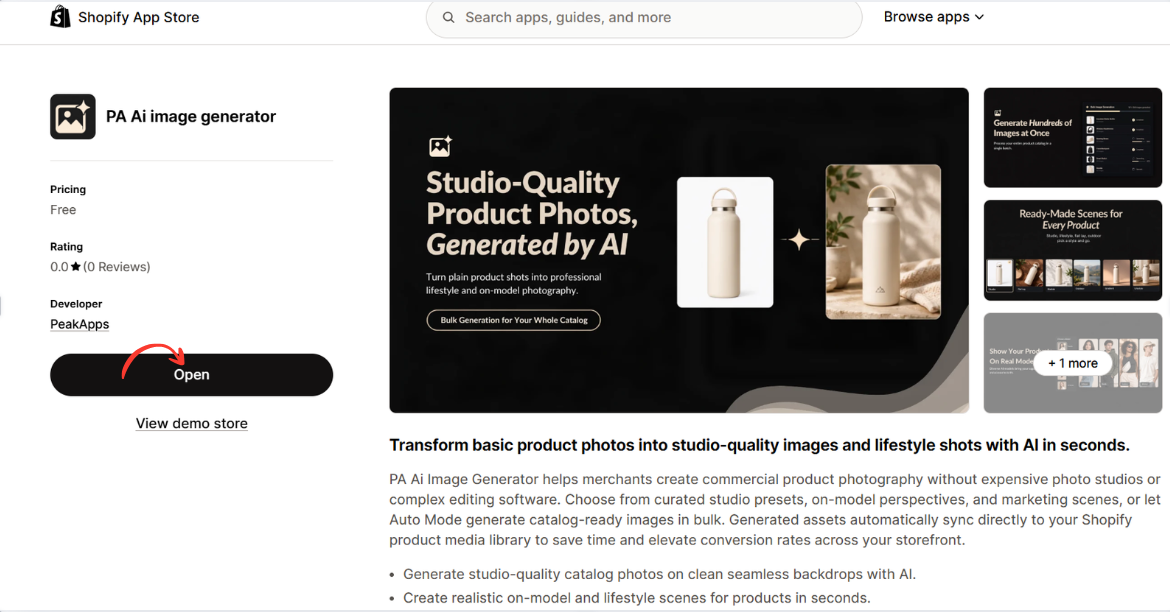
Image 2: Open PA AI Image Generator from its Shopify App Store listing.
Image explanation: The screenshot displays the app listing, including an illustration demonstrating how an ordinary product image can become a lifestyle-style photograph.
The Open button is highlighted, showing how merchants can access the installed app.
Step 3: Open the Generate Images Dashboard
After opening the app, locate Generate Images in the left navigation menu.
The image-generation workflow begins with selecting the products you want to use.
Click Browse Products to choose individual products from your Shopify catalog.
Alternatively, you can use Browse Collections to work with a collection.
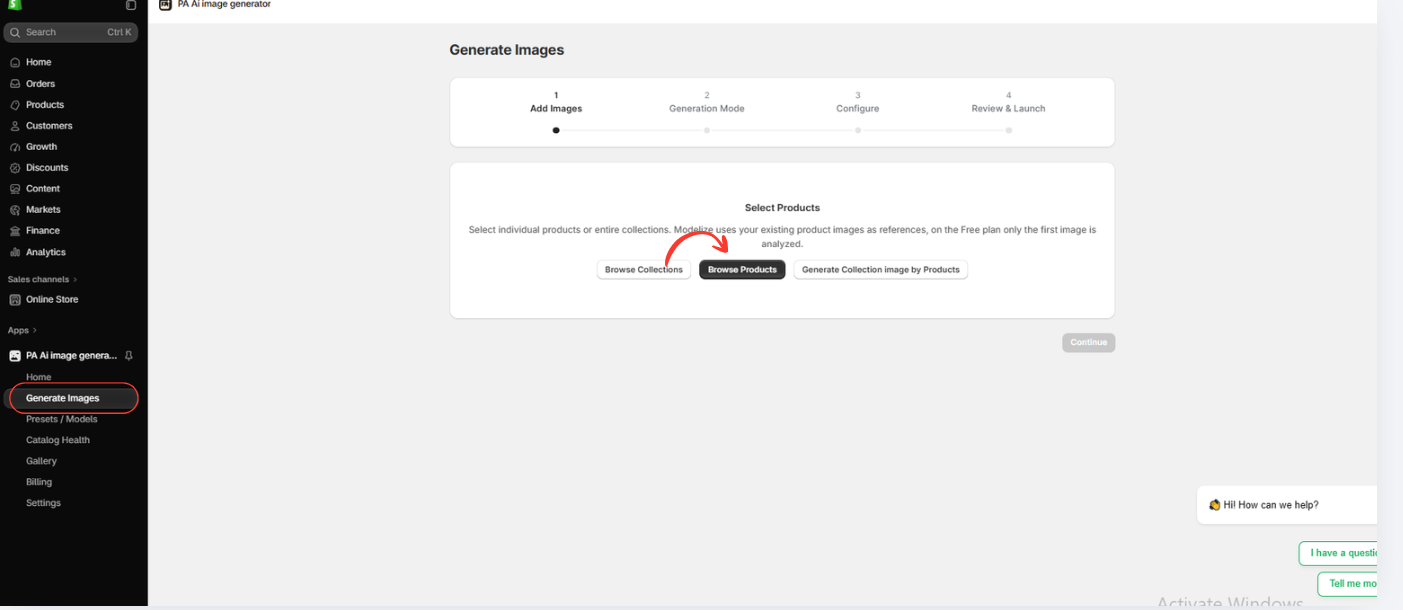
Image 3: Open Generate Images and select Browse Products.
Image explanation: The screenshot displays the image-generation interface with a progress indicator for selecting images, choosing a generation mode, configuring settings, and reviewing the generation request.
The Browse Products option allows merchants to use images already stored in Shopify.
Step 6: Choose an AI Image Generation Mode
The next screen displays two generation approaches:
Auto Mode: Allows AI to create a set of optimized product images based on the available product references.
Choose Presets: Allows you to select specific photography styles and compositions.
For this tutorial, select Choose Presets.
This option gives you more control over the visual direction of your final product photographs.

Image 6: Select Choose Presets to customize the style of AI-generated product images.
Image explanation: The screenshot shows the available generation modes. The Choose Presets option is highlighted, with previews of different photography styles.
Click Continue to browse the preset library.
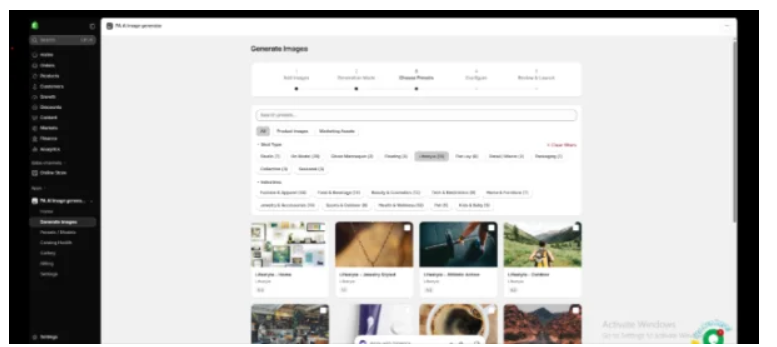
Step 7: Explore Professional Product Photography Presets
The app provides a library of presets organized into several categories.
You can browse photography types such as Studio, On Model, Ghost Mannequin, Floating, Lifestyle, Flat Lay, Detail/Macro, Packaging, and Seasonal.
Industry filters include fashion, beauty, electronics, home products, jewelry, and sports.
Choose presets based on your product category and intended use.

Frequently Asked Questions
1. Can AI turn Shopify product photos into Facebook ad creatives?
Yes. AI image-generation tools can create additional product photography variations that merchants can prepare for Facebook advertising.
2. Can I use AI-generated images for Instagram ads?
Yes, provided the images comply with applicable advertising requirements and accurately represent the products.
3. Does PA AI Image Generator create lifestyle product photographs?
Yes. The app includes lifestyle photography presets and different generation modes.
4. Can I generate multiple ad images for one Shopify product?
Yes. PA AI Image Generator can generate multiple visual compositions for selected products.
Conclusion
When comparing AI product photography vs traditional photoshoots, both methods offer valuable benefits for Shopify merchants. However, the best choice depends on your budget, time, product requirements, and marketing goals.
Traditional photography provides accurate product representation, professional lighting, and authentic physical details. However, hiring photographers, renting studios, arranging models, and editing photographs can be expensive and time-consuming.
On the other hand, AI product photography offers a faster, more flexible, and often more affordable alternative for creating additional product visuals.
As demonstrated by the snowboard photography examples, AI can help merchants generate professional-looking studio images, outdoor lifestyle scenes, creative close-ups, and on-model compositions without organizing separate physical photoshoots.
With PA AI Image Generator, Shopify merchants can use existing product images, choose photography presets, and create visual variations for their product pages, collections, and marketing campaigns.
For merchants who frequently introduce new products or need multiple creative styles, AI photography can significantly simplify content production. However, generated images should always be checked to ensure the products are represented accurately.
The best approach is often to combine both methods: use traditional photography for accurate product references and AI-generated images for additional lifestyle and promotional content.
Ready to create professional-looking Shopify product photos without arranging expensive photoshoots?
Try PA AI Image Generator today.Install PA AI Image Generator on Shopify




