WIX AI IMAGE GENERATOR VS. TRADITIONAL PRODUCT PHOTOGRAPHY: WHICH IS BETTER?
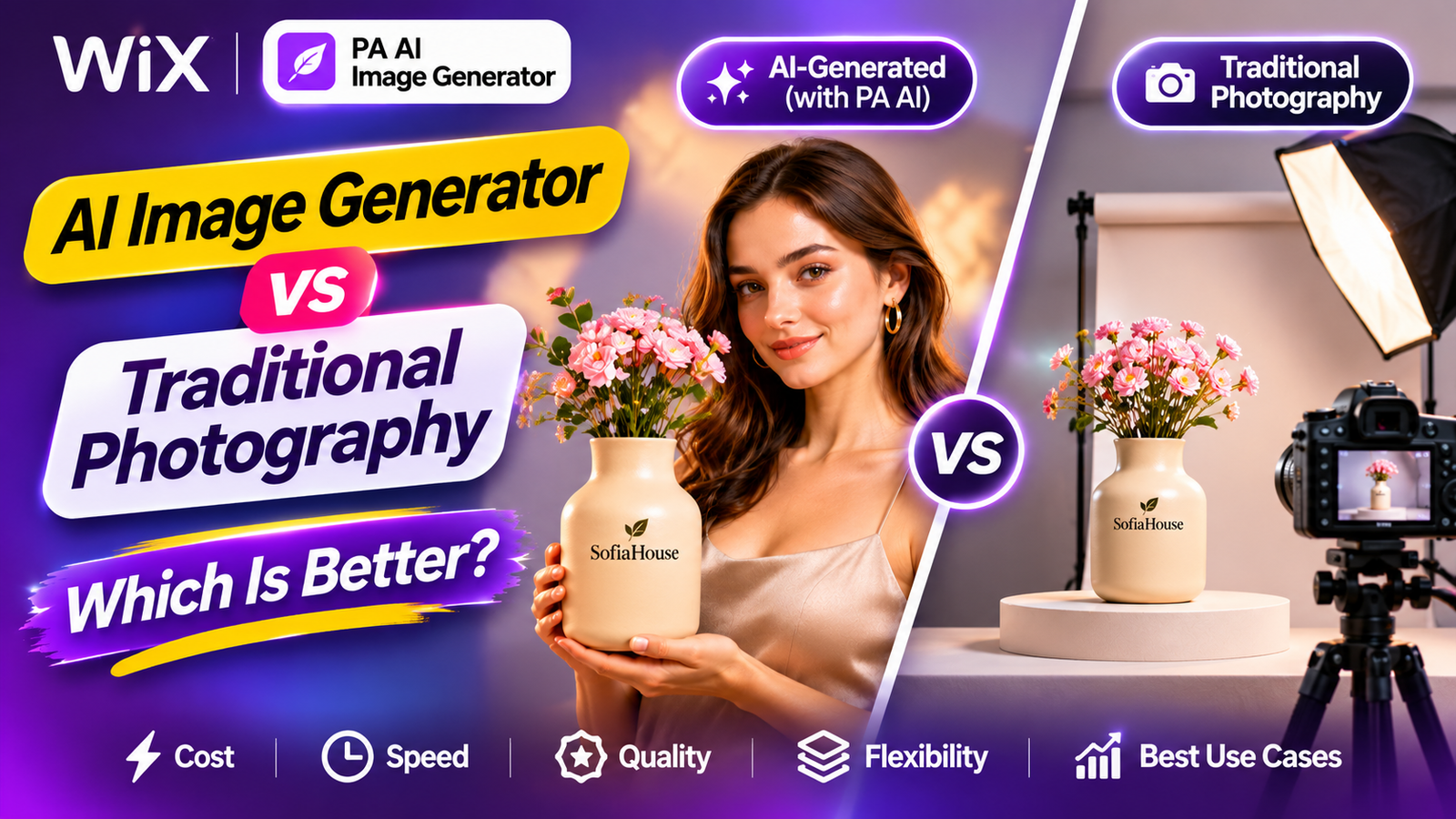
Introduction
High-quality product photography is one of the most important elements of a successful Wix online store. When customers browse products online, photographs help them evaluate appearance, understand features, and make purchasing decisions.
However, professional product photography can be expensive. Hiring photographers, purchasing lighting equipment, arranging models, and renting studio spaces can increase business costs.
Artificial intelligence is changing how ecommerce businesses approach product photography.
Today, Wix merchants can use AI-powered applications to remove backgrounds, create lifestyle scenes, and improve existing product photographs without arranging a new photoshoot for every image.
But an important question remains:
Is AI product photography better than traditional product photography?
In this article, we’ll compare both approaches in terms of cost, quality, speed, flexibility, accuracy, and suitability for Wix online stores. We’ll also demonstrate how to use PA AI Image Generator to create professional-looking product photographs.
What Is AI Product Photography?
AI product photography uses artificial intelligence to create or edit product images.
Rather than arranging physical studio environments for every photograph, merchants can start with an existing image and use AI to generate different backgrounds, lighting styles, and lifestyle scenes.
For example, a simple photograph of a ceramic vase can become a lifestyle image featuring a stylish interior or an AI-generated model.
AI-assisted product photography is particularly useful for:
-
Background removal and replacement.
-
Creating lifestyle photography variations.
-
Experimenting with different visual styles.
-
Producing promotional imagery.
-
Developing consistent product catalogs.
-
Reducing some manual editing work.
What Is Traditional Product Photography?
Traditional product photography involves photographing real products using physical equipment such as cameras, lighting, backdrops, and props.
Depending on the project, merchants may hire professional photographers, models, stylists, and editors.
Traditional photography is especially useful when shoppers need to see exact colors, materials, textures, dimensions, or product construction.
Wix’s ecommerce photography guide also recognizes the value of combining real photography with digitally generated visuals rather than choosing only one method.
wix.com
AI vs. Traditional Product Photography: Quick Comparison
| Feature | AI photography | Traditional photography |
|---|---|---|
| Initial setup | Requires suitable source photos | Requires a physical shoot |
| Additional scene costs | Often lower | Can be higher |
| Speed of creating variations | Usually faster | Requires new setups or editing |
| Background customization | Prompt-based or automated | Physical or manually edited |
| Models and locations | Can be generated digitally | Require real models and locations |
| Exact product representation | Must be verified | Stronger source of physical evidence |
| Creative flexibility | High | High, but resource-dependent |
| Lighting accuracy | Simulated | Physically captured |
| Product detail photography | May introduce inaccuracies | Better for exact details |
| Best suited for | Lifestyle variations and catalog enhancement | Accurate source and detail photos |
Which Is More Affordable?
AI product photography
AI editing can reduce the cost of creating additional backgrounds and lifestyle scenes from photographs you already own.
For example, instead of arranging five different physical studio setups, you may generate several scene variations from one accurate source photograph.
However, AI photography isn’t always free. Costs can include subscriptions, image credits, review time, and regenerating unsuccessful results.
Traditional product photography
Traditional photoshoots may involve photographer fees, camera equipment, lighting, sets, props, models, and editing.
The actual cost depends on the number of products, required shots, production complexity, and the photographer’s experience.
wix.com
Verdict: AI is often more economical for additional creative variations. Traditional photography remains valuable for capturing accurate original product images.
Which Produces Better Image Quality?
Image quality involves more than attractive lighting and backgrounds.
A useful product image should also accurately represent the item customers will receive.
AI photography strengths: It can create polished lighting, elegant environments, consistent color palettes, and visually appealing advertising compositions.
AI photography limitations: Generated images may change product dimensions, labels, textures, colors, packaging, or other important details.
Traditional photography strengths: A well-executed physical shoot captures the real product and provides stronger evidence of its construction and appearance.
For products where accuracy is essential, real photography is generally the safer starting point.
Rasgo AI+1
Verdict: Traditional photography is better for dependable product documentation. AI can be excellent for creative presentation when its results are carefully checked.
Which Is Faster for Wix Store Owners?
AI is particularly useful when a merchant needs multiple creative variations.
Changing a background or generating a new lifestyle environment can be quicker than organizing another physical photoshoot.
Traditional photography may require scheduling, equipment setup, shooting, image selection, and post-production editing.
However, AI can also require repeated generations and manual quality checks.
Verdict: AI is usually faster for background changes and lifestyle variations, while traditional photography is still necessary when accurate source images do not exist.
Which Is Better for Lifestyle Photography?
Lifestyle photography shows products in environments where customers might use them.
For example, a vase displayed on a living room table helps shoppers visualize it in their homes.
Traditional-style product presentation: clean, simple, detail-focused.
Lifestyle-style presentation: product shown in an attractive environment.
Illustrative photography styles, not results from PA AI Image Generator.
AI can help generate environments that would otherwise require locations, props, and additional production resources.
Traditional photography offers more direct control over real interactions and exact physical product details.
Verdict: AI is especially useful for lifestyle experimentation; traditional photography is preferable when the image must document the exact product or fit.
Introducing PA AI Image Generator for Wix
PA AI Image Generator by TheScriptFlow is available on the Wix App Market.
The app helps Wix merchants create cleaner and more consistent product photographs from their existing catalog.
Its official listing describes these capabilities:
-
One-click background removal.
-
White, solid-color, and brand-color backgrounds.
-
AI-generated lifestyle scenes.
-
Custom photography prompts.
-
Batch editing, as advertised in the listing.
-
Publishing generated images as the product’s main photo while retaining existing gallery images.
The supplied Photo Studio screenshots demonstrate the individual-photo editing workflow; they do not demonstrate the batch-editing interface.
wix.com
App link: PA AI Image Generator – Wix App Market
How to Create AI Product Photos in Wix: Step-by-Step Tutorial
Follow these instructions to create a professional-looking product image with PA AI Image Generator.
Step 1: Open the Wix App Market
Search Google for Wix App Store and open the official Wix App Market.

Image 1: Open the official Wix App Market.
Step 2: Search for PA AI Image Generator
Enter PA AI Image Generator in the App Market search bar.

Image 2: Search for PA AI Image Generator.
Step 3: Find the Application
Locate PA AI Image Generator by TheScriptFlow in the search results.

Image 3: Select the app from the results.
Step 4: Install the Application
Open the app listing and click Add to Site.

Image 4: Add PA AI Image Generator to your Wix store.
Step 5: Open the App in Your Wix Dashboard
Navigate to Apps → AI Product Images.

Image 5: Access the application from the Wix dashboard.
Step 6: Select Your Product
Choose the product you want to improve. In this example, we’re using a Ceramic Flower Vase.

Image 6: Select the product from your catalog.
Step 7: Open Photo Studio
Choose the existing photograph you’d like to edit and open Photo Studio.

Image 7: Open the photo editing interface.
Step 8: Enter a Studio Photography Prompt
Scroll down to AI scene and describe the image you want to create.
For example:

Image 8: Enter a custom AI scene prompt. The purple-background preview belongs to an earlier edit.
Step 9: Generate the AI Image
Click Create AI scene.
The app displays Working… during processing.

Image 9: Generate a new studio-style photograph.
Step 10: Compare the Original With the AI Result
Once processing finishes, the app displays a before-and-after preview.

Image 10: Compare the original product photograph with a dramatic AI-generated studio scene.
The resulting image uses darker lighting and a more sophisticated commercial setting.
Check that the product’s actual design and materials remain accurate before publishing.
Step 11: Explore AI Model Photography
You can also experiment with lifestyle scenes featuring AI-generated people.
This earlier example shows a ceramic vase presented by an AI model.

Image 11: A separate AI lifestyle photography example featuring a model holding a branded vase.
Remember that AI-generated text and branding can be inaccurate. Do not use these images to imply a real customer endorsement or show branding that does not exist on the actual item.
Step 12: Publish Your Product Image
After checking the generated image, click Publish to product (becomes main photo).
According to the app, your existing photographs stay in the product gallery while the selected generated image becomes the main photograph.
For added protection, keep independent backups of your original image files.
Common Mistakes to Avoid With AI Product Photography
Changing important product details: AI may alter labels, materials, colors, or dimensions.
Using unrealistic scenes: Even attractive images can mislead customers if they show impossible product characteristics.
Depending entirely on AI: Original photographs are useful for verifying the real item’s appearance.
Ignoring image consistency: Apply similar lighting, compositions, and backgrounds across related products.
Using inaccurate AI-generated branding: Logos and product labels must match the physical product.
Publishing without inspection: Always compare the original and generated images before making an AI result the main product photo.
Frequently Asked Questions
Is AI product photography better than traditional photography?
Neither is universally better. AI is often more efficient for creative variations, while traditional photography is stronger for accurate physical product representation.
Can AI replace a professional product photographer completely?
AI can replace some editing and scene-creation tasks, but real photography remains important when accurate source photographs or detailed product evidence are required.
Is AI product photography cheaper?
It can be cheaper for generating additional image variations. Actual savings depend on app pricing, image volume, unsuccessful generations, and editing requirements.
Can I create AI product photographs in Wix?
Yes. PA AI Image Generator offers AI editing and scene generation through its Wix application.
Can I generate photos featuring AI models?
The supplied app screenshots show examples of AI-generated lifestyle scenes featuring people. Always review product appearance and the realism of the generated interaction.
Can I use AI-generated photos for my Wix product pages?
Yes, provided the images accurately represent your products and comply with applicable platform, advertising, and legal requirements.
Will AI photography increase ecommerce sales?
Professional images can support product presentation and customer confidence, but increased sales are not guaranteed.
Conclusion: Which Is Better for Wix Stores?
AI product photography and traditional photography offer different advantages.
Traditional photography is ideal for capturing accurate product details and establishing a reliable visual reference.
AI photography is especially useful for creating additional backgrounds, lifestyle scenes, and advertising variations without organizing a separate photoshoot every time.
For most Wix merchants, the strongest practical solution is to combine both approaches.
Capture clear photographs of your real products, then use AI to create additional professional-looking images while preserving their actual appearance.
If you want to experiment with AI-powered product photography directly from your Wix dashboard, explore PA AI Image Generator.