HOW TO BUILD A HIGH-CONVERTING SHOPIFY PRODUCT PAGE FROM SCRATCH
Introduction
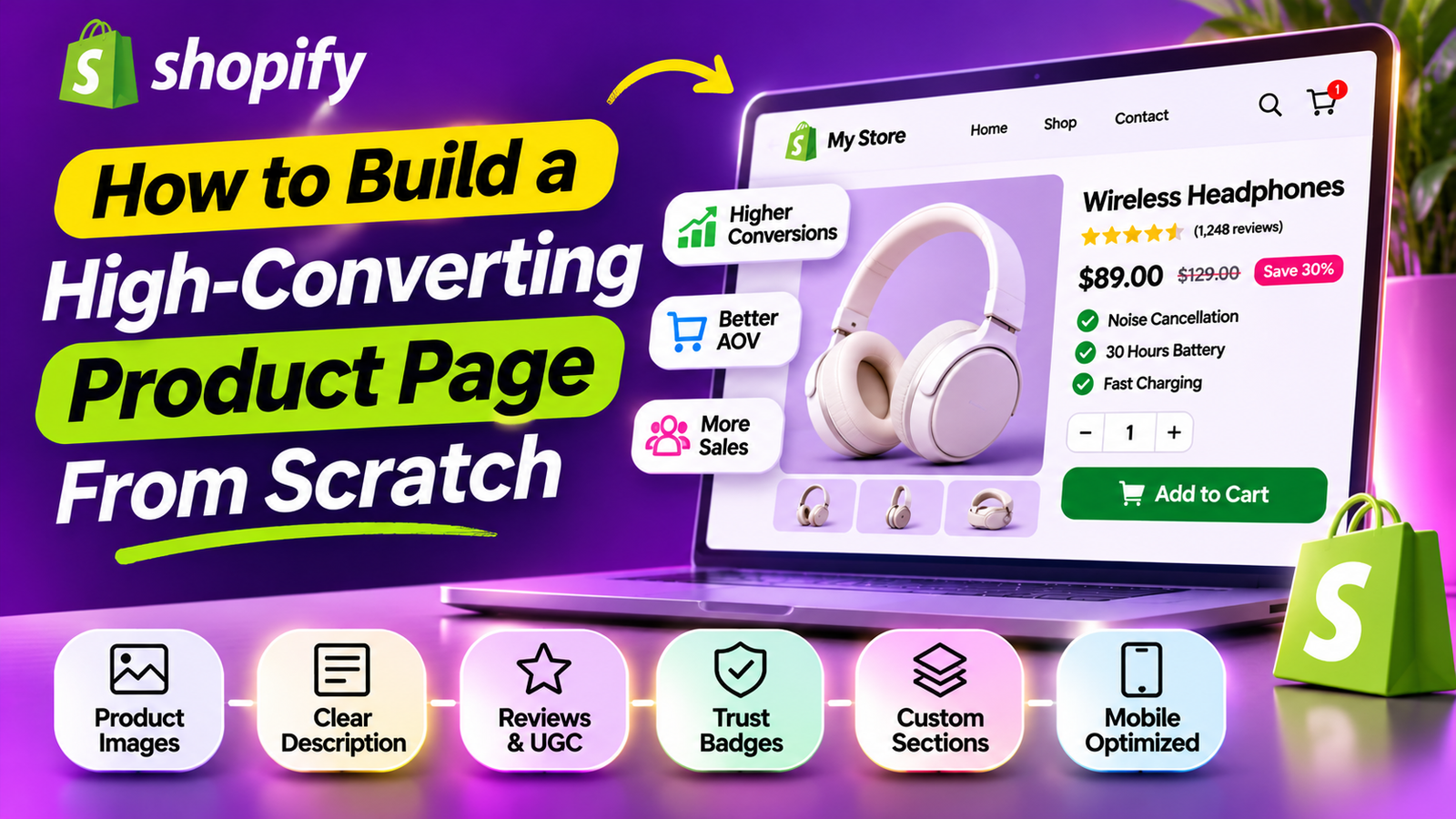
A Shopify product page should help customers understand what they’re purchasing and feel confident taking the next step.
But many merchants focus too heavily on visual design while overlooking essential details such as product benefits, purchasing controls, reviews, shipping information, and mobile usability.
Building a high-converting product page requires balancing persuasive content with a straightforward shopping experience.
In this guide, we’ll explore the essential elements that make Shopify product pages easier to understand, navigate, and purchase from.
What Makes a Shopify Product Page Effective?
An effective product page answers customer questions without unnecessary distractions.
It should communicate the product’s value, explain essential specifications, display accurate pricing, and make the purchasing process clear.
Different product categories require different approaches, so the most effective layout depends on what customers need to know before buying.
How to Structure Product Information for Better Readability
Break content into logical sections covering benefits, specifications, usage instructions, delivery information, and FAQs.
Use concise headings and avoid excessive paragraphs.
Why Visual Hierarchy Matters in Shopify Product Page Design
Visual hierarchy helps customers identify important information.
Use consistent spacing, readable typography, meaningful contrast, and a clearly distinguished purchase button.
How to Build Trust Throughout the Product Page
Trust isn’t created by a single badge.
Accurate descriptions, authentic reviews, transparent policies, reliable functionality, and clear contact information all contribute to customer confidence.
How to Make Product Pages More Accessible
Support keyboard navigation, readable contrast, meaningful image descriptions, and accessible purchasing controls.
Avoid interfaces that depend entirely on animations or mouse interactions.
How to Optimize Product Pages for Mobile Shopping
Use responsive product images, clearly labeled variant selectors, and buttons that are easy to tap.
Keep fixed or floating elements from covering product information.
How to Measure Product Page Conversion Performance
Track product views, add-to-cart actions, checkout progression, and completed purchases.
Compare these metrics over time while accounting for traffic sources and promotional activity.
Common Product Page Design Mistakes to Avoid
Avoid overwhelming customers with too many popups, hiding essential product details, using misleading discounts, or adding unnecessary visual effects.
How Often Should You Update Your Shopify Product Pages?
Review pages when product details change, customer questions reveal missing information, or performance metrics suggest opportunities for improvement.
Prioritize high-traffic or commercially important products.
Essential Elements of a High-Converting Shopify Product Page
1. Start With a Clear Product Title
A title should accurately describe the product.
Include meaningful details such as product type, material, size, or important features when relevant.
Avoid keyword stuffing or exaggerated promotional language.
2. Add Professional Product Photography
High-quality photos allow customers to evaluate the product visually.
Include multiple viewing angles, details, and lifestyle imagery when appropriate.
For products with variations, make sure customers can see the correct color or model.
3. Explain the Main Product Benefits
Customers need to understand why a product may be useful.
Explain its core benefits in simple language and support them with genuine product specifications.
4. Display Transparent Pricing
The product price should be easy to find.
Show applicable discounts clearly and avoid misleading original-price comparisons.
5. Make Product Options Easy to Select
Customers should be able to choose sizes, colors, or other variants without confusion.
Make unavailable options clear.
6. Provide an Accessible Add to Cart Button
The purchase action should be visible and easy to use.
For long product pages, a sticky Add to Cart control may reduce unnecessary scrolling.
7. Display Authentic Customer Reviews
Customer reviews can provide information about product quality, real-world use, and satisfaction.
Include genuine photo reviews when available.
8. Add Product Specifications
A clear specifications section helps customers compare products and understand compatibility, dimensions, ingredients, or technical requirements.
9. Include Delivery and Return Information
Provide honest shipping estimates, relevant fees, return conditions, and other essential policies.
10. Use Relevant Product Recommendations
Recommend accessories, refills, or complementary items that make sense for the product.
Avoid distracting customers with unrelated offers.
11. Make the Page Mobile-Friendly
Check product media, text sizes, button placement, variant controls, and page spacing on mobile devices.
12. Improve Accessibility
Use semantic headings, readable contrast, meaningful image alt text, and accessible interactive controls.
13. Optimize Loading Performance
Keep images appropriately sized and limit unnecessary scripts or animations.
14. Add Frequently Asked Questions
Answer important customer concerns about the product, delivery, sizing, care, or compatibility.
15. Review Product Page Analytics
Analyze product views, add-to-cart actions, checkout behavior, and completed purchases.
Use this information to identify potential improvements.
Example of an Effective Product Page Structure
Your Store
Women’s Series 1 Minimalist Sneaker | Uniform Standard
Product media gallery
EXAMPLE PRODUCT
Everyday Essential Sneaker
Illustrative rating
$89.00
A lightweight everyday sneaker designed for casual wear.
Size
S
M
L
XL
Add to cart
Shipping and returns information
Product details and benefits
Shipping and returns
Customer reviews and FAQs
Illustrative Shopify product page structure, not an actual store listing.
Frequently Asked Questions
Can I build a Shopify product page without coding?
Yes. Shopify’s theme editor includes customizable templates and sections, while compatible apps can provide additional functionality.
What information should appear near the Add to Cart button?
Product pricing, required variant options, availability, and relevant purchasing information should be easy to find.
Should every product page use the same layout?
A consistent structure is helpful, but different products may require different supporting content.
How do I know whether my product page is performing well?
Monitor conversion-related metrics, test significant improvements, and review customer feedback.
Conclusion
Building a high-converting Shopify product page is not about adding as many features as possible.
It is about providing accurate information, clear product benefits, trustworthy customer feedback, and a convenient purchase experience.
Start with essential product information, then improve the page based on real customer needs and measured performance.
A simple, well-organized product page can be more effective than a complicated layout filled with unnecessary elements.
Recommended Shopify Apps for Building Product Pages

Section Kit: Theme Sections
Create more informative product pages with ready-made FAQs, product comparisons, testimonials, and customizable sections.

PA AI Image Generator
Create studio-style and lifestyle product visuals to improve catalog consistency, while checking that generated images accurately represent your products.

SA Product Reviews & UGC
Collect authentic customer feedback and display photo reviews and star-rating widgets.
Explore SA Product Reviews & UGC
Explore the remaining Shopify apps for other storefront improvements:
| App | App Store |
| SA Sticky Add to Cart Drawer | Sticky cart and side drawer |
| SA Trust Badges | Trust and payment icons |
| Section Kit Bundles | Bundles and quantity discounts |
| AB Sales Popup | Authentic sales and stock notifications |
| AI Theme Code Editor | Theme customization |
| PA Claude Connector | Store management assistance |
| PA Cart Icons Library | Header icon customization |
| PA Powered By Remover | Footer customization |
| Custom Cursor | Desktop cursor personalization |




