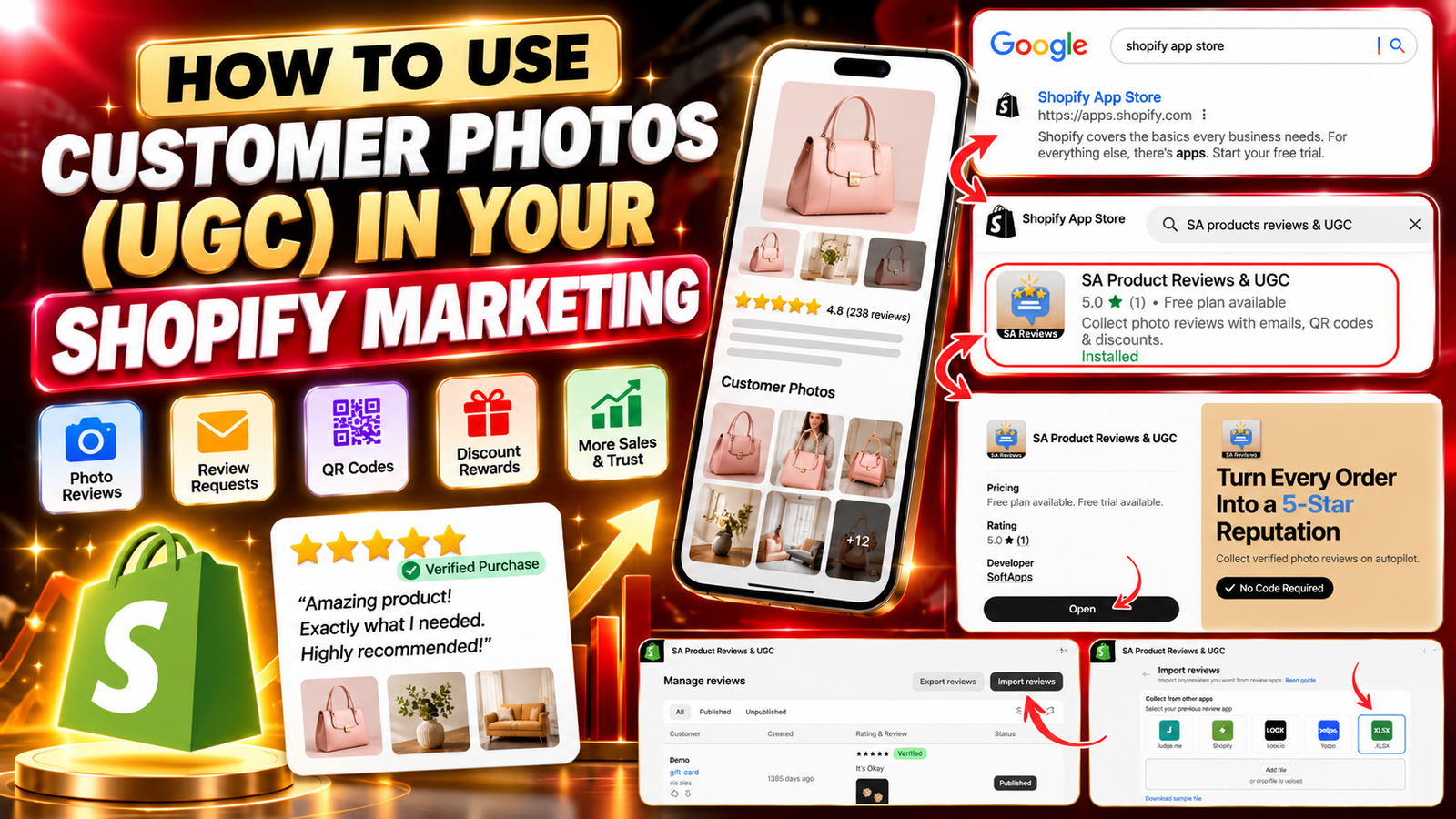
HOW TO USE CUSTOMER PHOTOS (UGC) IN YOUR SHOPIFY MARKETING
Introduction
Customer photos are becoming an important part of successful eCommerce marketing. Today, online shoppers want more than professional product images and attractive descriptions. They want to see how products look, feel, and perform in real life before making a purchase.
This is where user-generated content (UGC) becomes valuable.
Customer photos, product reviews, and real shopping experiences help Shopify merchants create a more trustworthy and engaging online store. Instead of relying entirely on branded advertisements, businesses can showcase authentic customer experiences to support purchasing decisions.
For Shopify store owners, learning how to use customer photos in Shopify marketing can help improve product presentation, build social proof, and create more relatable promotional content.
In this guide, we will explore the importance of customer photos, the challenges Shopify merchants face, and how to collect, manage, and display customer-generated content using SA Product Reviews & UGC.
What is user-generated content (UGC)?
User-generated content refers to content created by customers rather than the brand itself.
In eCommerce, UGC commonly includes:
- Customer product photos
- Product reviews and star ratings
- Customer videos
- Testimonials
- Social media posts featuring purchased products
- Real-life product experiences
For example, a clothing brand might display professional images of a jacket alongside customer photos showing how the jacket looks in everyday situations.
These customer images help potential buyers understand the product from another shopper’s perspective.
UGC can make product pages more informative and give marketing campaigns a more authentic appearance.
Why Shopify merchants struggle with customer trust
Shopify merchants often invest heavily in professional product photography, advertising, and store design. However, attractive visuals alone may not answer every question a potential customer has.
1. Customers cannot physically inspect products
Online shoppers cannot touch, try on, or examine products before purchasing.
They may worry about product quality, actual colors, sizing, and whether the item matches its description.
2. Professional images do not always show real-life usage
Studio photography is useful for presenting products clearly, but it may not show how an item looks in everyday environments.
Customer photos can provide additional context.
3. New stores have limited social proof
A newly launched Shopify store may have few customer reviews or product images.
Without visible customer experiences, visitors may hesitate to place their first order.
4. Customers rarely submit photos automatically
Even satisfied buyers may forget to leave feedback after receiving their products.
Merchants need a convenient process for requesting reviews and encouraging customers to share their experiences.
5. Managing customer content takes time
As a store grows, collecting, organizing, reviewing, and displaying customer photos manually can become difficult.
A structured review collection system can help merchants manage this process more efficiently.
Here is the updated step-by-step procedure for your blog, using your 10 original SA Product Reviews & UGC app images in the exact order you shared them. Each image is placed directly below its corresponding step.
You can replace the procedure section in your previous blog with this version.
Why Shopify stores need a UGC review app
Collecting customer photos manually can become challenging, especially for merchants managing a growing number of products and orders.
A dedicated product review application can simplify the process by providing tools to request reviews, collect customer photos, organize existing feedback, and display reviews on storefront product pages.
Instead of relying on occasional customer messages, merchants can develop a more consistent process for collecting authentic customer-generated content.
Introducing SA Product Reviews & UGC
SA Product Reviews & UGC is a Shopify application designed to help merchants collect and display genuine customer feedback, including product reviews and customer photos.
The app offers tools that support review collection and storefront social proof.
Step 1: Open the Shopify App Store
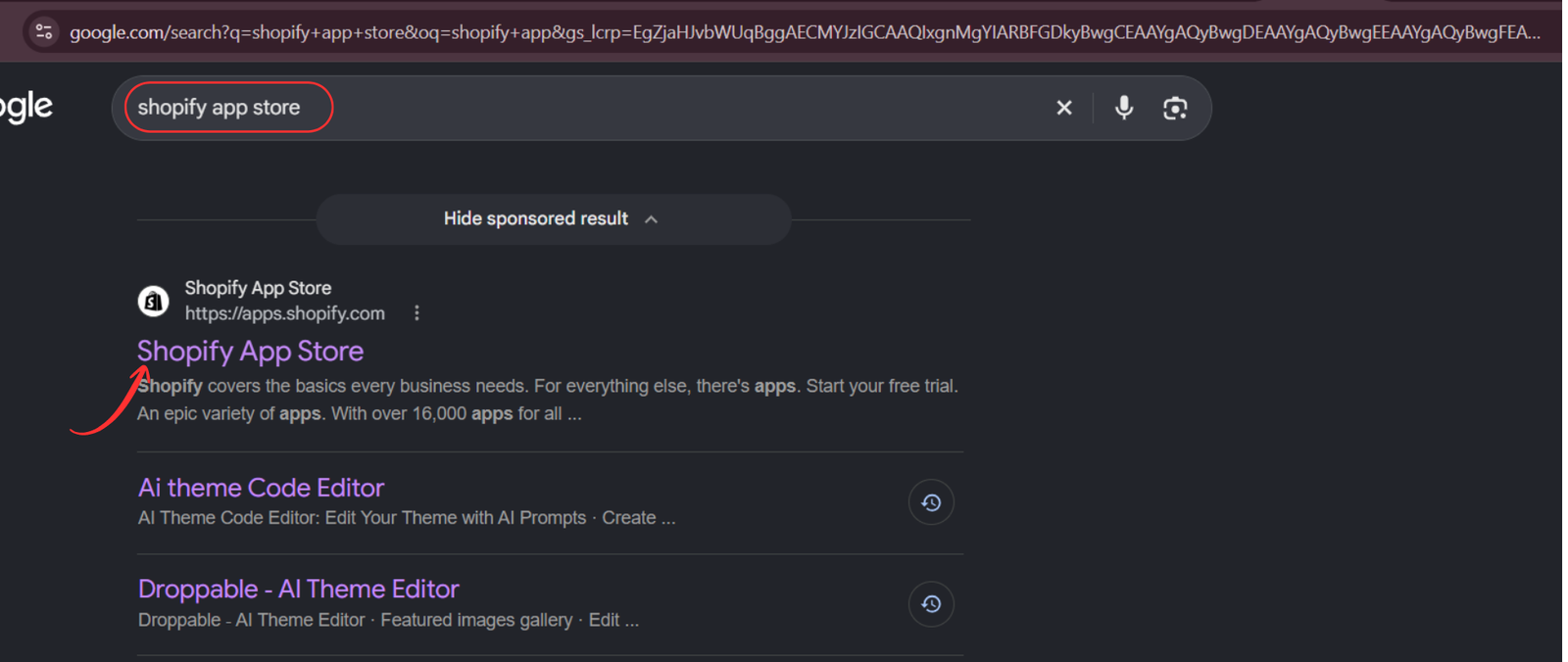
Open Google and search for Shopify App Store. Click the official Shopify App Store result to access the marketplace where you can find applications for collecting and displaying customer reviews.
Step 2: Search for SA Product Reviews & UGC
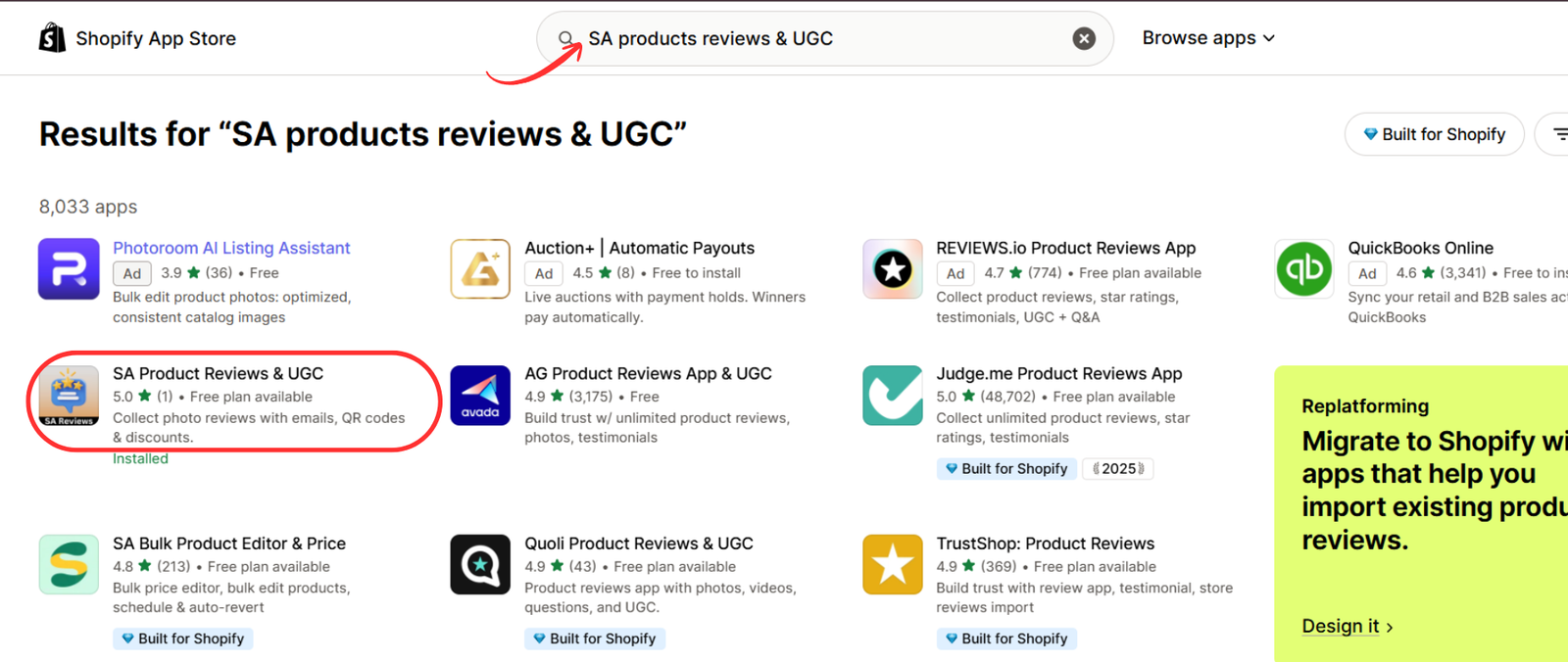
Once you are inside the Shopify App Store, enter SA Product Reviews & UGC in the search bar.
Find the application in the results and select it to explore its customer review and photo collection features.
Step 3: Install or open the application
Visit the SA Product Reviews & UGC app listing.
Review the app’s features and available pricing plans. Click Install if you are a new user, or Open if the application is already installed on your Shopify store.
Step 4: Navigate to Manage Reviews
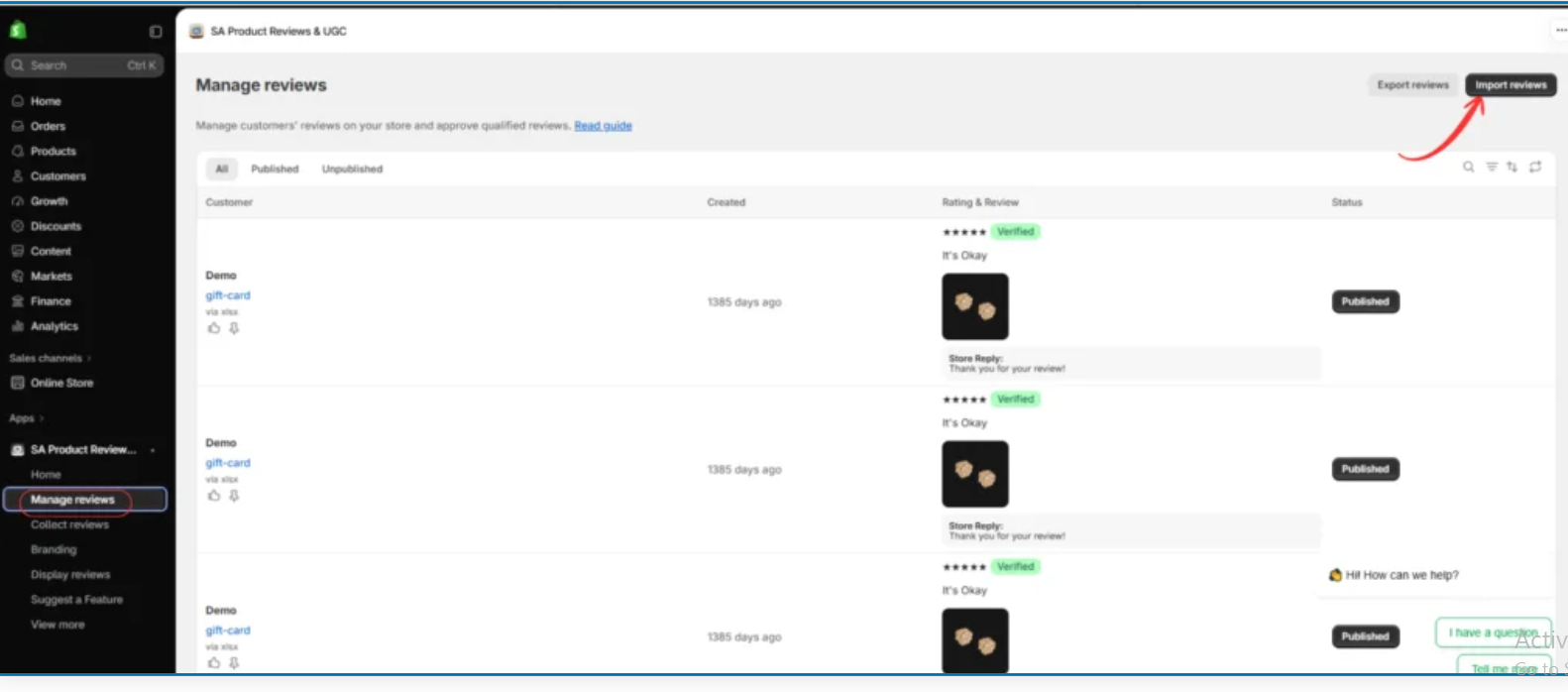
After opening the application, select Manage reviews from the left sidebar.
This section helps you organize customer feedback, view product ratings, and manage published reviews.
To bring existing customer photos and reviews into the app, click Import reviews in the upper-right corner.
Step 5: Select the XLSX import option
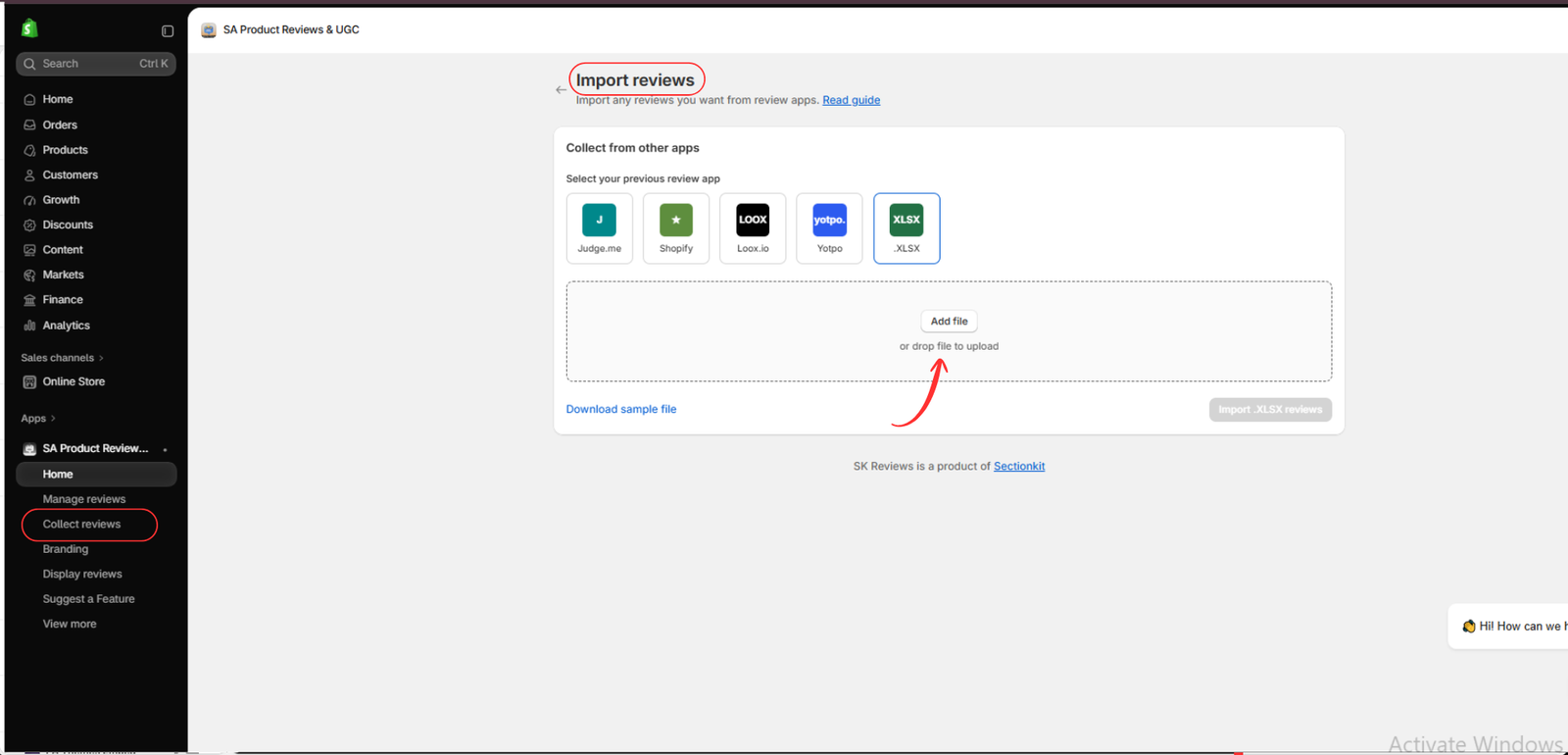
On the Import reviews page, you will find options for importing reviews from supported sources, including Judge.me, Shopify, Loox, Yotpo, and XLSX.
Select XLSX, then click Download sample file to get the spreadsheet template.
This allows you to prepare existing customer feedback in the required format.
Step 6: Add customer photos to the XLSX file
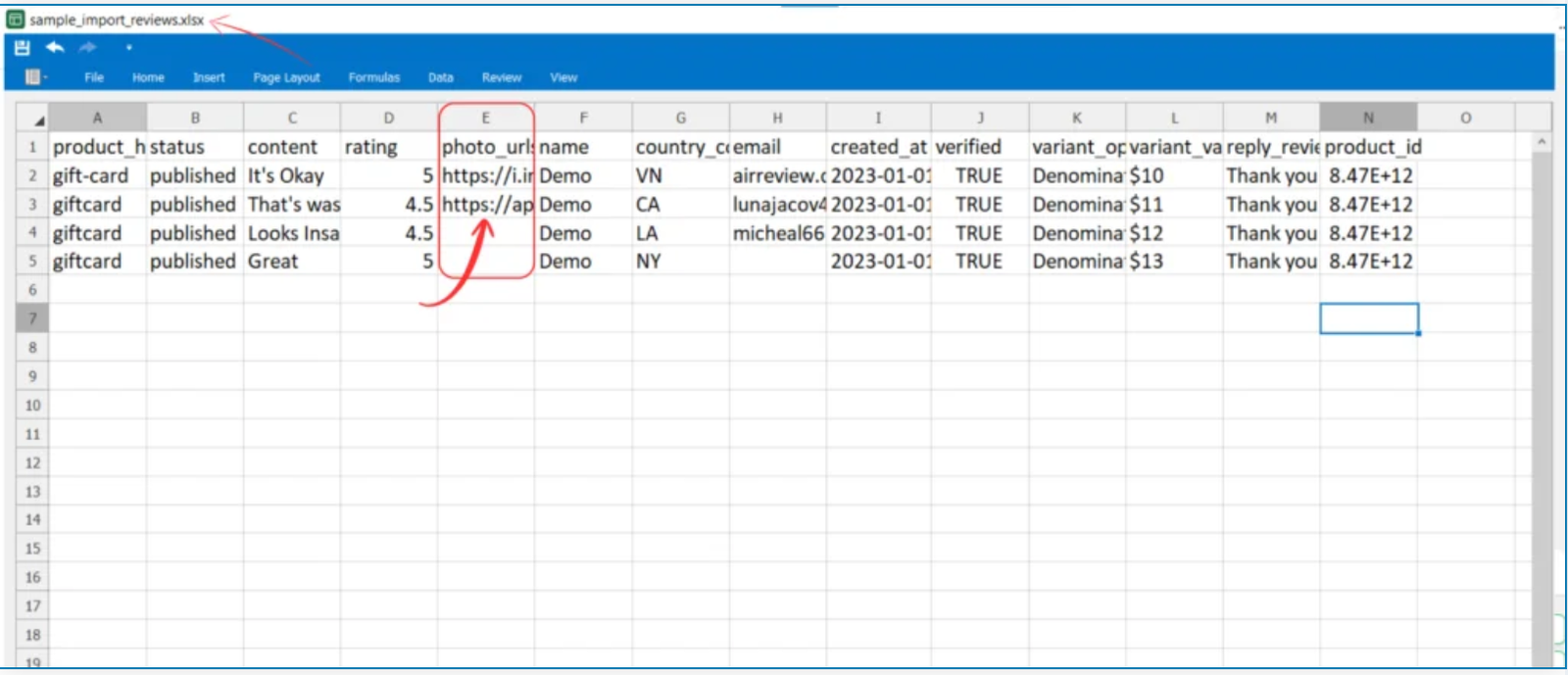
Open the downloaded sample file in Microsoft Excel or another compatible spreadsheet editor.
The template contains columns for product details, review content, ratings, customer information, and photo URLs.
Locate the photo_url column and add the relevant customer image URLs to the appropriate review rows.
Ensure that the image URLs are accessible, correspond to the correct products, and represent genuine customer submissions.
Step 7: Upload and import customer photo reviews
Return to the app’s Import reviews page and select XLSX.
Click Add file, choose your completed spreadsheet, and confirm that the correct file is selected.
Next, click Import XLSX reviews to begin importing the customer feedback and associated photo URLs.

Step 8: Manage and publish customer reviews
After importing the reviews, navigate back to Manage reviews.
Review the imported ratings, written feedback, customer photos, and product associations.
The interface allows you to manage review publication status, including Published and Hidden.
Publish genuine reviews that meet your moderation policies, and avoid excluding authentic negative feedback simply because of its rating.

Step 9: Enable the Sticky Review Sidebar
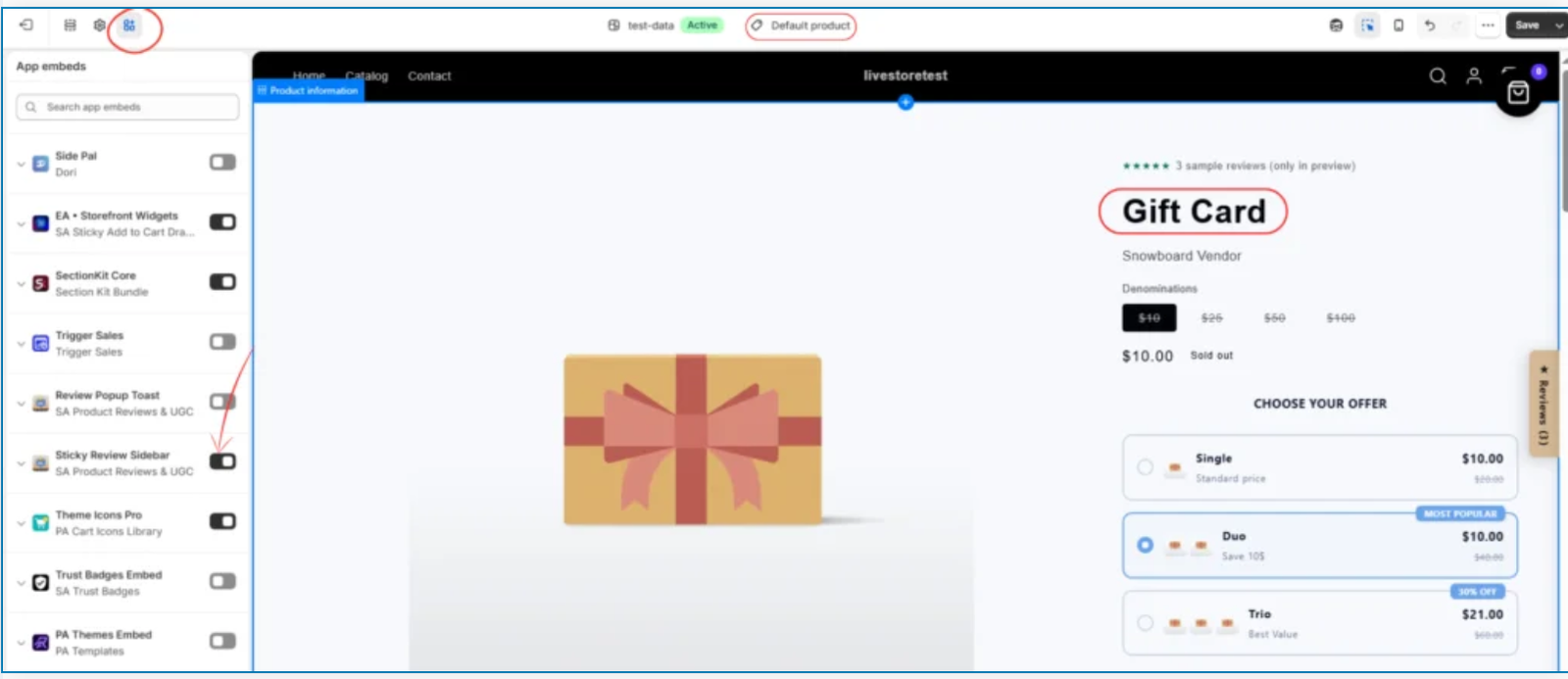
Open your Shopify admin and navigate to Online Store → Themes → Customize.
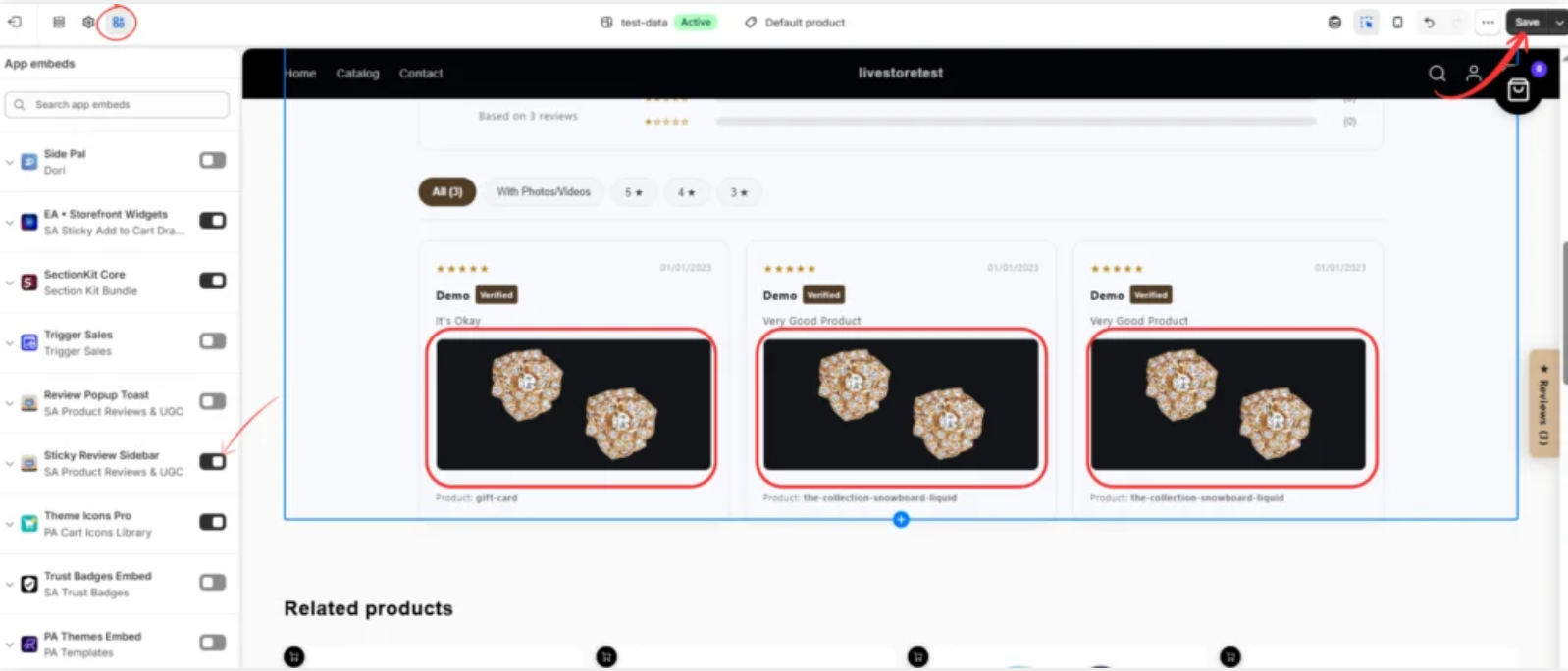
Inside the theme editor, select App embeds.
Find Sticky Review Sidebar under SA Product Reviews & UGC and enable the app embed.
This allows you to make customer review content accessible through the supported storefront widget.
Step 10: Display customer photos on your Shopify store
Once the widget is enabled, preview your product page to confirm that customer reviews and photos are displayed correctly.
Check that review cards include the appropriate customer feedback, ratings, and images.
Verify the layout on both desktop and mobile devices, then click Save in the Shopify theme editor.
Your Shopify store can now showcase authentic customer-generated photos through the configured review display.
How these features help Shopify marketing
By collecting and displaying genuine customer photos, Shopify merchants can make their product pages more informative and help potential buyers understand how products look in real-life situations.
With SA Product Reviews & UGC, merchants can import existing photo reviews, manage customer feedback, and display customer experiences on their storefront.
These photos can also inform social media and email marketing campaigns when merchants have the necessary permission to reuse them.
Start collecting customer photos: SA Product Reviews & UGC on the Shopify App Store




