HOW TO GET MORE CUSTOMER REVIEWS ON SHOPIFY: 12 PROVEN WAYS
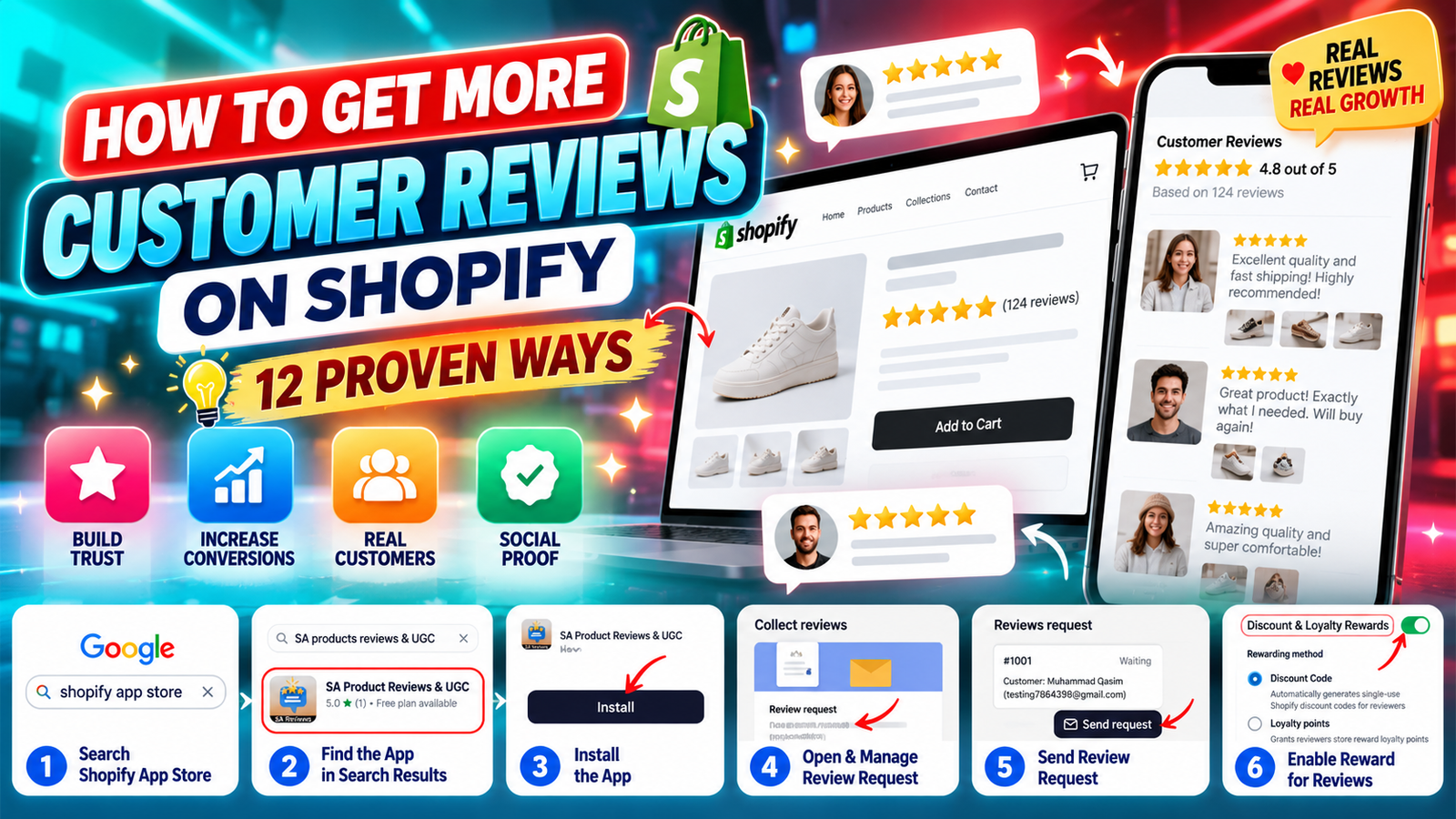
Customer reviews are one of the most valuable forms of social proof for an online store. Before purchasing, shoppers often want to know whether a product meets expectations, how it performs in real life, and whether other customers have had a positive experience.
For Shopify merchants, collecting genuine customer reviews is an important part of building credibility, improving the shopping experience, and encouraging confident purchasing decisions.
However, getting customers to leave reviews is not always easy. Even satisfied buyers may forget to share their feedback after receiving an order.
In this guide, we’ll explore 12 practical ways to get more customer reviews on Shopify, including automated review requests, photo reviews, QR codes, incentives, and review collection tools. We’ll also explain how to use SA Product Reviews & UGC to simplify the process.
Why Shopify merchants struggle to collect customer reviews
Many Shopify store owners deliver quality products and excellent customer service but still struggle to generate consistent reviews.
The most common challenges include:
- Low review participation: Customers complete their purchases but rarely return to write feedback.
- Manual follow-ups: Contacting every customer individually takes time and becomes difficult as order volume grows.
- Poor timing: Review requests sent too early or too late may receive fewer responses.
- Limited photo reviews: Customers may be willing to leave a rating but less motivated to upload product photos.
- Complicated review forms: Lengthy forms and unnecessary steps discourage participation.
- Lack of incentives: Customers may not see a compelling reason to spend time sharing their experience.
Without a reliable review collection strategy, merchants can miss opportunities to showcase genuine customer experiences.
Why customer reviews are important for Shopify stores
Customer reviews do more than display star ratings. They help potential buyers understand products through the experiences of existing customers.
A consistent collection of authentic reviews can help merchants build trust, address common product questions, strengthen product-page content, and identify opportunities to improve their offerings.
Photo reviews can be particularly useful because they show how products look and function outside professional product photography.
Reviews may also contribute useful, original content to product pages. Their SEO impact depends on factors such as page quality, implementation, and whether the content is accessible to search engines.
Why use a Shopify product review app?
Managing review requests manually becomes increasingly difficult as a store grows.
A dedicated review app can centralize review collection, help merchants follow up with customers, and provide tools for displaying feedback across their storefront.
One option is SA Product Reviews & UGC on the Shopify App Store.
The app provides tools for collecting and managing product reviews, including review requests, photo reviews, review imports, QR code generation, and discount-based incentives.
These features can help merchants establish a more organized review collection process without building a custom system from scratch.
12 proven ways to get more customer reviews on Shopify
1. Send review requests after order fulfillment
One of the most effective ways to encourage reviews is to contact customers after they have received their products.
A customer needs enough time to open, use, and evaluate an item before sharing meaningful feedback.
Instead of sending requests immediately after checkout, plan your follow-up around the product’s expected delivery and usage period.
For example, a clothing store might request feedback shortly after delivery, while a skincare merchant may need to allow more time for customers to evaluate their purchase.
With SA Product Reviews & UGC, merchants can manage review requests associated with customer orders.
2. Make the review submission process simple
Customers are more likely to complete a review when the process is straightforward.
Avoid requiring unnecessary information or sending shoppers through multiple pages before they can submit feedback.
An effective review form should make it easy to provide a star rating, write a short comment, and optionally upload a product photo.
Keep the experience mobile-friendly, since many customers will open review requests on their phones.
3. Encourage customers to upload photo reviews
Photo reviews provide visual evidence of how products appear in everyday use.
They can help potential buyers evaluate details such as size, appearance, fit, and quality.
Encourage customers to upload authentic images of the products they purchased. Make the photo-upload option easy to find, but avoid making it mandatory.
For merchants selling fashion, beauty, home decor, accessories, or lifestyle products, visual customer feedback can be especially valuable.
4. Offer discounts for honest customer feedback
A carefully designed reward program can motivate customers to participate in review collection.
For example, merchants may offer a discount on a future purchase after a customer submits an eligible review.
SA Product Reviews & UGC includes discount and loyalty reward settings, allowing merchants to configure reward methods and discount values.
Important: Rewards should encourage honest feedback, not positive ratings. Disclose incentives clearly and follow applicable review policies and consumer protection requirements.
5. Add QR codes to product packaging
Packaging creates another opportunity to request reviews at a natural point in the customer journey.
A printed QR code can direct customers to a product-specific review submission page.
Merchants can place QR codes on thank-you cards, product inserts, packaging labels, or instruction cards.
The QR code generator in SA Product Reviews & UGC supports product-specific QR codes that can be downloaded or printed.
A short message such as “Enjoying your purchase? Scan to share your honest feedback” can help explain the purpose of the code.
6. Personalize your review request messages
Generic requests can feel impersonal, especially when customers receive many promotional emails.
Where supported by your messaging workflow, include relevant details such as the customer’s first name and purchased product.
Keep the request friendly, brief, and focused on the customer’s experience.
For example:
Thanks for shopping with us! We hope you’re enjoying your purchase. We’d love to hear your honest feedback. Your review helps us improve and helps other shoppers make informed decisions.
Personalization should make the message more relevant without creating pressure to leave a favorable rating.
7. Import existing product reviews when switching apps
Changing review apps does not necessarily mean starting your review collection strategy from zero.
If you already have authentic customer reviews stored in another supported platform, importing them can help preserve useful feedback.
SA Product Reviews & UGC provides review import options, including XLSX files and several review platforms shown in its dashboard.
Before importing, check that your data is correctly formatted and that each review is associated with the appropriate product.
Only import genuine reviews that you are authorized to use.
8. Display reviews prominently on product pages
Collecting reviews is only part of the process. Customers also need to find them.
Place review content where it supports purchasing decisions, such as near product details or in a dedicated review section.
Where supported by your theme and review app, consider displaying star ratings, written feedback, and customer-submitted images.
Keep the layout clean and readable on both desktop and mobile devices.
A well-organized review section makes it easier for shoppers to explore real customer experiences.
9. Follow up with customers who haven’t reviewed yet
Some customers may miss the first review request or intend to respond later.
A polite reminder can provide another opportunity to collect feedback.
Avoid excessive reminders. A single well-timed follow-up is generally more considerate than repeated messages.
Also ensure that customers who have already submitted reviews are excluded from unnecessary requests.
The objective is to make feedback convenient, not to pressure customers.
10. Ask for feedback through post-purchase communication
Review requests can be included in a broader post-purchase customer experience.
For example, merchants can invite feedback through order follow-up emails, customer support interactions, or appropriate thank-you messages.
The best opportunity is usually after the customer has had a reasonable chance to use the product.
Keep review requests separate from urgent support matters, and avoid asking customers to provide positive reviews in exchange for resolving a problem.
11. Respond professionally to customer reviews
Responding to customer feedback demonstrates that a business values customer experiences.
Thank customers for taking the time to share positive reviews. When customers raise concerns, acknowledge the issue and provide useful next steps.
Avoid defensive or argumentative responses.
Constructive responses can help prospective customers understand how your store handles feedback and customer service.
12. Track review collection performance and improve your strategy
A successful review collection strategy should be reviewed regularly.
Useful metrics include the number of review requests sent, completed reviews, review submission rate, photo review participation, and average rating.
Compare different request timings and message formats to understand which approaches work best for your customers.
Use the results to improve your process over time rather than relying on a single campaign.
Step-by-step: How to collect more Shopify reviews using SA Product Reviews & UGC
The following tutorial uses your original images in the order you shared them.
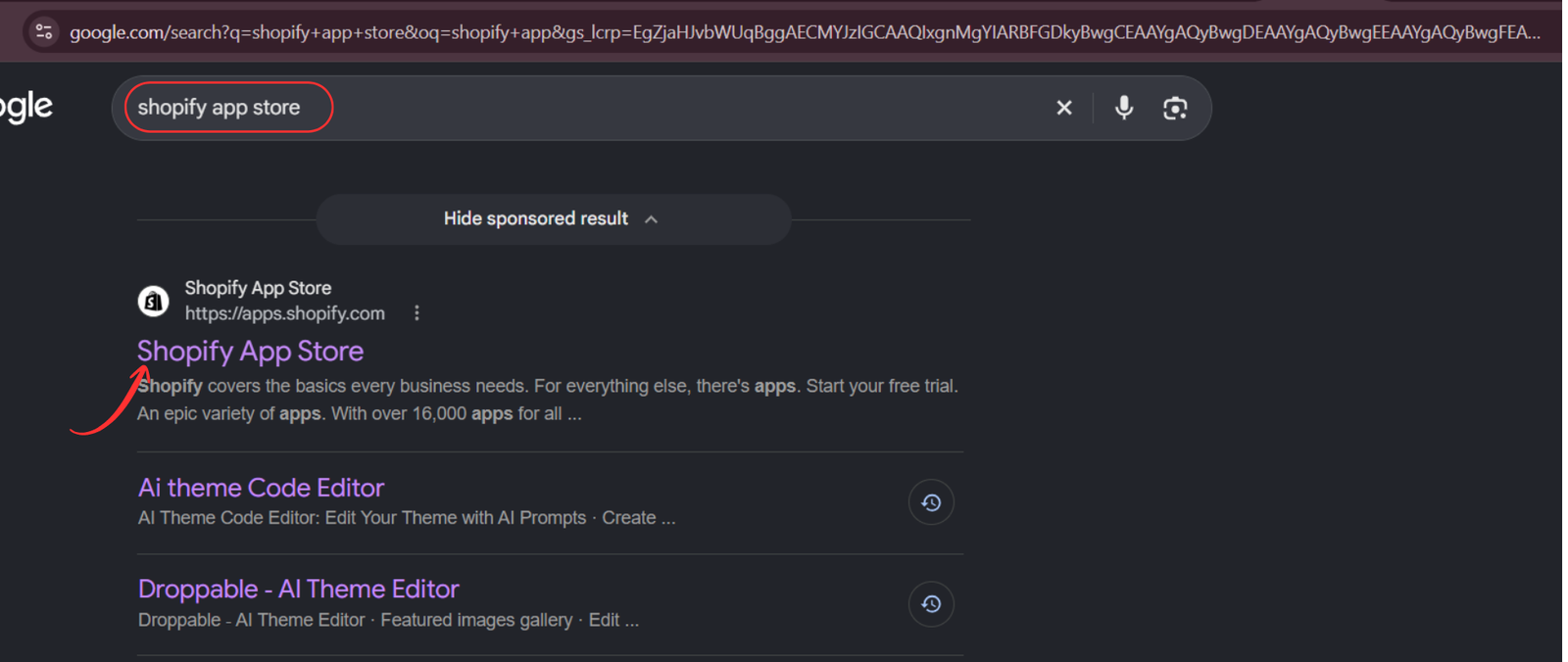
Step 1: Open the Shopify App Store
Begin by opening your browser and searching for Shopify App Store on Google.
Select the official Shopify App Store result to access apps designed for Shopify merchants.
You can also visit apps.shopify.com directly.
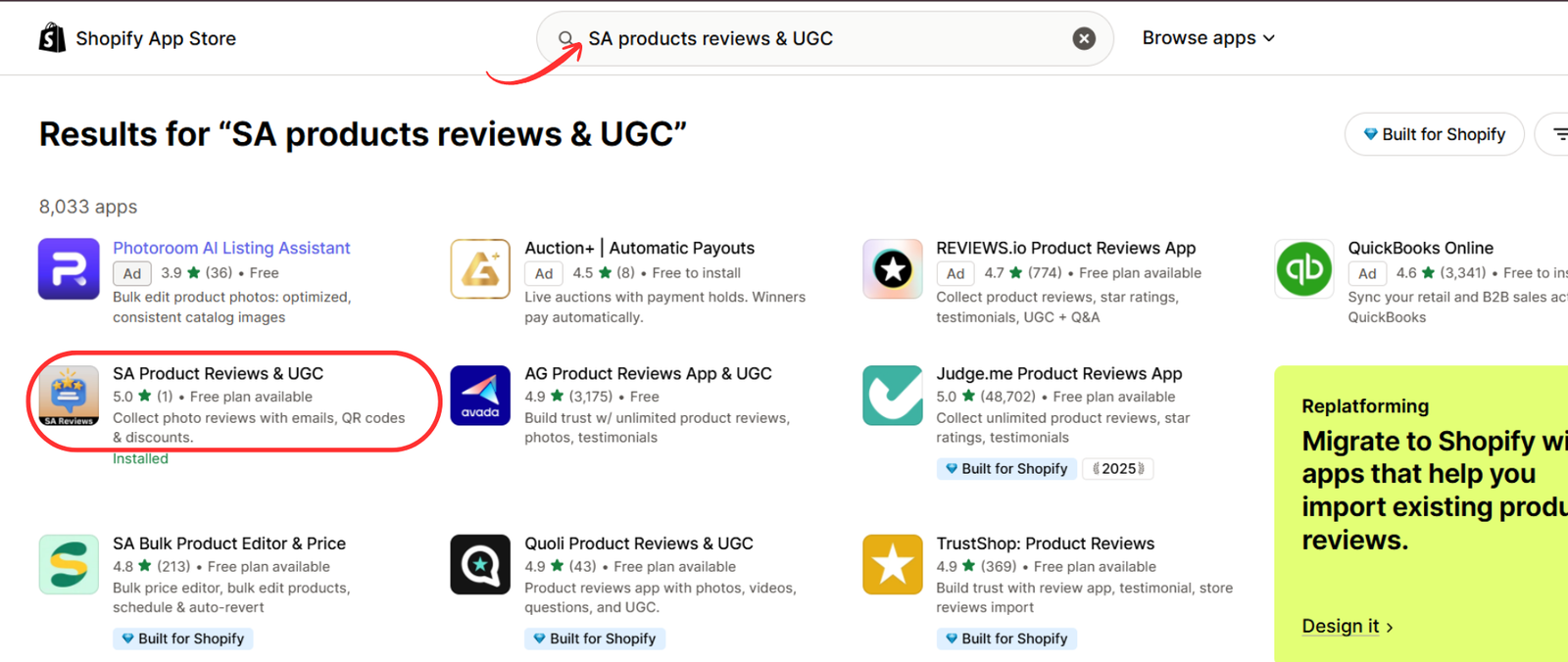
Step 2: Search for SA Product Reviews & UGC
Once you reach the Shopify App Store, use the search bar and enter SA Product Reviews & UGC.
Locate the app in the results and select its listing.
Before proceeding, review its description, available features, and pricing to determine which plan suits your store.
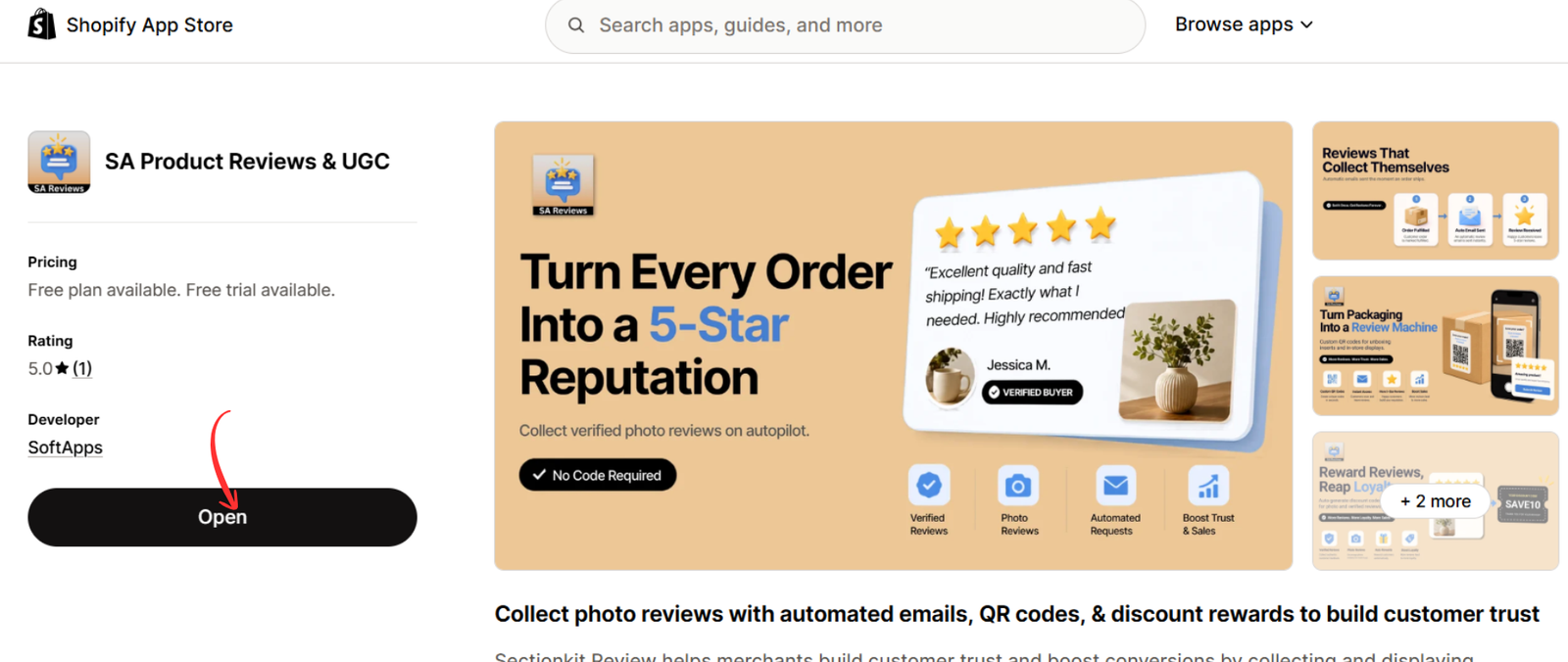
Step 3: Open the app listing
The app listing provides information about the available review collection features, including automated requests, photo reviews, discount rewards, and QR codes.
Select Install if you are adding the app for the first time. If it is already installed, the button may display Open.
Step 4: Launch the app in Shopify
After installation, open SA Product Reviews & UGC from your Shopify admin.
The app provides a centralized interface for managing customer reviews and review collection options.
Use the navigation menu to access the feature you want to configure.
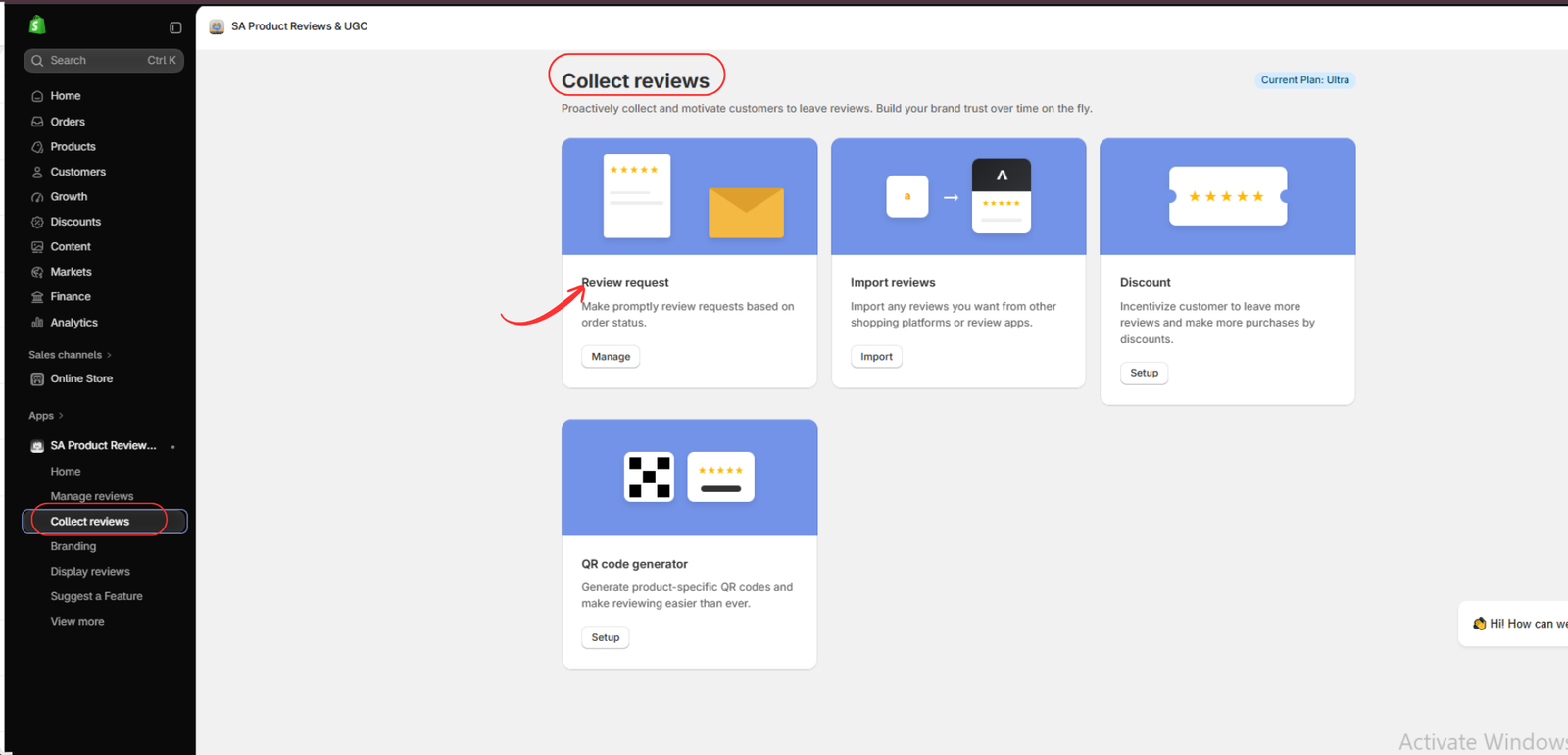
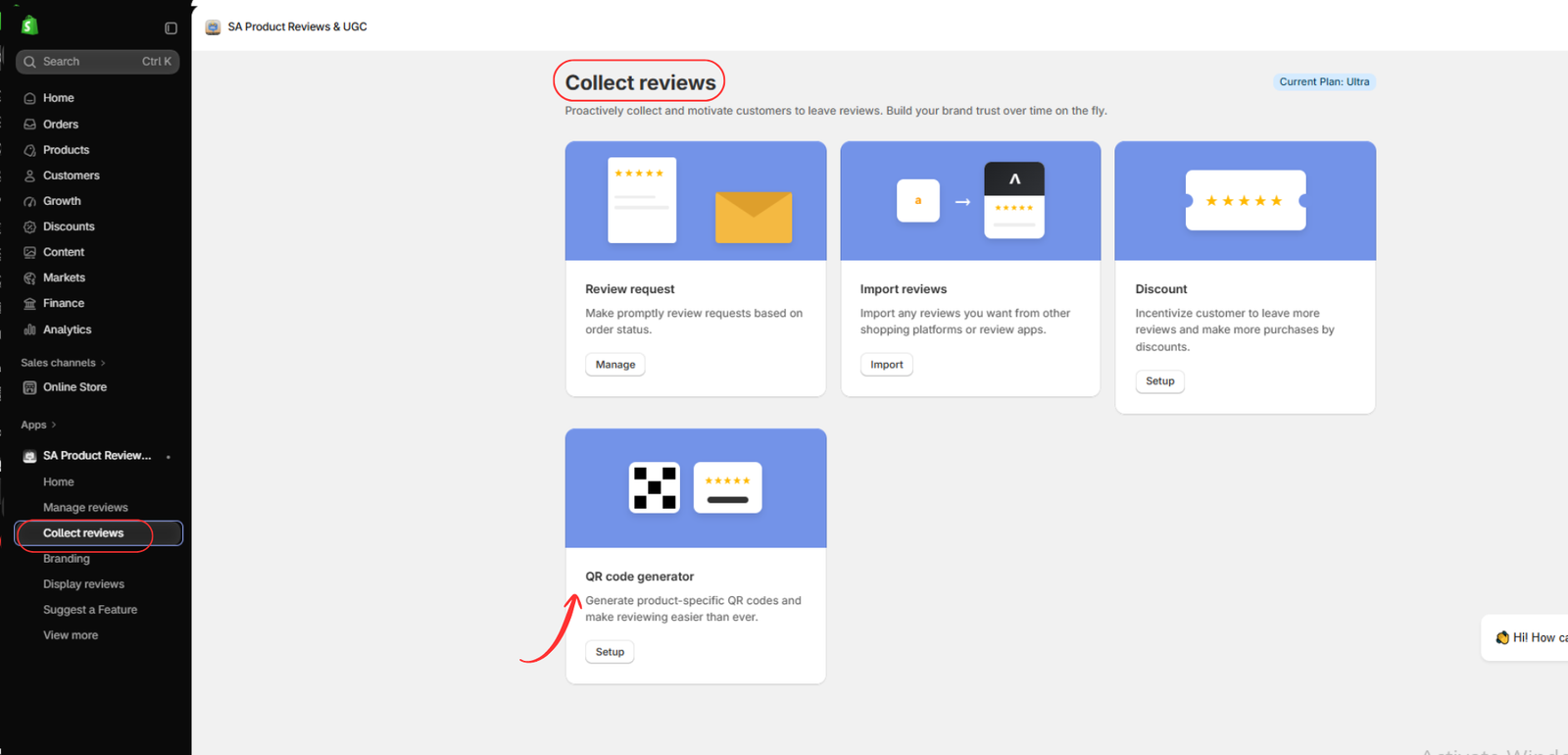
Step 5: Navigate to Collect reviews
In the app’s left sidebar, select Collect reviews.
This section brings together several review collection options, including review requests, imports, discounts, and QR code generation.
Start with the Review request feature to manage feedback requests associated with customer orders.
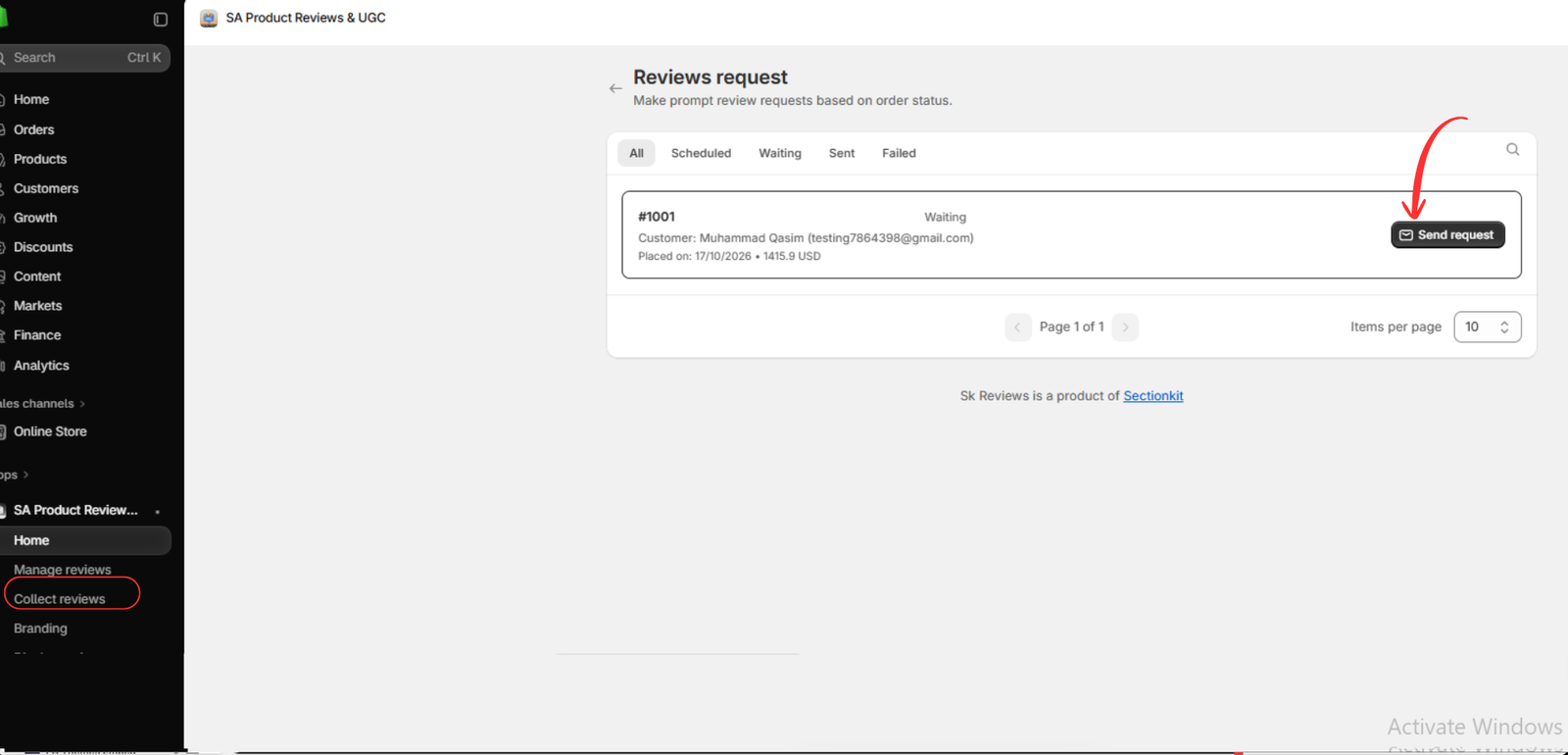
Step 6: Send a customer review request
Open the Review request section and locate an eligible order.
The request management interface shows order information and statuses such as Scheduled, Waiting, Sent, and Failed.
Where an order is eligible, select Send request to initiate a review invitation.
Make sure the customer has had sufficient time to receive and experience the product before requesting feedback.
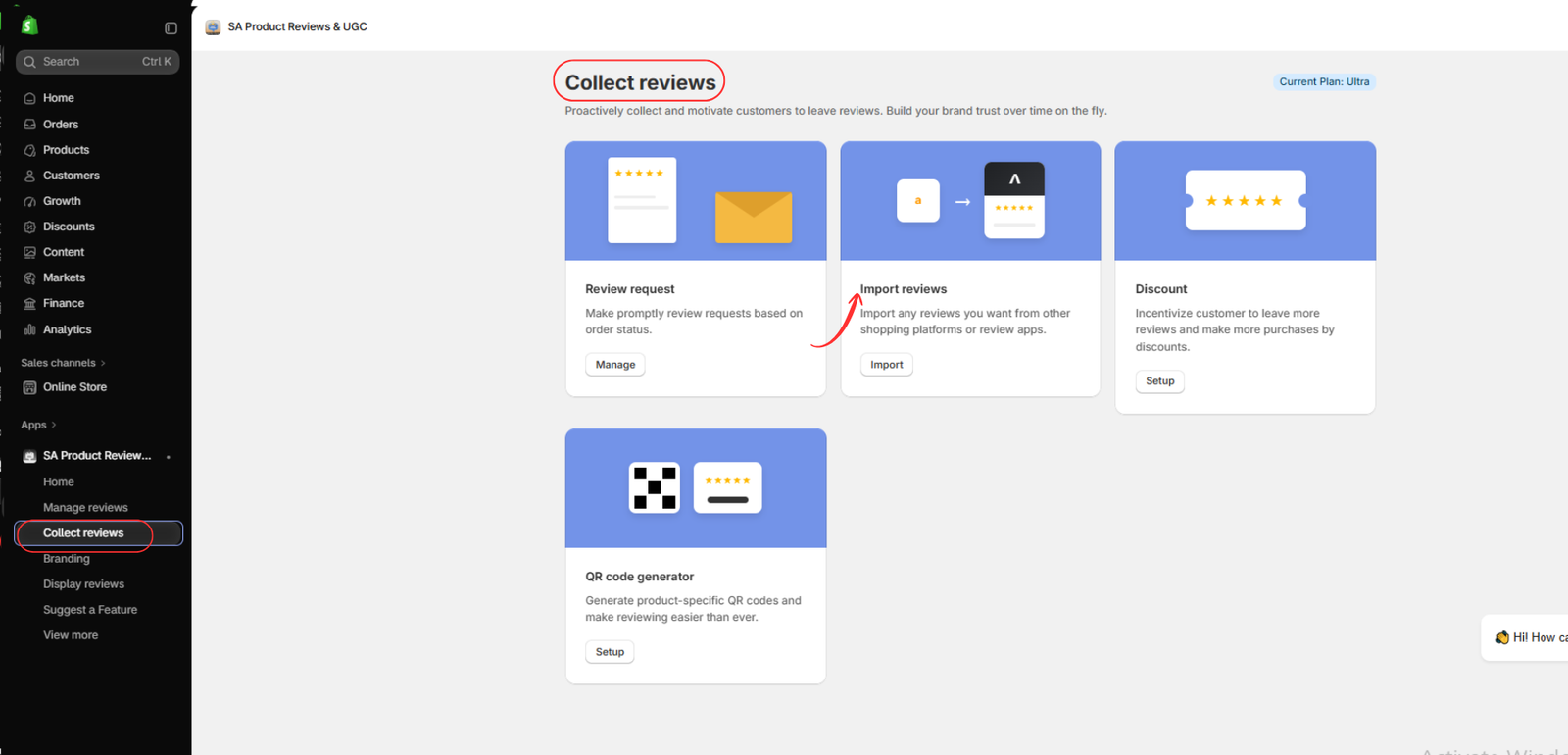
Step 7: Explore review import options
Return to Collect reviews and select Import reviews.
This feature is useful for merchants migrating from another review platform or transferring existing customer feedback.
Importing legitimate historical reviews can help maintain continuity when changing review tools.
Step 8: Import reviews using an XLSX file
On the import page, choose XLSX as the import format.
Download the sample file if needed, prepare your review data according to the required structure, and select Add file to upload it.
Review your data carefully before importing, especially product associations, ratings, and customer comments.
This helps prevent incorrect or duplicate information from appearing in your store.

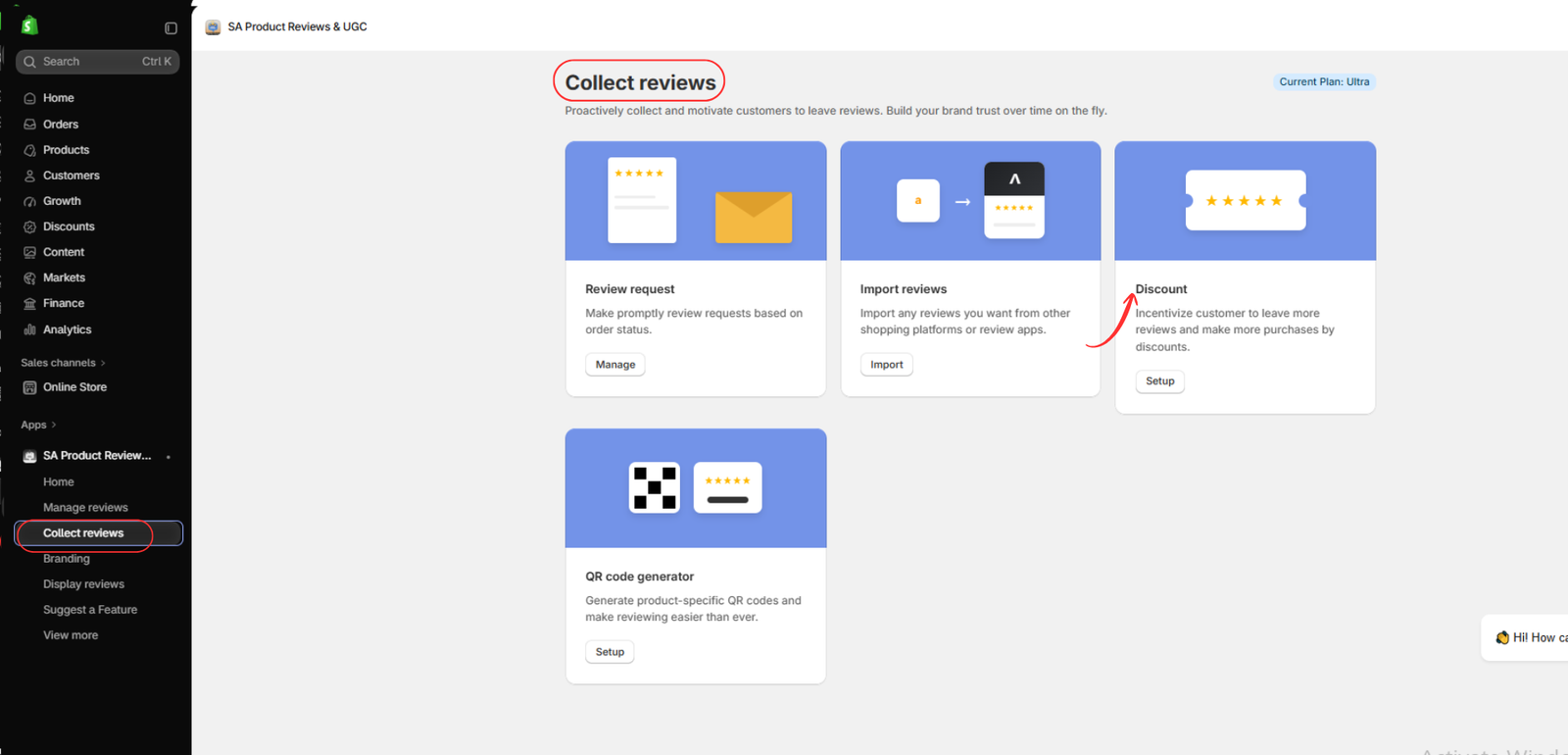
Step 9: Open the discount reward feature
Navigate back to Collect reviews and select Discount.
Discount incentives can give customers an additional reason to spend time sharing their experiences.
Plan your reward carefully so that it supports customer participation without encouraging biased or misleading reviews.
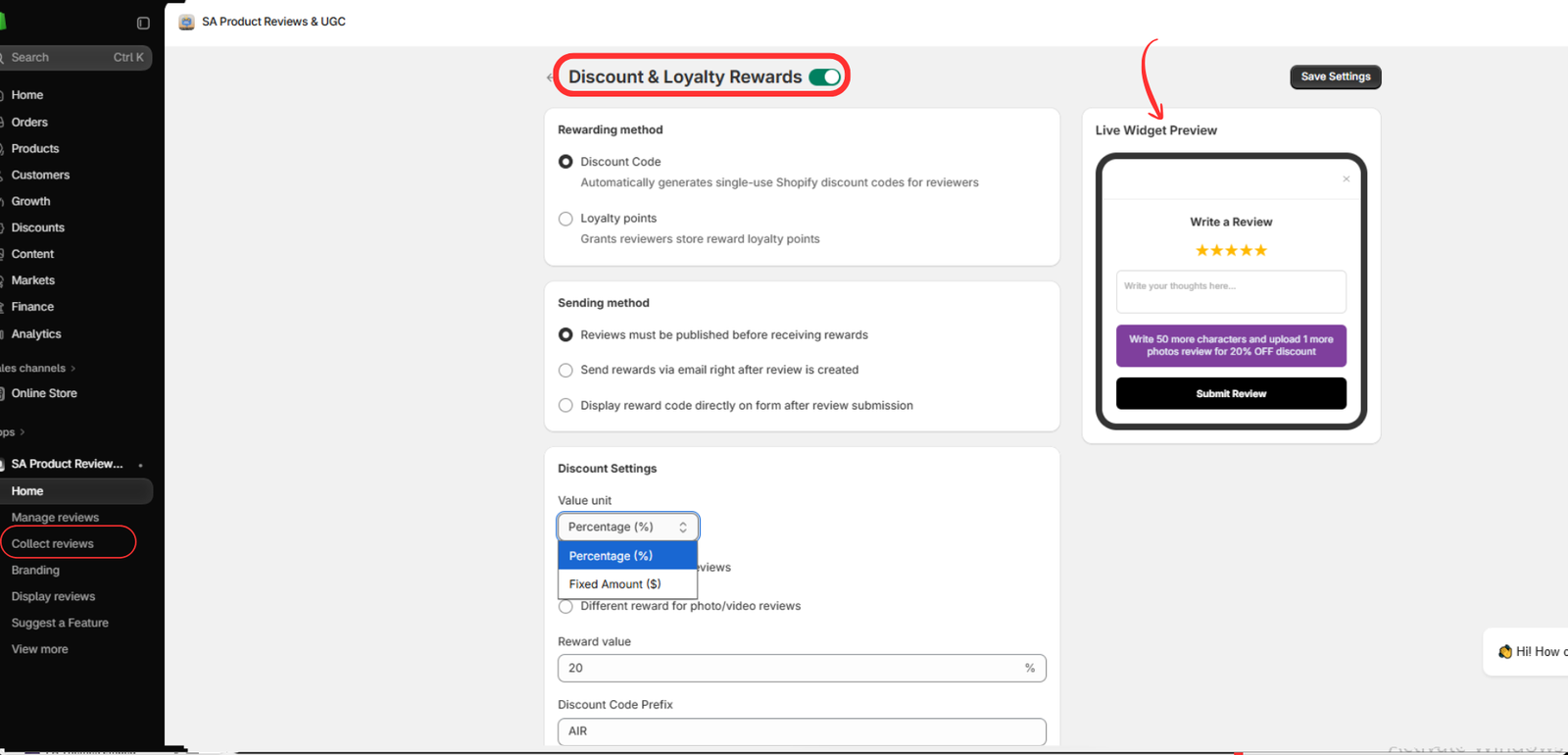
Step 10: Configure discount and loyalty rewards
Enable Discount & Loyalty Rewards in the app settings.
Depending on the available options, you can configure:
- A discount code or loyalty points as the reward method.
- When eligible customers receive their rewards.
- Percentage-based or fixed-amount discounts.
- The reward value and discount code prefix.
- Different incentives for photo or video reviews, where supported.
Review the live widget preview to understand how the incentive appears to customers. Then select Save Settings.
Ensure customers are clearly informed about the reward conditions, and never require a positive review to receive an incentive.
Step 11: Access the QR code generator
Return to the Collect reviews dashboard and locate the QR code generator option.
Select Setup to access product-specific QR code generation.
This feature is particularly useful for stores that want to collect feedback through product packaging, inserts, or other printed materials.
Step 12: Generate QR codes and build an ongoing review strategy
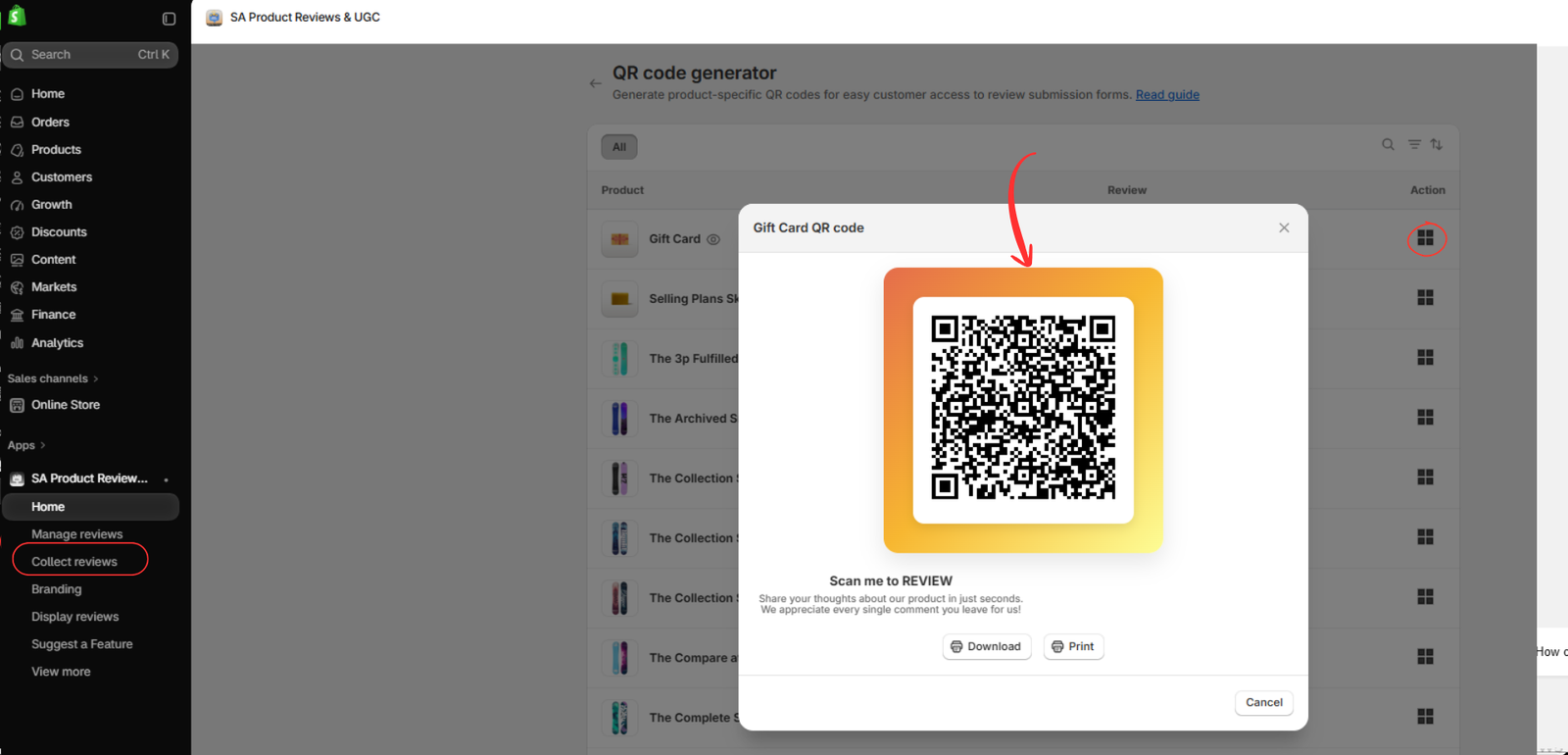
Inside the QR code generator, select the product for which you want to collect feedback.
Generate its QR code, then download or print it for use on packaging or thank-you cards.
Before distributing the code, scan it with a smartphone to confirm that it opens the correct review submission page.
Combine QR codes with your post-purchase email requests, photo review invitations, and carefully configured incentives to establish a consistent review collection process.
Best practices for collecting authentic customer reviews
A successful review strategy should focus on genuine customer experiences rather than simply increasing the number of five-star ratings.
Request feedback at an appropriate time, make the submission process convenient, and welcome both positive and negative experiences. When offering incentives, disclose them and ensure rewards are not conditional on favorable ratings.
The objective is to build a trustworthy collection of customer feedback that helps future shoppers make informed purchasing decisions.
Conclusion
Getting more customer reviews on Shopify requires consistency, good timing, and a convenient review submission experience.
By combining post-purchase review requests, photo reviews, QR codes, thoughtful incentives, and effective review management, merchants can make it easier for customers to share their experiences.
SA Product Reviews & UGC brings several of these tools into one Shopify app, helping merchants organize their review collection workflow. Its Shopify App Store listing confirms support for automated post-purchase emails, QR codes, discount rewards, and customizable review widgets.

Shopify App Store
Explore the app: SA Product Reviews & UGC




