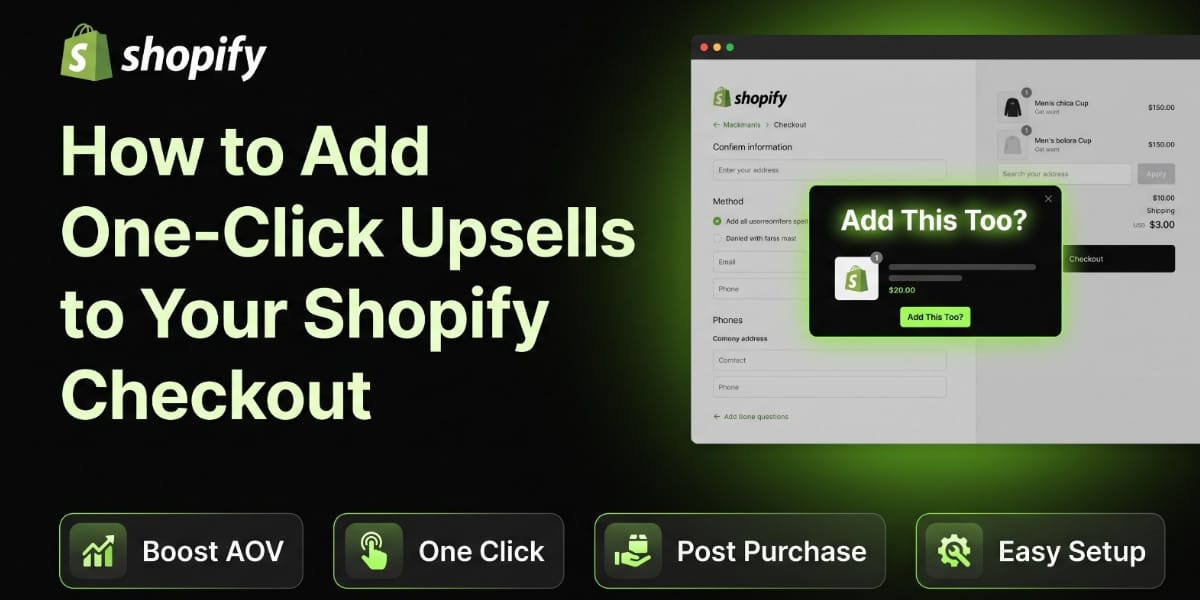
How to Add One Click Upsells to Your Shopify Checkout
Hey, let’s talk about something that can seriously boost your store’s revenue without you having to bring in a single new customer. I’m talking about one click upsells at checkout.
If you’ve ever bought something online and seen a little pop up that says “Add this for just $5 more?” right before you hit the pay button, that’s a one click upsell. And honestly, it works so well because it’s happening at the exact moment when the customer is already convinced to buy. They’ve got their wallet out, they’re ready to spend money, and you’re just giving them one more reason to spend a little more.
Let’s break down everything you need to know about adding these to your Shopify store, step by step.
What Exactly Is a One Click Upsell?
A one-click upsell is basically an offer that shows up either right before checkout, during checkout, or right after the customer completes their purchase. The customer sees a relevant product suggestion and can add it to their order with literally one click, no need to re enter payment details or go through checkout again.
There are three main types you’ll come across:
Pre purchase upsells show up on the product page or cart page before checkout even starts. Think “customers also bought” sections.
In checkout upsells appear during the actual checkout flow, usually on the information or shipping page.
Post purchase upsells are the real magic. These show up after the customer has already paid, on the thank you page. The customer clicks once, and the new item gets added to their existing order without them having to pull out their card again.
That third one is huge for conversion rates because there’s zero friction. The sale is already done, and you’re just asking them to add one more thing.
Why Should You Even Bother With This?
I get it, you’re already busy running a store, why add more complexity? Here’s the thing though, the math on this is really hard to ignore.
Getting a new customer to your store costs money, whether that’s through ads, influencer marketing, or SEO work that takes months to pay off. But someone who’s already at your checkout page has already decided to trust you with their money. Getting them to spend a little more is way, way cheaper than acquiring a whole new customer.
Even a modest upsell conversion rate of 10 to 15 percent on your checkout can meaningfully bump your average order value. And when your average order value goes up, your profit margins improve because your fixed costs like shipping and payment processing stay roughly the same whether someone buys one item or two.
Does Your Shopify Plan Support This?
This is where things get a little technical, so bear with me.
Shopify checkout customization used to be limited to Shopify Plus merchants only, since Plus stores had access to checkout.liquid for full customization. But Shopify has since rolled out Checkout Extensibility, which uses a system called UI extensions and functions. This is now available across Shopify plans, not just Plus, though Plus stores still get deeper customization options like custom checkout branding and more advanced extension points.
So if you’re on Basic, Shopify, or Advanced Shopify, you can absolutely add post-purchase upsells and checkout upsells using apps built on this newer extensibility framework. You don’t need to be a Plus merchant anymore to make this work, which is great news for smaller stores.
Method One: Using a Dedicated Upsell App
Honestly, for most store owners, this is the easiest and most practical route. You don’t need to touch code, and you can have upsells running within an hour.
Here are some well known, legitimate apps worth checking out:
ReConvert is one of the most popular post purchase upsell apps on Shopify. It lets you build a custom thank you page with upsell offers, and customers can add items with a single click after checkout is complete.
Zipify OneClickUpsell (OCU) is built specifically for one click post purchase offers and is well regarded for split testing different offers to see what converts best.
Honeycomb Upsell & Cross Sell works across pre purchase, in cart, and post purchase stages, giving you a more complete upsell funnel.
Aftersell is another strong post purchase upsell app that’s gained a lot of traction for its clean interface and solid conversion tracking.
Here’s roughly how the setup works with most of these apps:
First, install the app from the Shopify App Store and connect it to your store. Second, choose which products you want to offer as upsells, ideally something that complements what’s already in the cart, like a phone case for someone buying a phone, or a travel pouch for someone buying skincare products. Third, set your discount or bundle pricing if you’re offering the upsell at a special price. Fourth, customize the design of the upsell popup so it matches your brand colors and fonts. Fifth, publish it and test the entire checkout flow yourself using a test order.
Most of these apps have a free trial, so you can test them out before committing to a monthly subscription.
Method Two: Using Shopify’s Native Checkout Extensions (For Developers)
If you want something more custom and don’t want to rely on a third-party app, Shopify allows developers to build their own checkout UI extensions using their Checkout Extensibility framework.
This involves working with Shopify’s CLI, React based UI extension components, and the Shopify Functions API for more advanced logic like dynamic discounting. This is definitely more technical and requires either you or a developer to be comfortable working with Shopify’s app development tools.
The general steps look like this. You’d set up a Shopify CLI project, scaffold a new checkout UI extension, write the logic for what products should be offered based on cart contents, style the extension to match your store’s checkout branding, and then deploy it through your Shopify Partner account.
This route gives you full control but takes considerably more time and either coding knowledge or a development budget. If your store has very specific upsell logic in mind, like offers that change based on customer location or purchase history, this custom route might be worth the investment.
What Makes a Good Upsell Offer, Really?
Here’s something a lot of store owners get wrong. They just throw their most expensive product as the upsell and hope for the best. That’s not how this works.
A good upsell needs to feel genuinely relevant to what the customer is already buying. If someone’s buying a yoga mat, offering them a yoga block or a mat carrying strap makes sense. Offering them a completely unrelated kitchen gadget does not.
Price matters too. Upsell offers typically convert best when they’re priced lower than the original item in the cart, somewhere around 25 to 40 percent of the original purchase value tends to work well. Asking someone to double their spend in one click is a much harder sell.
Keep the offer simple. Don’t give people five choices at checkout, that just creates decision fatigue and they end up choosing nothing. One clear, relevant offer with a simple accept or decline button converts far better than a cluttered selection.
Also, always include urgency or exclusivity where it makes sense, something like “this offer is only available right now” can nudge hesitant buyers, just make sure it’s actually true and not a manipulative fake countdown, because customers do notice that stuff and it hurts trust long term.
Common Mistakes to Avoid
Let’s go over a few things that can hurt you if you’re not careful.
Don’t make the upsell mandatory or hard to skip. Always have a clear “no thanks” option, because forcing people to interact with a popup they don’t want creates frustration and can even make them abandon the order entirely.
Don’t slow down your checkout page. Some upsell apps add extra scripts that can affect your site speed. Always test your checkout loading time after installing any upsell app, and if it noticeably slows down, look into a lighter alternative.
Don’t ignore mobile users. A huge chunk of Shopify traffic, especially here in Pakistan, comes through mobile devices. If your upsell popup looks broken or is hard to tap on a phone screen, you’re losing money. Always test on an actual phone, not just your desktop browser.
Don’t forget to track your results. Most good upsell apps give you analytics on how many people saw the offer versus how many accepted it. Keep an eye on this data monthly, and don’t be afraid to swap out an upsell offer if it’s consistently underperforming.
A Quick Word for Pakistani Store Owners
If you’re running your store here in Pakistan, there’s a few extra things worth keeping in mind.
A big chunk of local shoppers still prefer cash on delivery, which changes upsell psychology a bit since customers aren’t always pre committing their card. If COD is a major payment method for your store, pre purchase upsells on the product or cart page can sometimes perform better than post purchase ones, since the customer hasn’t finalized payment the same way a card transaction would.
That said, with more Pakistani shoppers now using JazzCash and Easypaisa integrations for online checkout, post purchase upsells work great for that segment since the payment is already processed digitally.
Also keep your upsell pricing in mind relative to PKR spending habits. An upsell that feels like a small, reasonable add in USD might feel like a bigger ask once converted to PKR, so test your pricing carefully with your actual local audience rather than copying pricing strategies from international stores.
Lastly, if you’re bundling upsells with shipping, remember that many customers here are also comparing your delivery speed and courier reliability, whether that’s Leopards, TCS, or M&P. An upsell that adds to delivery time without communicating that clearly can actually hurt your conversion rate instead of helping it.
Testing Your Upsell Before Going Live
Before you turn this on for real customers, always place a real test order yourself. Go through the entire checkout flow exactly like a customer would. Check that the upsell shows up at the right moment, that the one click add actually works without errors, that the pricing displays correctly, and that your thank you page and order confirmation email reflect the updated order accurately.
It’s also smart to test on a slow internet connection since a lot of your customers might not have blazing fast wifi. If your upsell popup takes too long to load, some customers might just click away before it even appears.
Wrapping This Up
Adding one click upsells to your Shopify checkout is honestly one of the easiest wins you can implement for your store right now. You already have the traffic and the customers, you’re just leaving money on the table if you’re not offering them relevant, well timed add ons.
Start simple. Pick one or two products that naturally pair with your bestsellers, install a reliable app like ReConvert or Zipify OCU, and test everything thoroughly before pushing it live to your whole customer base. Once you start seeing the average order value creep up, you’ll wonder why you didn’t set this up sooner.
If setting up checkout extensions, choosing the right upsell app, or customizing your Shopify store feels like a lot to handle on your own, that’s exactly what we do at TheScriptFlow. We help Shopify store owners across Pakistan and beyond set up smooth, high converting checkout experiences without the headache. Reach out to us at thescriptflow.com and let’s get your store optimized properly.




