HOW TO ADD A REVIEW CAROUSEL TO YOUR SHOPIFY STORE
Introduction
Customer reviews are one of the most valuable trust signals for an online store. When shoppers visit your Shopify website, they often want to know what previous customers think about your products before making a purchase.
A review carousel allows you to display multiple customer reviews in a sliding format, making your store more engaging and helping visitors discover genuine customer experiences.
Instead of showing long lists of reviews, you can feature customer feedback in a clean, organized section on your homepage, product pages, or other suitable storefront pages.
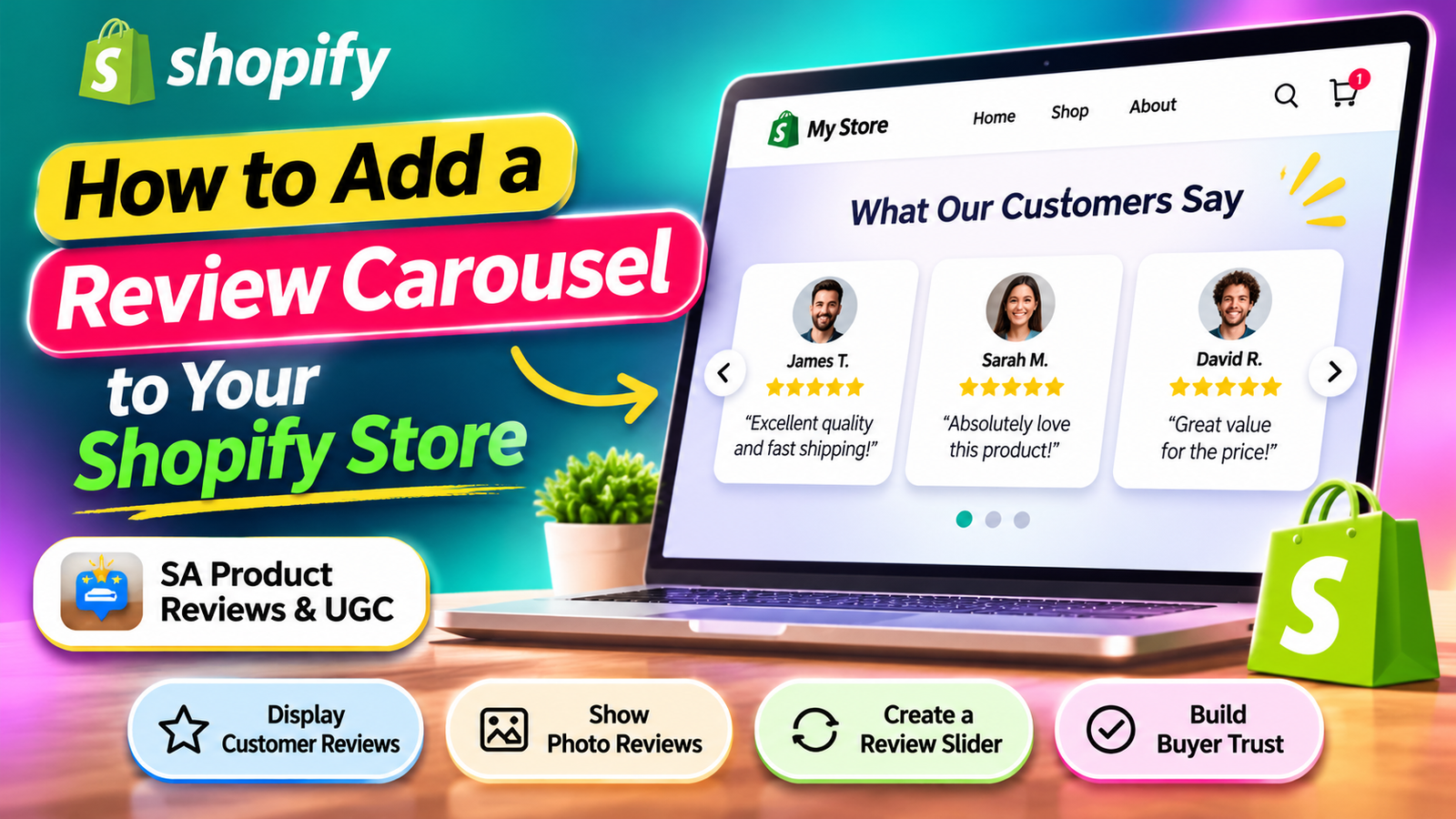
In this guide, you’ll learn how to add a review carousel to your Shopify store without coding using the SA Product Reviews & UGC app.
What Is a Shopify Review Carousel?
A Shopify review carousel is a rotating display of customer reviews that allows shoppers to browse testimonials in a slider.
A typical review carousel can include star ratings, customer names, written feedback, and product-related information.
It helps present customer experiences in a visually organized way while reducing the amount of space needed for reviews.
Why Your Shopify Store Needs a Review Carousel
1. Build Customer Trust
Authentic customer reviews provide information from people who have already purchased your products.
2. Improve Product Credibility
Displaying genuine experiences can help potential buyers evaluate product quality and suitability.
3. Make Customer Reviews Easier to Explore
A carousel allows customers to move through several reviews without scrolling through a lengthy list.
4. Improve Storefront Design
A properly styled review carousel can fit naturally into your Shopify theme and create a more organized testimonial section.
5. Highlight Customer Experiences
Featuring detailed and helpful reviews gives potential customers more context about your products.
How to Add a Review Carousel to Shopify Without Coding
We’ll use SA Product Reviews & UGC to add a review carousel to a Shopify storefront.
Follow these steps in order.
Step 1: Open the Shopify App Store
First, open your browser and search for Shopify App Store on Google.
Click the official Shopify App Store result to access the marketplace.
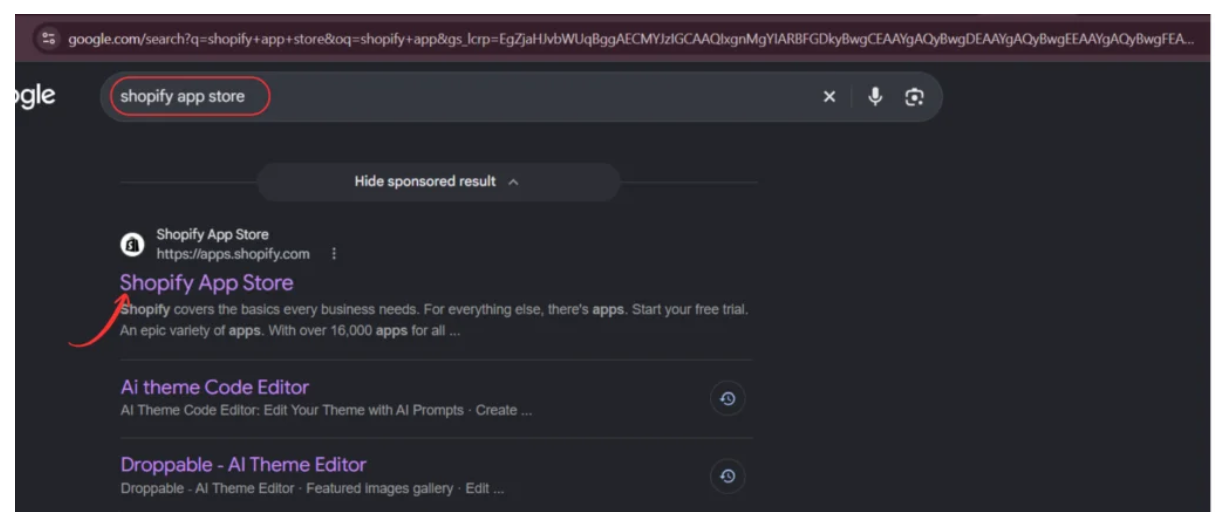
Image 1: Search for Shopify App Store on Google and open the official website.
You can also visit Shopify App Store directly.
Step 2: Search for SA Product Reviews & UGC
Once you’re inside the Shopify App Store, find the search bar at the top.
Type SA Product Reviews & UGC and press Enter.
Look for the application named SA Product Reviews & UGC in the search results.
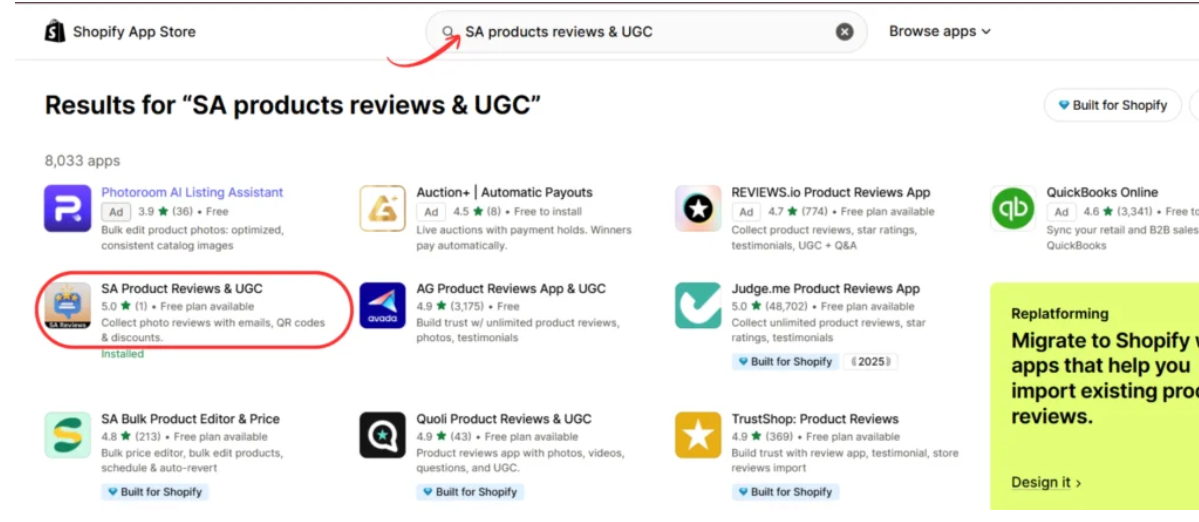
Image 2: Search for SA Product Reviews & UGC and select the correct application.
Step 3: Open the App Listing and Install the App
Click the SA Product Reviews & UGC application to open its listing page.
Here, you can review the features, pricing options, and available review widgets.
SA Product Reviews and UGC Shopify App Store listingImage 3: Open the SA Product Reviews & UGC listing to review its features.
The app supports several review-related features, including star ratings, photo reviews, automated review requests, testimonials, and review displays.

Click Install to begin adding it to your Shopify store.
Direct app link: SA Product Reviews & UGC
Step 4: Open SA Product Reviews & UGC
After installation, return to the application listing or open the app from your Shopify Admin.
Click Open to access its dashboard.
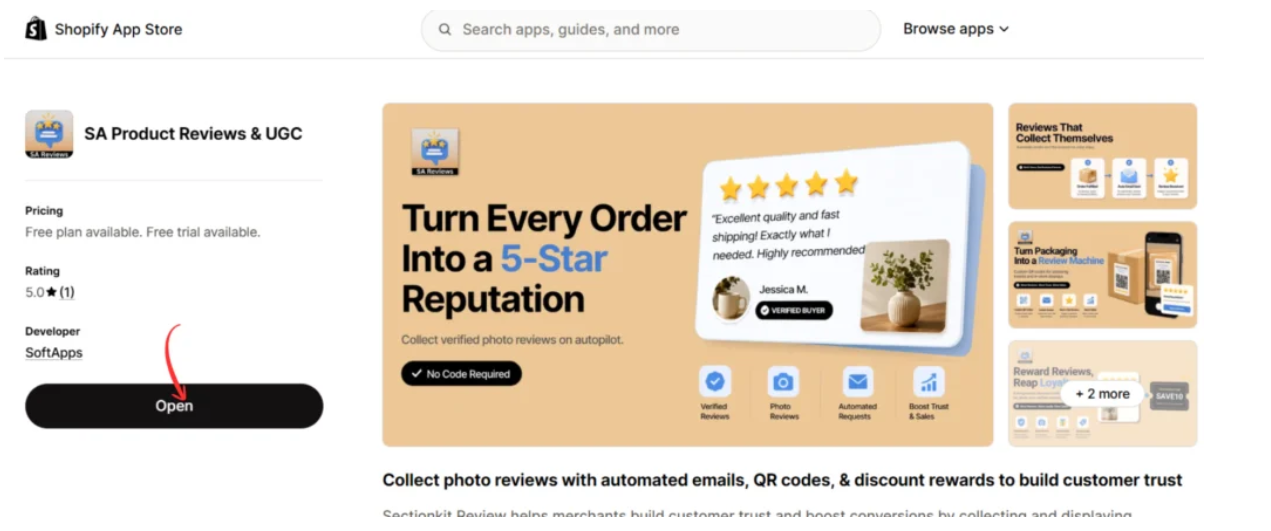
Image 4: Click Open to access the SA Product Reviews & UGC dashboard.
Step 5: Navigate to Display Reviews
Inside the app dashboard, locate Display reviews in the left sidebar.
Click it to access the available review display options.
Scroll down to the Advanced section.
You’ll find several review presentation options, including:
- Star rating
- Review popup
- Review carousel
- Review sidebar
- All reviews page
- Testimonials

Image 5: Navigate to Display reviews and locate the Review carousel feature under Advanced.
The Review carousel option allows you to display multiple customer reviews in a sliding format.
Step 6: Activate the Review Carousel
In the Advanced section, locate the Review carousel card.
Click the Activate button.

Image 6: Activate the Review carousel feature from the app dashboard.
Once activated, the app makes the carousel available for use through its Shopify theme integration.
Keep in mind that activating the feature in the app does not necessarily place it on your storefront automatically. You also need to add the appropriate block or section in your Shopify theme.
Step 7: Add the Review Carousel in Shopify Theme Editor
Now open your Shopify theme editor.
Navigate to Online Store → Themes → Customize.
Choose the page or template where you want the review carousel to appear.
In the theme editor, click Add section or Add block, depending on your theme layout.
Open the Apps tab and locate SA Product Reviews & UGC.
From the available options, select Review Carousel.

Image 7: Open the Apps tab inside the Shopify theme editor and select Review Carousel from SA Product Reviews & UGC.
You can place the carousel in a suitable location, such as below a featured collection, after a product information section, or near your existing testimonials.
Step 8: Preview and Save the Review Carousel
After adding the Review Carousel, check its appearance in the Shopify theme editor.
Make sure it displays correctly within your layout and does not overlap other sections.

Image 8: Preview the Review Carousel section on the storefront and save your theme changes.
In the provided example, the carousel appears under the heading “What Our Customers Say” and displays multiple review cards.
The screenshot illustrates the layout and sample review content. Your published reviews should come from genuine customers.
Once you’re satisfied with the placement, click Save.
Your Shopify review carousel is now set up. It will display available review content according to the app’s configuration.
Best Places to Add a Review Carousel on Shopify
Homepage
A review carousel on the homepage can introduce new visitors to customer experiences before they explore your products.
Product Pages
Displaying relevant reviews near a product’s description or purchase section can help customers evaluate the product.
Featured Collection Sections
A carousel near featured products can provide additional customer feedback without overwhelming the page.
Landing Pages
Review carousels can support campaign landing pages when the displayed feedback is relevant to the products being promoted.
How to Make Your Shopify Review Carousel More Effective
Use Genuine Customer Reviews
Only display authentic reviews from real customers.
Don’t fabricate testimonials or invent customer identities.
Include Detailed Customer Feedback
Reviews discussing fit, quality, shipping experiences, and practical product benefits can be more informative than generic praise.
Keep the Design Consistent
Your carousel should complement your store’s typography, spacing, and overall visual style.
Optimize for Mobile Devices
Test how the carousel appears on smaller screens. Reviews should remain readable, and slider controls should be accessible.
Avoid Overcrowding the Page
A review carousel should support the shopping experience, not distract customers from essential product information.
Other Review Features Available in SA Product Reviews & UGC
Besides the review carousel, the app offers several ways to display and collect customer feedback.
| Feature | Purpose |
|---|---|
| Star ratings | Display product ratings near product names |
| Review popup | Highlight customer feedback in a popup |
| Review sidebar | Make reviews accessible through a sidebar |
| All reviews page | Display collected reviews on a dedicated page |
| Testimonials | Highlight customer feedback in testimonial layouts |
| Photo reviews | Showcase customer-submitted product photos |
| Automated review requests | Request feedback after order fulfillment |
| QR code review collection | Invite customers to review products through packaging QR codes |
These features can help merchants build a more complete customer review experience.
Frequently Asked Questions
1. Can I add a review carousel to Shopify without coding?
Yes. SA Product Reviews & UGC provides a review carousel that can be added through the Shopify theme editor.
2. Can I display the review carousel on my homepage?
Yes, you can add the carousel to compatible Shopify theme sections and templates.
3. Can I display multiple reviews in a slider?
Yes. The review carousel is designed to show multiple customer reviews in a sliding layout.
4. Can I add star ratings to my Shopify store?
Yes. SA Product Reviews & UGC also provides a star rating feature.
5. Will the review carousel work on mobile devices?
The carousel is intended for storefront use, but you should preview it on mobile devices to ensure the layout and controls work correctly with your theme.
6. Can I use the app to collect customer reviews?
Yes. The app includes review collection features such as post-purchase review requests and QR-code-based collection.
Conclusion
Adding a review carousel to your Shopify store is a practical way to present customer feedback in a clean and organized format.
Instead of relying on a long list of testimonials, you can highlight multiple genuine reviews through an interactive slider.
With SA Product Reviews & UGC, you can activate the review carousel, add it to your Shopify theme, and display customer feedback without manually coding the section.
The most important part is to ensure the reviews are authentic, relevant, and helpful to potential buyers.
Ready to showcase customer feedback on your Shopify store?Explore SA Product Reviews & UGC on the Shopify App Store




