HOW TO ADD REVIEW TESTIMONIALS TO YOUR SHOPIFY STORE WITHOUT CODING

Introduction
Customer trust plays an important role in online shopping. Before purchasing a product, many shoppers want to know whether other customers have had positive experiences with the store.
One effective way to showcase customer feedback is by adding review testimonials to your Shopify store.
Testimonials allow you to highlight genuine customer experiences, star ratings, and written reviews in a dedicated section on your website.
Instead of leaving customers to search for feedback, you can display testimonials directly on your homepage, product pages, or other important sections of your store.
In this guide, you’ll learn how to add review testimonials to Shopify without coding using the SA Product Reviews & UGC app.
What Are Shopify Review Testimonials?
Shopify review testimonials are customer feedback displayed prominently on a storefront.
Unlike a standard product review list, testimonial sections usually highlight selected customer experiences in an attractive layout.
A testimonial section may include customer names, star ratings, written feedback, customer photographs, and information about purchased products.
For example, a customer might share how comfortable a pair of shoes feels or how well a skincare product suited their needs.
These details help new visitors understand real customer experiences.
Why Add Review Testimonials to Your Shopify Store?
1. Build Customer Trust
Genuine testimonials demonstrate that customers have purchased and experienced your products.
This can help new visitors feel more confident while evaluating your store.
2. Highlight Customer Satisfaction
Testimonials provide an opportunity to showcase meaningful customer feedback.
Detailed reviews may explain product quality, usability, packaging, or customer service experiences.
3. Improve the Shopping Experience
Instead of making customers search through separate review pages, you can display relevant feedback directly within your storefront.
4. Create a Professional Store Design
A well-designed testimonial section can make your homepage more informative and visually organized.
5. Help Customers Make Informed Decisions
Customer experiences can answer questions that product descriptions may not fully address.
Testimonials can be particularly useful when customers are comparing several products.
How to Add Review Testimonials to Shopify Without Coding
We’ll use SA Product Reviews & UGC, which supports review widgets, star ratings, review carousels, testimonials, and other customer feedback features.
Step 1: Search for the Shopify App Store
Open your preferred browser and search for Shopify App Store on Google.
Find the official Shopify App Store website in the search results and click on it.
This will take you to Shopify’s app marketplace, where you can discover applications designed to improve your store’s functionality.

Step 2: Search for SA Product Reviews & UGC
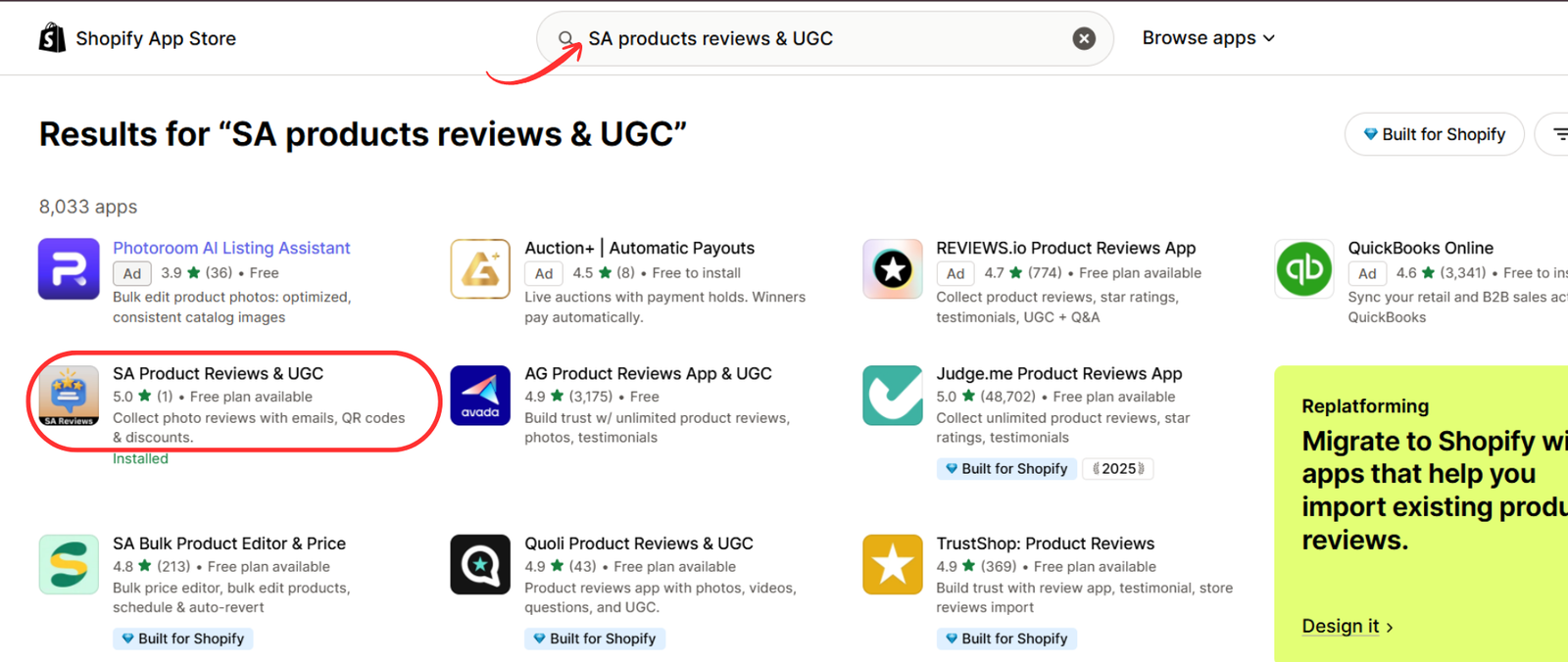
Once you’re on the Shopify App Store, locate the search bar at the top of the page.
Type SA Product Reviews & UGC into the search field.
Find the app in the search results and click on its listing to view more details.
Step 3: Install SA Product Reviews & UGC
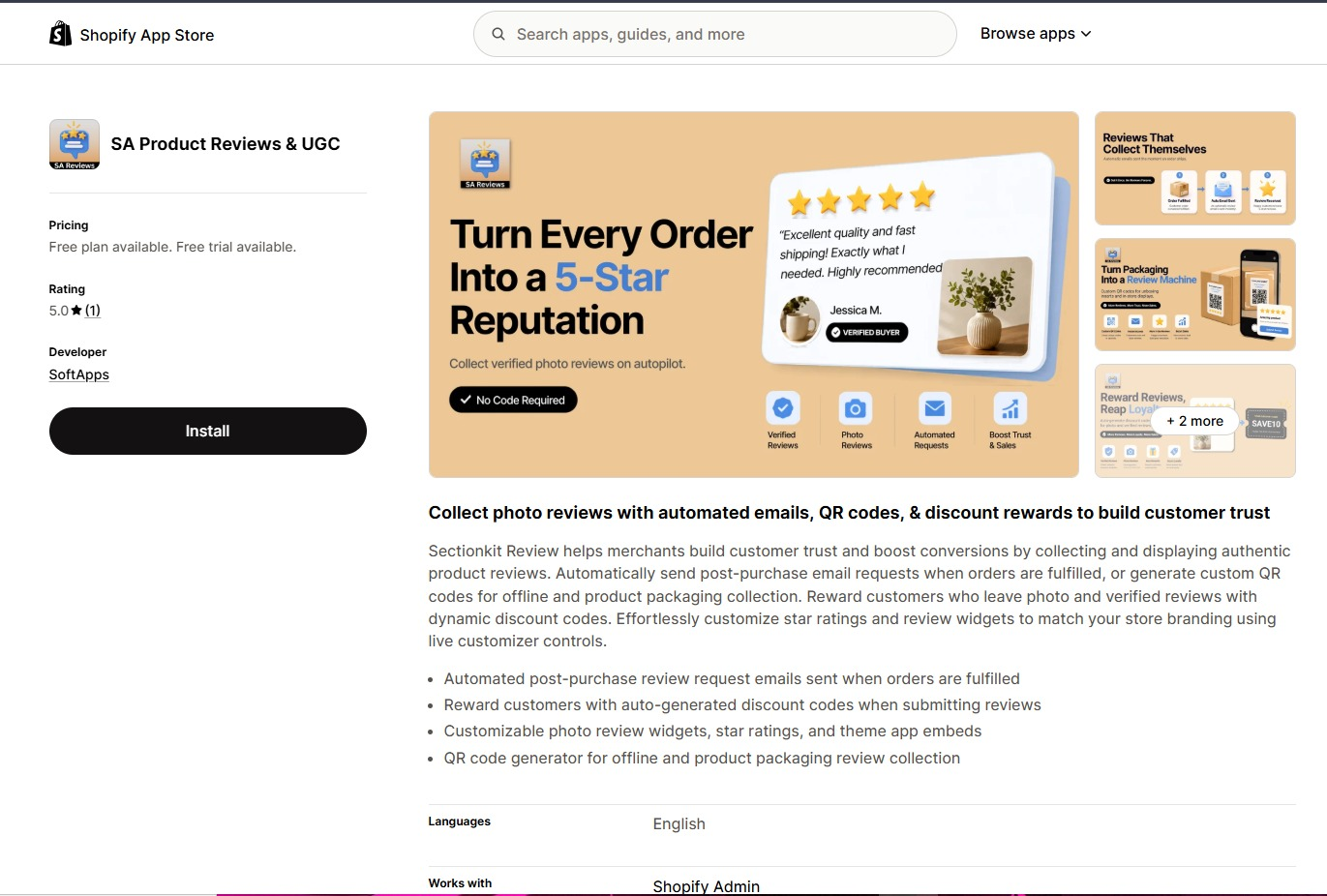
After opening the app listing, review its available features and pricing information.
SA Product Reviews & UGC helps Shopify merchants collect customer reviews through automated emails, QR codes, and discount rewards.
Click the Install button to add the app to your Shopify store.
Follow Shopify’s installation instructions to complete the process.
Step 4: Open SA Product Reviews & UGC
After installing the app, navigate to your Shopify admin dashboard.
Open SA Product Reviews & UGC from the Apps section.
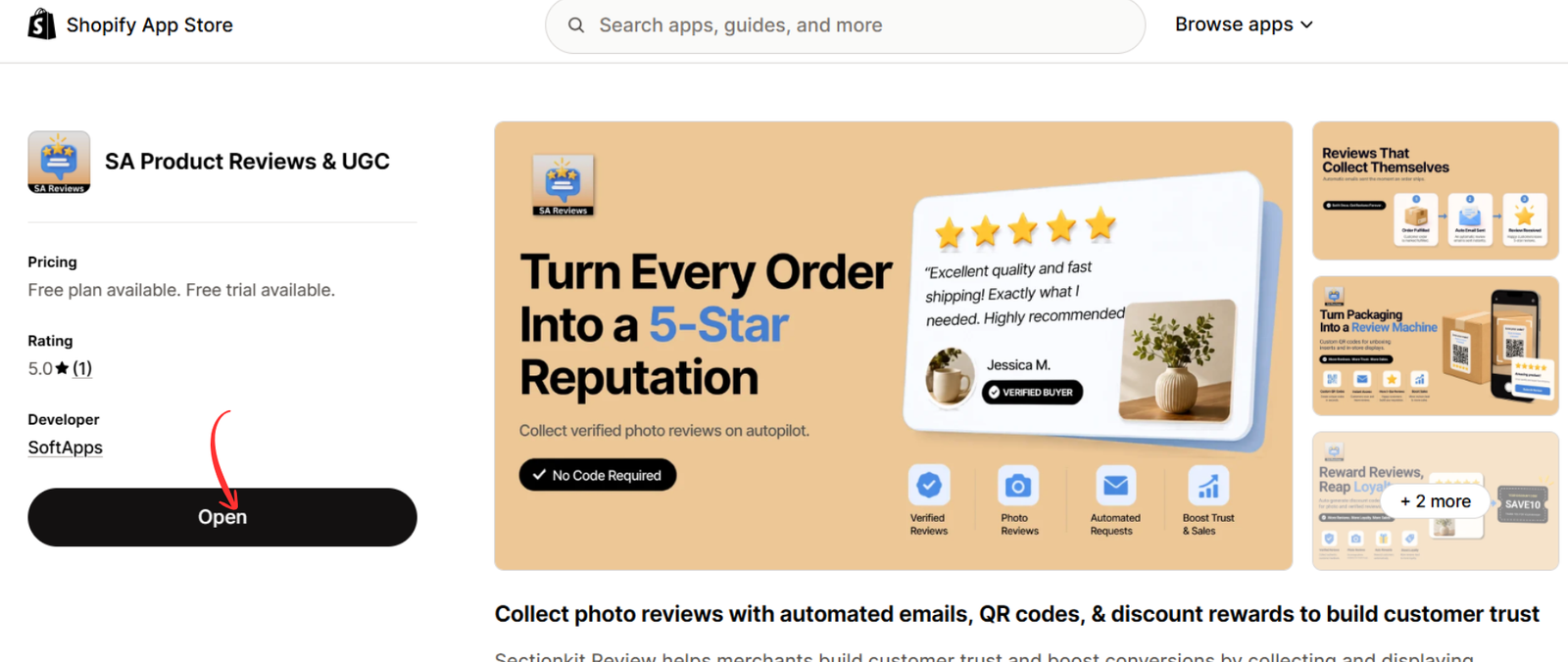
If the app is already installed, its Shopify App Store listing will display an Open button instead of Install.
Click Open to access the app dashboard.
Step 6: Open the SA Product Reviews & UGC App
First, log in to your Shopify Admin.
Open the SA Product Reviews & UGC app from your Apps section.
If you haven’t installed the application, you can find it on the Shopify App Store:SA Product Reviews & UGC — Shopify App Store
Once inside the app, look at the navigation menu on the left.
You’ll see options such as Home, Manage reviews, Collect reviews, Branding, and Display reviews.
Click Display reviews.
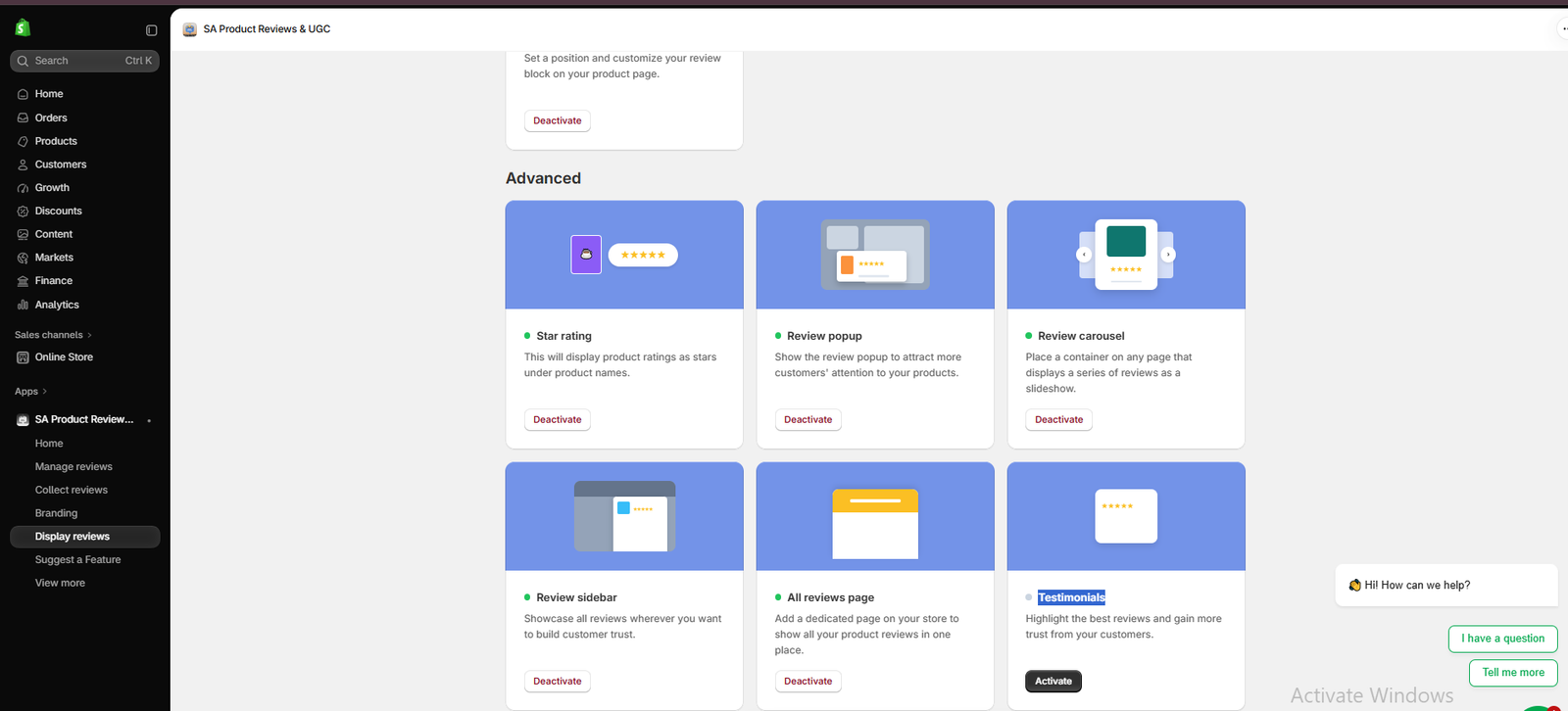
Image 1: Open Display reviews in SA Product Reviews & UGC and locate the Advanced section.
This page contains several options for presenting customer feedback on your Shopify storefront.
Step 7: Find and Activate the Testimonials Feature
Scroll down to the Advanced section.
You’ll see different review display options, including Star rating, Review popup, Review carousel, Review sidebar, All reviews page, and Testimonials.
Locate the Testimonials card.
Click Activate to enable the feature.
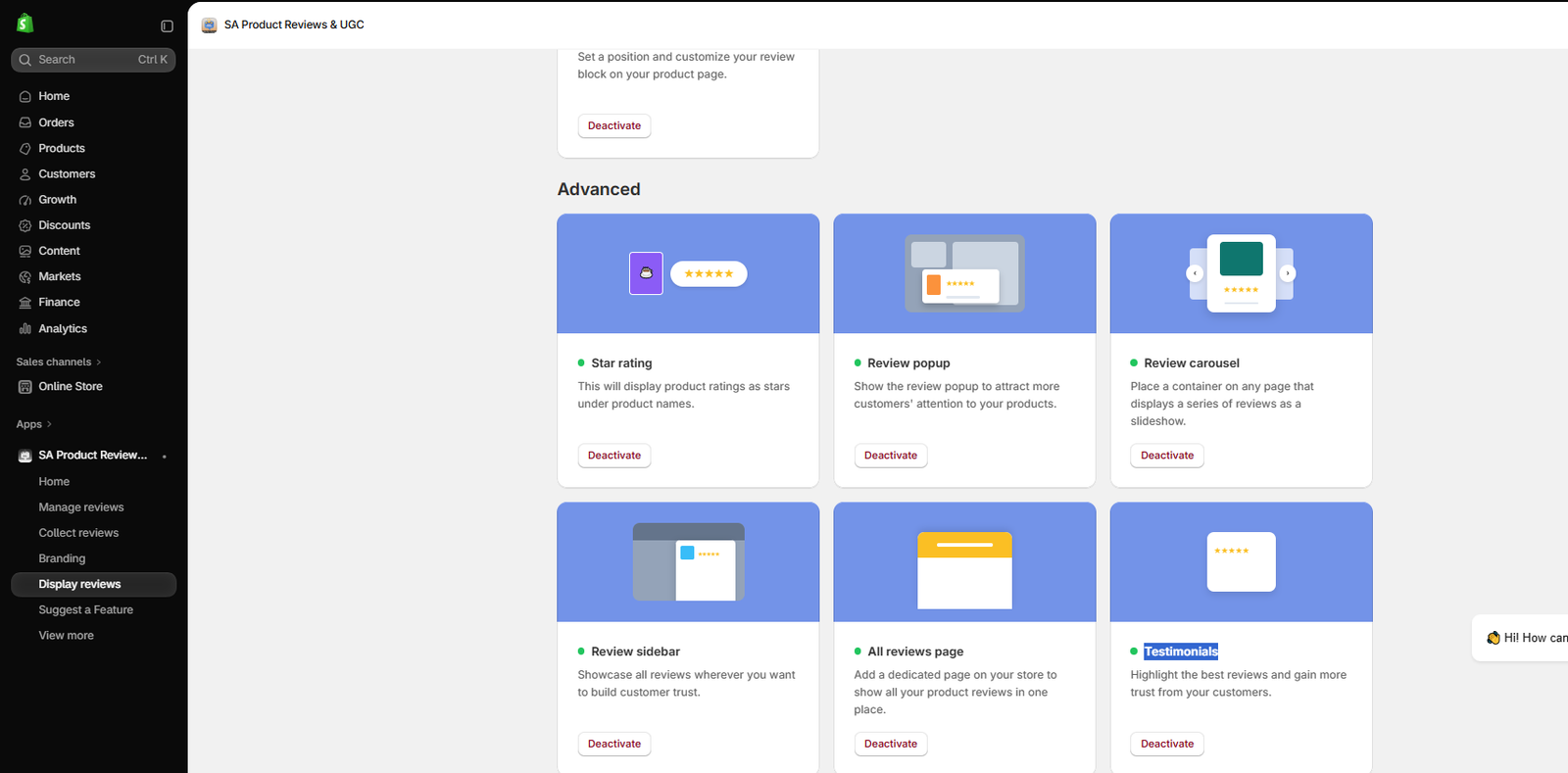
Image 2: Locate the Testimonials card and activate it to make the testimonial feature available.
The Testimonials feature allows you to highlight customer feedback through a dedicated storefront section.
After activation, you’ll need to add the appropriate testimonial block in your Shopify theme editor.
Step 8: Open Shopify Theme Editor and Select Featured Testimonial
Navigate to Shopify Admin → Online Store → Themes.
Click Customize for the theme you want to edit.
Choose the page where you want your testimonials to appear.
Now click Add section or Add block, depending on the position and structure of your theme.
Open the Apps tab and look for the SA Product Reviews & UGC options.
Select Featured Testimonial.
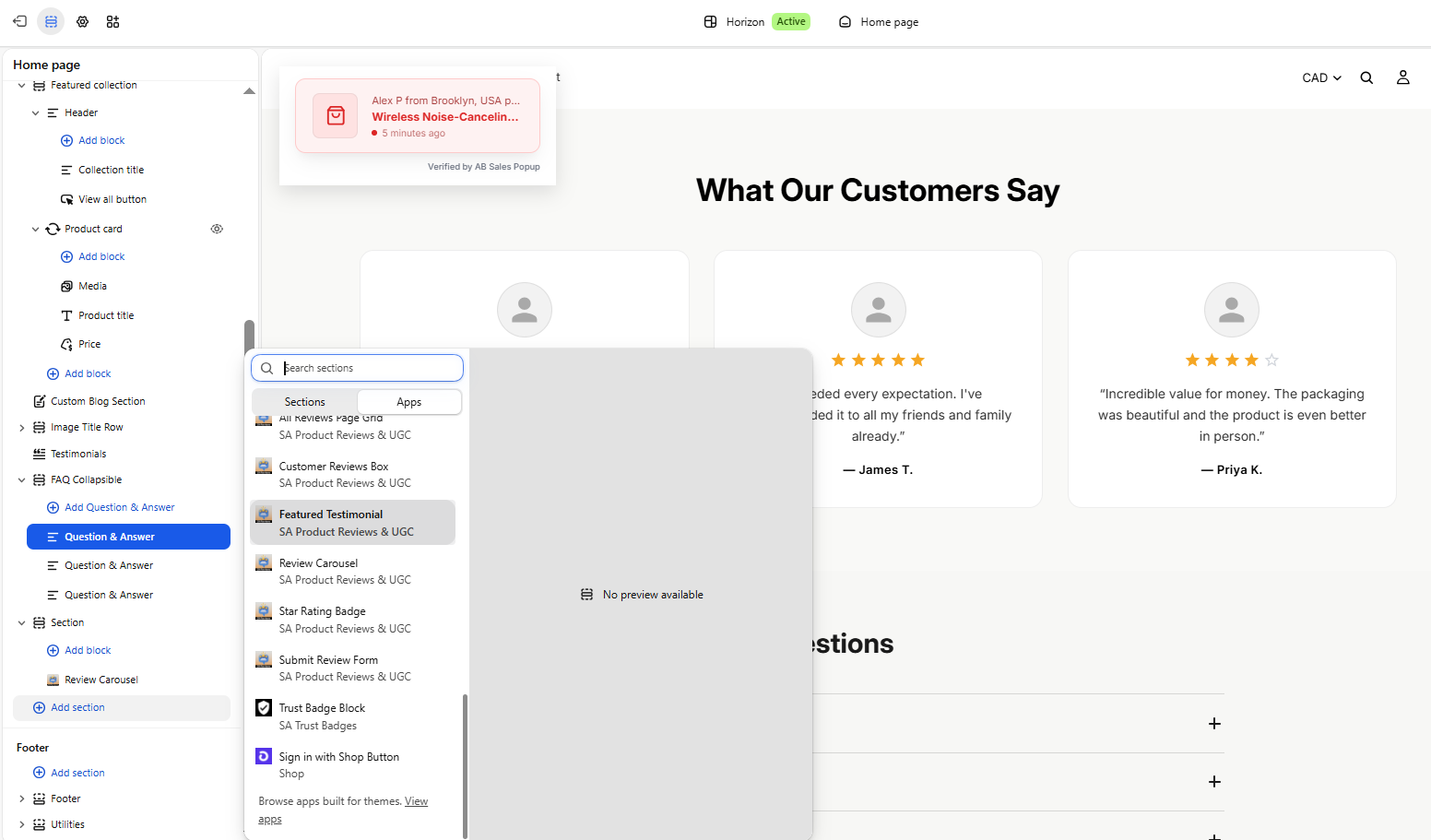
Image 3: Open the Apps tab in Shopify Theme Editor and choose Featured Testimonial from SA Product Reviews & UGC.
You can place the testimonial section near featured collections, product information, or other relevant content.
Step 9: Preview Your Testimonials on the Storefront
After adding the Featured Testimonial block, Shopify Theme Editor will display the testimonial section within your page layout.
In the screenshot below, the section appears with the heading “What Our Customers Say” and several review cards.
Each card shows a customer avatar, star rating, written feedback, and customer name.

Image 4: Preview the Featured Testimonial section on your Shopify storefront before saving.
These displayed testimonials are illustrative examples in the provided preview. For a live store, use authentic customer reviews rather than fabricated feedback.
Check that the section fits your store’s design, looks correct on mobile devices, and displays your intended customer feedback.
Once you’re satisfied, click Save in Shopify Theme Editor.
Your review testimonial section is ready to appear on your storefront when its content and configuration are properly set up.Best Places to Display Review Testimonials on Shopify
Homepage Testimonials Section
The homepage is a useful place to introduce visitors to customer experiences.
A testimonial section can appear below featured products, product benefits, or your store’s main introduction.
Product Pages
Product-specific testimonials can provide useful information when shoppers are considering purchasing an item.
Collection Pages
Relevant customer feedback can support visitors exploring products within a particular category.
Promotional Landing Pages
Testimonials may help support campaigns when they relate directly to the products being promoted.
About Us Page
A store’s About Us page can showcase authentic feedback about the overall customer experience.
Review Testimonials vs. Product Reviews: What’s the Difference?
Although both features use customer feedback, they usually serve slightly different purposes.
| Feature | Review testimonials | Product reviews |
|---|---|---|
| Primary purpose | Highlight selected customer experiences | Present product-specific feedback |
| Typical location | Homepage and landing pages | Product pages |
| Presentation | Featured cards or testimonial sections | Review lists, ratings, and galleries |
| Best use | General customer confidence | Product evaluation |
| Content | Authentic selected feedback | Authentic product feedback |
Both features can work together to help customers understand your products and business.
How to Make Your Shopify Testimonials More Effective
Use Authentic Reviews
Only showcase genuine customer experiences.
Avoid invented testimonials or misleading customer identities.
Select Informative Feedback
Detailed comments about product quality, comfort, fit, delivery, or customer support are often more helpful than generic praise.
Include Star Ratings When Available
Star ratings provide a quick visual summary of customer sentiment.
Make sure ratings accurately correspond to the original reviews.
Maintain Consistent Branding
Your testimonial section should match your existing typography, spacing, and overall design.
Keep Testimonials Readable on Mobile
Check that cards don’t become too narrow and that text is easy to read on smaller devices.
Don’t Hide All Critical Feedback
Displaying only positive reviews while misrepresenting overall customer sentiment may create a misleading impression.
Select testimonials fairly and avoid changing their meaning.
Other Review Features Available in SA Product Reviews & UGC
SA Product Reviews & UGC also supports several additional features for collecting and displaying reviews.
- Star ratings: Display product ratings near product names.
- Review carousel: Present multiple reviews in a sliding layout.
- Review popup: Display customer feedback through a popup.
- Review sidebar: Make reviews accessible through a sidebar.
- All reviews page: Showcase customer feedback on a dedicated page.
- Photo reviews: Display customer-submitted product photographs.
- Automated review requests: Ask customers for reviews after order fulfillment.
- QR code collection: Allow customers to access review requests through product packaging.
These features can help merchants create a more complete customer feedback experience.
Frequently Asked Questions
Can I add testimonials to Shopify without coding?
Yes. SA Product Reviews & UGC provides a Featured Testimonial block that can be added through Shopify Theme Editor.
Can I add testimonials to my Shopify homepage?
Yes. You can place the testimonial block on a compatible homepage template using the theme editor.
What’s the difference between a review carousel and testimonials?
A review carousel focuses on presenting reviews in a sliding format, while a testimonial section highlights customer feedback within a dedicated page section.
Can I display customer star ratings with testimonials?
Yes. The app’s featured testimonial layout supports displaying customer ratings alongside feedback.
Can testimonials help increase Shopify conversions?
Authentic customer feedback may reduce uncertainty and improve customer confidence, but conversion results depend on your products, visitors, and store experience.
Can I customize testimonial placement?
You can position the Featured Testimonial block within the supported sections of your Shopify theme.
Conclusion
Adding review testimonials to your Shopify store is an effective way to make genuine customer feedback more visible.
A well-organized testimonial section can help shoppers understand customer experiences, evaluate products, and feel more confident about your business.
With SA Product Reviews & UGC, you can activate the Testimonials feature and add the Featured Testimonial block through Shopify Theme Editor without manually coding the section.
Use authentic customer feedback, choose a suitable placement, and check the design on mobile and desktop before publishing.
Ready to showcase real customer testimonials on your Shopify store?Explore SA Product Reviews & UGC on the Shopify App Store




