How to Automate Your Shopify Store with AI
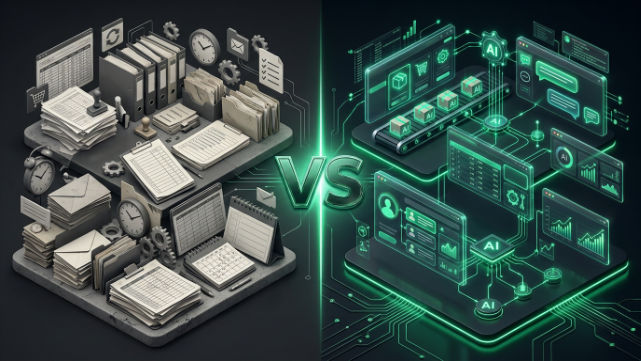
Running a Shopify store used to mean living inside your admin panel. Answering the same customer questions over and over, manually tagging orders, writing product descriptions at midnight, and guessing when to reorder stock. If that sounds familiar, you’re not alone, and the good news is that most of it doesn’t need to be manual anymore. AI has quietly become one of the most practical tools available to Shopify merchants, not as some futuristic gimmick, but as a way to get real hours back in your week.
This isn’t about replacing your team or turning your store into a robot-run operation. It’s about letting software handle the repetitive, predictable parts of running a business so you can spend your time on the things that actually need a human, like strategy, relationships, and growth. Let’s walk through exactly how you can start automating your Shopify store with AI, piece by piece.
Start With Shopify’s Own Built In AI
Before you go shopping for third party apps, it’s worth knowing that Shopify has quietly built AI directly into its platform. Shopify Magic is the native AI toolkit included free on every plan, and it covers more ground than most merchants realize. It can write product descriptions from a few bullet points, generate email subject lines, draft FAQ answers, and even remove backgrounds from product photos.
Alongside Magic sits Sidekick, Shopify’s AI merchant assistant, which lives right inside your admin and can answer questions about your store’s performance, help you draft a discount code, or point you toward the settings you’re looking for without digging through menus. If you haven’t touched either of these yet, that’s the cheapest and fastest place to begin, because there’s no new app to install and no extra subscription to justify.
The honest limitation here is that Shopify’s native AI is a strong starting point, not a complete solution. Once your store grows past the basics, you’ll want specialized tools for the areas where automation actually moves the needle most: customer support, marketing, inventory, and product content.
Automate Customer Support Before It Buries You
Customer service is usually the first place automation pays for itself, because the questions are so repetitive. Where’s my order. What’s your return policy. Does this come in another color. A trained AI chatbot can handle a large share of these conversations without a human ever touching them, and it can do it at three in the morning when your team is asleep but your international customers are wide awake.
Tools like Gorgias and Tidio have become popular precisely because they plug directly into your Shopify data. That means when a customer messages you, the AI already knows their order history, shipping status, and past interactions, so it isn’t guessing or asking the customer to repeat information you already have. The better setups also know their limits. If a conversation gets emotional, complicated, or clearly needs a human touch, the AI hands it off smoothly instead of trapping the customer in a frustrating loop.
The impact on your team’s workload can be significant. Merchants who set this up properly often see a meaningful chunk of their support ticket volume disappear, not because customers stop having questions, but because the AI answers most of them before a human needs to get involved. That frees your support team to focus on the complicated, high value conversations where a real person actually makes a difference, like a VIP customer with a custom order issue or a wholesale buyer negotiating terms.
Let AI Write (and Rewrite) Your Product Content
If you’ve ever added fifty new SKUs to your store and dreaded writing fifty unique product descriptions, AI content tools exist specifically for you. Beyond Shopify Magic, dedicated apps can generate product descriptions in bulk, across multiple languages, based on just a product title and a few specs. Some can also draft ad copy for your Facebook and Instagram campaigns, or write email newsletter content pulled straight from your catalog.
The trick to using these tools well is treating the AI output as a first draft, not a final answer. Feed it your brand voice, your key selling points, and any details that make the product special, then edit what it gives you. Raw AI copy tends to sound a little generic until you shape it, but it will save you the blank-page problem entirely, which is often the biggest time sink in content creation.
Product photography has its own AI shortcuts too. AI imaging tools can now remove backgrounds, generate lifestyle scenes, and even swap in different models to better represent your audience, all without booking a photographer or running a full shoot. For merchants selling across multiple markets, this kind of flexibility matters more than it might seem, since a product photo that resonates with one audience might completely miss with another.
Personalize the Shopping Experience Automatically
One of the more underrated uses of AI on Shopify is personalization, meaning your store shows different things to different visitors based on what they actually care about. Tools like Rebuy Engine and Nosto watch browsing behavior and purchase history, then use that data to recommend products, adjust homepage layouts, and time discount offers to the moments customers are most likely to convert.
This is where AI genuinely outperforms manual work, because no human team can track individual behavior across thousands of visitors and adjust the experience in real time. A well-configured recommendation engine can noticeably lift your average order value, simply by showing the right “you might also like” product at the right moment instead of a generic bestseller list that ignores what the shopper is actually browsing.
Quiz-style personalization tools take this further by turning product discovery into an interactive experience. Instead of a customer scrolling through a huge catalog trying to figure out what fits their needs, a short quiz narrows it down for them and recommends a handful of relevant products. For stores with a wide or complicated catalog, like skincare or supplements, this kind of guided shopping can meaningfully reduce decision fatigue and cart abandonment.
Automate the Operational Grind: Orders, Inventory, and Fulfillment
This is the least glamorous part of running a store, and also the part where automation saves the most raw hours. Shopify Flow, the platform’s free built in automation tool, lets you set up rules like tagging high value orders for review, alerting your team on Slack when an expedited order comes in, or automatically flagging suspicious orders for a manual check. It’s rule based rather than truly AI driven, meaning you set the “if this happens, do that” logic yourself, but it removes an enormous amount of manual busywork.
For more complex operations, apps like Mesa and Arigato Automation go a step further, letting you describe what you want in plain language and having the system build the workflow for you. This matters because most operational headaches aren’t really engineering problems, they’re plain business logic that got stuck being done by hand: tag this order type, notify this person, update that spreadsheet, pause this campaign if stock runs low.
Inventory is another area where AI earns its keep. Instead of eyeballing sales trends and guessing when to reorder, AI-powered demand forecasting tools analyze your sales history, seasonality, and current stock levels to predict what you’ll need and when. This kind of forecasting can meaningfully cut down both stockouts, which cost you sales, and overstock, which ties up your cash in products sitting on a shelf. For merchants juggling multiple suppliers or long shipping lead times, that predictive edge can be the difference between a smooth season and a scramble.
Use AI for Marketing That Actually Adapts
Email and SMS marketing has quietly become one of AI’s biggest wins for Shopify stores. Platforms like Klaviyo use AI to build predictive segments, meaning instead of blasting your entire list with the same email, the system identifies who’s likely to buy soon, who’s at risk of churning, and who hasn’t engaged in months, then tailors the messaging and timing to each group automatically.
This isn’t a small optimization. Well configured AI email flows, things like abandoned cart sequences, post purchase follow ups, and win back campaigns, routinely account for a large share of a store’s total revenue when set up correctly, precisely because they’re reaching customers at the moment they’re most likely to act, without a human having to manually trigger every send.
On the analytics side, AI driven attribution tools can also change how you think about where your marketing budget is going. Instead of crediting the last click before a sale, which often overstates channels like branded search, these tools model the full customer journey across multiple touchpoints. That gives you a more honest picture of which campaigns are actually driving sales, which usually means shifting spend away from channels that only look good on paper.
How to Actually Get Started Without Overwhelming Yourself
The biggest mistake merchants make with AI automation is trying to implement everything at once. A far better approach is picking your single biggest bottleneck and solving that first. If your inbox is drowning in the same five questions every day, start with an AI chatbot. If you’re constantly writing product descriptions for new arrivals, start there. If you’re guessing on reorders and running out of your bestsellers, start with inventory forecasting.
Once that first automation is running smoothly and you can see the time or money it’s saving, move to the next bottleneck. Trying to overhaul your entire operation in one weekend usually leads to half finished setups that nobody trusts, which defeats the purpose. Automation should feel like it’s quietly working in the background, not like a project you’re constantly babysitting.
It’s also worth remembering that automation tools and AI tools aren’t quite the same thing, even though the line blurs in marketing copy. Automation tools like Shopify Flow follow rules you define. AI tools make predictions and decisions based on patterns in your data, adapting as your store changes. The strongest setups usually combine both, using rule-based automation for the operational plumbing and AI for the parts that genuinely benefit from prediction and personalization.
What This Looks Like for Pakistani Shopify Merchants
If you’re running a store out of Pakistan, AI automation solves some very specific local headaches, not just the generic ones you’ll read about in most guides. Cash on Delivery remains dominant here, and it comes with a real cost: fake orders, unreachable customers, and failed deliveries that eat into your margins. AI-powered order verification tools can flag suspicious COD orders automatically, based on patterns like mismatched phone numbers, repeated failed deliveries from the same address, or unusually high-risk order combinations, before you waste courier fees shipping something that’s never getting paid for.
WhatsApp commerce is another area where automation makes an outsized difference locally. A huge share of Pakistani Shopify buyers still prefer confirming orders or asking questions over WhatsApp rather than live chat, and AI chatbot tools that integrate with WhatsApp can handle order confirmations, answer shipping questions, and even collect COD confirmation messages automatically, in both English and Roman Urdu, without your team manually replying to every single chat.
For payments, as JazzCash and Easypaisa adoption grows alongside COD, AI-driven checkout tools can nudge customers toward digital payment options with the right incentive at the right moment, like offering a small discount for prepaid orders specifically to shoppers who’ve shown a pattern of reliable digital payment behavior. On the fulfillment side, automation rules that route orders to the right courier, whether that’s Leopards, TCS, or M&P, based on the customer’s city, order value, or delivery speed needs, save your ops team from manually sorting through this every single day.
The bigger picture for Pakistani merchants is that AI automation isn’t just a nice to have efficiency play here, it’s a way to compete with international stores that already have these systems running while keeping your operation lean enough to survive on local margins.
Bringing It All Together
AI automation for Shopify isn’t one single tool you install and forget about. It’s a layered approach: native Shopify AI for the basics, a chatbot for support, content tools for product pages, a personalization engine for recommendations, workflow automation for operations, and AI driven email for marketing. Each layer you add gives you back time and, done right, adds to your bottom line.
The stores that win with this aren’t necessarily the ones with the biggest budgets. They’re the ones that picked their worst bottleneck, fixed it with the right tool, and kept building from there. Start small, measure what actually changes, and expand from a position of proof rather than guesswork.
If setting all of this up feels like a lot to figure out on top of actually running your store, that’s exactly the kind of work TheScriptFlow handles for Shopify merchants every day. From picking the right AI stack for your store’s stage to setting up automations that actually fit how Pakistani ecommerce works on the ground, TheScriptFlow builds systems that run quietly in the background so you don’t have to. Head over to thescriptflow.com to see how we can set your store up to run smarter, not harder.