HOW TO COLLECT PRODUCT REVIEWS USING QR CODES ON PACKAGING
Introduction
Customer reviews play an important role in building trust and credibility for Shopify stores. They help potential buyers understand product quality, evaluate real customer experiences, and make confident purchasing decisions.
However, collecting reviews can be challenging, especially when customers forget to share their feedback after receiving their orders.
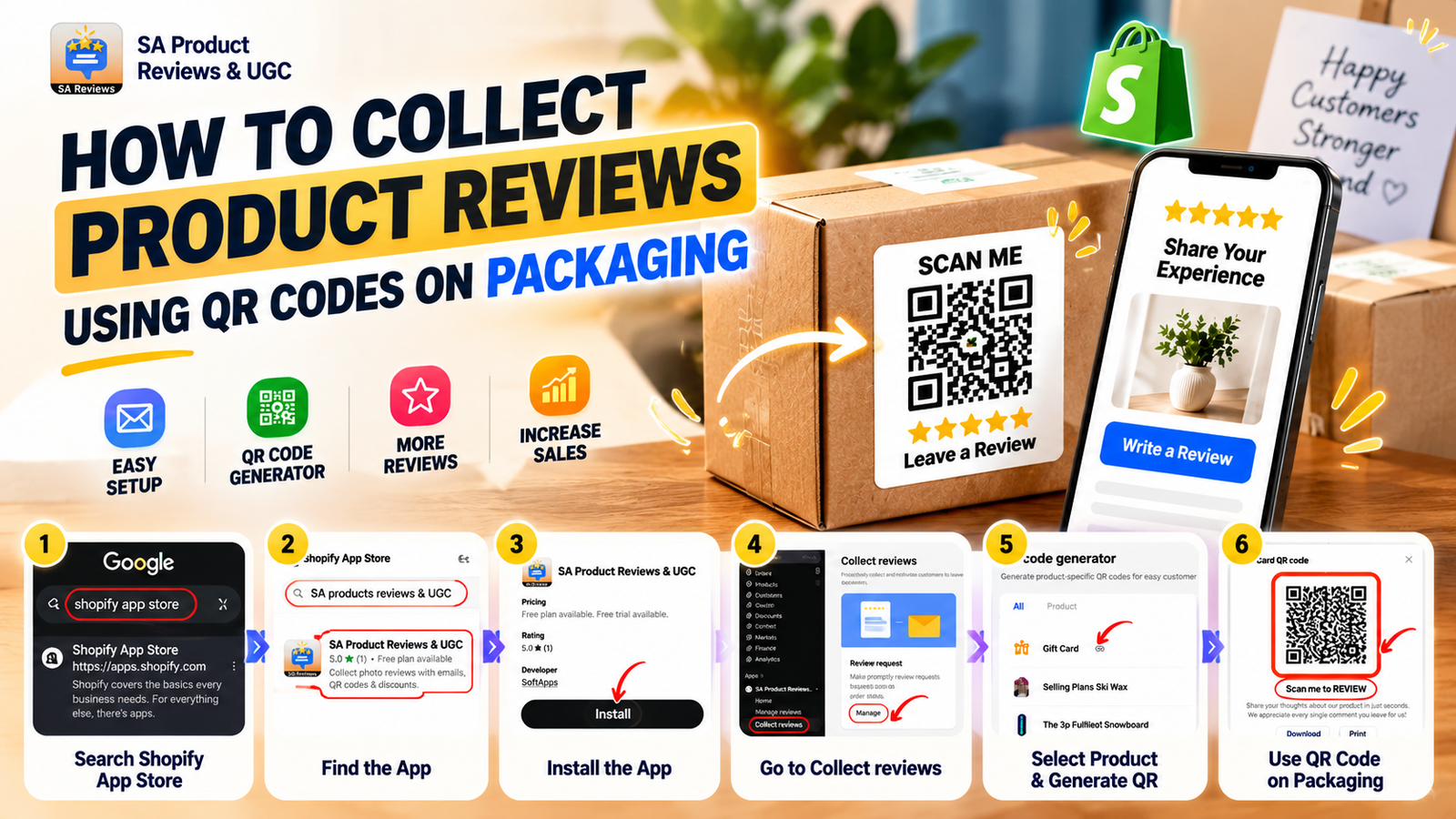
One effective solution is to collect product reviews using QR codes on packaging. By placing a product-specific QR code on packaging, thank-you cards, or printed inserts, Shopify merchants can provide customers with a convenient way to submit reviews directly from their smartphones.
With SA Product Reviews & UGC, merchants can generate QR codes for individual products, collect authentic customer feedback, and encourage photo reviews without requiring customers to manually search for review pages.
Challenges Shopify Merchants Face When Collecting Reviews
Many Shopify merchants deliver excellent products but struggle to receive consistent customer feedback.
Customers often complete their purchases, receive their orders, and move on without leaving reviews. Traditional review collection methods can involve multiple steps, such as opening emails, finding product pages, and navigating review submission forms.
These additional steps can reduce customer participation.
Collecting photo reviews presents another challenge. While written feedback provides useful information, customer-uploaded product images allow potential buyers to see how products look and perform in real-life situations.
Without an accessible review collection system, merchants may miss opportunities to gather valuable user-generated content and build customer trust.
Why Shopify Stores Need a Photo Review App
A dedicated photo review app helps Shopify merchants simplify the review collection process and create more opportunities for customer engagement.
Instead of relying entirely on manual follow-ups, merchants can use tools that make submitting feedback easier.
SA Product Reviews & UGC provides features such as product-specific QR code generation, automated review request emails, customizable review widgets, star ratings, and photo review collection.
The QR code generator is particularly useful for merchants who want to connect physical product packaging with online customer reviews.
By allowing customers to scan a code and access a product-specific review form, merchants can reduce unnecessary steps and encourage more convenient feedback submission.
Importance of Collecting Product Reviews Using QR Codes
QR codes create a direct connection between the physical shopping experience and digital customer feedback.
Customers can scan a QR code using their smartphones and access the relevant product review page without searching through the store.
This approach offers several advantages:
- Convenient review submission: Customers can quickly access review forms through their smartphones.
- More opportunities for photo reviews: Customers can share authentic images of purchased products.
- Stronger social proof: Real customer experiences help potential buyers evaluate products.
- Improved customer engagement: QR codes encourage interaction with the brand after delivery.
- Potential conversion benefits: Authentic reviews can reduce purchase uncertainty and support buying decisions.
Step-by-Step Guide to Collect Product Reviews Using QR Codes on Packaging
Follow the steps below to generate product-specific review QR codes using SA Product Reviews & UGC.
Step 1: Open the Shopify App Store
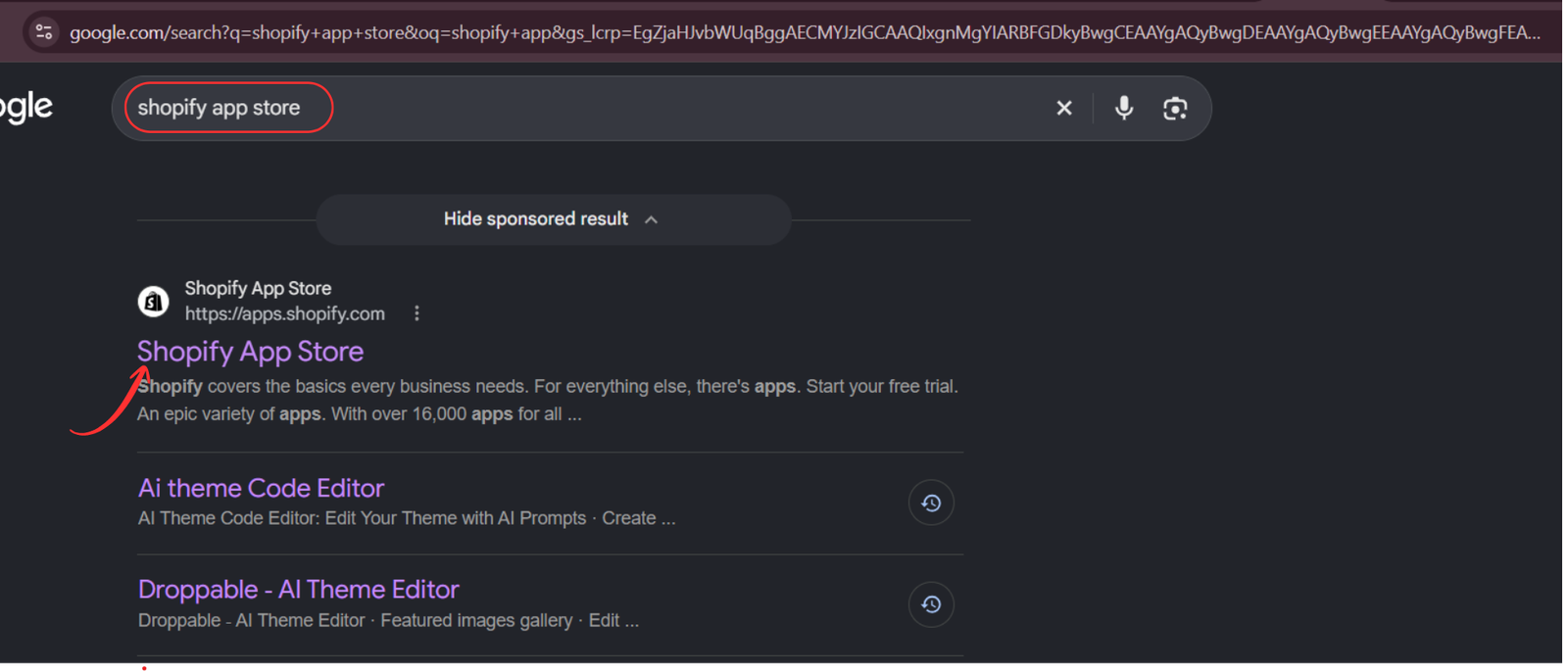
Open your preferred web browser and search for Shopify App Store on Google.
From the search results, click the official Shopify App Store website to access Shopify’s application marketplace.
Step 2: Search for SA Product Reviews & UGC
Once you are on the Shopify App Store, locate the search bar at the top of the page.
Enter SA Product Reviews & UGC and press Enter.
Find the application in the search results and click its listing to view the app details.

Step 3: Install SA Product Reviews & UGC
After opening the application listing, review its features and available pricing options.
Click the Install button to add the app to your Shopify store.
Follow the installation instructions and approve the required permissions to complete the setup.
You can access the app directly here:SA Product Reviews & UGC – Shopify App Store

Step 4: Open the Installed Application
Once installation is complete, open the application from your Shopify admin dashboard.
You can also return to the app listing and click Open.
This will take you to the application interface, where you can manage customer reviews, configure review collection features, and customize review displays.

Step 5: Navigate to the QR Code Generator
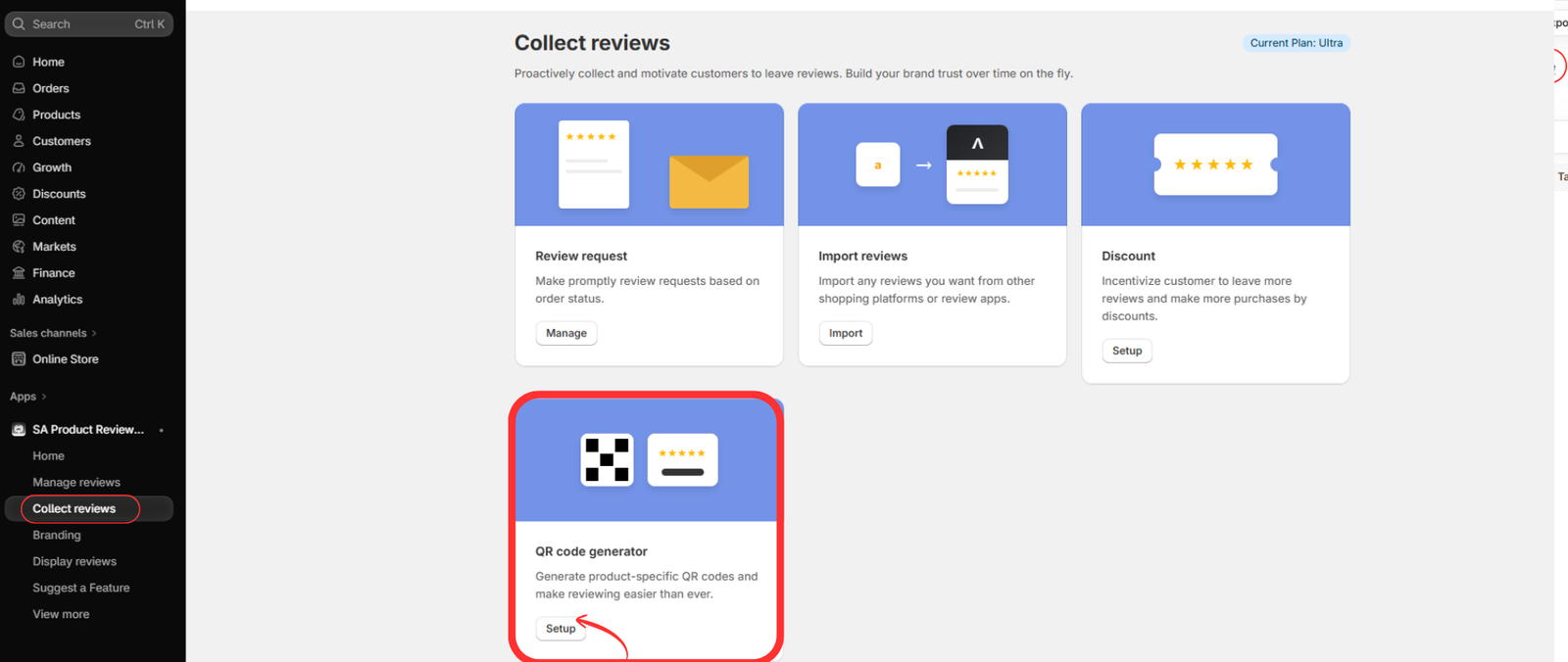
Inside the application dashboard, locate Collect reviews in the left navigation menu.
Click this option to access the available review collection tools.
The page displays different features, including Review request, Import reviews, Discount, and QR code generator.
Find the QR code generator section and click Setup to begin creating product-specific review QR codes.
Step 6: Select a Product to Generate Its QR Code
After opening the QR code generator, you will see a list of products available in your Shopify store.
Each product appears with its name and existing review information.
Locate the product for which you want to create a review QR code.
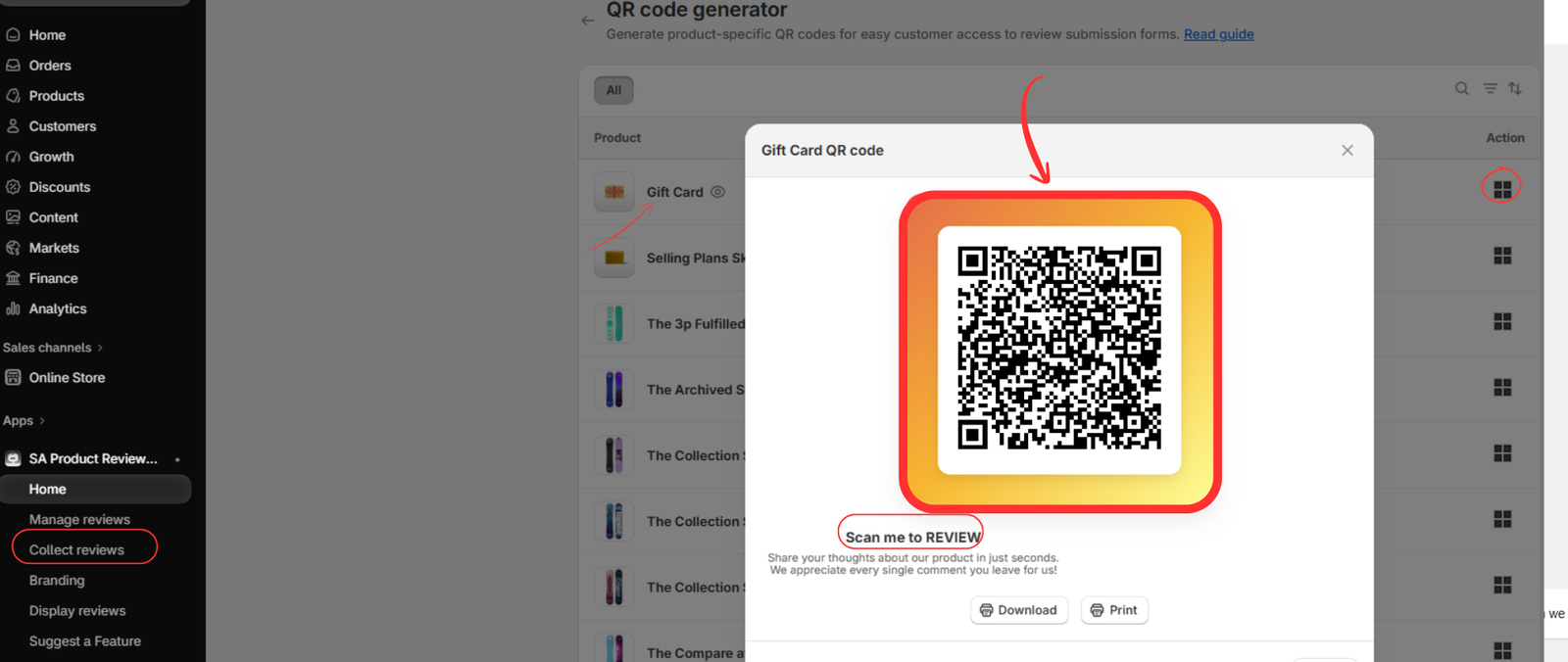
In the Action column, click the QR code icon corresponding to that product.
The application will display the product-specific QR code.
Step 7: Download or Print the Product Review QR Code
After selecting the product, a pop-up window displays its unique review QR code.
This QR code directs customers to the review submission page associated with the selected product.
Below the QR code, you will find two options:
Download: Save the QR code for use in packaging designs, thank-you cards, or printed inserts.
Print: Print the QR code directly for physical use.
Choose the option that best suits your packaging requirements.
Step 8: Add the QR Code to Your Product Packaging
After downloading the QR code, place it on your product packaging, thank-you cards, shipping inserts, or product labels.
Include a clear call to action, such as “Scan to Share Your Experience” or “Scan to Review Your Purchase.”
Make sure the QR code is clearly visible, has sufficient contrast, and is large enough for customers to scan easily.
Before printing packaging in bulk, test the QR code using a smartphone to confirm that it opens the correct product review page.
Once verified, include the QR code with customer orders to make the review submission process more accessible.
Best Practices for Collecting More Photo Reviews
Generating QR codes is an effective starting point, but merchants should also focus on creating a convenient and engaging customer experience.
Use friendly, straightforward messaging that encourages customers to share their experiences. Explain how their feedback helps other shoppers make informed decisions.
Encourage customers to upload genuine product photos showing how they use or experience the purchased item.
Position QR codes in visible areas of the packaging and avoid placing them near folds, edges, or reflective surfaces that could interfere with scanning.
If you offer discount incentives for submitting reviews, encourage honest feedback regardless of whether the review is positive or negative.
Conclusion
Collecting authentic customer reviews is an important part of building a trustworthy Shopify store.
By adding product-specific QR codes to packaging, merchants can simplify the review submission process and create additional opportunities to gather valuable customer feedback.
SA Product Reviews & UGC makes this process easier by providing a QR code generator alongside photo review collection, automated review requests, and customizable review display features.
Whether you sell fashion accessories, beauty products, electronics, or home essentials, QR codes can help turn everyday deliveries into opportunities for meaningful customer engagement.
Start collecting customer reviews using SA Product Reviews & UGC




