How to Create a Content Strategy for WordPress (2026 Guide)
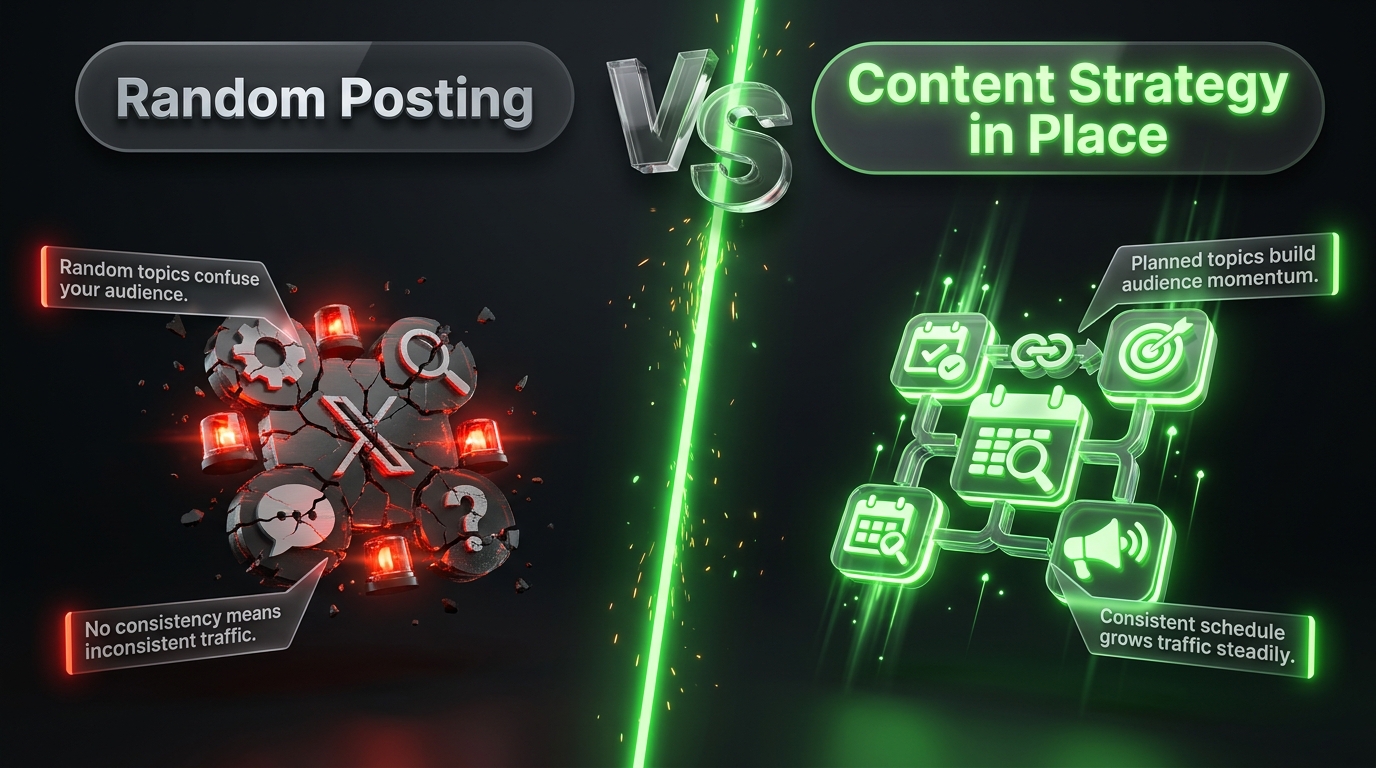
A WordPress site without a content strategy is just a collection of random posts. Some weeks you publish three articles, other weeks you publish nothing. Topics jump around with no clear thread connecting them. Traffic stalls because search engines and readers alike struggle to figure out what your site is actually about.
A content strategy fixes that. It turns publishing from a guessing game into a repeatable system one that compounds over time instead of starting from zero with every post.
This guide walks through how to build a real content strategy for a WordPress site, step by step, from initial research to publishing workflow to long term maintenance.
What a Content Strategy Actually Is
A content strategy isn’t a content calendar, and it isn’t a list of blog post ideas. Those are outputs of a strategy, not the strategy itself.
A content strategy is the underlying plan that answers four questions:
- Who are you creating content for?
- What topics and formats will you cover?
- Why does each piece of content exist what job is it doing for your site or business?
- How will you organize, produce, and maintain that content over time?
Without answers to those questions, a content calendar is just a list of dates with topics attached busywork dressed up as planning.
Step 1: Define Your Audience and Goals
Before touching WordPress at all, get specific about two things: who you’re writing for, and what you want that content to accomplish.
Get specific about your audience. “People interested in fitness” is too broad to be useful. “Beginners over 40 who want low-impact home workouts” gives you something to actually write for. The more specific your audience, the easier every future content decision becomes.
Define what success looks like. Different goals lead to different strategies:
- Traffic growth prioritizing search-driven topics and consistent publishing volume
- Authority building fewer, deeper pieces that establish expertise in a niche
- Lead generation content built around solving problems that lead naturally into your product or service
- Community and engagement content designed to spark comments, shares, and returning visitors
Most WordPress sites end up blending two or three of these, but having a primary goal keeps your strategy from becoming unfocused.
Step 2: Conduct Topic and Keyword Research
Once you know who you’re writing for, figure out what they’re actually searching for and talking about.
Start with keyword research. Tools like Ahrefs, Semrush, or Google’s free Keyword Planner show search volume and competition for topics in your niche. Look for a mix of:
- High-volume head terms that define your core topic
- Long-tail keywords with lower competition but clear intent (these are often easier wins for newer sites)
- Question-based searches, which map well to blog posts and often appear in “People Also Ask” boxes
Study your competitors. Look at sites already ranking for your target topics. What are they covering that you aren’t? What are they missing that you could do better or more thoroughly?
Pay attention to search intent, not just volume. A keyword with high search volume isn’t useful if the intent behind it doesn’t match what you offer. Someone searching “best running shoes” wants a buying guide, not a personal essay about your marathon training. Match your content format to what searchers actually expect to find.
Group topics into clusters. Rather than treating keywords as a flat list, organize them around core themes. A single “pillar” topic (e.g., “home workouts”) can support a dozen related posts (equipment guides, beginner routines, nutrition tips) that all link back to each other. This structure often called a topic cluster helps both readers and search engines understand how your content fits together.
Step 3: Build Your Content Structure in WordPress
With topics identified, it’s time to translate that research into WordPress’s actual structure.
Set up categories around your main topic clusters. Categories should reflect the broad pillars of your strategy not every possible subtopic. Five to ten well-defined categories is usually enough for most blogs.
Use tags for more specific, cross-cutting details. Tags work well for connecting posts across categories that share a specific element (a particular ingredient, tool, or location, for example).
Plan your pillar pages. A pillar page is a comprehensive resource covering a broad topic, which then links out to more specific supporting posts. In WordPress, this usually means creating one thorough, well optimized page or post per core topic, then using internal linking plugins or manual links to connect it to related content.
Get your internal linking system in place early. Plugins like Link Whisper or the built in suggestions in Rank Math and Yoast SEO make it much easier to maintain a strong internal linking structure as your content library grows. Setting this up before you have hundreds of posts saves a lot of retroactive cleanup later.
Step 4: Choose Your Content Formats
Not every topic needs to be a standard blog post. Varying your formats keeps a content strategy from feeling repetitive and helps you match content to how people actually want to consume it.
Common formats worth including:
- How to guides step by step instructional content, often strong for search traffic
- Listicles scannable, comparison friendly content (“10 Best Tools for X”)
- Case studies real examples that build credibility and trust
- Opinion or analysis pieces useful for authority-building and differentiating your voice
- Roundups and curated resources lower effort to produce, useful for readers, and good for building relationships if you feature other creators
- Video or embedded media increasingly expected in 2026, and WordPress supports embedding easily from platforms like YouTube
A healthy content strategy usually mixes formats rather than relying on one type exclusively.
Step 5: Build a Realistic Publishing Workflow
A strategy that looks great on paper but isn’t sustainable will collapse within a few months. Build a workflow you can actually maintain.
Set a realistic publishing cadence. Consistency matters more than volume. One well researched post per week, published reliably, will outperform five rushed posts one month followed by silence the next.
Use WordPress’s built in scheduling. Draft content ahead of time and use the Schedule feature (under the publish settings) to queue posts in advance. This helps you stay consistent even during busy weeks.
Create a simple content brief template. Before writing, outline: the target keyword, the search intent, the audience question being answered, and 2 to 3 internal links to include. This keeps writing focused and reduces revisions later.
Assign clear roles if you’re not working solo. For teams, WordPress’s built in user roles (Author, Editor, Contributor) help manage who can draft, edit, and publish keeping your workflow organized as more people get involved.
Step 6: Optimize Content for Search and Readability
Every piece of content should be built with both search engines and human readers in mind not one at the expense of the other.
On page SEO basics:
- Use your target keyword naturally in the title, first paragraph, and at least one subheading
- Write a clear meta description that accurately summarizes the post
- Use descriptive, keyword relevant image alt text
- Keep URLs short and readable (a clean permalink structure helps here)
Readability basics:
- Break content into short paragraphs and clear subheadings
- Use bullet points and numbered lists for scannable information
- Add relevant images or examples to illustrate key points
- Write in plain, direct language avoid unnecessary jargon
In 2026, search engines increasingly reward content that demonstrates real expertise and firsthand experience often summarized as E E A T (Experience, Expertise, Authoritativeness, Trustworthiness). Practically, this means including author bios, citing credible sources, and writing from genuine knowledge rather than generic, surface-level summaries.
Step 7: Track Performance and Adjust
A content strategy isn’t a one time plan it’s something you refine based on what actually works.
Track the metrics that match your goals:
- Traffic and rankings via Google Search Console and Google Analytics
- Engagement time on page, scroll depth, comments
- Conversions email signups, product clicks, or whatever action matters most to your site
- Backlinks earned, if authority-building is part of your strategy
Review performance regularly. A quarterly content audit reviewing which posts are driving traffic, which are underperforming, and which are outdated — helps you decide where to focus new content and where to update old content instead.
Update rather than only creating new content. Refreshing an older, underperforming post with updated information often produces better results than writing something entirely new. Search engines tend to favor content that’s kept current, especially on topics where information changes over time.
Tools That Support a WordPress Content Strategy
You don’t need a huge stack to run a solid content strategy, but a few tools consistently make the process easier:
- Keyword research: Ahrefs, Semrush, or Google Keyword Planner for identifying topics and search volume
- On page SEO: Rank Math or Yoast SEO for optimizing titles, meta descriptions, and readability inside the WordPress editor
- Internal linking: Link Whisper for connecting related posts automatically as your content library grows
- Analytics: Google Analytics and Google Search Console for tracking traffic, rankings, and user behavior
- Editorial planning: A simple spreadsheet, Trello board, or a WordPress plugin like Editorial Calendar for scheduling and tracking content in progress
- Grammar and readability: Tools like Hemingway Editor or Grammarly to catch clarity issues before publishing
None of these are strictly required to have a working content strategy, but each removes friction from a specific part of the process — research, optimization, organization, or measurement.
Adjusting Your Strategy by Site Type
Not every WordPress site should follow the same content strategy. A few common site types and how their approach typically differs:
Personal or niche blogs Focus on a narrow, well defined topic area and build depth over breadth. Consistency and a distinct voice matter more than publishing volume, since personal blogs often compete on authenticity rather than sheer content output.
Business or SaaS blogs Content usually needs to serve a dual purpose attracting search traffic and moving readers toward a product or service. Strategy here often centers on bottom-of-funnel content (comparisons, use cases) alongside top of funnel educational posts that build awareness.
Publishers and high volume sites These sites typically need a more structured editorial workflow, with multiple contributors, defined roles, and stricter category and tagging discipline to keep a large content library organized and crawlable.
E commerce sites Content strategy often supports product pages rather than standing alone buying guides, comparison posts, and how-to content that naturally links to relevant products.
Identifying which category your site falls into or which mix of these applies helps you avoid copying a strategy that isn’t actually suited to your goals.
Common Content Strategy Mistakes to Avoid
- Publishing without a clear topic structure. Random, disconnected posts make it harder for both readers and search engines to understand what your site is about.
- Chasing every trending topic. Occasional timely content is fine, but a strategy built entirely around trends rarely builds lasting authority.
- Ignoring older content. Many sites focus exclusively on new posts while letting older, oncemsuccessful content quietly decay.
- Overloading on keywords at the expense of clarity. Content stuffed with keywords reads poorly and increasingly gets penalized rather than rewarded.
- Skipping a workflow entirely. Without a lightweight process for planning, writing, and publishing, consistency becomes nearly impossible to maintain.
Frequently Asked Questions
How often should I publish new content on WordPress? There’s no universal number consistency matters more than frequency. One high quality post per week is a reasonable starting point for most blogs. What matters most is maintaining whatever cadence you choose without long gaps.
Do I need a content calendar, or is a general plan enough? A content calendar is helpful once you have a strategy in place, since it turns your topic clusters and publishing cadence into concrete dates. But the calendar should come after the strategy, not replace it.
How many categories should a WordPress blog have? Most blogs work well with five to ten broad categories. Too many categories fragments your content and confuses both readers and search engines about your site’s focus.
Should I prioritize new content or updating old posts? Both matter, but many sites underinvest in updating existing content. A mix roughly balancing new posts with periodic updates to older, high potential content tends to produce stronger long-term results than focusing on new content alone.
What WordPress plugins actually help with content strategy? An SEO plugin (Rank Math or Yoast SEO) helps with onn page optimization, an internal linking tool (Link Whisper) helps maintain topic clusters, and analytics integrations (Google Analytics or Search Console plugins) help you track what’s actually working.
Final Thoughts
A content strategy for WordPress doesn’t need to be complicated, but it does need to be intentional. Know who you’re writing for, understand what they’re searching for, organize your content around clear topic clusters, and build a publishing rhythm you can actually sustain.
The sites that grow steadily on WordPress aren’t necessarily the ones publishing the most they’re the ones publishing with a clear plan behind every piece. Start with the strategy. The content, and the results, follow from there.