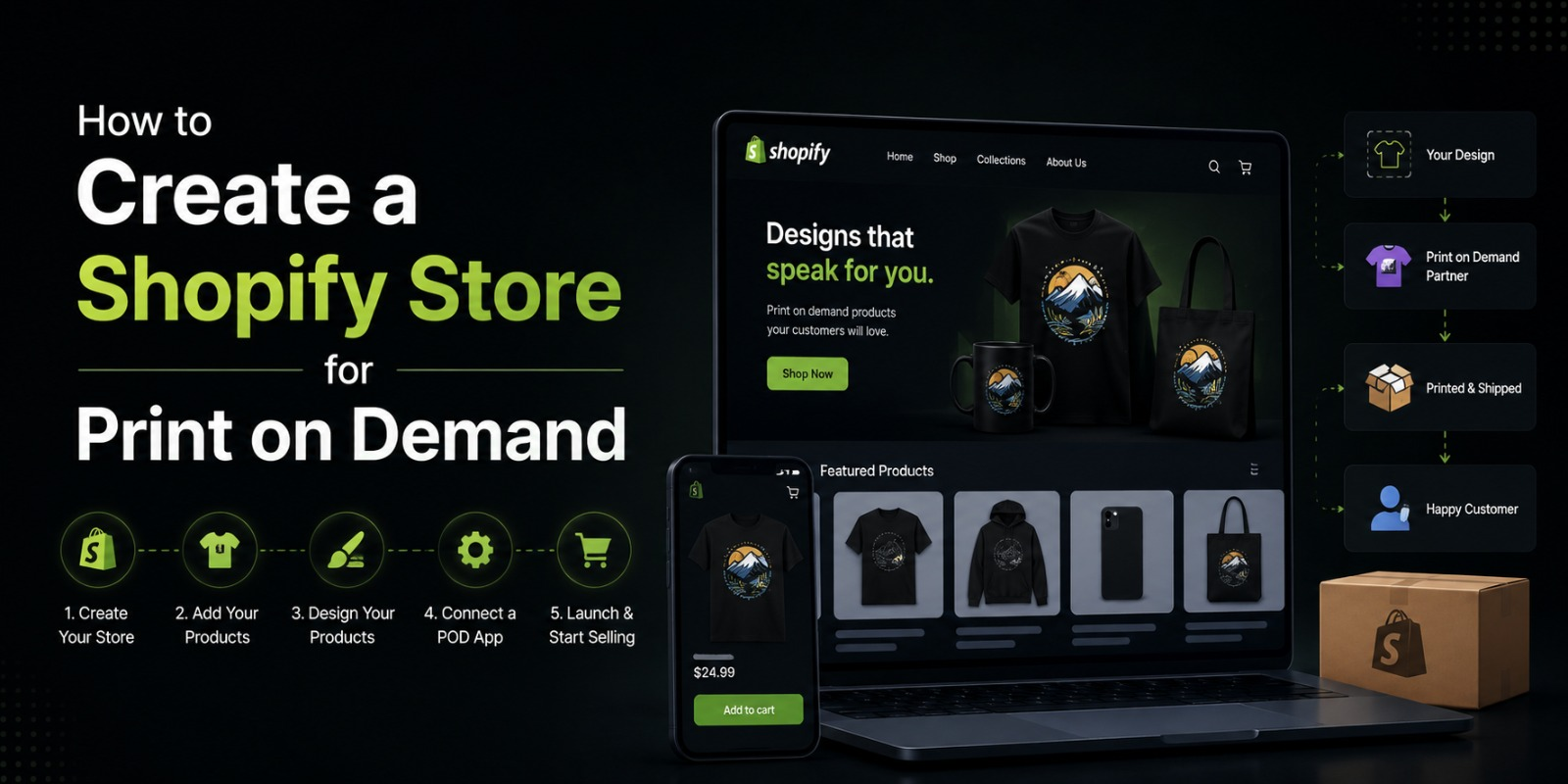
How to Create a Shopify Store for Print on Demand
The Complete Beginner’s Guide to Launching a POD Business on Shopify
Print on demand is one of the most beginner friendly ways to start an ecommerce business. You do not need to buy inventory upfront, you do not need a warehouse, and you do not need to handle shipping yourself. You design the product, someone orders it, your print on demand partner makes it and ships it directly to the customer, and you keep the difference between what you charged and what the supplier cost you.
It sounds simple because the basic idea really is simple. But building a Shopify store around a print on demand model that actually makes money takes more thought than most beginners expect. You need to pick the right niche, connect the right supplier, set up your store properly, price your products for profit, and market in a way that brings in real buyers.
This guide walks you through every step of that process. Whether you are starting from zero or trying to clean up a store that is not performing the way you hoped, everything you need is here.
What Is Print on Demand and Why Shopify
Print on demand, usually shortened to POD, is a fulfillment model where products are only printed and produced after a customer places an order. You never hold inventory. The supplier handles production and shipping. Your job is to run the store, create the designs, and market the products.
Common print on demand products include t shirts, hoodies, mugs, phone cases, tote bags, posters, notebooks, and canvas prints. But the category has expanded significantly over the years. Today you can sell things like custom socks, all over print jackets, embroidered hats, leggings, and even custom pet accessories through POD suppliers.
The reason Shopify is the platform of choice for most serious POD sellers comes down to a few things. Shopify gives you full control over your storefront, your branding, and your customer experience. It connects cleanly with all major POD suppliers through official app integrations. It handles payments, checkout, and order management reliably. And it scales with you whether you are making ten sales a month or ten thousand.
Platforms like Etsy or Redbubble also support POD, but they are marketplaces. You are competing against thousands of other sellers on the same platform with limited control over how your brand looks or how you reach customers. With Shopify, you own the store completely.
Step One : Choose Your Niche
This is the step most beginners skip or rush, and it is usually why their store struggles. A print on demand store that tries to sell everything to everyone ends up selling nothing to nobody.
A niche is the specific audience or topic your store focuses on. Instead of just selling custom t shirts, you might sell t shirts for dog owners who specifically have golden retrievers. Instead of general motivational posters, you might sell desk prints for software developers with coding humor. The more specific you get, the easier it is to build an audience, create products people actually want, and write marketing copy that connects.
When choosing your niche, think about three things.
First, is there an audience that is genuinely passionate about this topic? Passionate audiences buy things. People who casually like hiking are not the same as people who spend every weekend on trails and follow fifteen hiking accounts on Instagram. You want the passionate version.
Second, can you create designs that are unique and speak directly to that audience? Generic designs do not sell. Designs that feel like they were made exactly for a specific type of person do.
Third, is the niche commercially viable? Some niches are too small or too competitive. A quick way to check is to search for your niche on Etsy and see how many shops are already selling there, what the best sellers look like, and how much competition exists. If there are sellers doing well and the market does not look completely saturated, that is a good sign.
Good niche examples for POD stores include profession based niches like nurses, teachers, engineers, and firefighters. Pet specific niches like specific dog or cat breeds. Hobby niches like fishing, gardening, board games, or coffee culture. Personality-based niches around introversion, sarcasm, or specific senses of humor. And interest based communities around things like astrology, true crime, or specific music genres.
Step Two : Set Up Your Shopify Account
Once you have a niche in mind, it is time to get your Shopify store set up.
Go to shopify.com and start a free trial. You will be asked for your email address and some basic information about your store. You do not need to have everything figured out before you start you can change your store name, settings, and design later.
When Shopify asks what you plan to sell, you can select that you are setting up a new store. It will then take you into your admin dashboard, which is the back-end of your store where you manage everything.
The first things to set up after creating your account are your store name, your store currency, your timezone, and your billing information. For Pakistani sellers who plan to sell internationally, make sure your currency is set to USD or whatever currency your target market uses. You can show prices in multiple currencies later using Shopify Markets.
Before you start adding products, take a few minutes to explore the admin dashboard. Familiarize yourself with where things are products, orders, customers, analytics, apps, and settings. It will save you a lot of time later.
Step Three : Choose a Print on Demand Supplier
Your POD supplier is one of the most important decisions you will make for your store. They are the ones actually making and shipping your products, so their quality, pricing, and reliability directly affect your customer experience and your reputation.
Here are the most widely used POD suppliers and what makes each one worth knowing about.
Printful
Printful is the most popular POD supplier for Shopify stores and for good reason. Their product quality is consistently high, their mockup generator is excellent, their Shopify integration is smooth, and they have fulfillment centers in multiple countries which helps with shipping speeds. Their prices are on the higher end, which means your margins are thinner, but the product quality makes it easier to charge premium prices. If you are just starting out and want reliability, Printful is the safest choice.
Printify
Printify works differently from Printful. Instead of using their own facilities, they connect you with a network of print providers around the world. This means you can often find lower prices and choose providers based on location. The trade off is that quality can vary between providers, so you need to order samples before committing to a specific provider for your products. Printify is great for keeping your costs lower and experimenting with a wider product range.
Gelato
Gelato focuses on local production, meaning they print orders in the country closest to the customer. This significantly reduces shipping times and costs. They have a growing product catalog and their quality has improved a lot over the past few years. For stores with a global customer base, Gelato is worth serious consideration.
SPOD
SPOD is owned by Spreadshirt and is known for very fast fulfillment times often under 48 hours. Their product catalog is more limited than Printful or Printify, but their speed is a real competitive advantage if fast delivery is important to your customers.
Apliiq
Apliiq is a good choice if you want to move into more premium, streetwear style products. They offer private label options and specialty apparel that can help your store feel more like a real brand rather than a generic POD shop.
For most beginners, starting with Printful or Printify is the right move. You can always add a second supplier later as your store grows.
Step Four : Connect Your POD Supplier to Shopify
Once you have chosen your supplier, connecting them to your Shopify store is straightforward. Every major POD supplier has an official Shopify app in the Shopify App Store.
Go to your Shopify admin, click on Apps in the left menu, and then click on Shopify App Store. Search for your supplier by name Printful, Printify, Gelato, or whichever you chose. Click on the app and then click Add app. Follow the prompts to create an account with the supplier if you do not already have one, and authorize the connection between the two platforms.
Once connected, the supplier app will appear in your Shopify admin and you can start browsing their product catalog, choosing items to sell, uploading your designs, and creating product listings that will automatically sync to your store.
Step Five : Create Your Designs
Your designs are what actually make your store stand out. This is where most of the creative work lives and also where the biggest opportunities for differentiation exist.
You do not need to be a professional graphic designer to create good POD designs. But you do need to create designs that look intentional, print clearly, and connect with your target audience emotionally.
Tools for creating designs
Canva is the most beginner-friendly design tool and has a free plan that is more than enough to get started. It has templates specifically sized for POD products and a wide range of fonts and graphics to work with.
Adobe Illustrator and Photoshop are the industry standard tools for professional designers. They give you the most control but have a steeper learning curve and require a paid subscription.
Kittl is a newer tool that has become very popular among POD sellers. It is easier than Illustrator but more powerful than Canva and has excellent font pairing and vintage design effects built in.
Placeit is specifically built for POD sellers and has hundreds of design templates as well as a mockup generator. The designs are good but many sellers use them, so you risk not looking unique if you use templates without heavily customizing them.
Design principles for POD
Keep your designs simple and readable. A design that looks great on a computer screen can become muddy and unreadable when printed on fabric. Simple, bold designs print much better than complex ones.
Always design at a high resolution. Most suppliers require at least 150 DPI and recommend 300 DPI. Designing at low resolution is the most common mistake beginners make and it results in blurry prints.
Consider the background color of the product when designing. A design that looks sharp on a white t shirt might need to be adjusted to work well on a black one. Design with the product color in mind.
Create designs that speak to a specific emotion or identity. The best-selling POD products are the ones where a customer sees the design and thinks that is so me or I need to send this to my friend. Design for that moment of recognition.
Step Six : Add Products to Your Store
With your designs ready and your supplier connected, it is time to add products to your store.
Inside your supplier app, browse the product catalog and choose the item you want to create for example, a classic unisex t shirt. Select the colors and sizes you want to offer. Upload your design and position it correctly using the design editor. Preview how the finished product will look using their mockup tool.
Then fill in the product details. Write a product title that includes relevant keywords your customers would search for. Write a product description that speaks to your target audience, highlights the quality of the product, and explains why this design exists. Set your pricing. Choose which product photos to use as your main listing images.
When you click Save and Publish, the product will automatically appear in your Shopify store.
A note on pricing
Pricing is where many beginners leave money on the table. The instinct is to price as low as possible to compete, but that is usually the wrong strategy for POD. Your customers are not looking for the cheapest t shirt they can find they are looking for a design that speaks to them. Price for the value of the design and the quality of the product, not just to undercut competitors.
A simple starting formula is to take your supplier cost, multiply by 2.5 to 3, and that is your base selling price. Then adjust up or down based on what the market will bear in your niche and what your competitors are charging for similar products.
Step Seven : Choose and Customize Your Shopify Theme
Your store design shapes how customers feel about your brand the moment they land on your site. A clean, well-organized store builds trust. A cluttered or generic-looking store sends people away.
Shopify has a range of free themes available in the Theme Store. For POD stores, some of the best free options are Dawn, which is clean and modern, and Craft, which works well for stores with a handmade or artisan feel. If you have budget for a paid theme, Prestige and Impulse are popular choices among POD sellers because of how well they showcase product images.
When customizing your theme, focus on a few key areas.
Your homepage should communicate what your store is about within the first few seconds. Someone landing on your page should immediately understand who this store is for. Use your hero banner to make that clear.
Your navigation should be simple. A store with fifteen navigation items is confusing. Stick to the essentials shop, about, and contact are usually enough to start.
Your product pages need strong images and good copy. Since you are selling custom designs, the product image is doing a lot of the selling. Use lifestyle mockups where possible rather than flat lay mockups they help customers visualize wearing or using the product.
Make sure your store looks good on mobile. The majority of POD store traffic comes from mobile devices, especially if you are running social media ads. Check every page on your phone before you launch.
Step Eight : Set Up Payments and Shipping
Before your store can take orders, you need to configure payments and shipping.
For payments, go to Settings in your Shopify admin and click Payments. Shopify Payments is the default option and is available in many countries. For Pakistani sellers, Shopify Payments is not currently available in Pakistan directly, but you can use PayPal, Stripe through a business registered in an eligible country, or local payment gateway options depending on your situation. Many Pakistani POD sellers operate through a business entity set up in the US or UK to access Shopify Payments.
For shipping, the good news with POD is that your supplier handles the actual shipping. But you still need to set up shipping rates in Shopify that your customers will see at checkout. The simplest approach for beginners is to offer free shipping and bake the shipping cost into your product price. Free shipping is a strong conversion trigger and removes friction at checkout. Most POD sellers doing volume use this approach.
If you want to charge for shipping, your supplier’s app will usually give you rate information you can use to set up calculated or flat-rate shipping in Shopify.
Step Nine : Set Up the Essential Apps
A basic Shopify store needs a few additional tools to function well and convert visitors into buyers. Here are the ones worth installing from the start.
An email marketing app. Klaviyo and Omnisend are the two most popular choices for ecommerce. Set up at minimum an abandoned cart email sequence, which automatically emails customers who added something to their cart but did not complete the purchase. This sequence alone can recover a meaningful percentage of lost sales.
A reviews app. Social proof is critical for new stores. Apps like Loox or Judge.me let customers leave reviews with photos, which builds trust for future buyers. Start collecting reviews from your first few customers by sending a follow-up email asking for feedback.
A currency converter if you are selling internationally. If your store is priced in USD but you have Pakistani customers or customers in other markets, showing local prices reduces friction and can improve conversion rates.
A product upsell or cross-sell app. Once someone decides to buy one product from your store, they are more open to buying another. A simple cross-sell suggestion like showing matching designs or complementary products on the cart page can increase your average order value without requiring more traffic.
Step Ten : Launch and Start Marketing
Once your store is set up, your products are live, and your basics are in place, it is time to get traffic. A store with no visitors makes no sales, and traffic does not come automatically just because you launched.
Social media marketing
For POD stores, Instagram, TikTok, and Pinterest are the most powerful organic channels. Instagram works well for lifestyle product photos and building a brand aesthetic. TikTok is excellent for showing the story behind your designs, the POD process, or content that speaks directly to your niche community. Pinterest drives long term traffic because pins remain searchable for months or years.
Post consistently. You do not need to post five times a day, but a consistent presence of three to five times a week on at least one platform builds momentum over time.
Paid advertising
Facebook and Instagram ads are the most common paid channel for POD stores. A simple approach for beginners is to start with a small daily budget even five to ten dollars a day targeting audiences that match your niche. Test different creatives and audiences before scaling up spend on what is working.
TikTok ads are also worth exploring, especially if your target audience skews younger.
SEO
Even for POD stores, basic SEO matters. Make sure your product titles and descriptions include keywords your customers would actually search for. Write a blog if you have time content that serves your niche community builds organic traffic over time. At minimum, fill in your meta titles and descriptions for every product page.
How TheScriptFlow Can Help You Build a Profitable POD Store
At TheScriptFlow, we have helped dozens of store owners in Pakistan and globally build and grow their Shopify stores including print on demand businesses. We handle everything from theme setup and app configuration to speed optimization and conversion rate improvement.
If you want a store that is built properly from the start, one that loads fast, looks professional, and is set up to convert visitors into buyers, the team at TheScriptFlow is here to help. Visit thescriptflow.com to get started.
Final Thoughts
Print on demand is a genuinely accessible business model. The barrier to entry is low, the startup costs are minimal, and the potential to build a real brand is very much there. But like any business, the results you get out of it depend directly on the effort and thought you put in.
Pick a niche you can speak to authentically. Create designs that feel made for a specific person. Set up your store cleanly and professionally. Price your products for profit, not just to compete. And market consistently, especially in the early days before you have organic momentum.
The stores that work in print on demand are not the ones with the most products or the lowest prices. They are the ones where someone lands on the page and immediately feels like this store was made for me. That feeling is what you are building toward and everything in this guide is designed to help you get there.




