How to Find the Best Shopify Apps for Your Store (Without Wasting Money)
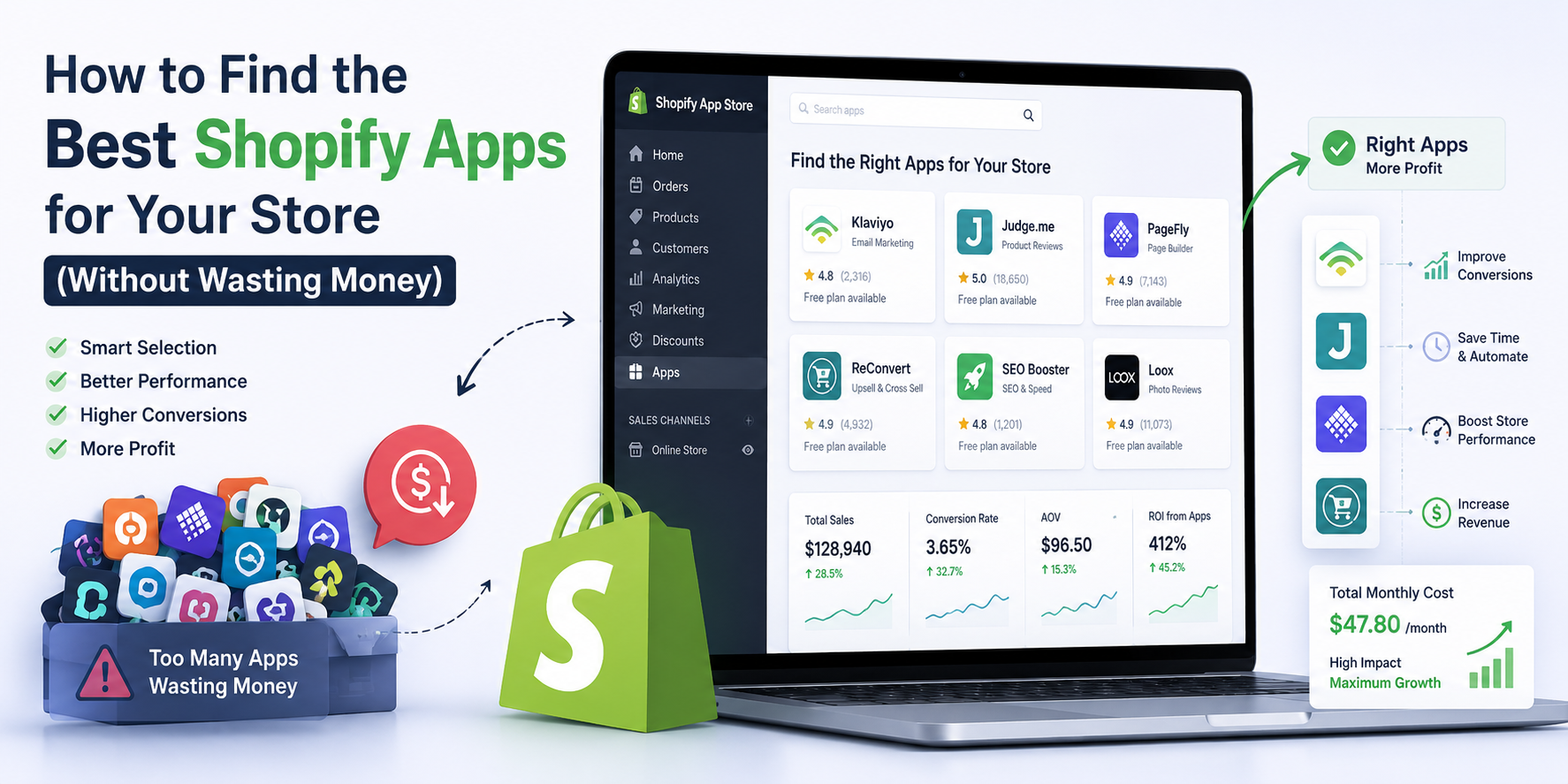
If you’ve spent any time inside the Shopify App Store, you know how overwhelming it can be. There are thousands of apps covering every imaginable function, from reviews and loyalty programs to upsells, subscriptions, inventory management, and everything in between. Every app promises to increase your revenue, save you time, or solve a problem you didn’t even know you had. And many of them charge monthly fees that add up quietly in the background until you realize you’re spending several hundred dollars a month on tools you barely use.
The truth is that most Shopify store owners have at least a few apps installed that they’re paying for but not fully utilizing. Some apps overlap in functionality. Others were installed to solve a specific problem that no longer exists. And a few are genuinely essential but could be replaced by a cheaper or even free alternative that does the same job.
Finding the right apps for your store isn’t just about picking the ones with the most reviews or the highest ratings. It’s about understanding what your store actually needs, evaluating apps critically before you commit, and building a lean app stack that delivers real value without draining your margins.
This blog is going to walk you through exactly how to do that.
Why the App Store Is Both Powerful and Dangerous
The Shopify App Store is genuinely one of the platform’s greatest strengths. The breadth of functionality available through third-party apps means that almost any feature you can imagine can be added to your store without custom development. That flexibility is a big part of what makes Shopify accessible to businesses of all sizes.
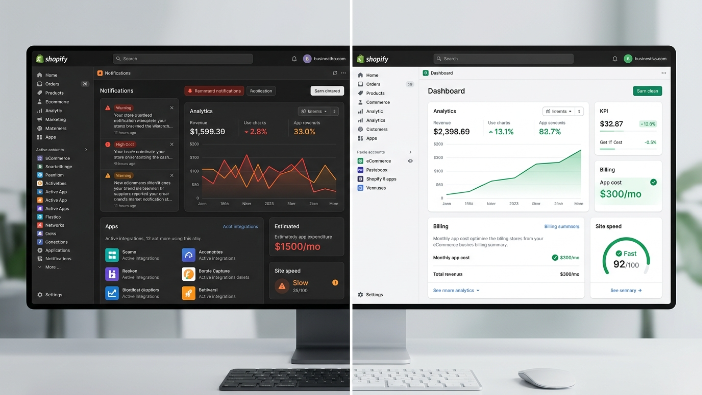
But that same abundance creates a real danger, which is app bloat. App bloat happens when you install more apps than you need, often because each one seemed useful at the time, and end up with a store that is slow, expensive to run, and difficult to manage. Too many apps can conflict with each other, create inconsistent user experiences on your storefront, slow down your page load times, and collectively cost more per month than a full-time employee.
There’s also the psychological trap of the free trial. Almost every paid Shopify app offers a 7 to 14 day free trial. During that trial period, you install the app, set it up, maybe run a quick test, and then forget to evaluate it properly before the trial ends and billing starts. Multiply that across a dozen apps and you’ve quietly committed to several hundred dollars a month in recurring costs without a clear picture of whether any of them are actually earning their keep.
The solution isn’t to avoid apps. It’s to approach the app selection process with intention and discipline.
Start with Problems, Not Solutions
The most common mistake store owners make when looking for apps is browsing the App Store without a specific problem in mind. You start exploring, find an interesting app, install it, and then try to figure out how to use it to improve your store. This is backwards, and it almost always leads to wasted money.
The right approach is to start with a clearly defined problem or goal. Before you open the App Store, write down the specific challenge you’re trying to solve. Are you losing customers at checkout and want to improve conversion? Are your customers asking for a loyalty program? Are you struggling to manage your product reviews? Do you need a way to offer subscriptions? Is your email marketing not performing well?
When you have a specific problem in mind, your app search becomes focused. You’re not looking for the best app in a category generally. You’re looking for the best app to solve your specific problem given your store’s size, budget, existing tech stack, and operational constraints.
This problem-first approach also forces you to validate whether the problem is actually worth solving with a paid tool. Sometimes the real answer isn’t a new app but a change in your store’s copy, a different product page layout, or a tweak to your pricing. Make sure you’ve exhausted simpler solutions before committing to a monthly app subscription.
Audit Your Existing App Stack First
Before installing anything new, do a thorough audit of every app currently installed on your store. Go through your app list and for each app ask yourself a few honest questions. Do you know what this app does? Are you actively using it? When did you last log into it or check its performance? Is it delivering measurable value that you can point to? Could Shopify’s native features replace it?
You may be surprised by what you find. Many store owners discover apps they forgot were installed and have been paying for months. Others find that two or three apps are doing essentially the same thing because different team members installed them at different times without realizing the overlap.
For every app that you can’t clearly justify with a specific function and measurable value, consider removing it. Uninstalling unused apps not only saves money but also improves your store’s performance, since many apps inject code into your storefront that adds to your page load time even when you’re not actively using the app’s features.
Once you have a clean baseline, you have a much clearer picture of what you actually need and what gaps genuinely exist in your current setup.
Understand the Real Cost of Any App
When evaluating a Shopify app, the listed monthly price is rarely the full cost. There are several layers of cost that are easy to overlook when you’re excited about a new tool.
The first is the setup and configuration cost. Many apps require significant time to install properly, configure, customize to match your store’s design, and test before they’re ready to go live. If you’re doing this yourself, that’s your time. If you’re paying a developer or an agency, that’s real money. A $29 per month app that takes eight hours to set up properly has a real first-month cost much higher than the subscription fee.
The second is the integration cost. Some apps don’t play nicely with your existing theme, other apps, or Shopify’s native features. You may need custom code to make everything work together, which again means developer time and cost.
The third is the opportunity cost of complexity. Every app you add to your store is another tool to learn, another dashboard to check, another system to maintain, and another potential source of problems when something goes wrong. There’s a real cost to the cognitive overhead of managing a complex app stack, even if it doesn’t show up directly on your bill.
The fourth is the revenue-share cost. Some apps, particularly in categories like upsells, post purchase offers, and subscriptions, charge a percentage of the revenue they generate in addition to or instead of a flat monthly fee. These apps can be great value when they’re driving significant incremental revenue, but you need to model out what you’d actually pay at your expected volume before committing.
Always calculate the total cost of an app including setup, integration, ongoing management time, and any revenue share before comparing it to the value it’s expected to deliver.
How to Evaluate App Reviews Properly
The App Store rating system is useful but imperfect, and knowing how to read reviews critically will save you from a lot of bad app decisions.
High overall ratings don’t tell the whole story. An app might have a 4.8 star average with thousands of reviews, but if most of those reviews are from small stores and your store processes ten times the average volume, your experience could be very different. Look for reviews from stores that are similar to yours in size, industry, and complexity.
Pay close attention to negative reviews, specifically the ones that are detailed and specific rather than vague complaints. A negative review that says “stopped working after a theme update and support took three days to respond” tells you something meaningful about reliability and support quality. A negative review that says “didn’t do what I wanted” without further explanation tells you much less.
Look at how the developer responds to negative reviews. A developer who responds professionally, acknowledges issues, and explains what they’ve done to fix them is demonstrating the kind of support culture that matters when you run into problems. A developer who argues with unhappy customers or gives generic non-answers is a warning sign.
Check the recency of reviews. An app with excellent reviews from three years ago but mixed reviews in the last six months may have declined in quality after a significant update or a change in the development team. Always filter reviews to see the most recent ones and look for patterns in the feedback over time.
Also check whether the app has been recently updated. An app that hasn’t had an update in over a year may not be actively maintained, which creates risk around compatibility with Shopify’s evolving platform.
The Importance of Testing Before Committing
Almost every serious app offers a free trial, and you should use that trial period as a genuine evaluation window rather than just a way to delay billing. The key to getting real value from a trial is to treat it like a proper test rather than a casual exploration.
Before you start your trial, define exactly what success looks like. What metric will tell you this app is worth paying for? If it’s an abandoned cart recovery app, define what recovery rate would justify the cost. If it’s a product review app, define what volume of reviews and what impact on conversion would make it valuable. Having a clear success metric before you start prevents you from making a renewal decision based on gut feeling rather than evidence.
During the trial, actually use the app actively. Configure it properly, drive real traffic through it, and monitor the metrics you defined. Don’t install an app, set it up halfway, and then evaluate it after ten days based on incomplete implementation. If the app requires more setup time than the trial allows for a proper evaluation, contact the developer and ask for a trial extension. Most will accommodate this request.
At the end of the trial, make a deliberate decision. Either you have evidence that the app is delivering value and you commit to paying for it, or you don’t have that evidence and you uninstall it. Don’t let the trial expire passively and end up paying for something you haven’t evaluated properly.
Categories Where Free or Native Solutions Often Win
There are several app categories where store owners frequently pay for third party tools when Shopify’s native features or free alternatives would do the job just as well. Knowing these categories can save you a significant amount of money.
Email marketing is one of the biggest examples. Many Shopify store owners pay $50 to $300 per month for platforms like Klaviyo or Mailchimp when Shopify Email, which is included with all Shopify plans, could handle their needs perfectly well at a much lower cost. Shopify Email is less sophisticated than Klaviyo for advanced segmentation and automation, but for stores under a certain volume and complexity, it’s more than sufficient.
Basic popup and email capture tools are another category where paid apps often get installed unnecessarily. Shopify has basic popup functionality built into several themes, and there are free apps in the App Store that handle email capture well for stores that don’t need advanced targeting or A/B testing.
Simple discount and promotion management is handled natively by Shopify’s discount system, which is more capable than many store owners realize. Before paying for a dedicated promotions app, explore what Shopify’s built-in discount features can do.
Basic SEO optimization is another area where many store owners install paid apps that do less than they expect. Shopify handles a significant amount of SEO infrastructure automatically, and the incremental value of many paid SEO apps over Shopify’s built-in capabilities is modest for most stores.
This doesn’t mean you should never pay for tools in these categories. It means you should understand what Shopify’s native features offer before deciding you need a paid third-party alternative.
Categories Where Investing in a Good App Pays Off
On the flip side, there are categories where a well-chosen paid app can deliver enough value to justify its cost many times over, and where trying to cut corners with free or cheap alternatives often costs more in the long run.
Product reviews and user generated content is one of the clearest examples. Social proof is one of the most powerful drivers of ecommerce conversion, and a well implemented review system that collects reviews automatically, displays them attractively, and syndicates them to Google Shopping can have a meaningful impact on both conversion rate and organic traffic. The best review apps cost between $15 and $100 per month depending on your order volume, and for most stores they deliver a strong return.
Subscription and recurring billing is a category where you genuinely need a purpose-built app if subscriptions are part of your business model. Shopify’s native tools don’t support recurring billing natively for most merchants, and the leading subscription apps like Recharge or Smartrr handle the complexity of subscription management, dunning, customer portals, and billing logic in ways that would be extremely difficult to replicate otherwise.
Advanced upsell and cross-sell functionality, when implemented well, can directly increase your average order value. The best upsell apps integrate seamlessly into the post-purchase flow and present relevant offers at the right moment. If your products have natural upsell opportunities, a well-configured upsell app can pay for itself many times over in incremental revenue.
Loyalty and rewards programs are genuinely complex to build and manage, and the leading apps in this category provide a level of functionality and customer-facing polish that is difficult to replicate with simpler tools. If customer retention and repeat purchase rate are key metrics for your business, investing in a quality loyalty app is often worthwhile.
Inventory management and forecasting tools become increasingly valuable as your product catalog and order volume grow. The native Shopify inventory tools are solid for basics, but if you’re managing hundreds of SKUs across multiple locations with seasonal demand patterns, a dedicated inventory management app can prevent both stockouts and overstock situations that directly impact your profitability.
How to Compare Apps in the Same Category
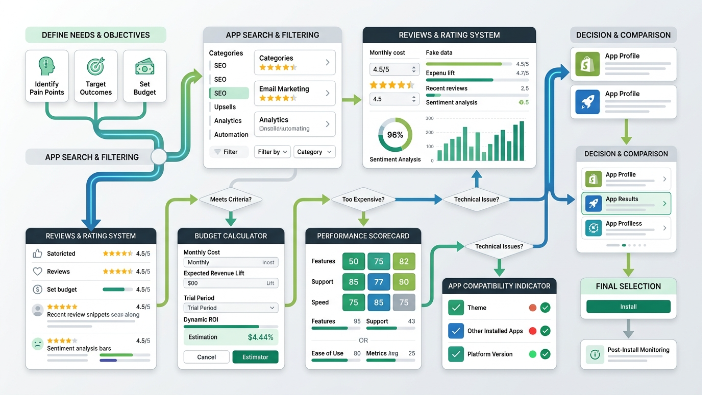
Once you’ve identified a specific need and verified that a third-party app is the right solution, you’ll often find multiple apps in the App Store that claim to solve the same problem. Here’s a systematic way to compare them.
Start with the feature set. Make a list of the specific features you need and verify that each app on your shortlist actually has them. Don’t assume an app has a feature because it sounds like it should. Check the feature list on the app’s listing page and, when in doubt, contact the developer’s support team to confirm.
Then consider the pricing model and how it scales. Some apps charge a flat monthly fee regardless of your volume. Others charge based on the number of orders you process, the number of contacts in your list, or the revenue they help generate. Model out what you’d pay at your current volume and at two to three times your current volume to understand how the cost scales as your business grows.
Then evaluate the integration depth with your existing tools. If you’re using a specific email platform, fulfillment service, or other key tool, check whether the app integrates with it natively. A review app that integrates directly with your email platform to automatically send review request emails is more valuable than one that requires a manual export and import process.
Finally, evaluate the support quality. Contact the support team of any app you’re seriously considering before you install it. Ask a specific question about your use case and see how quickly and helpfully they respond. Support quality is something you’ll care about a lot when something goes wrong, and it’s worth evaluating before you commit rather than after.
Red Flags to Watch Out For
There are several warning signs that should make you think twice before installing an app, regardless of how good it looks on the surface.
An app that hasn’t been updated in a long time is a significant risk. Shopify’s platform evolves continuously, and apps that aren’t actively maintained can break, create security vulnerabilities, or simply stop working properly after Shopify updates its core platform.
Apps with a very small number of reviews relative to how long they’ve been in the App Store may not have gained traction for a reason. It doesn’t automatically mean the app is bad, but it’s worth investigating why it hasn’t grown a larger user base.
Apps that require excessive permissions beyond what their stated functionality needs should be treated with caution. An app that needs access to customer data, financial information, and order history just to add a countdown timer to your product pages is asking for more access than it needs, which is a potential privacy and security concern.
Pricing pages that are unclear or bury the real cost in fine print are a warning sign about how the company operates more generally. If it’s hard to understand what you’ll actually pay before you install, that’s intentional, and it rarely works in your favor.
Apps that are very new and lack any track record are higher risk, even if they look impressive. Wait until an app has at least several months of reviews and demonstrated stability before committing to it for a critical store function.
Building a Lean and Effective App Stack
The goal isn’t to have the most apps. It’s to have exactly the right apps. A store with six well-chosen apps that each deliver clear, measurable value is in a much better position than a store with twenty apps of varying quality and unclear ROI.
As a general framework, think about your app stack in terms of tiers. The first tier is the foundation, which are the apps that handle critical functions your store cannot operate without. These might include your review app, your email platform, your subscription management tool if applicable, and any app that handles a core part of your customer experience.
The second tier is the growth layer, which are apps that directly contribute to revenue growth or conversion improvement. These might include your upsell tool, your loyalty program, or a conversion optimization app. These should be evaluated regularly against their actual impact on the metrics they’re supposed to improve.
The third tier is the efficiency layer, which are apps that save time or reduce operational complexity. These should be evaluated based on the real time they save and whether that time saving justifies the cost.
Review your app stack at least every quarter. Remove anything that isn’t clearly earning its place. Look for opportunities to consolidate, where one good app might replace two or three less effective ones. And always ask whether a native Shopify feature could replace a paid app before renewing a subscription.
Final Thoughts
The Shopify App Store is an incredible resource that gives you access to functionality that would have required significant custom development just ten years ago. But access to that resource comes with the responsibility to use it thoughtfully.
The store owners who get the most value from apps are not the ones who install the most or spend the most. They’re the ones who are clear about what they need, disciplined about evaluating what they install, honest about cutting what isn’t working, and consistent about measuring the actual impact of every tool in their stack.
Start with your specific problems. Audit what you already have. Understand the real cost of every app. Use trial periods properly. Know where native tools are good enough and where a paid app genuinely earns its place. Compare options systematically. Watch for red flags. And build a lean stack where every single app has a clear reason to be there.
Do that consistently and your app stack will become one of your store’s competitive advantages rather than a quiet drain on your margins.