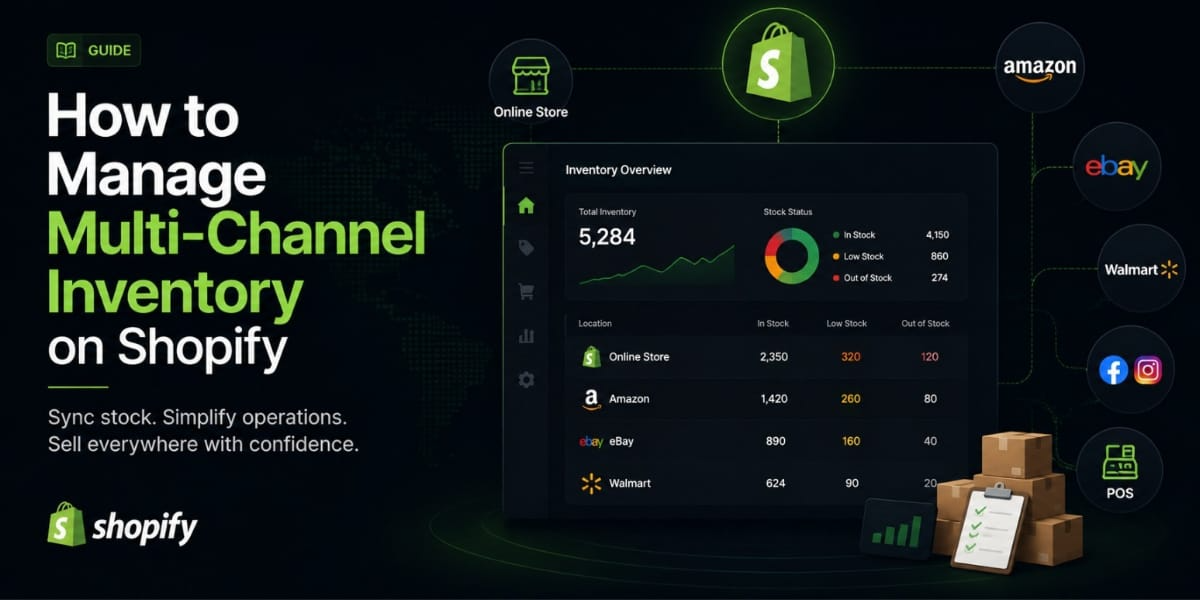
How to Manage Multi Channel Inventory on Shopify (Without Losing Your Mind)
If you’re selling on more than one platform Shopify, Amazon, Etsy, TikTok Shop, maybe a physical store you already know how quickly inventory can become a mess. One customer buys the last item on Amazon, another one orders the same thing on your Shopify store five minutes later, and now you’ve got an oversell, an angry customer, and a headache you didn’t need.
That right there is the multi channel inventory problem. And if you don’t have a proper system for it, it will cost you sales, reputation, and time every single day.
In this post, I’m going to walk you through exactly how multi channel inventory management works on Shopify, what Shopify can and can’t do on its own, and how you can set up a system that actually keeps everything in sync.
Let’s get into it.
What is Multi Channel Inventory Management, Really?
Before we get into the how, let me make sure we’re on the same page about what this actually means.
Multichannel inventory management is the process of tracking, managing, and fulfilling inventory across various channels through a single system. The idea is simple instead of logging into Amazon, then Etsy, then your Shopify admin, then your POS system to manually update stock numbers everywhere, you have one central hub that updates all of them automatically whenever a sale happens anywhere.
80% of consumers use multiple channels to complete a purchase. So if you’re only set up on one platform, you’re leaving money on the table. But the moment you expand to multiple channels, you need a proper inventory system because what works for one store does not work for five.
Why Shopify’s Built In Tools Aren’t Enough on Their Own
Here’s something a lot of Shopify merchants don’t realize until they’re already dealing with the consequences.
Shopify has built-in inventory tracking, but it is designed mainly for single store operations. The moment you expand to multiple platforms, limitations start showing. Shopify does not automatically sync inventory with external marketplaces or POS systems. Each platform still manages its own inventory separately.
So what does that mean in practice? Shopify only tracks inventory within your Shopify admin, not across external channels. There’s no automatic product syncing to platforms like Amazon, Etsy, or WooCommerce, and manual stock adjustments are required for each separate sales channel with no centralized dashboard for multi-channel inventory control.
There’s also the timing issue. Even with integrations, inventory updates typically happen in intervals rather than instantly. During high-volume periods, a few minutes of delay can create mismatches across channels, especially when multiple orders arrive quickly.
And then there’s the SKU matching problem. Shopify requires SKUs and variant structures to match perfectly across all channels. If there’s even a slight difference — such as a missing variant, different capitalization, or an extra space Shopify can’t map the products correctly. This often results in failed sync attempts, duplicate listings, or incorrect stock updates.
None of this means Shopify is bad. It’s a great platform. But for multi channel selling, you need to layer a proper inventory management system on top of it.
Step 1 Set Up Your Shopify Locations Properly
Before you connect any external channels or install any apps, you need to make sure your Shopify foundation is set up correctly. This starts with your locations.
Go to Settings, then Locations in your Shopify admin. Add details for your physical stores and warehouses and assign initial stock quantities to each location. Once your locations are set, define stock thresholds to protect inventory levels.
This is your starting point. Every warehouse, every fulfillment center, every retail location it all needs to be mapped in Shopify before you can sync anything accurately. If your location data is messy, your inventory data will be messy too.
From there, you also want to set safety stock levels. That means defining a minimum quantity you want to keep on hand for each product before alerts start firing. Don’t skip this step it’s what protects you from accidentally selling stock you don’t actually have available.
Step 2 Understand What “Free to Sell” Stock Actually Means
This is a concept that most merchants overlook, and it causes a lot of problems.
Your total stock is not the same as your available stock. Good inventory management comes down to two things: keeping a reliable view of free to sell stock, and setting clear internal rules for how much inventory you expose to each channel.
Inventory allocation works best when you separate what is in stock from what is already promised. Before you adjust channel limits, review what is committed that typically includes pending orders, reserved stock, and in transit items. After removing those quantities, the remainder is your free to sell stock. That is the pool you can allocate.
Once you know your actual free to sell number, you can start making smart decisions about how much inventory to expose on each channel. For example, if you have 50 units available and you’re selling on Shopify, Amazon, and Etsy, you don’t just put all 50 units on every platform. You allocate carefully based on where things sell fastest.
Step 3 Prioritize Your Channels
Not every channel deserves the same inventory allocation. This is where a lot of merchants go wrong they treat all channels equally when they shouldn’t.
Not all channels have equal value. For example, Amazon sales might drain inventory needed for high margin wholesale orders or VIP direct to consumer customers. Solve this with rule based inventory allocation and safety stock guidelines that prioritize the highest value channels for example, by reserving 50 units for DTC only.
Think about which channel gives you the best margin. Which one has your most loyal customers? Which one would hurt the most if you ran out of stock? Those channels get priority. The ones with lower margins or higher return rates get a smaller slice of your available inventory.
Channel allocation should follow a fixed review cadence. Fast moving products may require weekly reviews, while slower items can be reviewed monthly. Allocation should also be revisited when inbound stock is received, production is completed, or demand patterns change.
Put this review into your calendar. It doesn’t have to be a huge exercise even a quick 15 minute weekly check on your top selling SKUs can prevent a lot of overselling headaches.
Step 4 Connect Your Channels with the Right Integrations
This is where you bring everything together. Shopify has direct integrations with several major marketplaces, and these handle the syncing automatically once they’re set up.
Shopify’s integrations with major marketplaces make inventory management seamless through direct API connections for real time updates, automated reconciliation to keep inventory consistent across channels, channel specific rules to customize inventory settings for each platform, and cross platform tracking to analyze sales performance across all connected channels.
For platforms that Shopify doesn’t connect to natively, you’ll need a third party app. We’ll talk about those in a moment.
When you’re setting up these connections, the key things to configure are:
Automatic stock deductions every time an order comes in from any channel, inventory needs to update everywhere else immediately.
SKU mapping make sure every product has a consistent SKU across all platforms. This sounds boring but it’s critical. One inconsistency and your sync breaks.
Buffer stock rules most good inventory apps let you set a buffer, so instead of showing your real stock number, you show a slightly lower number. This gives you a safety cushion for sync delays.
Step 5 Use a Dedicated Inventory Management App
Once you’re selling across three or more channels, a dedicated app isn’t optional anymore. It’s essential.
Fast-growing, high volume brands rely on multichannel inventory management tools that sync inventory across channels and provide real time visibility from a centralized hub which they can trust as a single source of truth.
Here are the main options worth considering depending on where you are in your growth:
Prediko is the top choice for most growing Shopify brands. It consolidates all your sales channels and warehouses into a single, easy to use platform. It allows businesses to track stock, forecast demand, and expedite reordering without any overstocks or stockouts, with real time inventory sync across channels keeping stock levels updated instantly.
Stock Sync is great if you’re dealing with inventory coming from multiple suppliers in different formats. It handles CSV files, XML feeds, Google Sheets, and FTP servers and keeps them all synced automatically.
SKULabs is a solid choice for brands doing serious multi channel fulfillment. It combines inventory tracking, barcode scanning, order management, and shipping into one system.
Katana is the right pick if you’re manufacturing your own products and need to track raw materials alongside finished goods inventory across channels.
The key is to pick one and set it up properly. Don’t try to manage multichannel inventory across multiple disconnected tools that’s just creating the same problem in a different shape.
Step 6 Automate Your Reordering
One of the biggest benefits of having a proper multi-channel inventory system is that you can automate your reorder process. This means instead of someone manually checking stock levels and placing purchase orders, the system does it for you based on rules you set.
Omnichannel inventory management makes reordering easy and fast for Shopify stores by linking all sales channels into one dashboard. You can quickly see what’s selling where, use past trends to order the right amount, and place well-planned purchase orders.
Set your reorder points the minimum quantity that triggers a new purchase order for every SKU. Then set your reorder quantities based on how long your supplier takes to deliver. Most good inventory apps will automatically generate purchase orders when stock hits that threshold, so you’re restocking before you ever run out.
This is especially important for Pakistani merchants working with local suppliers, because lead times can vary. If your supplier takes 2 weeks to deliver, your reorder point needs to account for that.
Step 7 Set Up Low Stock Alerts
Even with automation, you want manual visibility on what’s happening with your inventory. Low stock alerts are your early warning system.
You should define safety stock levels for each product, configure alerts for low stock, and set maximum stock levels based on your storage capacity.
Most Shopify inventory apps let you set these alerts per SKU, per location, or per channel. Use them. Set the threshold a little higher than you think you need — it’s better to get an alert a week early than to run out of stock on a Friday night with no way to restock until Monday.
Also make sure your alerts go to the right person. If you have a team, the purchasing manager should be getting these notifications, not just you.
Common Multi Channel Inventory Problems (and How to Fix Them)
Let me walk you through the issues you’re most likely to run into and how to deal with them.
Overselling
This is the most common one. You sell the same item on two channels and don’t have enough stock to fulfill both orders.
The fix is real time sync with buffer stock. Set your buffer at 1 2 units per SKU so there’s always a cushion for sync delays between platforms.
Inventory Mismatches
Your numbers don’t match between Shopify and your other channels.
Inventory mismatches happen due to sync delays, manual errors, and multi channel complexity. Fix them with real-time tracking, better processes, and a centralized system to maintain accurate, reliable stock.
Audit your SKU mapping first. Then make sure every channel is connected to the same central inventory system with the same product IDs.
Dead Stock Sitting in One Location
You have too much of something in one warehouse and not enough in another.
A product might fly off the shelves in your retail store but be slow to shift online. A multichannel inventory management system offers visibility over where your stock is and how many units you have on-hand, allowing you to better forecast demand, track stock levels, and transfer products between channels to optimize storage.
Regular inventory transfers between locations fix this. Set a monthly review to check for imbalances and move stock where it’s actually needed.
Returns Creating Confusion
When a product comes back, which location does it go to? Which channel’s inventory does it add back to?
Customers are often asked to initiate returns through different portals, which damages their experience and deters 71% of buyers from repurchasing. Returned merchandise can also sit in limbo at siloed fulfillment centers and cause unnecessary stockouts.
Set a clear return policy for your team every return gets inspected, restocked at the correct location, and synced back to inventory within 24 hours. Build this into your process so it’s not an afterthought.
How to Know When You Need a More Powerful System
Starting out with basic Shopify integrations and a simple inventory app is totally fine. But how do you know when it’s time to upgrade?
If you’re dealing with inventory issues related to daily reports instead of real-time tracking, it’s time for third-party tools that will level up your information pipeline. Tailor
Here’s a simple way to think about it based on where your business is:
If you’re a small store mostly selling on Shopify with one or two extra channels, a mid-range inventory app like Prediko or Stock Sync is more than enough.
If you’re an SMB doing real volume across multiple channels with multiple warehouses, you’re probably ready for a more robust platform and possibly an ERP integration.
At the enterprise level doing more than $50M a year, your primary tools are contained within your ERP — solutions like NetSuite, Odoo, and SAP S/4HANA. But that’s a conversation for a much later stage.
Most Shopify merchants reading this right now are in the first or second tier — and for you, a solid inventory management app plus proper Shopify configuration is all you need to get your multi-channel inventory under control.
Quick Setup Checklist
Before I wrap up, here’s a simple checklist to make sure you’ve got everything covered:
Set up all your locations in Shopify Settings → Locations with correct stock quantities assigned to each one.
Calculate your free-to-sell stock by subtracting committed and pending orders from your total on-hand.
Prioritize your channels and decide which ones get inventory allocation priority.
Install a dedicated inventory management app and connect all your sales channels through it.
Set up automatic reorder points and purchase order triggers for every SKU.
Configure low stock alerts for your team.
Establish a SKU naming convention that’s consistent across every platform you sell on.
Schedule a monthly inventory review to catch mismatches, dead stock, and imbalances.
Final Thoughts
Multi-channel selling is one of the best ways to grow your Shopify business. More channels means more reach, more sales, and more revenue. But without proper inventory management, it becomes one of the fastest ways to burn customer trust and waste money on overselling and stockouts.
The good news is, this is completely solvable. You don’t need a massive budget or a complex tech stack. You need a clean Shopify setup, a good inventory app, clear channel allocation rules, and automation handling the repetitive stuff.
Get those four things in place, and managing inventory across five channels will feel almost as simple as managing one.