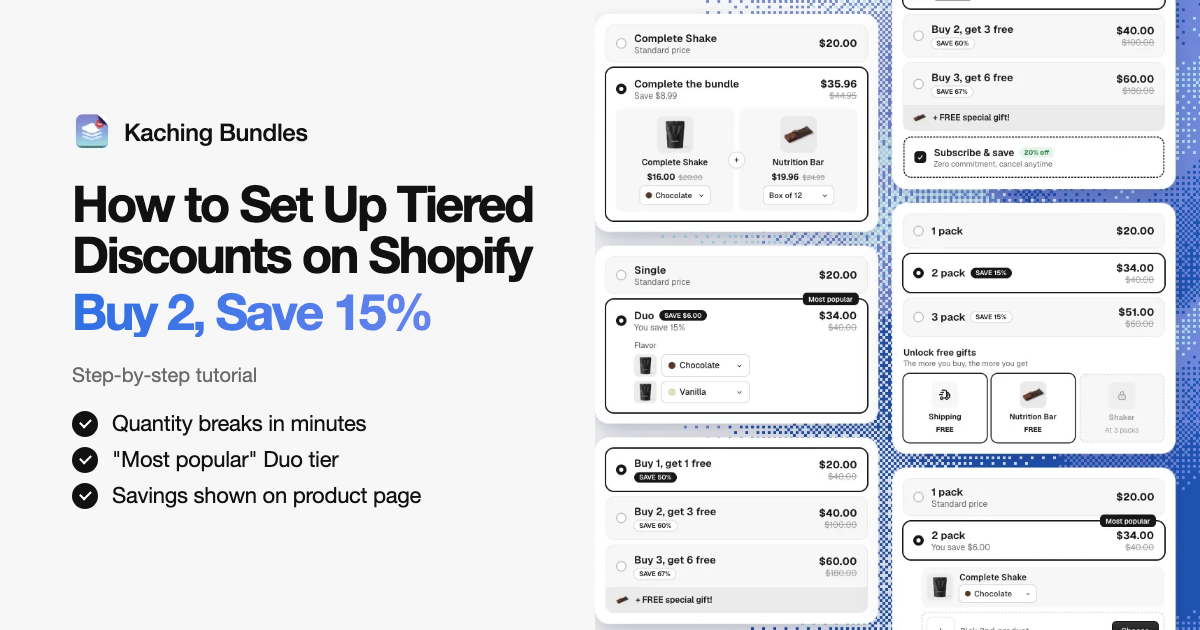
How to Set Up Tiered Discounts on Shopify: Buy 2, Save 15%
Step-by-step tutorial: How to set Tierd up a Buy 2, Save 15% tiered discount on Shopify with Kaching Bundles, from installing the app to publishing the deal.
“Buy 2, Save 15%” is one of the easiest offers a shopper can understand. One item costs the regular price, and the second one makes the whole order cheaper. Offers like this encourage customers to add one more unit to the cart, which raises your average order value without discounting every single sale.
Shopify’s built-in discounts can’t show several quantity tiers on the product page, so most stores use an app for this. In this tutorial, we’ll set up a Buy 2, Save 15% tiered discount with Kaching Bundles App & Upsells, step by step, with screenshots from the app.
What Are Tiered Discounts?
A tiered discount (also called a quantity break or volume discount) gives a bigger saving as the shopper buys more units. The shopper chooses a tier, and the price updates automatically.
Here’s a simple example for a $40 product:
| Tier | Quantity | Discount | Total price |
| Single | 1 | Regular price | $40.00 |
| Duo | 2 | 15% off | $68.00 (save $12.00) |
| Trio | 3 | 20% off | $96.00 (save $24.00) |
Tiered discounts work well for products customers use up, buy in pairs, or give as gifts, such as skincare, supplements, coffee, candles, socks,s and accessories.
Why Tiered Discounts Matter for Shopify Stores
A well-placed tiered discount can help you:
- Sell more units per order, because the next unit comes with a visible reward.
- Raise average order value without a sitewide sale.
- Keep full price for single-item buyers, since only shoppers who buy more get the discount.
- Make the offer easy to compare, because every tier shows its price and savings side by side.
Remember that a bigger order doesn’t always mean more profit. Check your margins before you choose the discount percentage.
How to Set Up Tiered Discounts Using Kaching Bundles
Follow these steps to create a Buy 2, Save 15% offer on your product page.
Step 1: Open the Shopify App Store
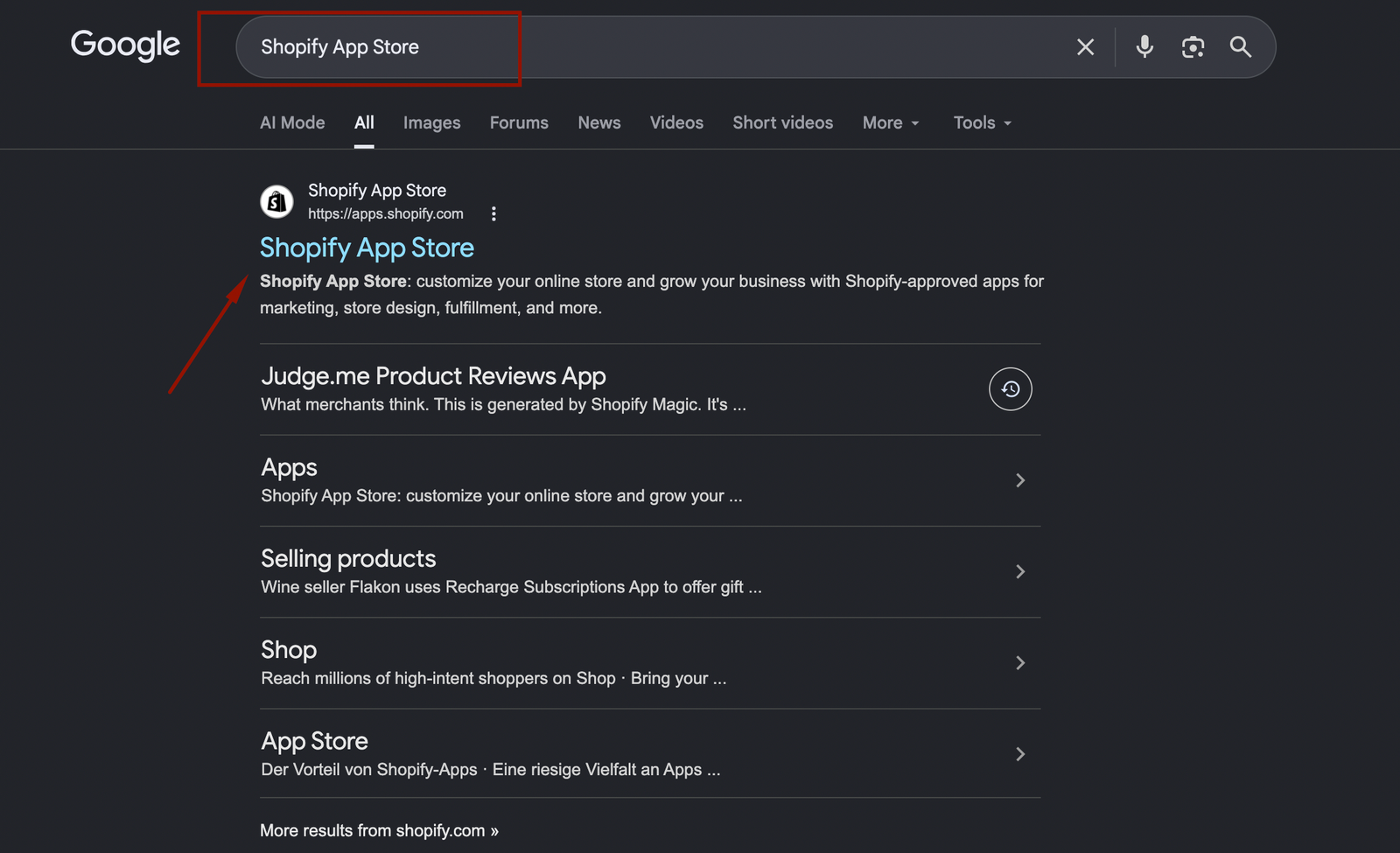
Search for “Shopify App Store” on Google and open apps.shopify.com. This is Shopify’s official marketplace for apps.
Step 2: Search for Kaching Bundles
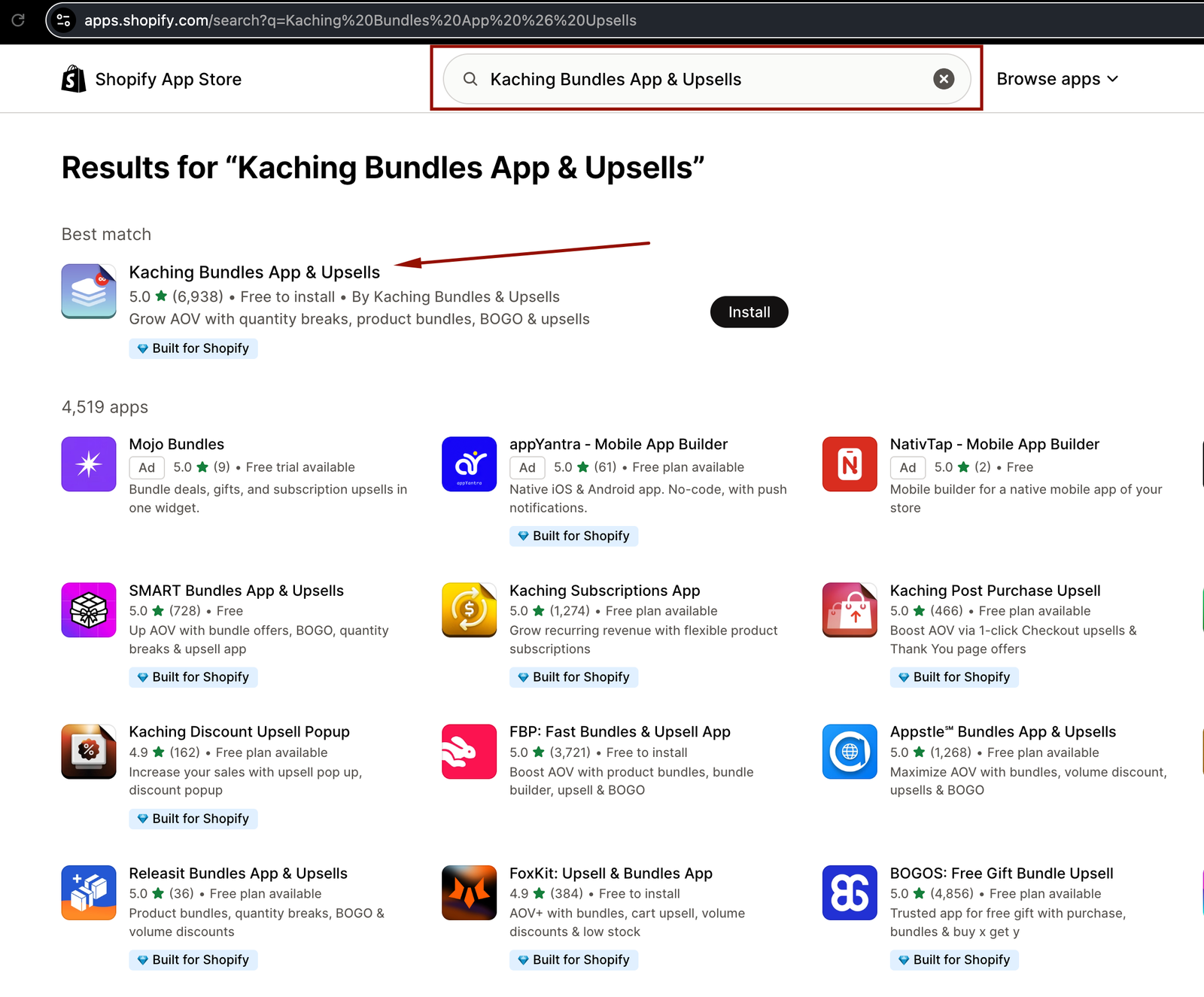
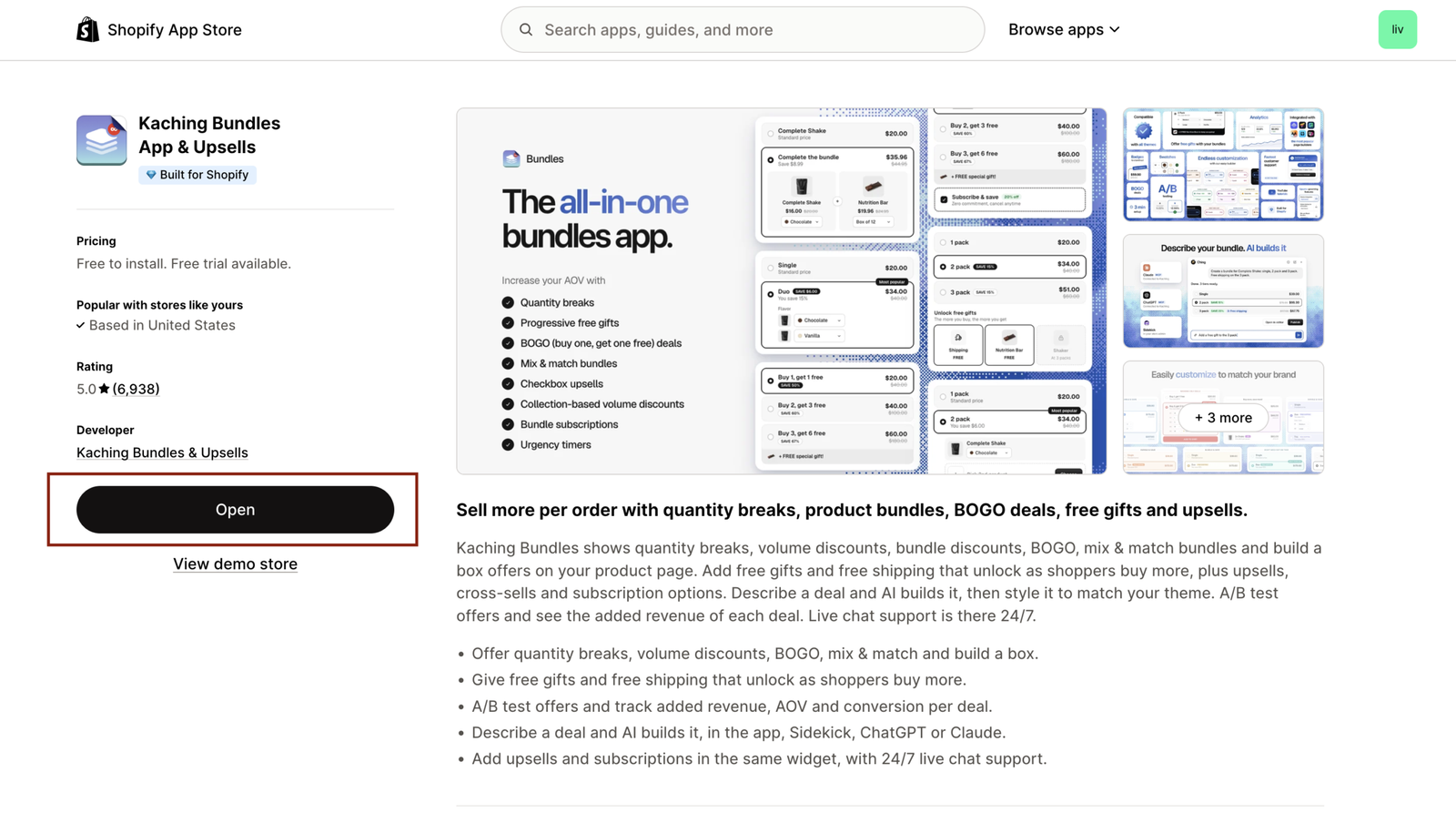
In the App Store search bar, type Kaching Bundles App & Upsells. It appears as the best match, with a 5.0 rating, a “Free to install” label, el and the Built for Shopify badge. Click the app name to open its listing.
Step 3: Install Kaching Bundles
On the app listing, you’ll see what Kaching Bundles can do: quantity breaks, progressive gifts, BOGO deals, mix and match bundles, checkbox upsells, collection-based volume discounts, bundle subscriptions, and urgency timers. Click Install and approve the permissions in your Shopify admin.
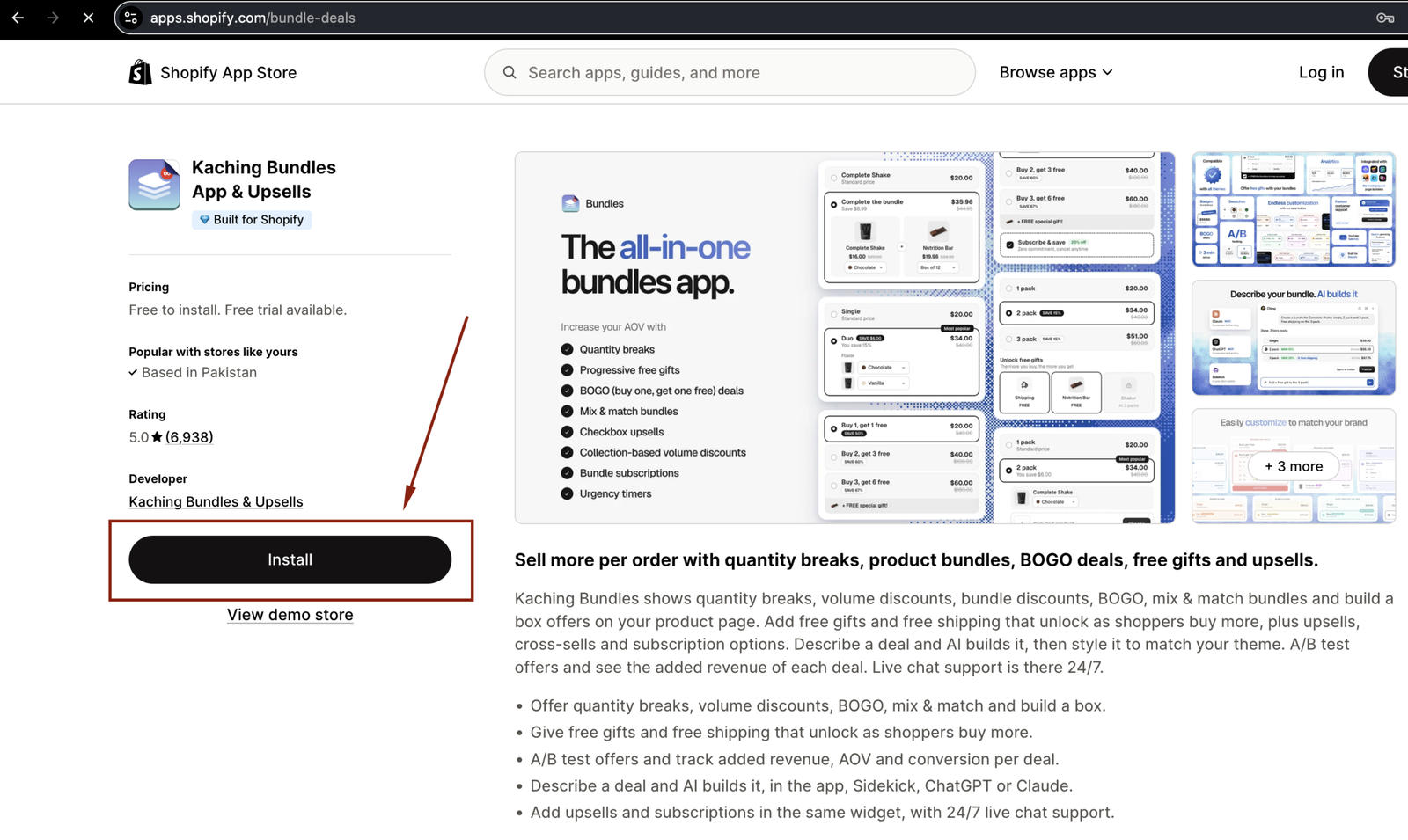
Once the app is installed, the button changes to Open. Click it to launch the app.
Step 4: Explore the Kaching Bundles Dashboard
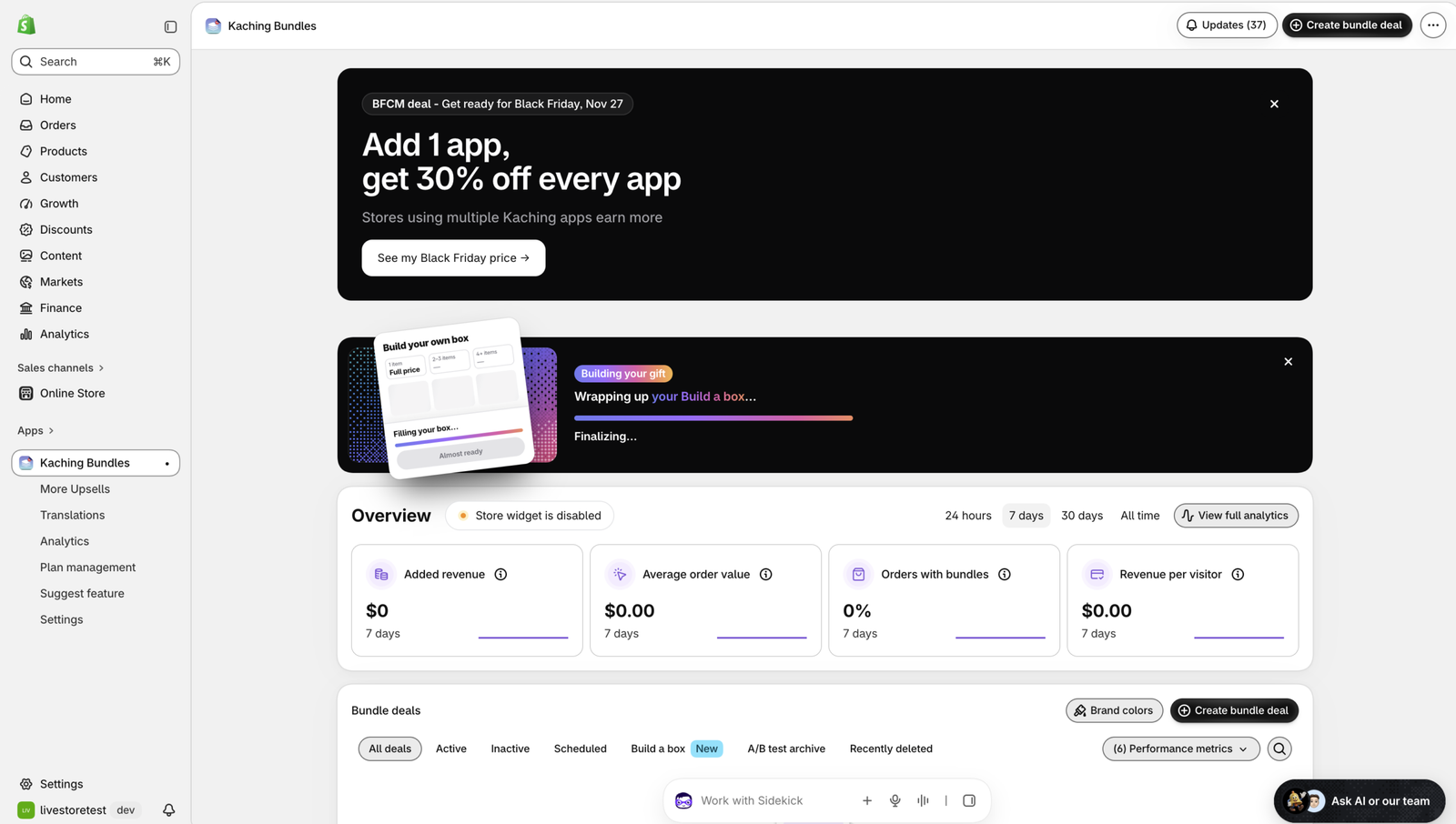
The app opens in your Shopify admin under Apps > Kaching Bundles. The Overview shows added revenue, average order value, orders with bundles,s and revenue per visitor. Below it, the Bundle deals list shows your active, inactive, and scheduled deals.
Notice the Store widget is disabled. That’s normal for a new install, and we’ll come back to it in Step 11.
Step 5: Create a New Bundle Deal
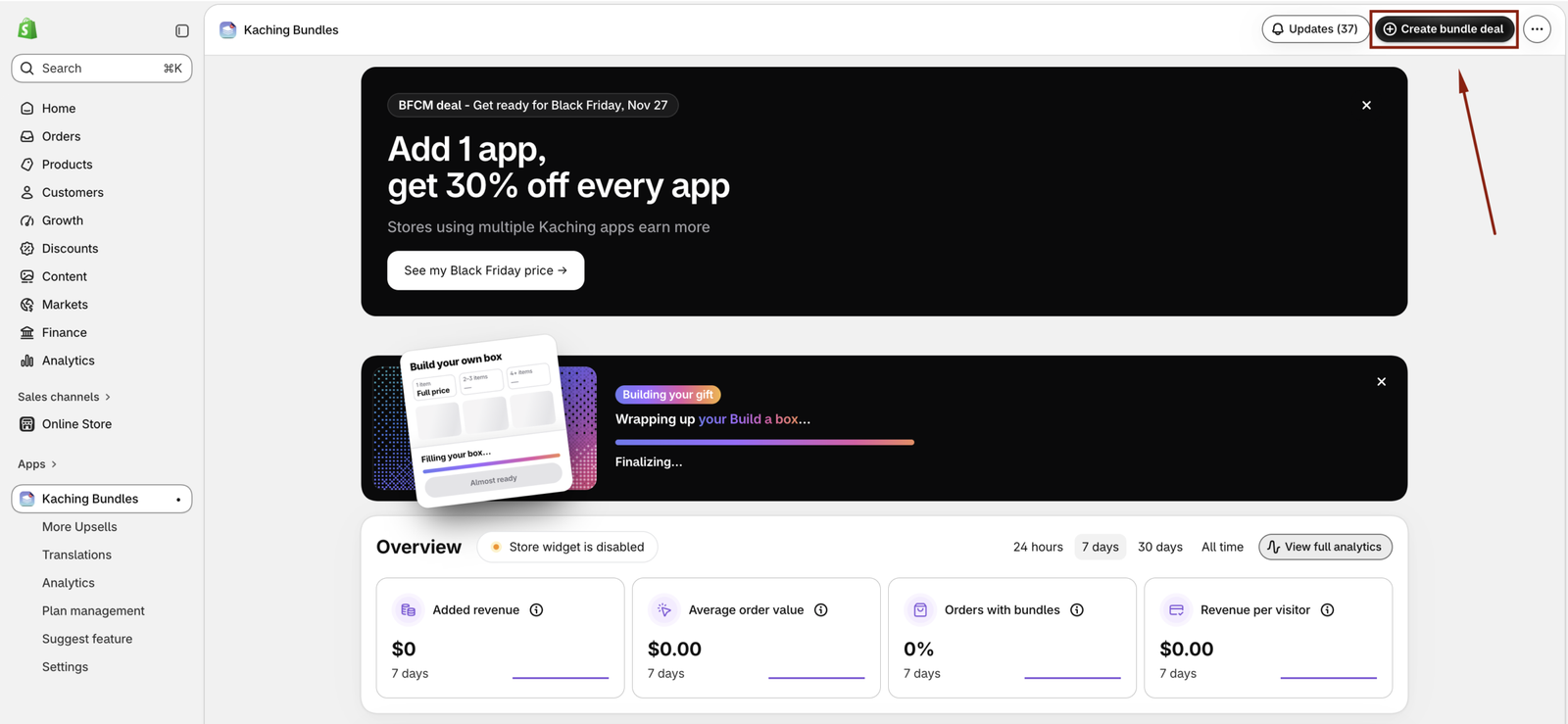
Click Create bundle deal in the top-right corner of the dashboard.
Step 6: Explore the Available Deal Templates
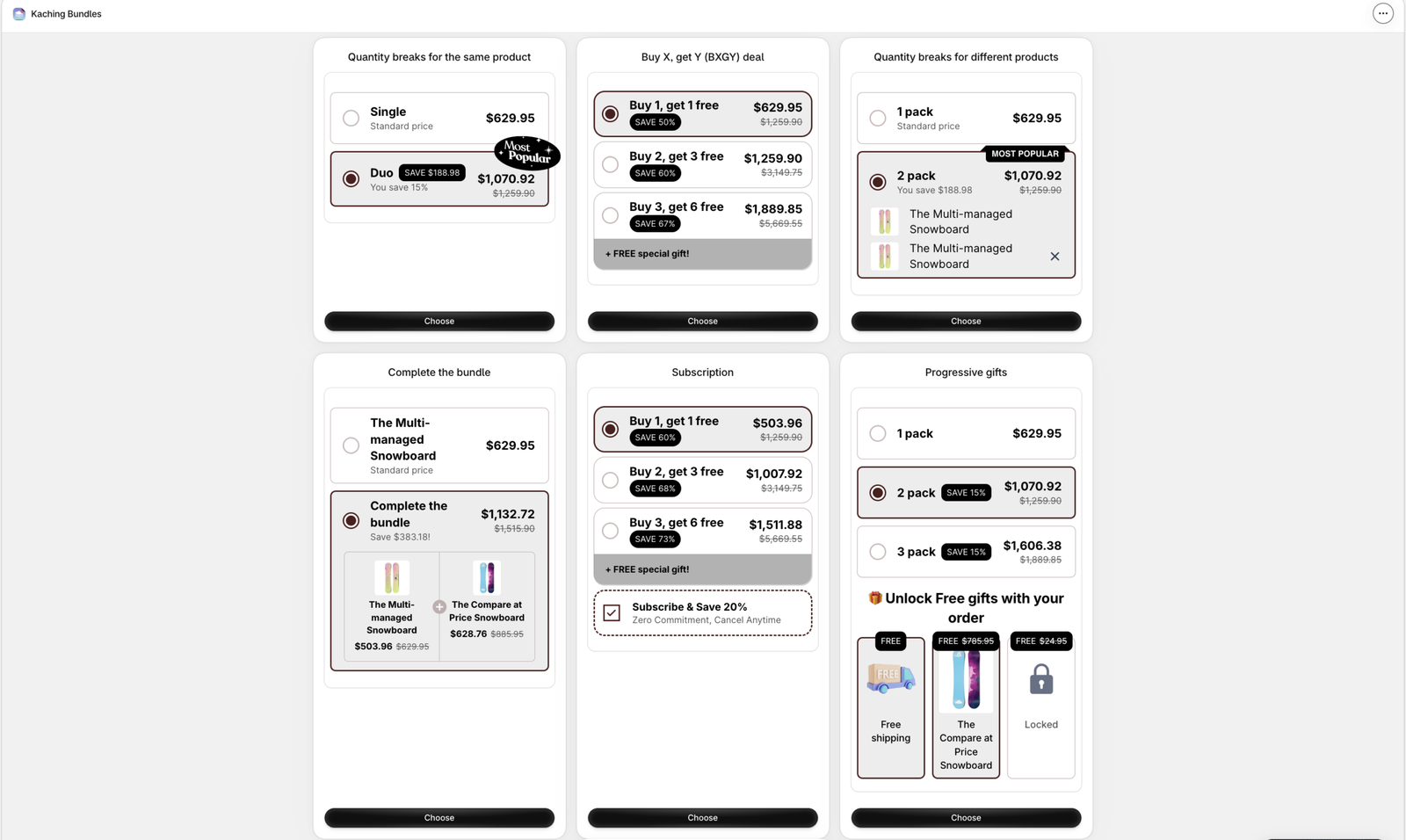
Kaching shows a gallery of templates you can fully customize later:
- Quantity breaks for the same product
- Buy X, get Y (BXGY) deal
- Quantity breaks for different products
- Complete the bundle
- Subscription
- Progressive gifts
You can also pick a brand color at the top so every template preview matches your store.
Step 7: Choose “Quantity Breaks for the Same Product”
For a Buy 2, Save 15% offer, choose Quantity Breaks for the Same Product and click Choose. The template already includes a Single tier and a Duo tier with 15% off.
Tip: You can also describe your deal in the AI box at the top, for example, “2-pack of my best seller, 15% off”, and Kaching’s assistant will build it for you.
Step 8: Configure Your Tiered Discount
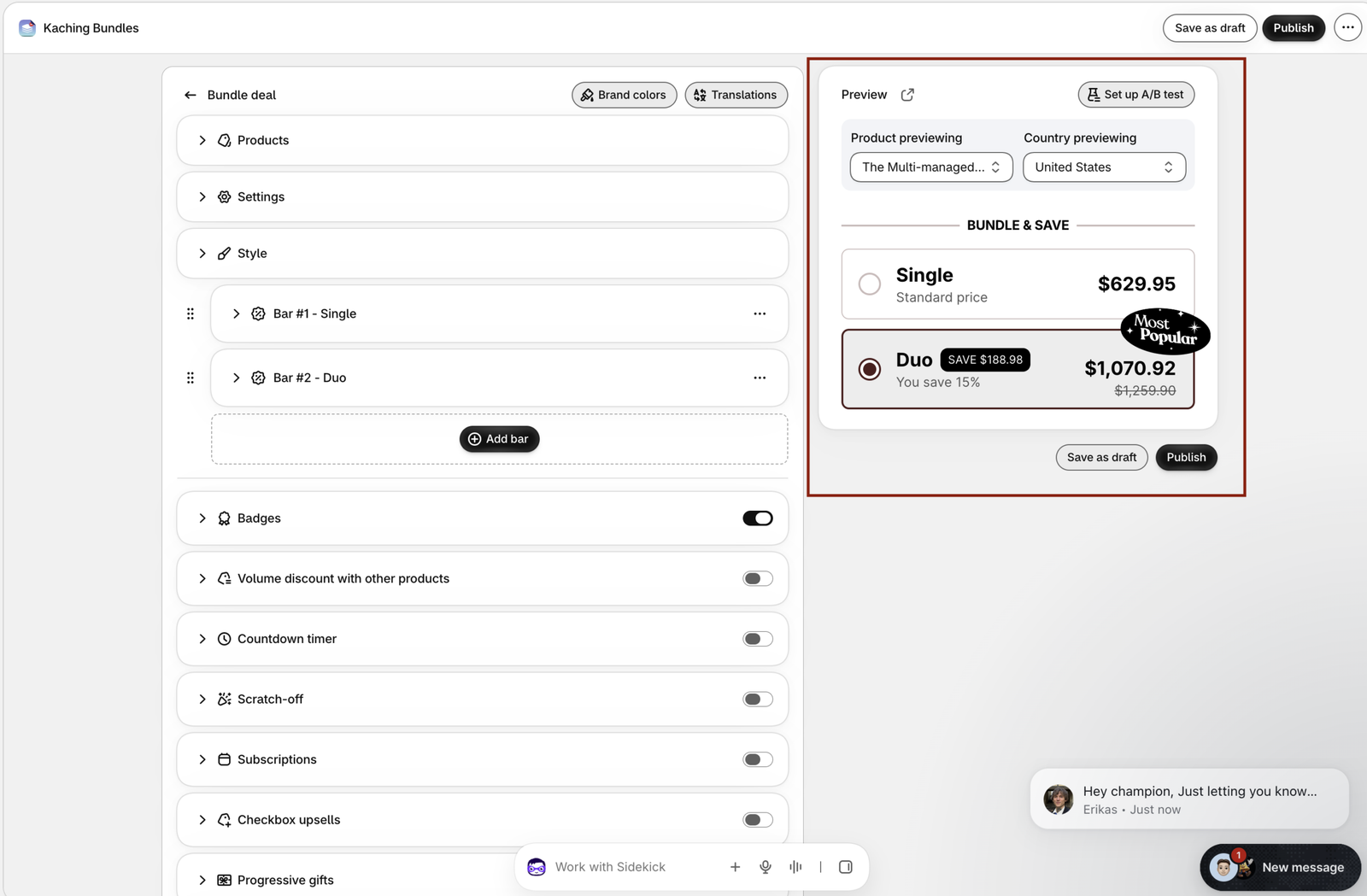
The deal editor opens. The left side shows the settings; the right side shows a live preview.
- Open Products and select the product or products for the offer.
- Open Bar #1 – Single and keep it at the standard price.
- Open Bar #2 – Duo, check that the quantity is 2 and the discount is 15% (the template sets these for you).
- Click Add bar to add a third tier, such as Trio at 20% off.
In the preview, the Duo tier shows the result: “You save 15%”, a SAVE $188.98 label, and $1,070.92 instead of $1,259.90. Use the Product previewing and Country previewing menus to check prices in different markets.
Step 9: Customize the Bundle Appearance
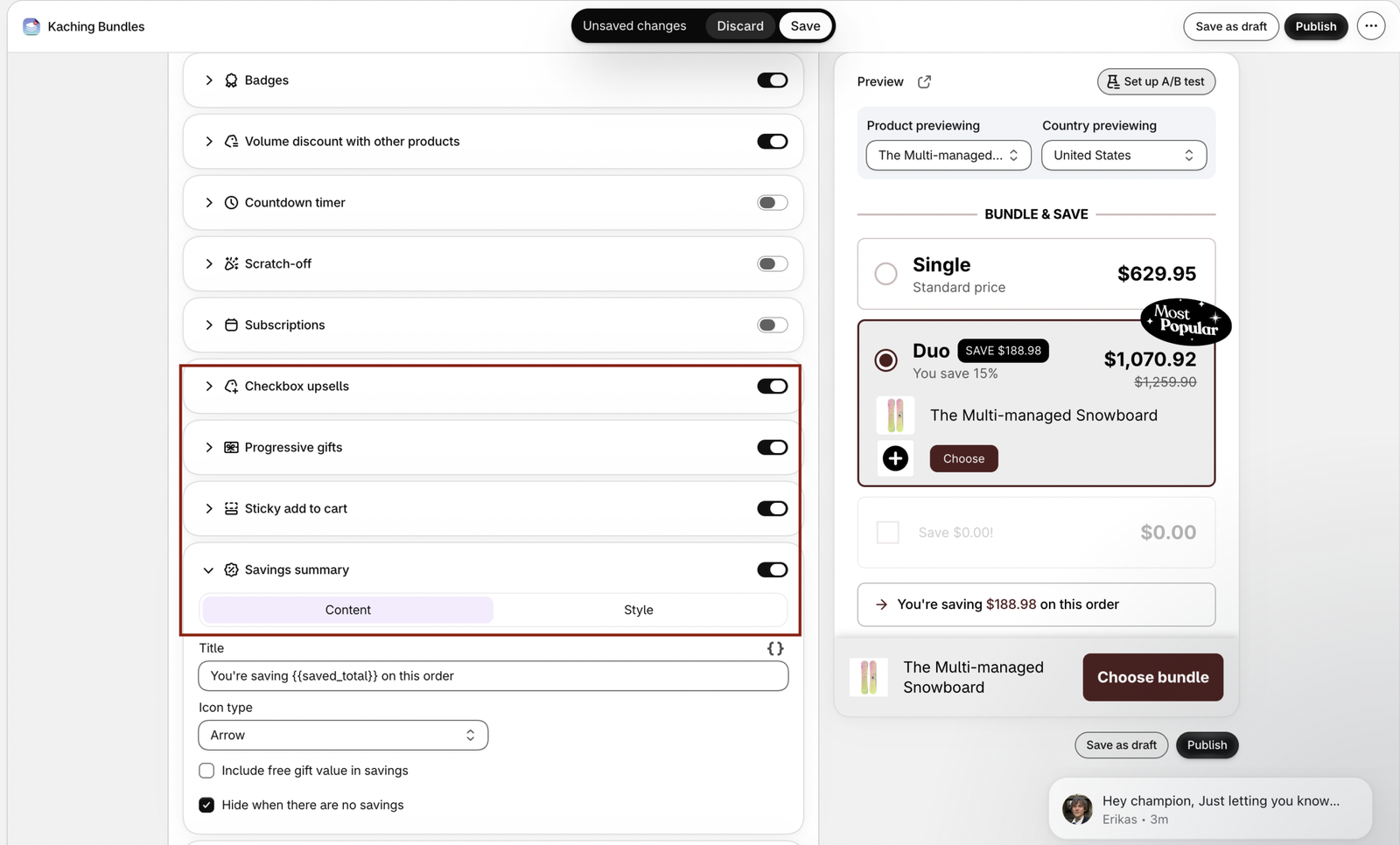
Scroll down to switch on extra blocks. These are the ones that help a tiered discount most:
- Badges: add a “Most Popular” label to the Duo tier.
- Sticky add to cart: keep the buy button visible while shoppers scroll.
- Savings summary: show “You’re saving {{saved_total}} on this order” below the tiers.
- Progressive gifts and Checkbox upsells: reward bigger orders or offer add-ons.
You can also use Brand colors, Style, and Translations at the top of the editor to match your theme and languages.
Step 10: Publish Your Deal
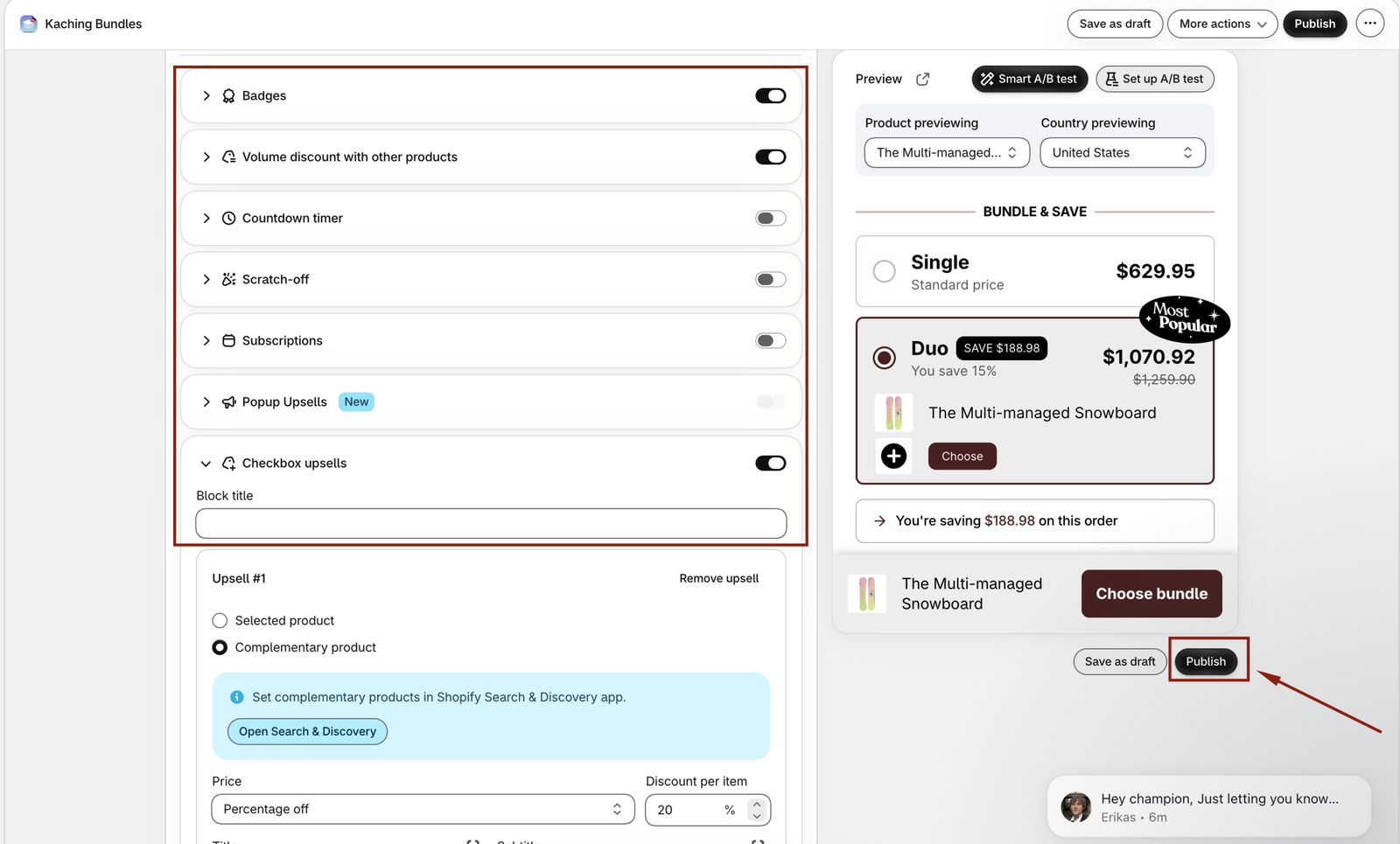
Leave optional blocks like Countdown timer, Scratch-off, and Subscriptions off unless you need them. When the preview looks right, click Publish. Use Save as draft if you aren’t ready to go live.
Step 11: Check the Deal on Your Store
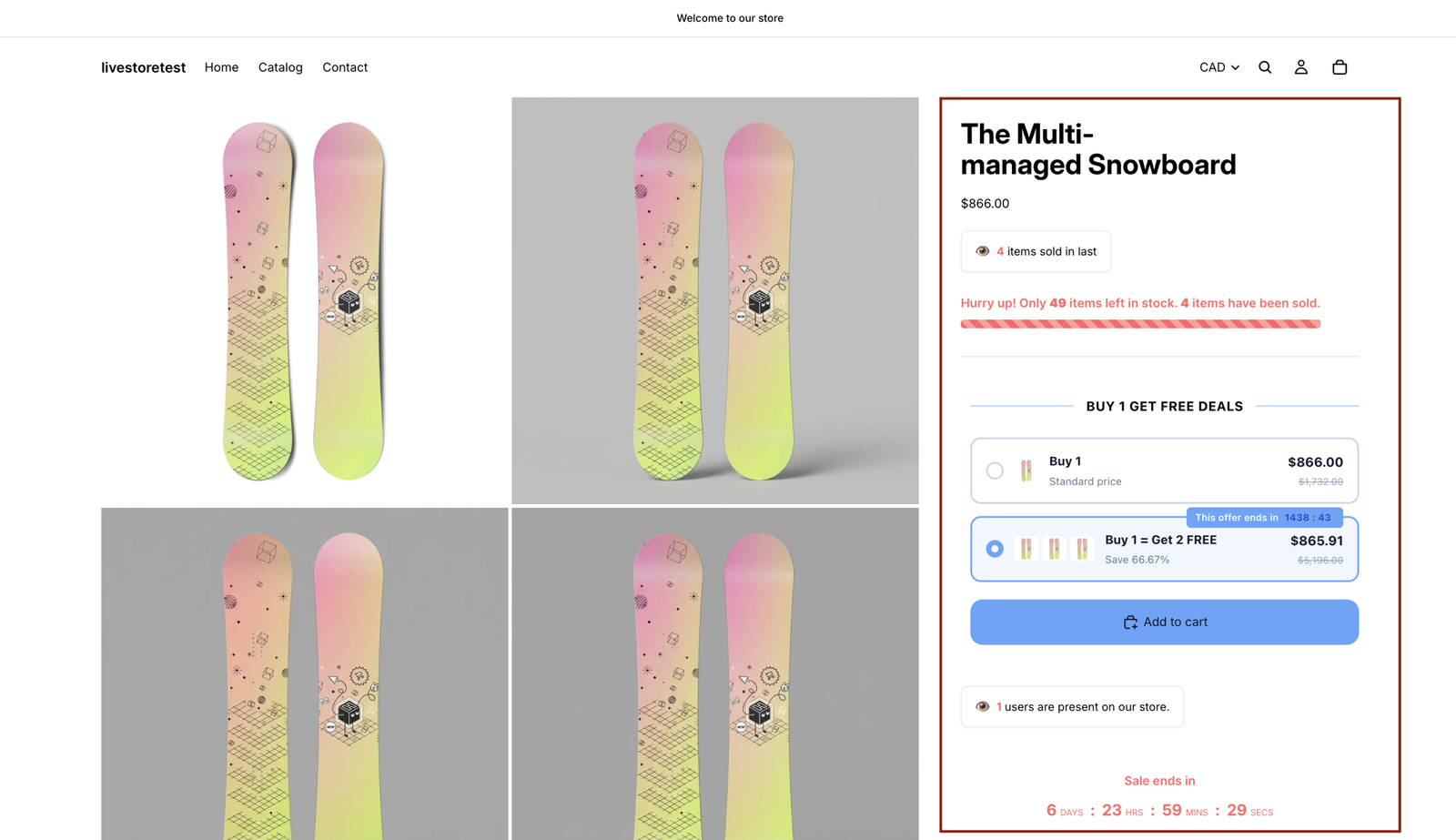
Go back to the dashboard. If it still says Store widget is disabled, enable the Kaching app embed in Online Store > Themes > Customize > App embeds and save. Then open your product page in a new window, select each tier, add it to the cart, and confirm the discount at checkout.
Here’s a Kaching deal widget live on a product page. This example uses a Buy 1, Get 2 Free deal; your Buy 2, Save 15% tiers appear in the same place, above the Add to cart button.
Kaching Bundles Pricing
Kaching Bundles is free to install and free on development stores. Every paid plan includes all deal types, the AI deal builder, A/B testing, and analytics, with a 7-day free trial.
| Plan | Price | Additional revenue included |
| Starter | $14.99/month | Up to $1,000 |
| Scale | $29.99/month | Up to $5,000 |
| Pro | $59.99/month | Up to $10,000 |
Annual billing saves 25-27%. Prices were checked on the Shopify App Store on November 28, 2026.
Best Practices for Tiered Discounts
- Keep it to two or three tiers. Too many options slow shoppers down.
- Highlight the deal you want. A “Most Popular” badge on the Duo tier guides the choice.
- Show savings in money. “Save $12” is easier to understand than “15% off”.
- Check your margins. Make sure 15% off still leaves a profit on two units.
- Test the offer. Use Kaching’s A/B testing to compare 15% against 10%.
- Track results. Watch average order value, conversion rate and orders with bundles for a few weeks.
Frequently Asked Questions
Can I create a Buy 2, Save 15% offer on Shopify?
Yes. With Kaching Bundles, choose the Quantity breaks for the same product template, set the Duo tier to 2 units at 15% off, and publish. Shoppers see both tiers on the product page.
Can I add a Buy 3, Save 20% tier too?
Yes. Click Add bar in the deal editor and set a third tier with a quantity of 3 and a 20% discount.
What is the difference between tiered discounts and BOGO?
A tiered discount lowers the price of every unit as the quantity goes up. A BOGO (buy one, get one) deal discounts only the extra item, such as the second item free.
Can I customize the bundle design?
Yes. You can change brand colors, badges, labels, styles and translations, and add blocks such as a savings summary or sticky add to cart.
Will tiered discounts automatically increase my sales?
Not automatically. Results depend on your product, pricing and how clearly the offer is shown. Test different discounts and track your average order value.
Conclusion
Tiered discounts are a simple way to encourage customers to buy more. With Kaching Bundles, you can create a Buy 2, Save 15% offer in a few minutes, show every tier clearly on the product page, and track the added revenue from the dashboard.
Start with your best-selling product, keep the offer simple, and check your results after a few weeks.
Install the App: Kaching Bundles app on Shopify