How to Use AI for Shopify Personalization
Let’s talk about something that’s changed pretty fast over the last year or two. Personalization used to mean setting up a handful of manual rules, like “show this banner to returning visitors” or “recommend these five products on every page.” It worked, but it was static and needed constant tweaking. AI has changed that. Now the personalization can actually learn and adjust on its own, based on real behavior, without you having to manually configure every single scenario.
If you’ve been putting off exploring AI personalization because it sounds complicated or expensive, I want to walk you through exactly how it works in practice on Shopify, what’s actually accessible right now, and how to use it without overcomplicating things. Let’s get into it.
What AI Actually Adds To Personalization
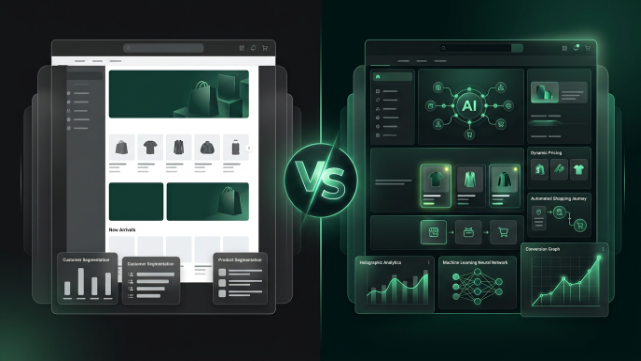
The core difference between rule based personalization and AI driven personalization comes down to how the decisions get made. With rules, you’re the one deciding, “if a visitor does X, show them Y.” With AI, the system looks at patterns across thousands or millions of visitor sessions, figures out what actually correlates with a purchase, and adjusts its recommendations continuously without you having to define every scenario yourself.
This matters most in two places: figuring out what to show someone, and figuring out when and how to say it. AI handles both. It can predict which products a specific visitor is most likely to buy based on subtle behavioral signals, and it can also generate the actual content, banners, email copy, product descriptions, around that personalization without you writing it all manually.
Start With Shopify’s Own Built In AI Tools
Before spending money on third party platforms, it’s worth knowing what’s already sitting inside your Shopify admin for free. Shopify Magic is the collection of AI powered features built directly into different parts of your store, covering things like generating product descriptions, auto tagging products based on images and details, writing meta titles and descriptions, and drafting email subject lines. None of this is personalization in the “different visitor sees different content” sense, but it’s the foundation that makes deeper personalization efficient, since a well tagged, well described catalog is what recommendation engines and search tools actually rely on to make good suggestions in the first place.
Shopify Sidekick is the conversational side of this, a chat assistant inside your admin that can answer questions about your store’s performance, help you build customer segments, set up automations through Shopify Flow, and create things like discount codes through plain language requests. It won’t personalize your storefront for you directly, but it makes setting up the groundwork, segments, flows, tagging structures, considerably faster, especially if you’re not deeply familiar with navigating the admin.
A sensible approach is to use Magic and Sidekick to get your catalog and segments in solid shape first, since AI driven recommendation and personalization apps perform noticeably better when your product data is clean and well structured to begin with.
Use AI Powered Recommendation Engines For The Storefront
This is where most of the actual visitor-facing personalization happens. Apps like Rebuy, Nosto, and LimeSpot use machine learning models trained on browsing behavior, purchase history, and catalog relationships to figure out what to show each individual visitor, rather than relying on you manually setting rules for every scenario.
What’s different about the AI layer here versus older recommendation logic is that it’s not just “people who bought X also bought Y.” It factors in real time session behavior too, like what someone’s clicked on in just the last few minutes, and adjusts recommendations dynamically as the visitor moves through your store. This is what lets a cart drawer show a genuinely relevant upsell instead of a generic “you might also like” block that doesn’t account for what’s actually in someone’s cart or what they’ve been browsing that day.
If you haven’t set one of these up yet, this is honestly the highest leverage place to start, since it directly touches product pages, cart, and checkout, which are the exact spots where a relevant nudge tends to move the needle on conversion and average order value.
AI Powered Search Makes Personalization Smarter From The First Click
A visitor’s search query tells you a lot about intent, and AI search tools like Klevu and Boost AI Search & Discovery use that to personalize results in ways basic keyword search can’t. Instead of only matching exact product titles, AI search understands intent and context, so a search for something broad still returns relevant results, and it can factor in what that specific visitor has browsed before to prioritize what it shows them.
This matters more than people usually realize because search is often the highest-intent moment in a visitor’s journey. Someone typing into your search bar already knows roughly what they want, so getting that moment right has an outsized impact on whether they convert.
Personalize Email and SMS With AI Driven Behavioral Data
Klaviyo is the most widely used tool for Shopify stores here, and its AI features go beyond basic personalization tokens like inserting a first name. It uses predictive analytics to flag customers who are likely close to purchasing or at risk of churning, picks optimal send times per individual recipient rather than blasting your whole list at once, and pulls live product recommendations into emails based on each person’s actual browsing and purchase history.
This is worth setting up even if you’re already doing recommendation based personalization on your storefront, since it extends that same intelligence into a channel your storefront personalization can’t reach on its own, someone’s inbox, after they’ve already left your site.
Let AI Powered Quizzes Collect Zero Party Data
Apps like Octane AI take a slightly different approach by using AI generated product quizzes to ask visitors directly about their preferences, then routing them to the right products based on their answers. This is a smart complement to behavioral AI personalization because it captures information visitors are willing to tell you directly, like skin type, sizing preferences, or use case, information you can’t always infer accurately from browsing behavior alone.
That data doesn’t just help the one quiz interaction either. It feeds back into your email flows and future on site personalization, making everything downstream more accurate.
Don’t Skip The Content Side
AI personalization isn’t only about which products get shown, it’s also about the messaging around them. Several personalization and email tools now use AI to generate different versions of banner copy, subject lines, or promotional messaging tailored to different customer segments, rather than you writing five versions manually. This matters because even a perfectly personalized product recommendation can fall flat if the surrounding copy feels generic or mismatched to the visitor’s context.
Be Realistic About Setup Time
One thing worth being honest about: AI personalization tools generally need a data ramp-up period before they perform well. Recommendation engines need real visitor behavior to learn from, so don’t expect dramatically better results in the first week after installing one. Most of these tools genuinely improve over the first few weeks as they accumulate enough behavioral data on your specific store and specific catalog to make confident predictions, rather than falling back on generic bestseller logic.
It’s also worth setting expectations that AI generated content, whether that’s product descriptions, email copy, or banner messaging, usually needs a human review pass before it goes live. The output is often a solid first draft rather than something ready to publish untouched, especially anything involving your specific brand voice or nuanced product details.
Measuring Whether It’s Actually Working
Same advice as with any personalization effort: track it. Most AI powered recommendation and email tools come with built in analytics comparing personalized results against generic or default experiences, so use that data rather than assuming it’s working just because it’s technically running. Watch conversion rate, average order value, and email engagement metrics specifically on the segments or touchpoints where you’ve turned AI personalization on, and don’t be afraid to turn off a tool that isn’t clearly paying for itself after a reasonable testing period.
A Note for Store Owners in Pakistan
If you’re running a Shopify store here, a couple of things are worth thinking through before leaning heavily into AI personalization tools. Most of these platforms are trained primarily on Western shopping behavior and English language content by default, so keep an eye on how well AI generated recommendations and copy actually fit your local audience, particularly around COD preferences, festival or seasonal buying patterns specific to Pakistan, and Urdu or Hinglish influenced browsing behavior that a generic model might not weight correctly out of the box.
It’s also worth pairing any AI driven email personalization with WhatsApp based follow ups where relevant, since email still isn’t the primary channel a lot of Pakistani shoppers check consistently. AI personalization tools are genuinely useful here, but they work best as one part of a broader approach that still accounts for the payment methods, communication channels, and local buying habits your customers actually rely on.
Wrapping It Up
AI personalization on Shopify isn’t a single tool you install and forget about, it’s a layer that touches your product recommendations, your search results, your email flows, and even the content around all of it. Start with Shopify’s free Magic and Sidekick tools to get your foundation solid, add an AI driven recommendation engine for your storefront, layer in AI powered search if your catalog is large enough to benefit, and extend the same intelligence into email through Klaviyo. Give it time to learn your store’s actual behavior, review the content it generates before publishing, and measure the impact rather than assuming it’s working.