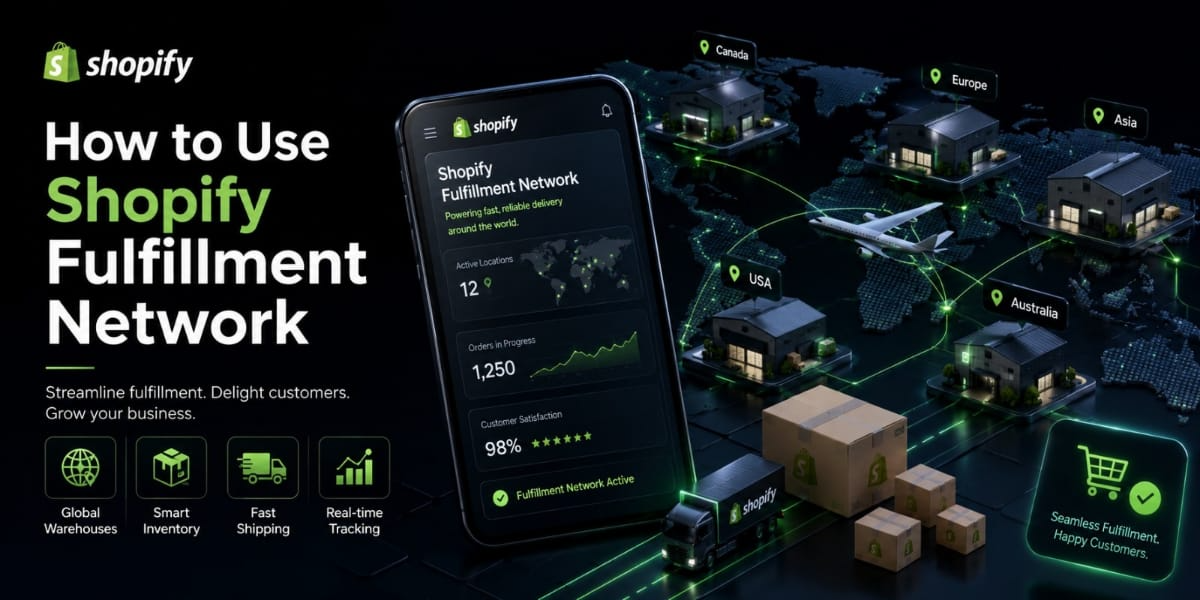
How to Use Shopify Fulfillment Network: A Complete Guide for Store Owners
Running an online store is exciting until you’re drowning in bubble wrap at midnight, printing shipping labels while orders keep piling up faster than you can pack them. If that sounds familiar, you’re not alone. Fulfillment is one of the biggest operational headaches for growing Shopify merchants, and it’s usually the thing that slows down scaling the most.
That’s exactly why Shopify built the Shopify Fulfillment Network. It’s Shopify’s own in house fulfillment solution, designed to take the storage, packing, and shipping off your plate so you can focus on growing your business instead of running a warehouse out of your spare bedroom.
This guide walks you through everything you need to know about the Shopify Fulfillment Network what it is, how it works, who it’s for, how to get set up, and whether it’s the right fit for your store.
What Is the Shopify Fulfillment Network?
The Shopify Fulfillment Network, commonly called SFN, is Shopify’s own third-party logistics (3PL) service built directly into the Shopify platform. Instead of partnering with an external fulfillment company and juggling multiple dashboards, SFN lets you manage your entire fulfillment operation from the same Shopify admin you already use to run your store.
Here’s the basic idea: you send your inventory to SFN’s warehouse partners, and when a customer places an order, SFN picks the product, packs it, and ships it out automatically. You don’t touch the package. You don’t print a label. You don’t run to the post office. SFN handles the entire physical side of order fulfillment on your behalf.
What makes SFN different from a typical 3PL is the integration depth. Because it’s built by Shopify, it syncs with your store in real time. Inventory levels update automatically, orders flow into the fulfillment system the moment they’re placed, and tracking information gets sent to your customers without any manual input from you.
SFN also uses machine learning to intelligently distribute your inventory across multiple warehouse locations based on where your customers are concentrated. This means orders ship from the closest warehouse to each customer, which speeds up delivery and often reduces shipping costs.
How the Shopify Fulfillment Network Works
Understanding the flow of SFN makes it much easier to decide if it’s right for your business. Here’s what the process looks like from start to finish.
Step 1 You Send Inventory to SFN
Once you’re set up with SFN, you ship your products to their fulfillment centers. SFN operates through a network of warehouse partners across strategic locations. Based on your customer data and order history, SFN recommends how to split your inventory across locations to minimize delivery times.
Step 2 Inventory Gets Received and Stored
When your shipment arrives at the fulfillment center, SFN receives and logs your inventory. Products are scanned, cataloged, and stored in the warehouse. Your Shopify admin updates automatically to reflect the stock now held at SFN locations.
Step 3 A Customer Places an Order
When someone buys from your store, the order syncs to SFN instantly. Their system identifies which warehouse location has the product and is closest to the customer’s delivery address.
Step 4 Pick, Pack, and Ship
SFN warehouse staff pick the correct items, pack them, and attach a shipping label. Orders are handed off to the carrier, and tracking information is generated and sent to your customer automatically through Shopify’s notification system.
Step 5 You Monitor Everything from Your Dashboard
You can track inventory levels, order statuses, shipment tracking, and performance metrics all from your Shopify admin. No need to log into a separate 3PL portal or manually reconcile data between systems.
Who Is Shopify Fulfillment Network For?
SFN is not available to every Shopify merchant, and it’s not the right fit for everyone even if you qualify. Here’s an honest look at who benefits most from SFN.
Best fit for SFN:
Merchants who are processing a consistent volume of orders and can no longer efficiently handle fulfillment in house. If you’re spending a significant chunk of your week packing orders, SFN frees that time up completely.
Brands that sell standardized physical products apparel, accessories, home goods, beauty products, supplements, pet products tend to work well with SFN. Products that store and ship straightforwardly without special handling requirements are the sweet spot.
Merchants whose customer base is concentrated in the US (SFN currently operates in the United States) and who want to offer fast, reliable domestic shipping without managing their own warehouse infrastructure.
Not the best fit for SFN:
Very new stores with low or unpredictable order volumes. SFN works best when there’s enough consistent demand to justify the cost structure and to make intelligent inventory distribution meaningful.
Merchants selling oversized, fragile, perishable, or hazardous products. SFN has restrictions on what product types it can handle, so if your catalog includes anything outside their accepted categories, you’d need to handle those items separately.
Stores that sell primarily in international markets outside the US won’t get the full benefit of SFN’s network since it’s currently US focused.
Custom or made to order products don’t work with SFN since there’s no physical inventory to store.
Requirements to Join Shopify Fulfillment Network
SFN isn’t open to every Shopify merchant there are eligibility requirements you need to meet before applying. These requirements can evolve over time, so it’s always best to check the current criteria directly on Shopify’s website, but here’s what’s generally been required.
You need to be on a qualifying Shopify plan. Basic Shopify is typically the minimum, but higher plans may get priority access or better pricing.
Your products need to meet SFN’s product requirements. This includes weight limits, dimension limits, and restrictions on certain product categories like liquids, batteries, and hazmat items.
There are typically minimum order volume thresholds. SFN is built for merchants who are processing enough orders to make the 3PL model economically worthwhile for both parties.
Your products need barcodes (UPC, EAN, or SKU barcodes) for accurate receiving and picking. If your products don’t have barcodes, you’ll need to add them before sending inventory.
How to Apply for Shopify Fulfillment Network
Getting started with SFN begins with an application process since it’s not instantly available to all merchants.
Go to the SFN App
Search for the Shopify Fulfillment Network app in the Shopify App Store and install it. This starts the application and onboarding process.
Complete the Application
You’ll be asked questions about your store order volume, product types, average package weight and dimensions, and where your customers are located. This information helps Shopify determine if you’re a good fit and how to configure your fulfillment setup.
Wait for Approval
Shopify reviews your application and reaches out with next steps if you’re approved. Approval times can vary, so don’t wait on SFN if you have immediate fulfillment needs explore other 3PLs in the meantime.
Onboarding Call
Approved merchants typically go through an onboarding session with the SFN team to configure your account, set up your product catalog, understand the pricing structure, and plan your first inventory send in.
Setting Up Your Products in SFN
Once you’re approved and onboarded, the next step is getting your product catalog ready for SFN.
Add Your Products to the SFN App
Inside the SFN app in your Shopify admin, you’ll select which products you want to fulfill through SFN. Not every product in your store needs to go through SFN you can use it for some products while self fulfilling or dropshipping others.
Set Up Product Dimensions and Weight
Make sure each product variant has accurate weight and dimension information entered in Shopify. SFN uses this data for storage fee calculations and shipping rate estimates. Inaccurate product data leads to incorrect fees and potential shipping issues.
Ensure Products Have Barcodes
Every product needs a scannable barcode for SFN to receive and pick it accurately. If your products don’t already have UPC or EAN barcodes, you can purchase them online and apply barcode labels before shipping inventory to SFN.
Configure Your Packaging Preferences
You can specify packaging preferences for how your orders should be packed standard SFN packaging, custom branded boxes if you supply them, or specific packaging requirements for fragile items. Branded packaging creates a better unboxing experience for customers and strengthens your brand identity.
Sending Your First Inventory Shipment to SFN
This is the step where things get real. Sending your inventory to SFN is called creating a transfer, and the process is managed directly from your Shopify admin.
Create a Transfer in Shopify
In the SFN app, create a new inventory transfer. You’ll specify which products and quantities you’re sending, and SFN will tell you which warehouse location to send them to based on your customer distribution data.
Prepare Your Shipment
Box up your inventory carefully. Each box needs a packing list and the correct shipping labels that SFN generates for you. Label every carton clearly with the provided labels so the receiving team can process your shipment accurately.
Ship to the SFN Warehouse
Send your shipment using the carrier and instructions provided. Keep your tracking numbers handy so you can monitor delivery to the warehouse.
Wait for Receiving Confirmation
Once your inventory arrives, SFN’s team receives it, scans each item, and updates your inventory levels in Shopify. This can take a few business days depending on warehouse volume. You’ll see the stock reflect in your admin once it’s fully received.
Managing Orders with SFN
Once your inventory is live in the SFN system, fulfillment becomes almost entirely hands off for you.
Automatic Order Routing
When a customer places an order for an SFN product, it routes automatically to the fulfillment center. You don’t need to manually push orders or trigger anything. The integration handles it in real time.
Monitoring Order Status
In your Shopify admin, every order shows its fulfillment status. You can see when an SFN order has been picked, packed, shipped, and delivered. If there are any issues a damaged item, a lost package, a delay these show up in your orders dashboard.
Customer Notifications
Shopify automatically sends your customers shipping confirmation emails with tracking information when SFN fulfills their order. You don’t need to do anything manually. Make sure your notification email templates are set up the way you want them in Settings > Notifications before orders start flowing.
Handling SFN Orders That Have Issues
Occasionally an order will have a problem the wrong item was picked, a product arrived damaged, or the shipment was lost in transit. SFN has a claims process for these situations. You can open a support case directly through the SFN app, and Shopify’s team handles investigation and resolution.
SFN Pricing: What Does It Cost?
SFN pricing is based on a combination of fees rather than a single flat rate. Understanding the cost structure upfront prevents surprises on your invoice.
Receiving Fees
You pay a fee when SFN receives and processes your incoming inventory shipment. This is typically charged per unit received.
Storage Fees
You pay monthly storage fees based on how much space your inventory occupies in the warehouse. Fees are usually calculated per cubic foot per month. Storage fees can increase during peak periods like Q4, similar to how Amazon FBA adjusts storage pricing during the holiday season.
Fulfillment Fees
This is the pick and pack fee charged per order. It covers the labor cost of someone physically pulling your product off the shelf, packing it, and generating the shipping label.
Shipping Fees
Shipping costs are passed through based on actual carrier rates. SFN’s bulk carrier relationships mean you often get better rates than you’d get on your own, but you still pay for the shipping itself.
The total cost per order varies significantly based on your product size and weight, shipping destination, and order volume. Before committing to SFN, run the numbers based on your average order value and current shipping costs to make sure the economics make sense for your margins.
SFN vs Other 3PL Options
SFN is a strong option but it’s not the only 3PL available to Shopify merchants. Here’s how it compares to some alternatives.
SFN vs ShipBob
ShipBob is one of the most popular independent 3PLs for Shopify merchants. It has a larger warehouse network than SFN with locations in the US, Canada, Europe, and Australia making it better for international fulfillment. ShipBob also tends to be more flexible about product types and has a more established track record. The downside is that you’re working with a separate platform rather than native Shopify integration.
SFN vs Amazon FBA
If you’re also selling on Amazon, FBA is a natural option. Amazon’s fulfillment network is massive and their shipping speeds are unmatched. However, FBA is Amazon centric it’s less ideal as your primary fulfillment solution for your own Shopify store, and Amazon has strict product requirements and can be expensive for slow moving products due to long term storage fees.
SFN vs Self Fulfillment
Self-fulfillment gives you complete control and zero third party fees, which is great at low volumes. But time cost, physical labor, and the inability to scale quickly are real limitations. SFN makes the most sense once the cost of your time exceeds what you’d pay for the service.
Tips for Getting the Most Out of SFN
Keep your inventory forecasting tight. SFN charges storage fees even for slow moving stock, so don’t send more inventory than you expect to sell in a reasonable timeframe. Use your Shopify sales data to estimate demand before each replenishment.
Monitor your inventory levels closely. Set up low stock alerts in Shopify so you know when to send another replenishment shipment before you run out. Stockouts mean lost sales and disappointed customers.
Start with your best sellers. When you first onboard with SFN, start by sending inventory for your top-performing products rather than your entire catalog. This lets you test the system with products where fast fulfillment has the most impact.
Check your packaging specs. If you want to use custom branded packaging, coordinate this with SFN during onboarding. You’ll need to supply your packaging materials to the warehouse, which requires its own logistics planning.
Review your SFN performance data regularly. The SFN dashboard gives you visibility into fulfillment accuracy rates, average shipping times, and inventory turnover. Use this data to identify problems early and optimize your operation over time.
Is Shopify Fulfillment Network Worth It?
The honest answer is: it depends on your situation.
If you’re spending 15-20+ hours a week on fulfillment, SFN can genuinely transform your business by freeing that time for marketing, product development, and customer relationships. If your fulfillment accuracy has been suffering wrong items shipped, slow processing times, packaging issues SFN’s professional warehouse operation will almost certainly outperform what you can do in-house.
The economics need to work too. If your margins are already thin, adding 3PL fees could squeeze profitability. Run a proper cost analysis comparing your current total fulfillment cost (time, materials, shipping) against SFN’s fees before making the switch.
For merchants who qualify and whose numbers work out, SFN offers the convenience of deep Shopify integration that external 3PLs simply can’t match. Everything lives in one place, the automation is seamless, and you spend zero time on the physical side of getting orders out the door.
Final Thoughts
The Shopify Fulfillment Network is one of the most powerful tools available to growing Shopify merchants who want to scale without being buried in logistics. It handles the heavy lifting so you can stay focused on the things that actually grow your revenue.
Getting set up takes some upfront effort applying, onboarding, preparing your products, and shipping your first inventory but once it’s running, your fulfillment essentially runs on autopilot.
If you need help configuring your Shopify store for SFN, optimizing your product listings, or evaluating whether SFN is the right move for your business.




