HOW TO TURN ORDINARY PRODUCT PHOTOS INTO PREMIUM WIX STORE IMAGES
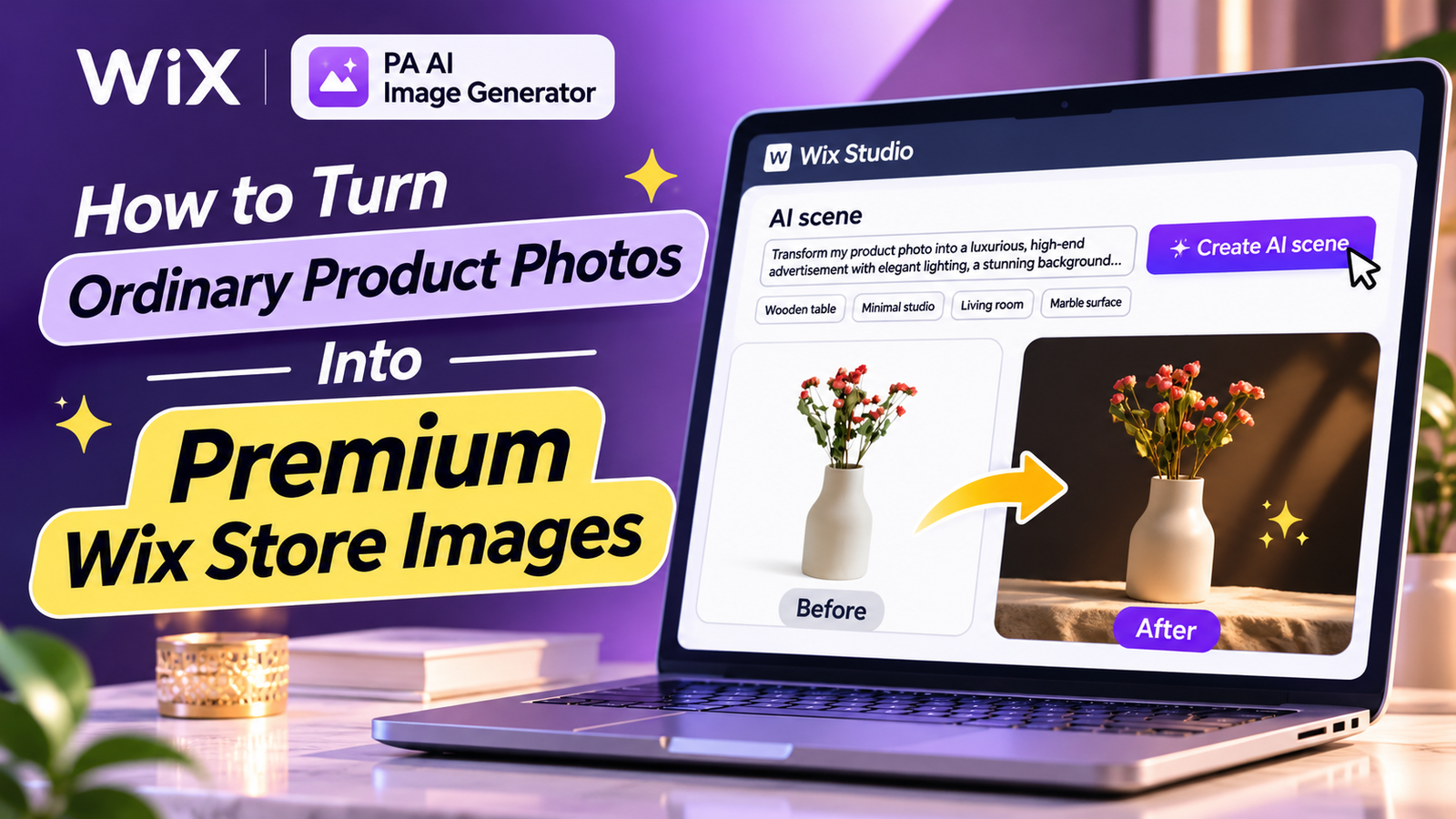
Your product photographs are among the first things customers notice when visiting your Wix online store. Even if you sell high-quality products, poor lighting, distracting backgrounds, and inconsistent photography can make your store appear less professional.
However, creating premium product photographs traditionally requires expensive photography equipment, studio arrangements, professional photographers, and editing software.
Fortunately, artificial intelligence makes it easier to improve existing product photographs without arranging additional photoshoots.
With PA AI Image Generator, you can transform ordinary product photographs into professional-looking ecommerce visuals directly from your Wix dashboard.
In this tutorial, you’ll learn how to turn ordinary product photos into premium Wix store images using AI-generated scenes, professional lighting effects, and custom photography prompts.
Why Premium Product Photography Matters for Wix Stores
Premium product photographs help customers understand your products and create a positive first impression.
Professional-looking images can help you:
- Build customer trust and confidence.
- Highlight important product features.
- Create a recognizable brand identity.
- Improve product page presentation.
- Maintain consistent product photography.
- Develop attractive marketing materials.
- Support better purchasing decisions.
Common Product Photography Problems Wix Merchants Face
Poor lighting
Uneven lighting and harsh shadows can make products appear less attractive and hide important details.
Distracting backgrounds
Cluttered environments can shift attention away from the actual product.
Inconsistent photography styles
Different background colors and lighting styles can make product collections appear disorganized.
Expensive professional photoshoots
Hiring photographers, renting studios, and purchasing equipment can increase business expenses.
Limited image editing experience
Professional editing software can be difficult to use without prior experience.
How AI Can Transform Ordinary Product Photographs
AI-powered product photography allows merchants to create new visual environments around existing products.
For example, a simple photograph of a ceramic flower vase can be transformed into a premium studio-style image featuring dramatic lighting, elegant backgrounds, and attractive composition.
Instead of arranging multiple photoshoots, you can describe your preferred photography style using an AI prompt.
However, always review the generated result to confirm that important product details remain accurate.
Introducing PA AI Image Generator for Wix
PA AI Image Generator is an AI-powered product photography application available on the Wix App Market.
The application provides:
- AI background removal.
- Custom background replacement.
- AI-generated lifestyle scenes.
- Custom photography prompts.
- Predefined scene options.
- Before-and-after image comparisons.
- Publishing edited images to Wix products.
These tools can help merchants improve product presentation directly from their Wix dashboard.
App link: PA AI Image Generator – Wix App Market
Step 1: Open the Wix App Market
Search for Wix App Store on Google and open the official marketplace.

Image 1: Find the official Wix App Market through Google.
Step 2: Search for PA AI Image Generator
Enter PA AI Image Generator in the Wix App Market search field.

Image 2: Search for PA AI Image Generator inside Wix App Market.
Step 3: Select the App
Find PA AI Image Generator by TheScriptFlow in the search results.

Image 3: Select PA AI Image Generator from the search results.
Step 4: Install PA AI Image Generator
Open the listing and click Add to Site to install the application.

Image 4: Install PA AI Image Generator on your Wix website.
PA AI Image Generator – Wix App Market
Step 5: Open the App in Your Wix Dashboard
Navigate to Apps → AI Product Images.

Image 5: Access the installed app from the Wix dashboard.
Step 6: Select the Product
Choose the product whose photographs you want to improve. Our example uses a Ceramic Flower Vase.

Image 6: Select a product from your Wix catalog.
Step 7: Open Photo Studio
Select the product photograph you want to edit and locate the AI scene option.

Image 7: Review the product photo editing tools.
Step 8: Enter a Premium AI Photography Prompt
Under AI scene, enter:
Transform my product photo into a luxurious, high-end advertisement with elegant lighting, a stunning background, and eye-catching details. Make it look professional, realistic, and premium!

Image 8: Enter a luxury product photography prompt. The purple background shown is from a previous edit.
Step 9: Generate the AI Scene
Click Create AI scene. The application displays Working… while processing the photograph.

Image 9: Generate the premium product photography scene using AI.
Step 10: Review the Final Before-and-After Result
Once processing finishes, compare your original photograph with the AI-generated version.
Image 10: The original ceramic vase photograph is transformed into a premium studio-style image with dramatic lighting and a dark background.
Step 11: Publish Your Updated Product Photo
After checking that the product’s original appearance is accurately preserved, click Publish to product (becomes main photo).
Your edited photograph becomes the main product image, while the original photographs remain in the product gallery, according to the app interface.
Frequently Asked Questions
Can I turn ordinary product photos into premium Wix store images?
Yes. PA AI Image Generator allows you to transform existing product photographs into professional-looking images using AI-generated scenes and background editing.
Do I need Photoshop to create premium product photographs?
No. PA AI Image Generator provides image editing tools directly within your Wix dashboard.
Can I create luxury studio-style product photographs?
Yes. You can describe luxury backgrounds, dramatic lighting, and other commercial photography styles using custom AI prompts.
Can I keep my original product photographs?
The application’s interface indicates that original photographs remain in the product gallery when you publish an edited main image.
Does AI scene generation require credits?
Yes. The supplied Photo Studio interface indicates that AI scene generation uses two credits per operation.
Can I create different photography styles for different products?
Yes. You can experiment with custom prompts and predefined scene options for different product categories.
Will premium product photography guarantee more sales?
No. Professional-looking images can support customer confidence and product presentation, but increased sales depend on several factors.
Conclusion
Transforming ordinary product photographs into premium Wix store images no longer requires expensive photoshoots or advanced editing software.
With PA AI Image Generator, you can create high-end studio-style photographs, customize backgrounds, experiment with realistic environments, and improve product presentation directly from your Wix dashboard.
Whether you sell jewelry, beauty products, fashion accessories, home decor, or electronics, AI-powered photography can make it easier to create attractive ecommerce visuals.