HOW TO REDUCE CART ABANDONMENT ON SHOPIFY WITH A SIDE CART DRAWER
Introduction
Cart abandonment is one of the challenges Shopify merchants face when managing an online store.
Customers may spend several minutes exploring products, comparing options, and adding items to their carts, only to leave before completing a purchase.
While abandoned carts can happen for many reasons, a complicated shopping experience may contribute to the problem.
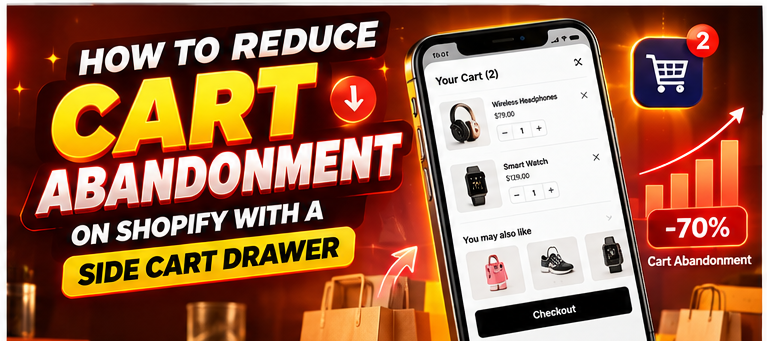
A Shopify side cart drawer allows customers to review their selected products without navigating away from the page they are browsing.
In this article, we will explore how to reduce Shopify cart abandonment by improving cart usability with SA Sticky Add to Cart Drawer.
Why Shopify Customers Abandon Their Carts
Unexpected Shipping Costs
Customers may reconsider a purchase when shipping fees or additional costs appear later than expected.
Complicated Cart Navigation
When shoppers must repeatedly move between product pages and a separate cart page, the process can become less convenient.
Limited Cart Visibility
Some storefronts make it difficult to check product quantities, prices, or selected variants.
Poor Mobile Shopping Experience
Small buttons, difficult navigation, and crowded layouts can create unnecessary obstacles for mobile shoppers.
Customers Are Still Comparing Products
Not every abandoned cart represents a lost customer. Some shoppers are researching products, comparing prices, or saving items for later.
For this reason, improving the cart experience is only one part of a broader abandonment-reduction strategy.
What Is a Shopify Side Cart Drawer?
A side cart drawer is a panel that opens on the current storefront page.
Instead of navigating to a separate cart page, customers can review selected products while remaining in the shopping environment.
Depending on the configuration, a side cart may display product images, quantities, subtotal, checkout controls, and relevant recommendations.
Why a Side Cart Drawer Can Help
Less Unnecessary Navigation
Customers can check their cart without repeatedly leaving product pages.
Easier Cart Review
Product details and quantities remain accessible within a compact interface.
Convenient Checkout Access
A clearly displayed Checkout button helps customers understand the next purchasing step.
Continued Product Discovery
Customers can continue browsing products after reviewing their cart.
Opportunities for Relevant Recommendations
Related products can be displayed when appropriate, although recommendations should not distract customers from checkout.
Introducing SA Sticky Add to Cart Drawer
SA Sticky Add to Cart Drawer provides a configurable side cart with product upsell functionality and additional purchasing enhancements.
The app is designed to help merchants create a more convenient cart experience.
App link: https://apps.shopify.com/sk-sticky-add-to-cart-drawer
Step-by-Step Guide to Set Up a Side Cart Drawer
Step 1: Find the Shopify App Store
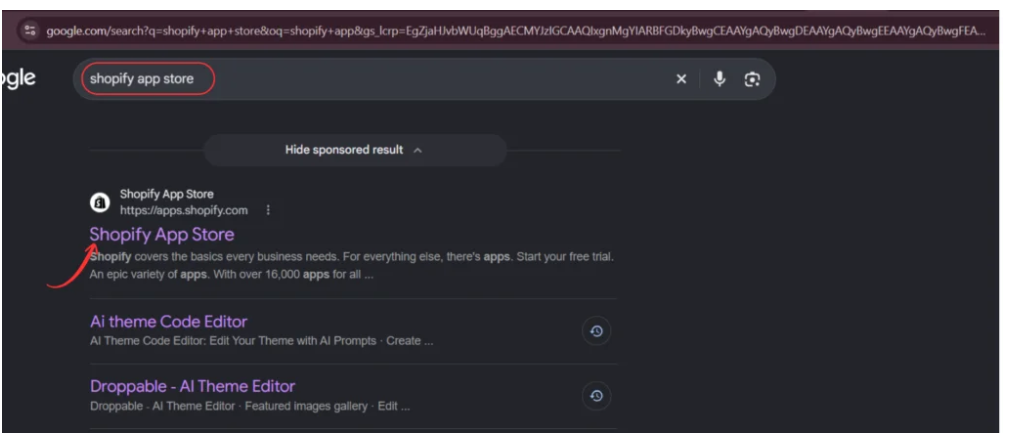
Search for the official Shopify App Store and open it.
Step 2: Search for SA Sticky Add to Cart Drawer
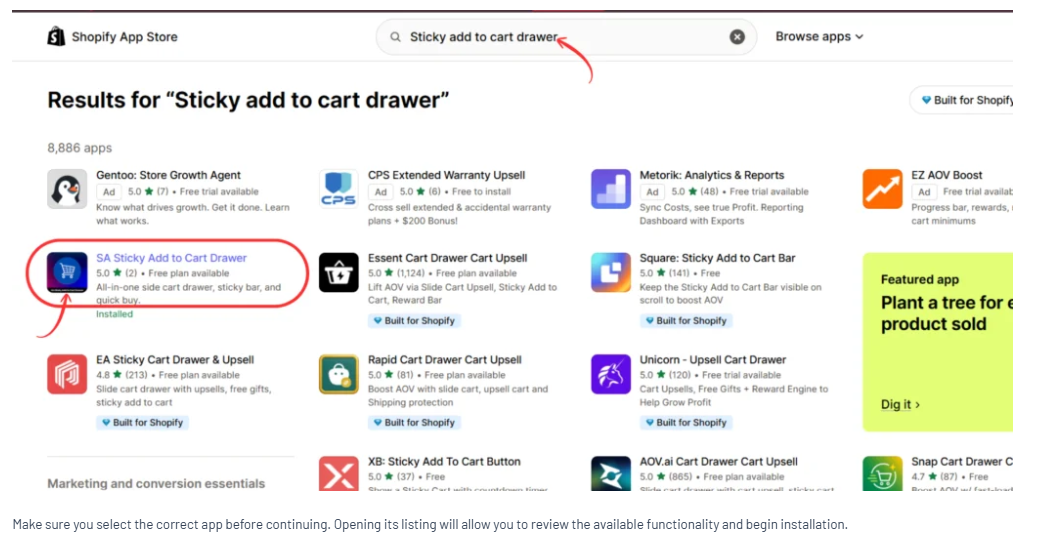
Enter Sticky add to cart drawer in the search bar.
Locate the SA application.
Step 3: Install or Open the App
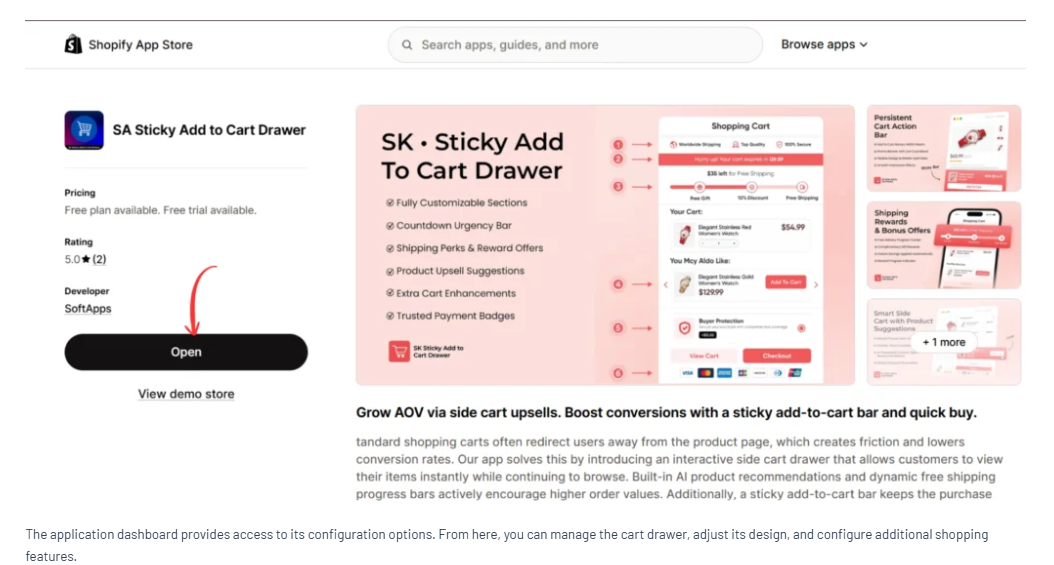
Open the application listing and select Install or Open.
Step 4: Configure the Side Cart
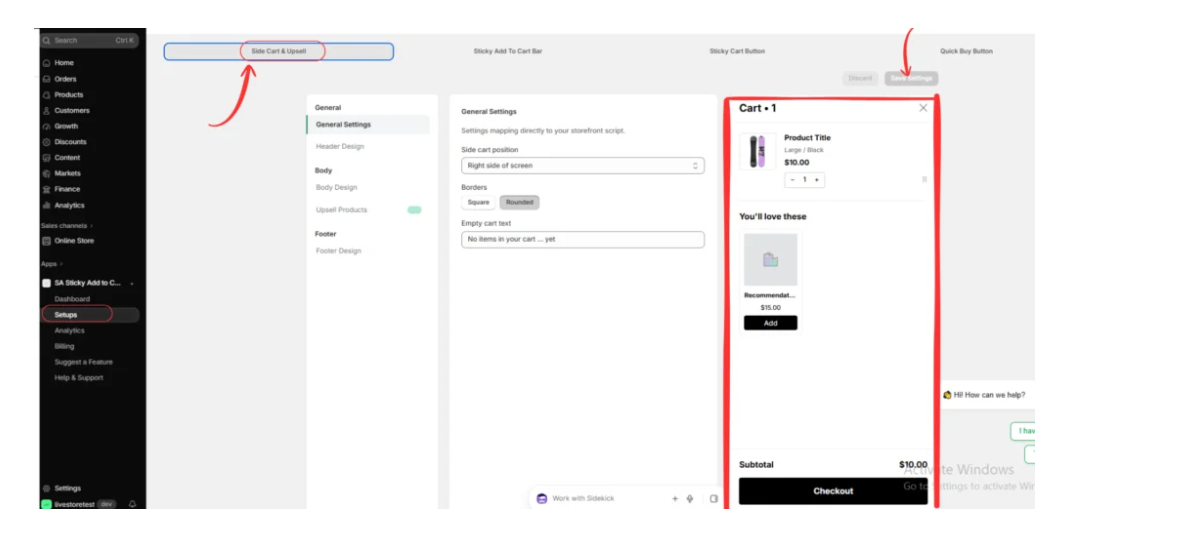
Navigate to Setups → Side Cart & Upsell.
Review the available cart settings and choose an appropriate position and design.
Use the preview panel to see how the drawer appears.
Step 5: Prioritize Checkout Visibility
Ensure that the drawer’s Checkout button remains easy to identify.
Keep product information readable and avoid displaying too many competing actions.
Step 6: Enable the App Embed
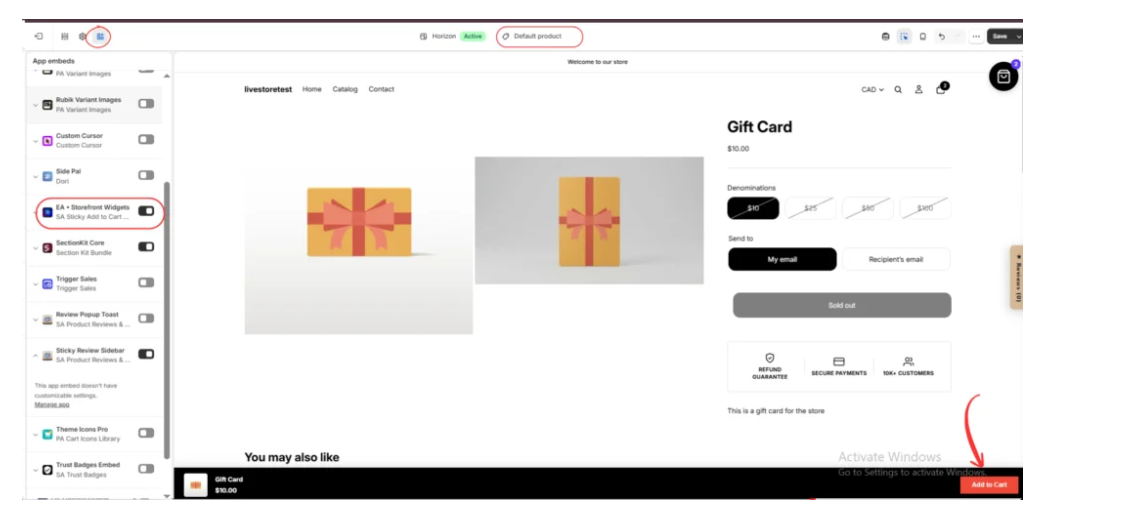
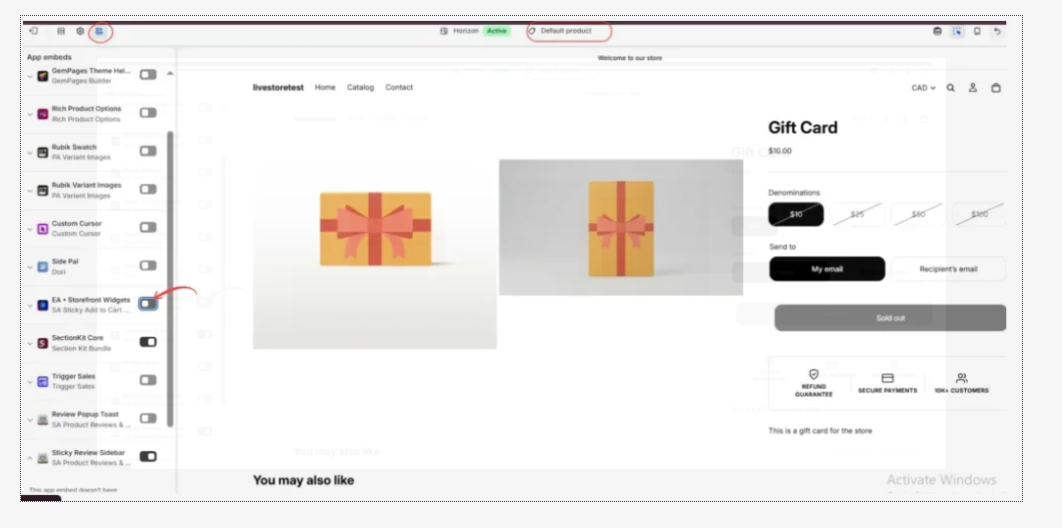
Open the Shopify theme editor and enable EA • Storefront Widgets under App embeds.
Step 7: Test the Cart Experience
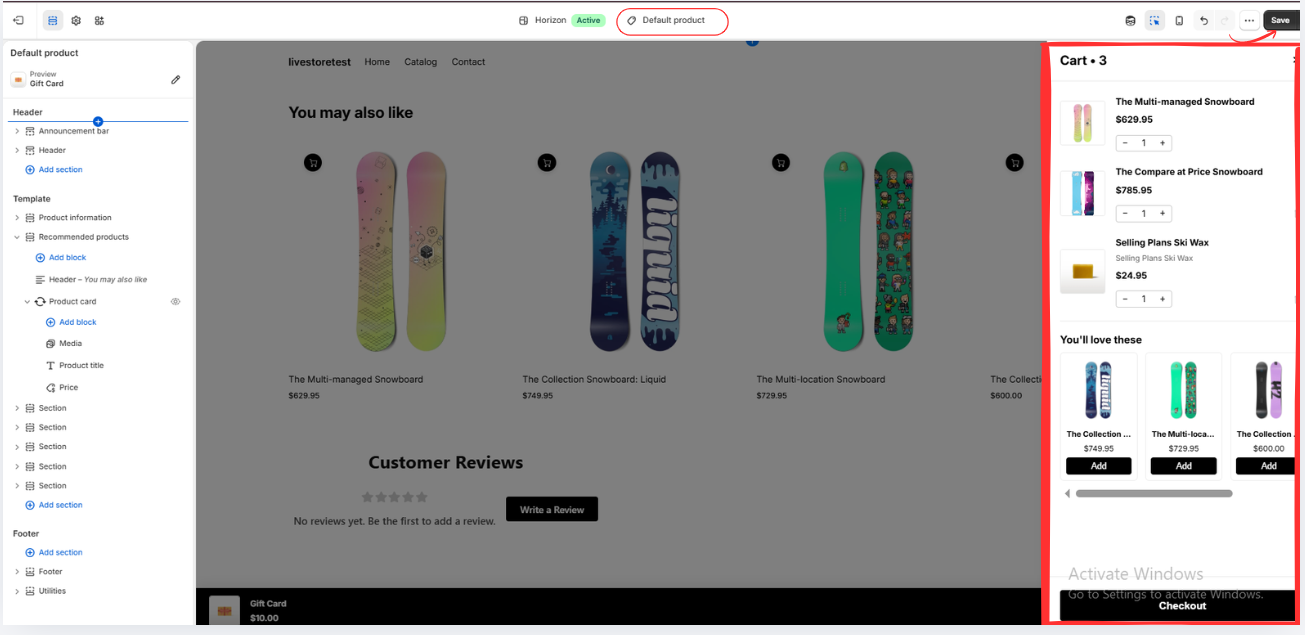
Add an available product to the cart.
Confirm that the drawer shows the correct product information and checkout controls.
Step 8: Review the Mobile Experience
Test the drawer on a mobile screen.
Check button visibility, text readability, and whether customers can easily continue shopping or proceed to checkout
.
Additional Strategies to Reduce Cart Abandonment
Show Shipping Information Early
Provide clear shipping policies and explain additional costs before customers reach the final checkout stage.
Improve Store Performance
Slow-loading pages can interrupt shopping. Optimize images, review unnecessary scripts, and monitor storefront speed.
Build Customer Confidence
Display accurate product information, clear return policies, and trustworthy customer reviews.
Simplify Product Selection
Make product variants and quantities easy to understand.
Analyze Your Checkout Funnel
Use Shopify analytics to identify where customers leave the purchasing journey.
Compare results before and after implementing cart changes rather than assuming that one feature will solve abandonment.
Conclusion
A side cart drawer can help reduce Shopify cart abandonment related to inconvenient cart navigation by making product review and checkout access easier.
However, merchants should also address shipping transparency, checkout usability, site performance, and customer confidence.
With SA Sticky Add to Cart Drawer, merchants can improve the cart experience and test whether these changes benefit their customers.
Explore the app: https://apps.shopify.com/sk-sticky-add-to-cart-drawer




