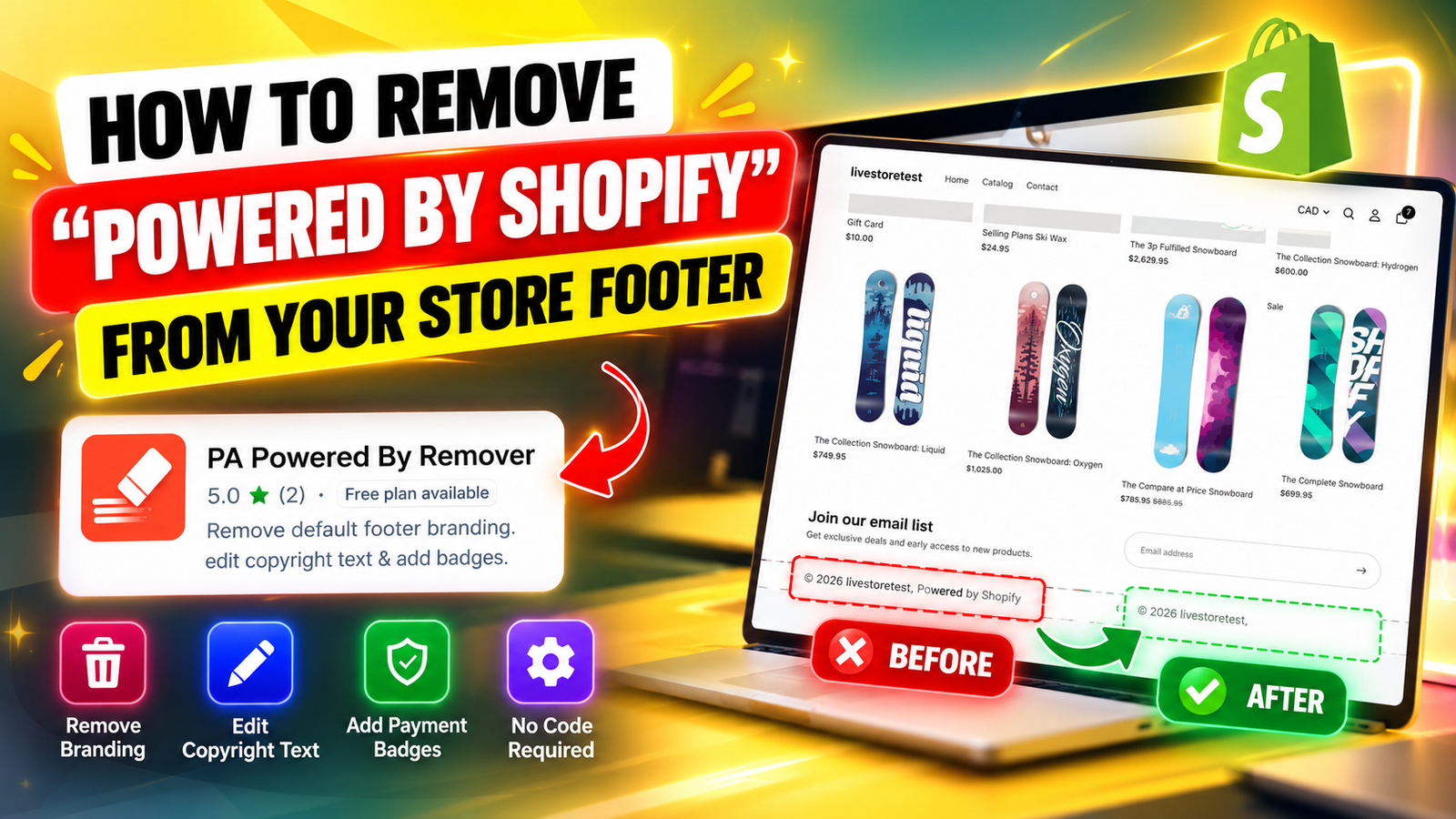
HOW TO REMOVE “POWERED BY SHOPIFY” FROM YOUR STORE FOOTER
Introduction
Creating a professional Shopify store involves paying attention to every detail, from product pages and navigation menus to the footer displayed at the bottom of your website.
One common issue Shopify merchants encounter is the default “Powered by Shopify” text that appears in their store footer.
Although this attribution is included in many Shopify themes, some merchants prefer to remove it to create a cleaner and more personalized storefront.
Fortunately, you don’t need advanced coding knowledge to make this change. With the PA Powered By Remover app, merchants can manage footer attribution and customize copyright text through a simple dashboard.
In this guide, we’ll explain the challenges merchants face, the importance of footer customization, and how to remove the default Shopify attribution step by step.
Common problems Shopify merchants face
Many merchants want their stores to reflect their own brand identity, but default theme elements can limit their customization options.
Unwanted platform branding: The “Powered by Shopify” text may not match a merchant’s preferred footer design.
Difficulty editing Liquid code: Merchants without coding experience may find it challenging to locate and modify footer files.
Theme maintenance concerns: Manual code changes may require additional attention when changing or updating themes.
Limited customization: Merchants may want to replace default text with personalized copyright information.
Time-consuming adjustments: A small footer modification can become frustrating when merchants are unfamiliar with Shopify’s theme settings.
Introducing PA Powered By Remover
PA Powered By Remover is a Shopify application designed to help merchants remove default footer attribution without manually editing theme code.
The app provides a centralized dashboard where store owners can manage footer branding, enter custom copyright information, and access additional customization features.View PA Powered By Remover on Shopify App Store
Why footer customization matters
A clean and organized footer helps create a consistent storefront experience. Removing unnecessary attribution gives merchants more control over their website’s appearance.
Personalized copyright information also helps reinforce brand identity, while relevant footer links make it easier for customers to find contact details, shipping policies, and other important information.
Although removing platform attribution does not automatically increase conversions or search rankings, it can support a more cohesive brand presentation.
Step-by-step guide to removing “Powered by Shopify”
Step 1: Search for the Shopify App Store
Open your browser and search for Shopify App Store on Google.
Locate the official Shopify App Store website in the search results and open it.
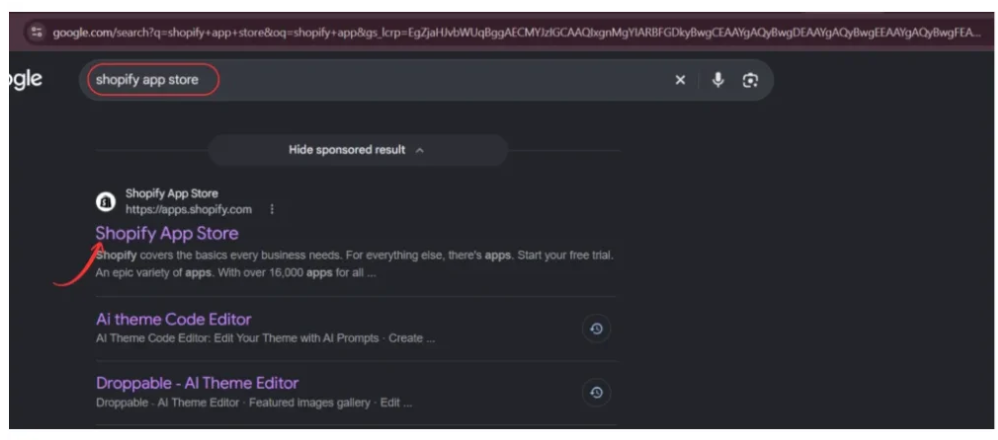
The Shopify App Store contains applications for improving different aspects of your online store, including design, marketing, inventory, and customization.
Step 2: Find PA Powered By Remover
Once the Shopify App Store opens, use the search bar to search for PA Powered By Remover.
Review the search results and locate the app developed by PeakApps.
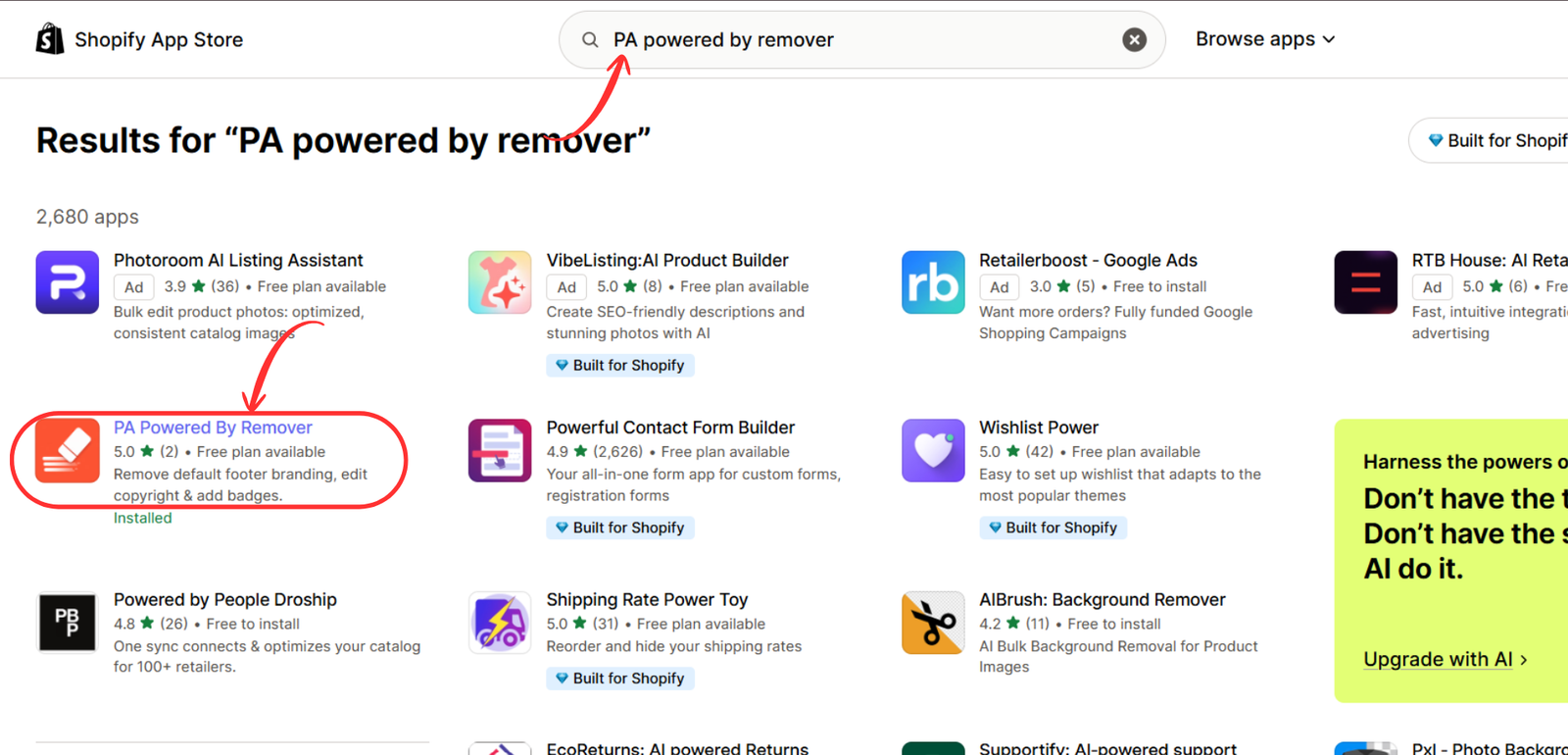
Click the application name to open its listing and review the available features.
Step 3: Open and install PA Powered By Remover
On the application listing page, you can review its description, features, pricing, and installation information.
Click Install to add the app to your Shopify store. If the app is already installed, click Open.

Follow Shopify’s authorization instructions to complete the installation.
After installation, the application will be accessible from your Shopify admin.
Step 4: Configure the Remove Branding settings
Open PA Powered By Remover from your Shopify admin.
Navigate to the Remove Branding section of the application’s dashboard.
Under Store Attribution Settings, locate the checkbox labeled Remove ‘Powered by Shopify’ credit.
Enable this checkbox to configure the removal of default footer attribution.
You can also enter your preferred text in the Custom Copyright Text field.
For example:
© 2026 Your Brand Name. All Rights Reserved.

After making the necessary changes, click Save & Publish.
If the app indicates that its theme embed is disabled, continue to the next step.
Step 5: Open the Shopify Theme Editor
To activate the footer changes, open your Shopify theme editor.
Navigate to Online Store → Themes → Customize.
Once the editor opens, locate the App embeds icon in the left sidebar.
Click it and find Footer Branding Toolkit, associated with PA Powered By Remover.
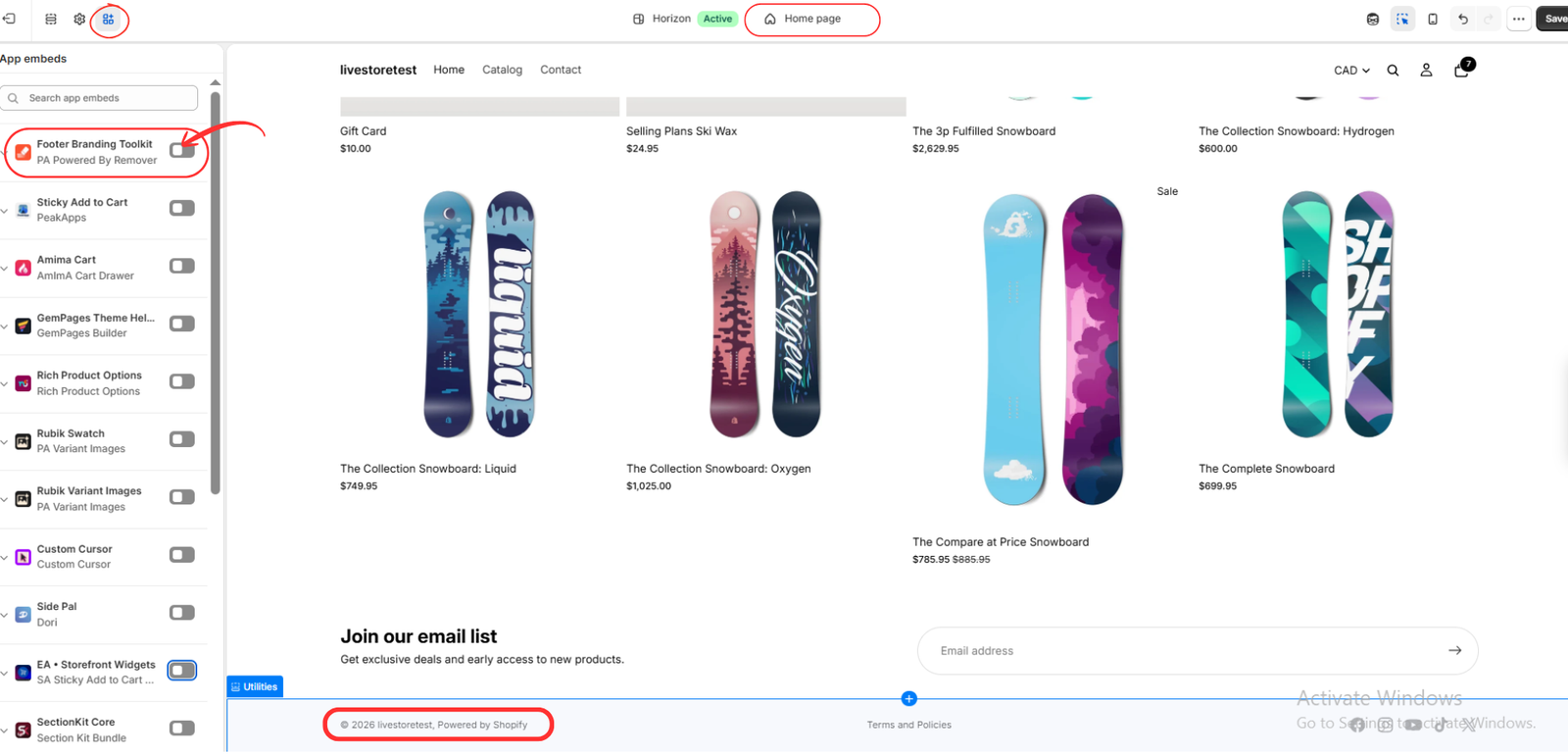
The app embed connects your saved footer settings with the storefront theme.
Step 6: Enable the app embed and save changes
Locate the toggle beside Footer Branding Toolkit and switch it on.
Once enabled, click the Save button in the upper-right corner of the Shopify theme editor.
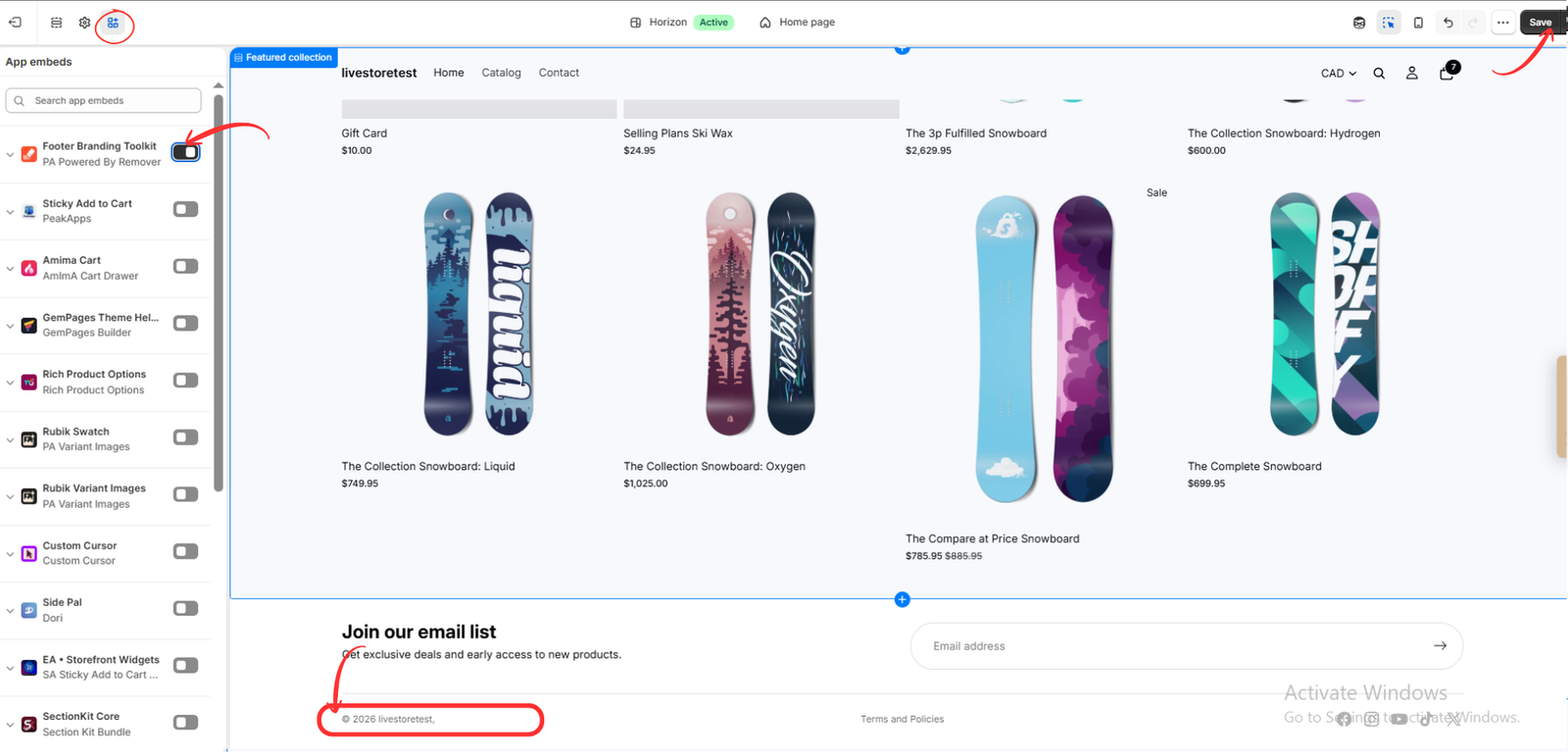
Now open your storefront and scroll to the bottom of the page.
If the app is correctly configured and compatible with your theme, the default “Powered by Shopify” attribution should no longer appear.
Review the footer on both desktop and mobile devices to confirm the changes.
Additional tips for a professional Shopify footer
After removing default attribution, consider improving the footer with relevant business information.
Include a clear copyright notice, links to important policies, and accessible contact information. You can also add supported payment icons or trust badges where appropriate.
Avoid overcrowding the footer with unnecessary links or decorative elements. A simple, organized layout is generally easier for customers to navigate.
Frequently asked questions
Can I remove “Powered by Shopify” without coding?
Yes. PA Powered By Remover provides an app-based approach that does not require manually editing Liquid files.
Can I replace the attribution with my business name?
Yes. The application includes a custom copyright text setting.
Do I need to activate the theme app embed?
Yes, for the method shown in this tutorial. Enable Footer Branding Toolkit and save your theme.
Will removing the attribution affect my store functionality?
Removing the attribution itself should not affect normal store operations, but always test your storefront after applying changes.
Is PA Powered By Remover compatible with all Shopify themes?
Compatibility can vary depending on how a theme implements its footer. Verify the results on your specific theme.
Conclusion
Removing “Powered by Shopify” from your footer is a straightforward way to personalize your online store.
With PA Powered By Remover, merchants can configure footer attribution removal, add custom copyright text, and activate the changes through Shopify’s theme editor without manually modifying Liquid code.
By following the six steps above, you can create a cleaner footer that better reflects your brand identity.Get PA Powered By Remover on the Shopify App Store




