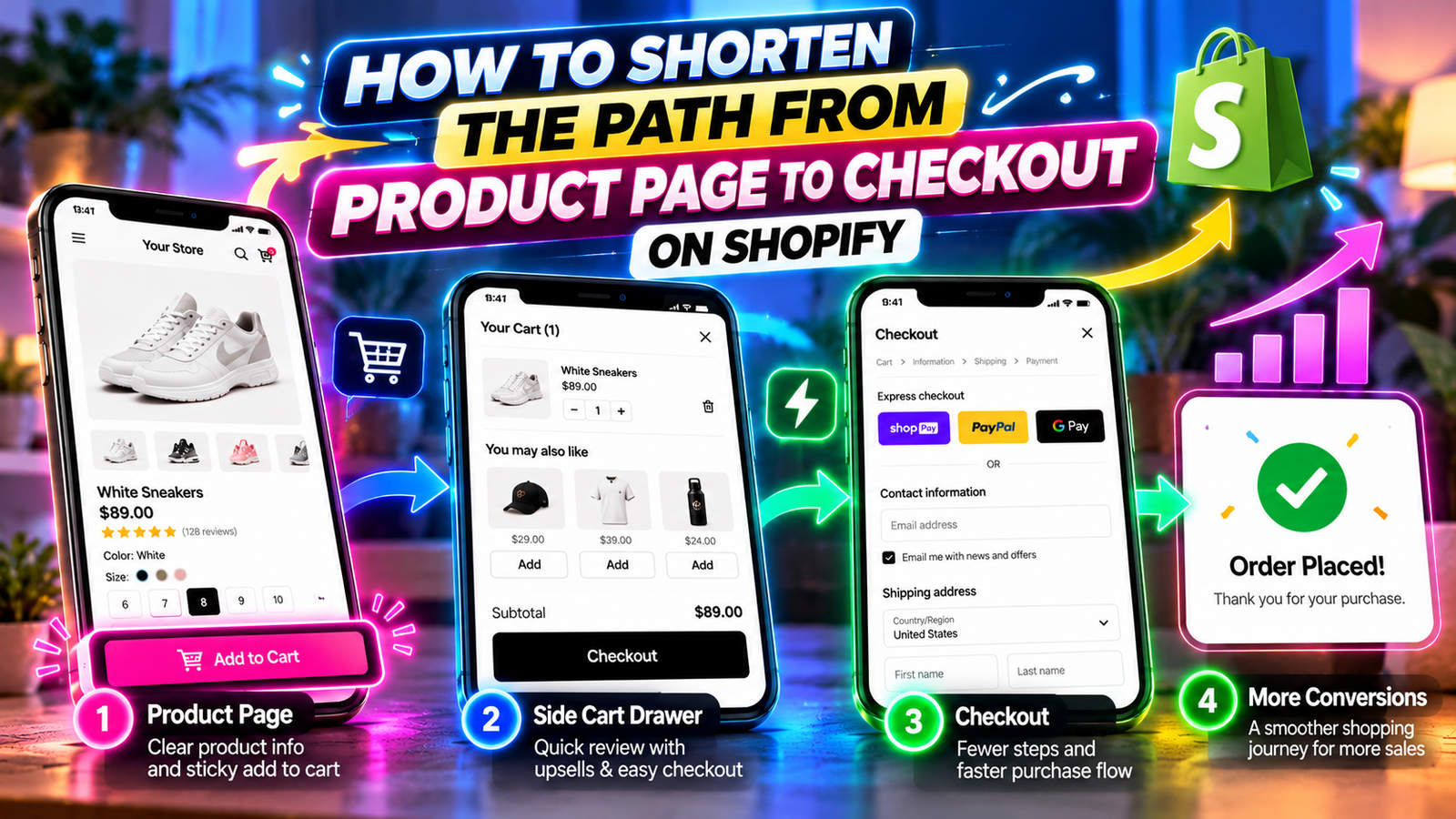
HOW TO SHORTEN THE PATH FROM PRODUCT PAGE TO CHECKOUT ON SHOPIFY
Introduction
A successful online shopping experience should make it easy for customers to move from product discovery to checkout.
However, many Shopify stores introduce unnecessary navigation during this journey.
Customers may need to scroll back to purchase buttons, open separate cart pages, review their products, and search for checkout controls.
Improving the Shopify product page to checkout experience means making these important actions easier to access.
In this guide, we will explain how SA Sticky Add to Cart Drawer can help merchants simplify product purchasing and cart navigation.
Common Problems in the Shopify Purchase Journey
Customers Cannot Find the Add to Cart Button
Long product pages can make the original purchase button difficult to reach after scrolling.
Too Many Page Changes
Customers may need to navigate between product pages and a dedicated cart page several times.
Cart Information Is Difficult to Review
Poorly organized carts can make it harder to check quantities, variants, and pricing.
Checkout Controls Are Not Prominent
Customers should not need to search through a complicated cart interface to find the next step.
Mobile Shopping Requires Extra Effort
On mobile devices, repeated scrolling and page navigation can make purchasing less convenient.
Why a Simpler Shopping Journey Matters
Customers should be able to understand products, choose appropriate options, add items to their cart, and proceed to checkout without unnecessary obstacles.
Simplifying the journey does not mean removing important information or required checkout steps.
Instead, merchants should make essential purchasing actions clear and accessible.
How Sticky Add to Cart Helps
A sticky Add to Cart bar keeps the purchase action accessible as customers scroll.
For example, a shopper reviewing product details near the bottom of a long page can add the product without returning to the original purchase section.
How a Side Cart Drawer Helps
A side cart drawer lets customers review selected products without necessarily opening a separate cart page.
Customers can inspect their cart, check product information, and proceed toward checkout.
When used together, sticky purchase controls and a side cart can support a more convenient shopping journey.
Introducing SA Sticky Add to Cart Drawer
SA Sticky Add to Cart Drawer provides sticky Add to Cart functionality, a configurable side cart, and additional cart enhancements.
The app helps merchants improve purchasing interactions without building these features entirely from scratch.
App link: https://apps.shopify.com/sk-sticky-add-to-cart-drawer
Step-by-Step Guide to Improve the Purchase Journey
Step 1: Open the Shopify App Store
Search for the official Shopify App Store.

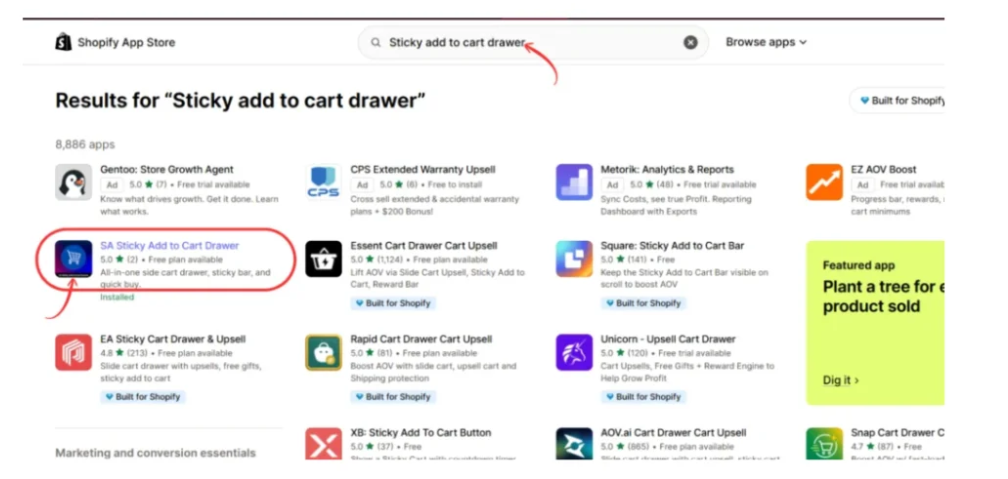
Step 2: Search for SA Sticky Add to Cart Drawer
Enter Sticky add to cart drawer in the search bar.
Locate the SA application.
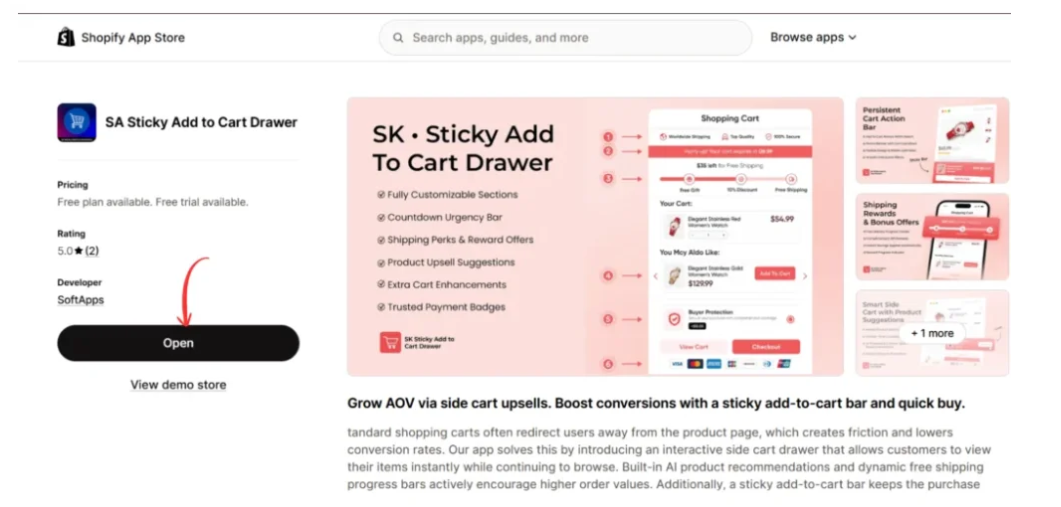
Step 3: Install or Open the App
Open the listing and select Install or Open.
Step 4: Activate the Sticky Add to Cart Bar
Navigate to Setups → Sticky Add To Cart Bar.
Activate the feature and configure when it appears as customers scroll.

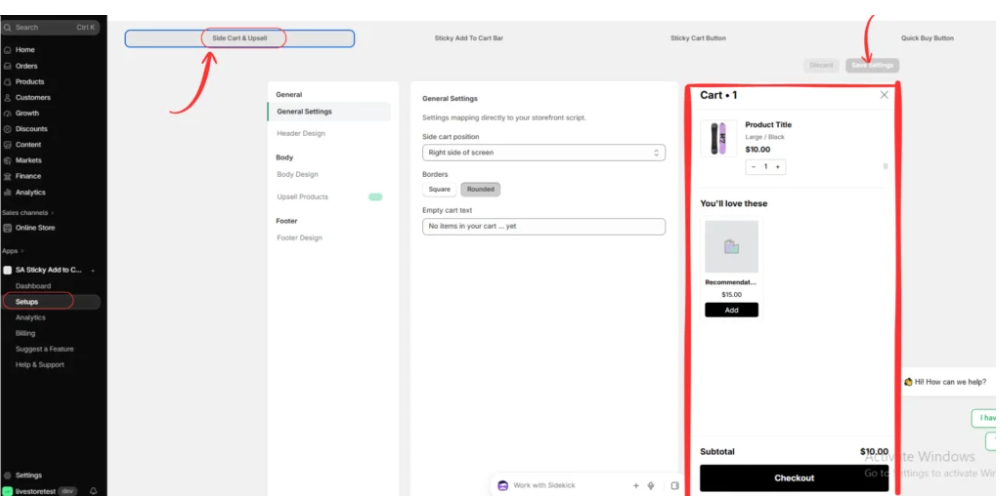
Step 5: Configure the Side Cart
Open Setups → Side Cart & Upsell.
Review the available drawer design and position settings.
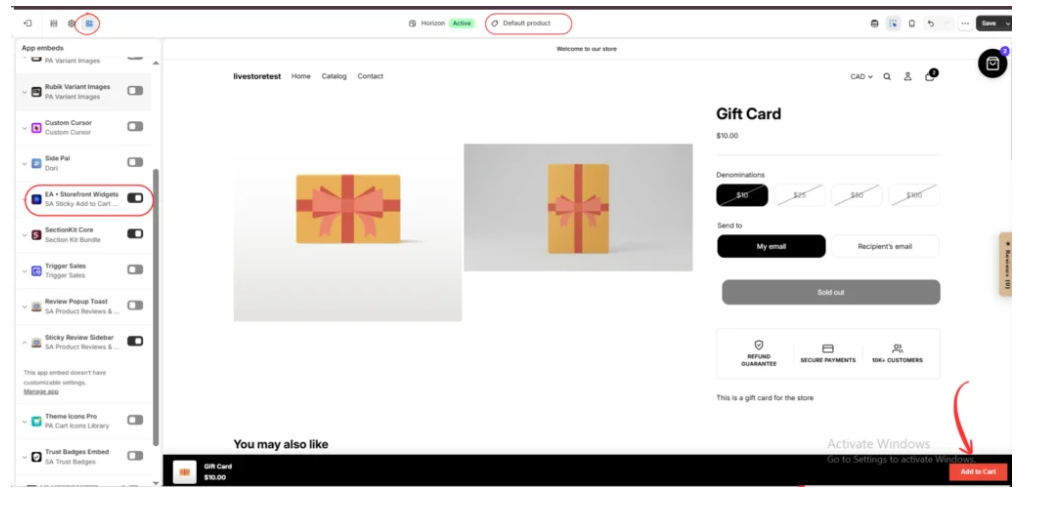
Step 6: Enable the App Embed
Open the Shopify theme editor and enable EA • Storefront Widgets.
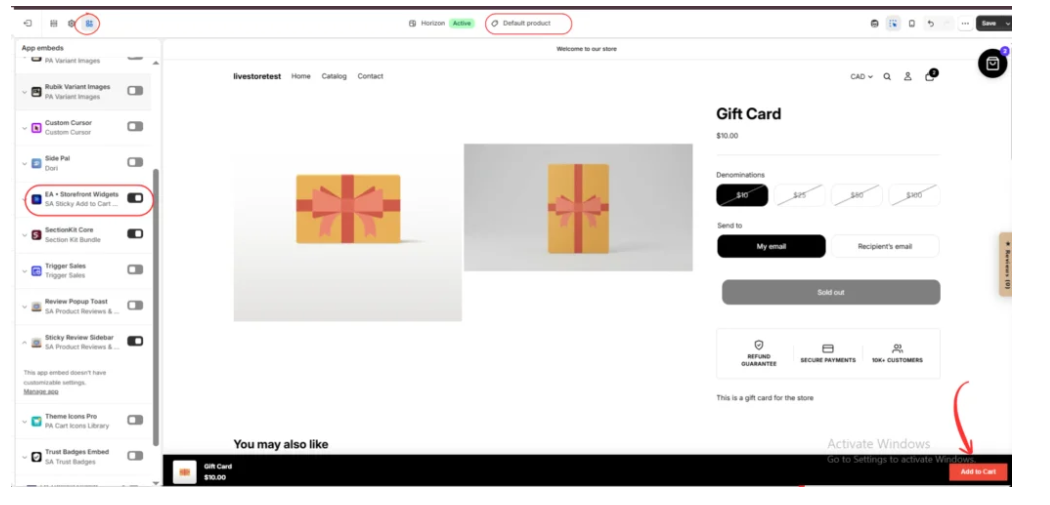
Step 7: Preview the Sticky Purchase Bar
Open a product page and inspect the sticky bar while scrolling.
Confirm that the bar remains accessible without covering important content.
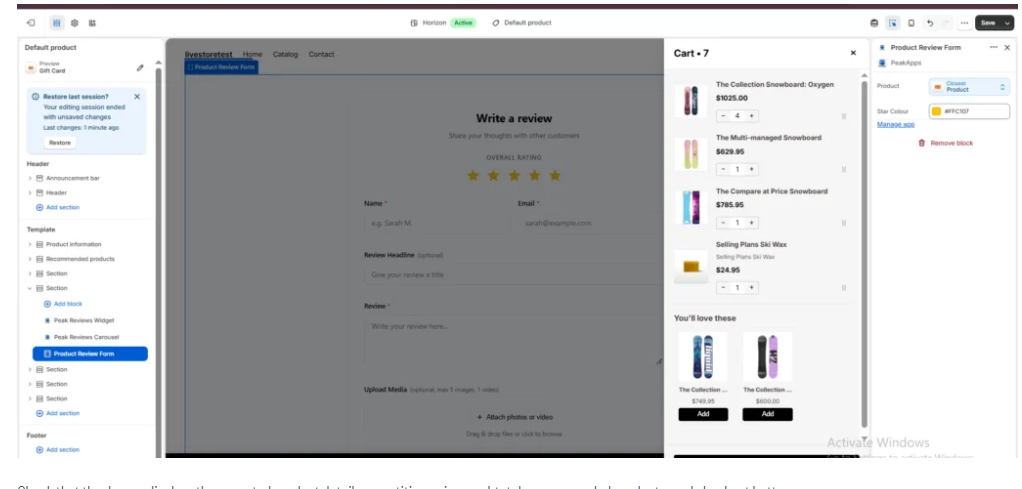
Step 8: Test the Side Cart and Checkout Action
Add an available product to the cart.
Confirm that the drawer displays the correct product information, subtotal, and checkout controls.
Step 9: Test the Complete Mobile Journey
Use mobile preview and, where possible, a physical device.
Test product selection, adding to cart, reviewing the drawer, and proceeding toward checkout.
Additional Ways to Simplify the Shopping Journey
Keep Product Information Clear
Display accurate product descriptions, prices, and availability.
Make Variants Easy to Select
Customers should understand size, color, and other product options.
Reduce Unnecessary Popups
Avoid interrupting customers with unrelated promotional elements.
Improve Page Performance
Optimize images and review unnecessary storefront scripts.
Keep Checkout Controls Visible
Customers should be able to identify how to proceed after reviewing their cart.
Measure Shopping Behavior
Use Shopify analytics to monitor add-to-cart activity, checkout progression, and completed purchases.
Conclusion
Improving the Shopify product page to checkout experience means removing unnecessary navigation and making important purchasing actions easier to access.
A sticky Add to Cart bar helps customers reach the purchase action, while a side cart drawer makes reviewing selected products more convenient.
With SA Sticky Add to Cart Drawer, merchants can configure both features and evaluate how they support the shopping experience.
Explore the app: https://apps.shopify.com/sk-sticky-add-to-cart-drawer




