SHOPIFY THEME SECTIONS VS APPS: WHEN TO USE WHICH?
Introduction
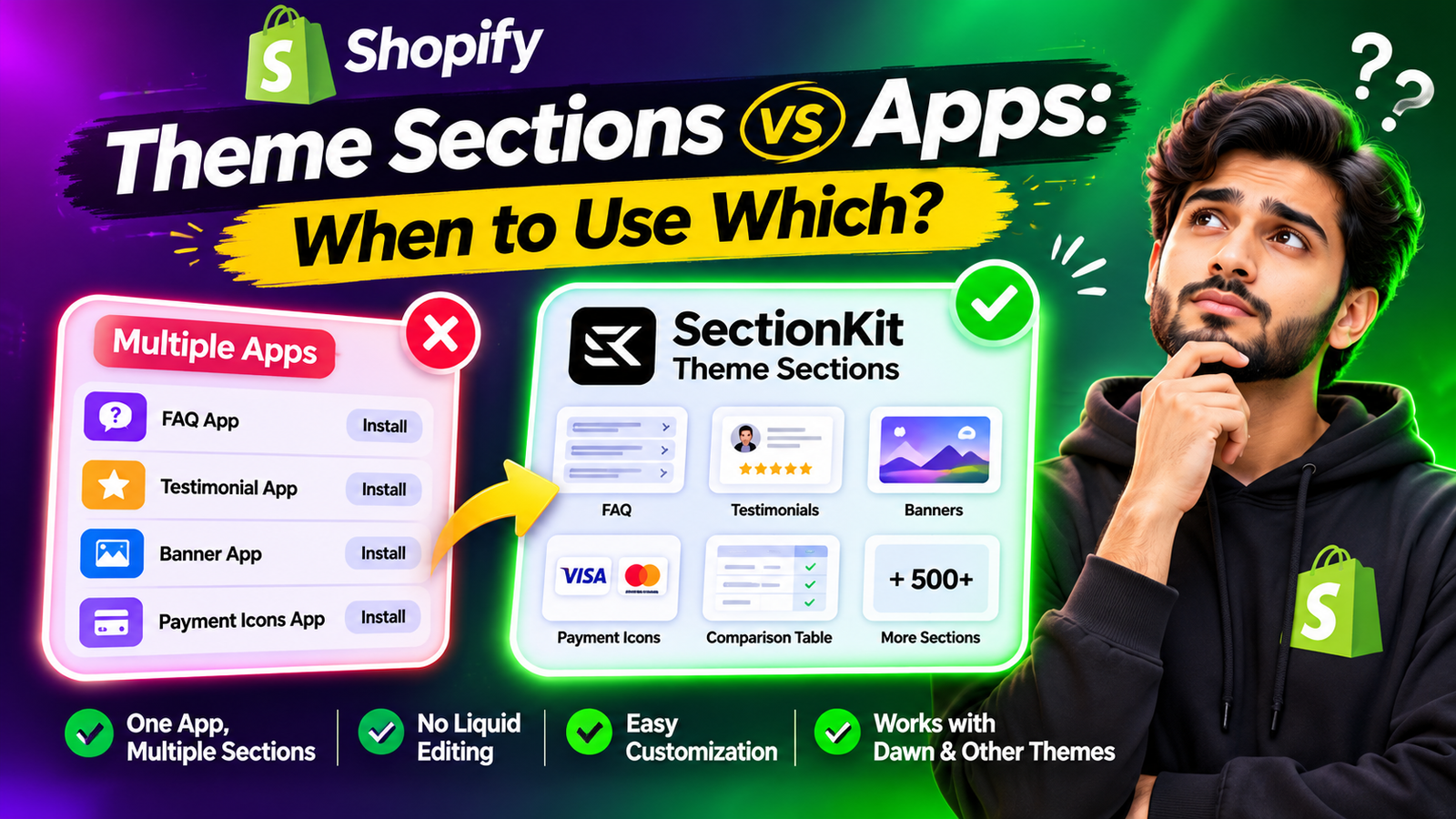
Every Shopify merchant wants a professional, attractive, and easy-to-use online store. But when you need to add an FAQ accordion, testimonial section, payment icons, promotional banner, or comparison table, you may wonder whether you need a separate app for every feature.
The answer is no.
Instead of installing multiple apps for simple storefront design elements, you can use Section Kit: Theme Sections to access a library of ready-made sections from one app.
In this guide, we’ll compare dedicated Shopify apps with theme sections, explain when to use each, and show you how to install and customize sections using SectionKit.
The Merchant’s Challenge: Too Many Apps for Simple Features
Imagine you’re building a Shopify store and need five design features: FAQs, testimonials, payment icons, a promotional banner, and a product comparison table.
Shopify Theme Sections vs Dedicated Apps
Shopify theme sections are customizable content blocks that appear on storefront pages. They are useful for visual elements such as FAQs, banners, testimonials, and image galleries.
Dedicated Shopify apps can provide more specialized functionality, including inventory management, subscriptions, review collection, and advanced discount systems.
| Feature | Dedicated apps | SectionKit sections |
|---|---|---|
| Installation | May require several apps | One section-library app |
| Main purpose | Specific functionality | Storefront design layouts |
| Customization | App-specific settings | Shopify Theme Editor |
| Pricing | Varies by app | Free and paid sections |
| Best for | Advanced functionality | Visual storefront elements |
The main benefit of SectionKit is that you don’t need to install a separate app for every simple design section.
Introducing Section Kit: Theme Sections
Section Kit: Theme Sections offers hundreds of ready-made storefront layouts, including FAQs, testimonials, banners, payment icons, feature cards, and more.
You can browse the library, choose the sections you need, and customize them through Shopify’s Theme Editor without manually editing Liquid code.Explore Section Kit: Theme Sections
Step-by-Step Guide: Add Shopify Sections Using One App
Step 1: Open the Shopify App Store
Search Google for Shopify App Store and open the official website.

Step 2: Search for Theme Sections
Search theme sections to see the different apps available. This demonstrates why merchants might otherwise install multiple apps for simple storefront features.

Step 3: Find Section Kit: Theme Sections
Search Section kit theme section and select the app highlighted in red.
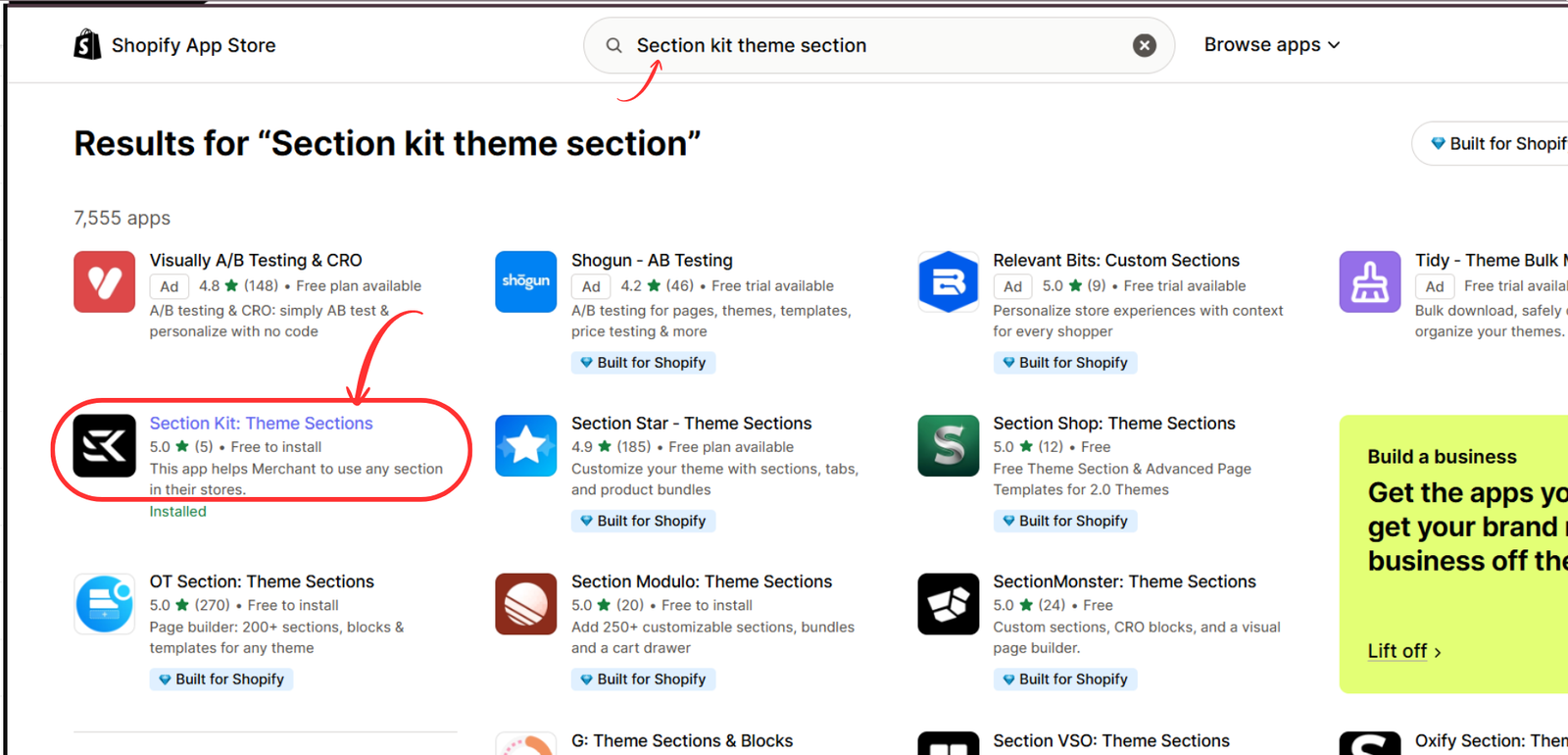
Step 3 — SectionKit search result
Step 4: Explore the SectionKit Library
After installing SectionKit, open Explore Sections to browse the available layouts.
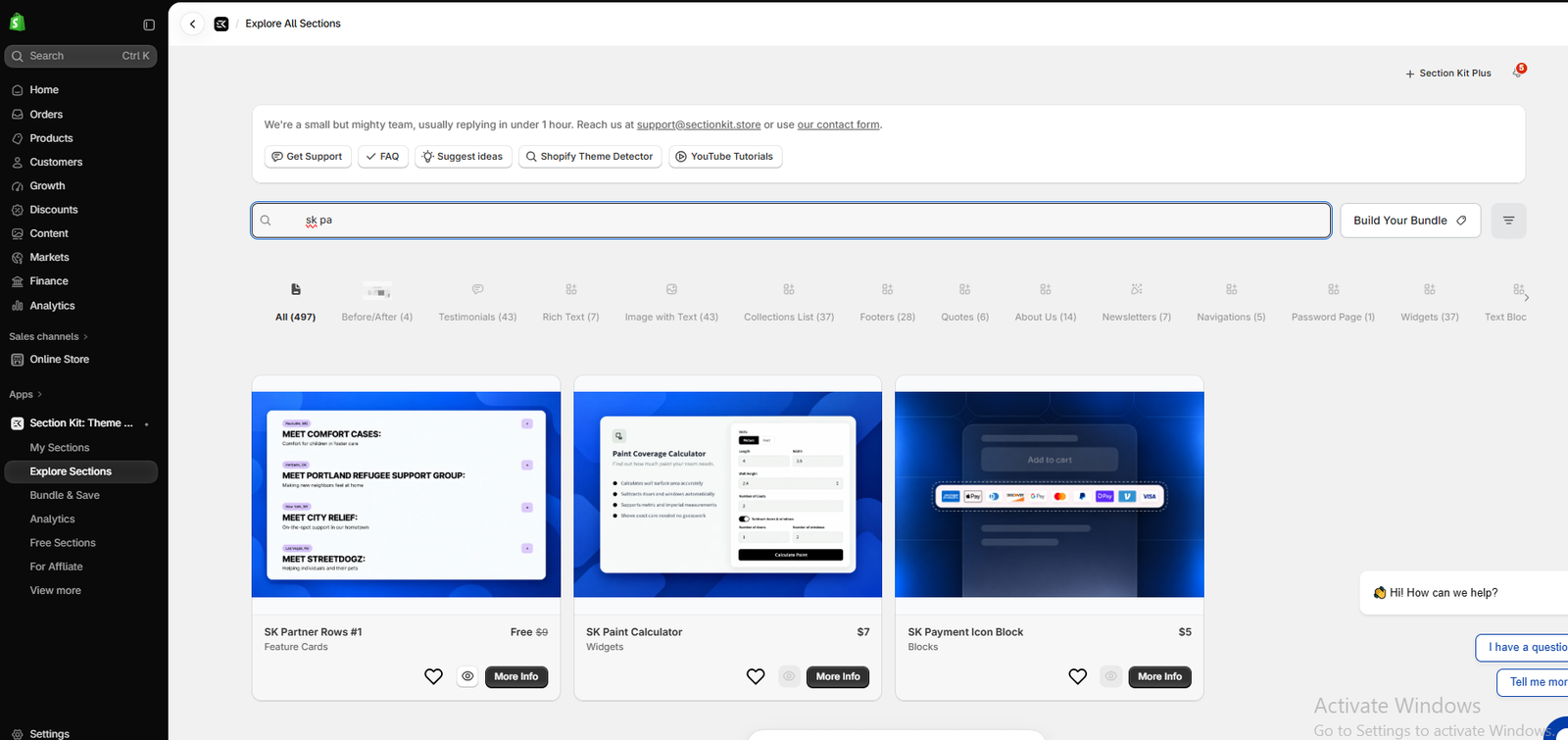
Step 5: Browse Different Section Designs
Choose from available layouts such as FAQs, widgets, feature cards, and payment icons—all within the same app.
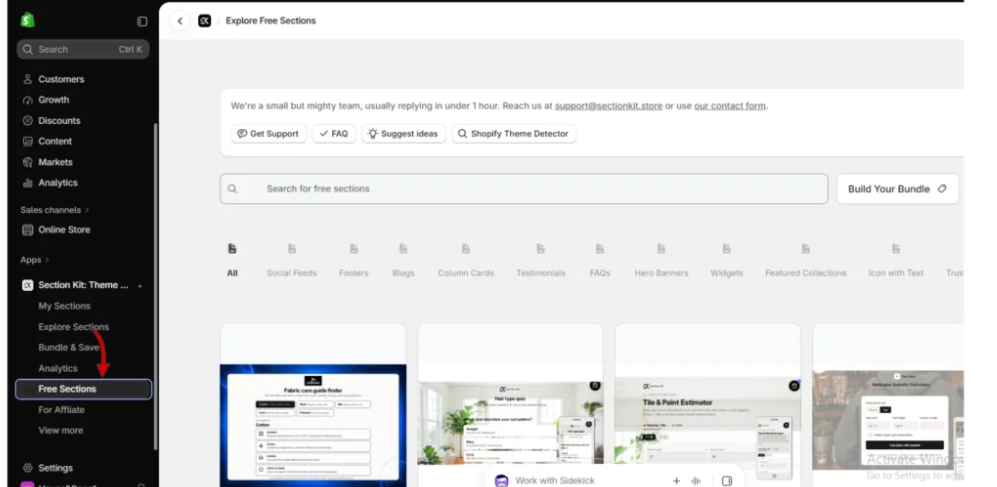
Step 6: Explore Free Sections
Click Free Sections to browse available free designs.

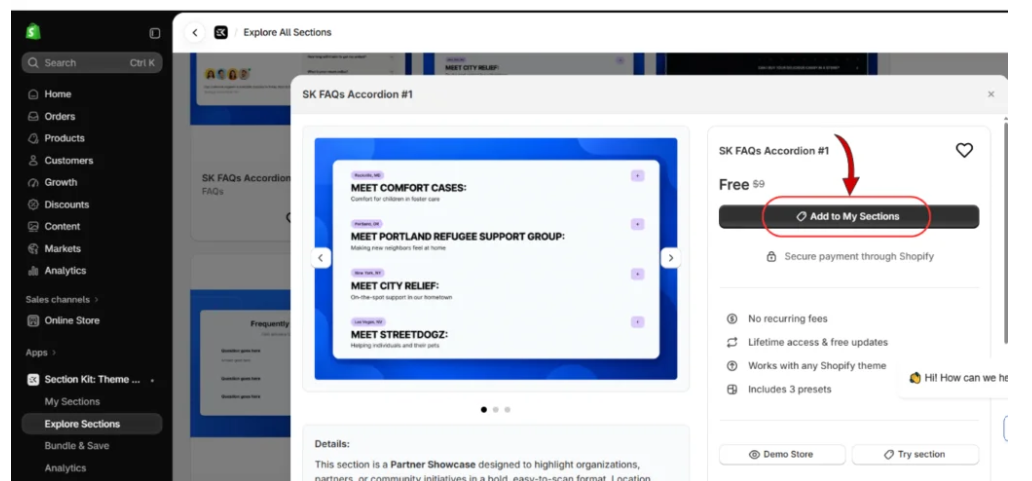
Step 7: Add a Section to Your Library
Open the SK FAQs Accordion #1 details and click Add to My Sections.
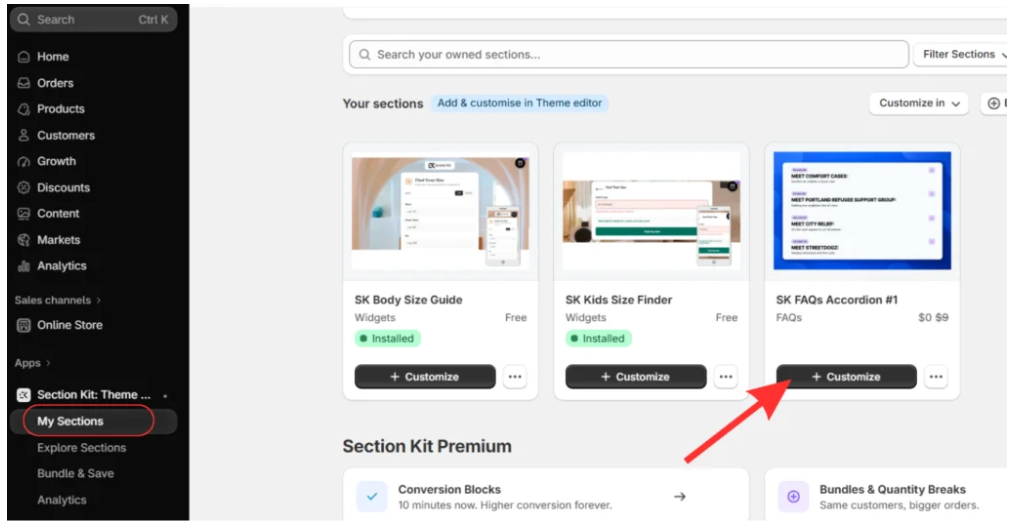
Step 8: Customize Your Selected Section
Open My Sections, locate the FAQ section, and click Customize.
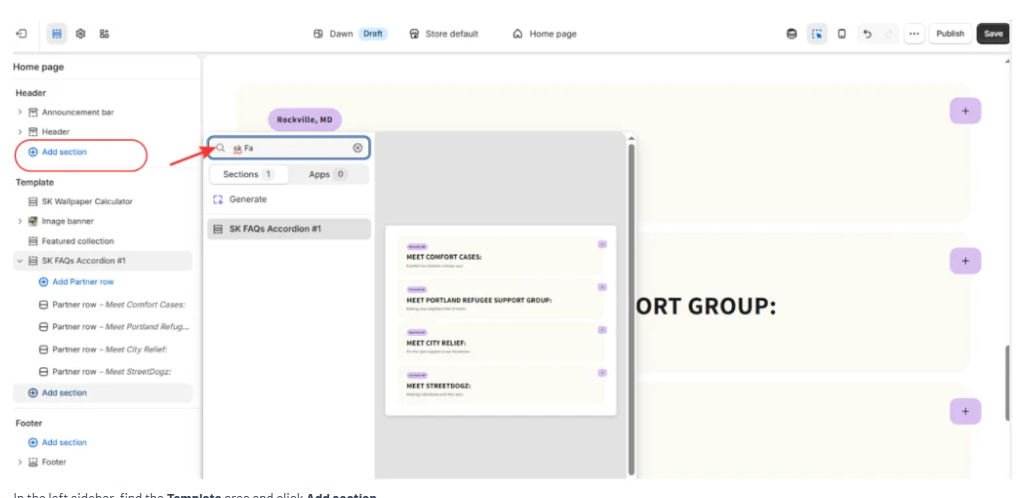
Step 9: Add the Section to Your Theme
Inside the Shopify Theme Editor, click Add section, search for the installed SectionKit section, and select it.
Step 10: Adjust the Section Settings
Customize the layout, page width, spacing, padding, and content to match your store.
Step 11: Save Your Changes
Preview your section and click Save to preserve your customization.

Conclusion
Choosing between Shopify theme sections and dedicated apps depends on what your store needs. While specialized apps are useful for advanced features, installing a separate app for every simple design element can make store management unnecessarily complicated.
With Section Kit: Theme Sections, you can access hundreds of ready-made sections, including FAQs, testimonials, banners, payment icons, and more—all from one app.
Instead of installing multiple apps for basic storefront customization, you can choose the sections you need, customize them directly in the Shopify Theme Editor, and create a professional-looking store without editing Liquid code.
Make Shopify customization easier with SectionKit.Explore Section Kit: Theme Sections on the Shopify App Store




