Shopify vs WooCommerce 2026: The Brutal Honest Comparison for Serious Sellers
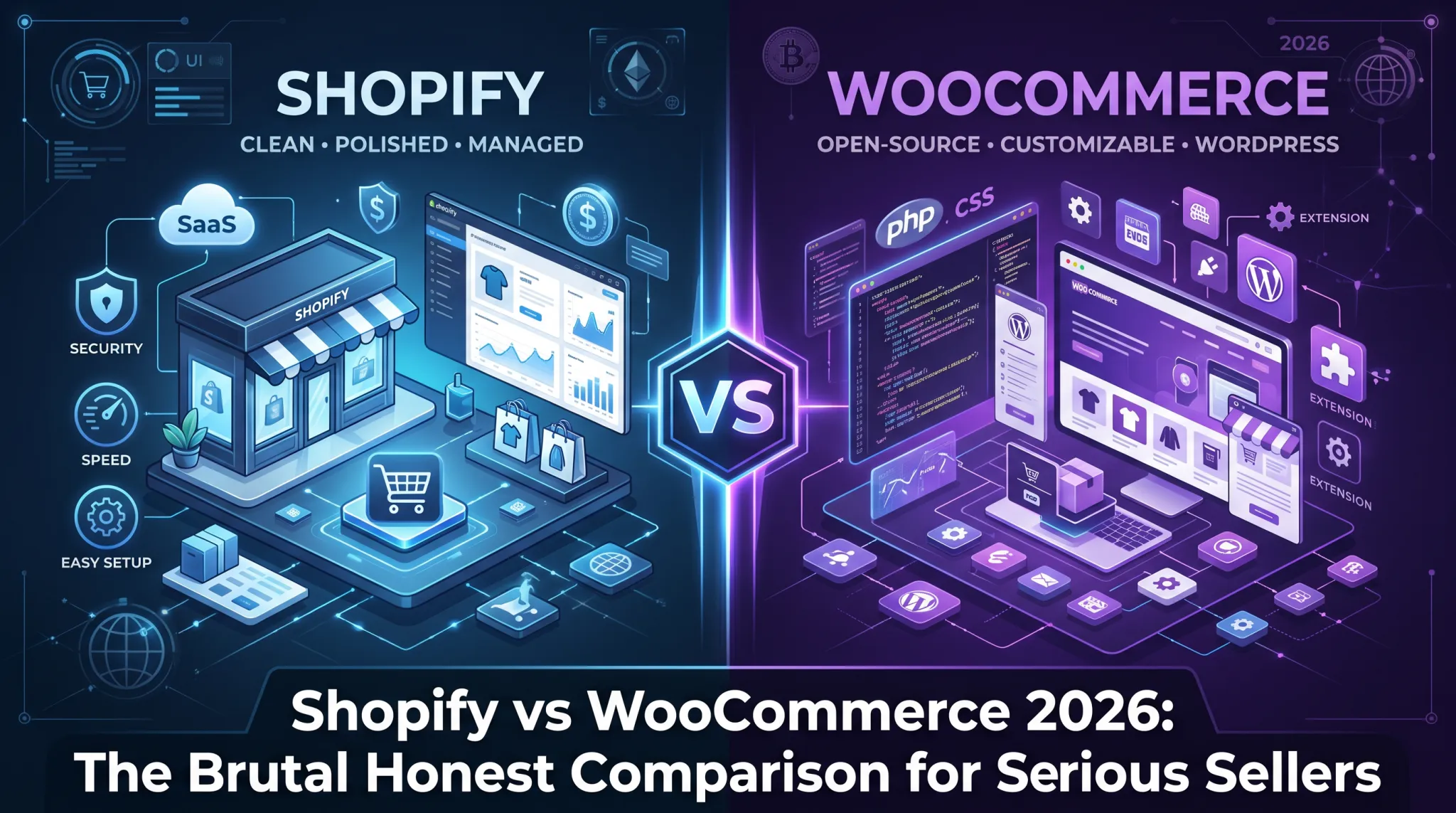
If you are about to choose between Shopify and WooCommerce for your ecommerce business, you are going to find no shortage of comparison articles online. Most of them are either written by affiliate marketers who earn more commission from one platform than the other, or by developers who have a personal preference baked into their opinion from years of working with one stack.
This comparison is different. It is written for serious sellers who are either starting a new store and want to make the right decision from the beginning, or who are running an existing store and wondering if they are on the right platform for where their business is going.
Both platforms have real strengths and real weaknesses. Neither one is universally better. The right answer depends entirely on what kind of business you are running, what your technical resources look like, how much you want to spend, and where you want to be in three years.
This article covers every meaningful dimension of the comparison honestly, including the things that neither platform’s marketing material will tell you.
What Each Platform Actually Is
Before comparing them, it is worth being precise about what you are actually comparing, because the fundamental nature of these two platforms is quite different.
Shopify is a fully hosted ecommerce platform. You pay a monthly subscription and Shopify handles the hosting, security, software updates, and infrastructure. You build your store within Shopify’s ecosystem using their tools, themes, and apps. You do not own the software you are running on and you cannot access the underlying code of the platform itself.
WooCommerce is an open-source plugin for WordPress. It is free to download and install, but it requires you to provide your own hosting, manage your own security, handle your own updates, and take responsibility for the technical operation of your store. You own everything. The software, the database, the files, the hosting environment. All of it is yours.
This fundamental difference in architecture drives almost every other difference between the two platforms. Understanding this from the start will help everything else in this comparison make sense.
The Cost Reality in 2026
Cost is usually the first thing people want to compare, and it is also the area where the most misleading information exists. Let us go through the real numbers.
Shopify has three main plans. The Basic plan costs $39 per month. The Shopify plan costs $105 per month. The Advanced plan costs $399 per month. There is also Shopify Plus starting at $2,300 per month for enterprise level businesses.
Those headline numbers look simple but they do not tell the full story. On top of the monthly subscription, Shopify charges transaction fees on every sale if you are not using Shopify Payments as your payment processor. On the Basic plan that fee is 2% per transaction. On the Shopify plan it is 1%. On the Advanced plan it is 0.6%. For a store processing significant volume through a third-party payment gateway, these fees add up to a substantial additional cost.
Then there are apps. The average Shopify store uses between 10 and 20 apps. Many of the most useful apps cost between $20 and $100 per month each. It is not unusual for a mid-sized Shopify store to have a total app bill of $300 to $600 per month on top of the platform subscription. A serious Shopify store often costs between $500 and $1,500 per month in total platform and app costs before you spend a dollar on marketing or inventory.
WooCommerce is free to download and the plugin itself costs nothing. But running a serious ecommerce store on WooCommerce is absolutely not free. You need hosting, which for a store doing meaningful volume should be managed WordPress hosting from a provider like Kinsta, WP Engine, or Nexcess. That costs between $50 and $300 per month depending on your traffic and storage needs.
Then you need a premium theme, typically $50 to $200 as a one-time purchase. Many essential WooCommerce extensions, the equivalent of Shopify apps, cost money. Payment gateway extensions, advanced shipping rules, subscription billing, membership functionality, and product configurators all often require paid extensions. A fully equipped WooCommerce store might spend $200 to $500 per year on extensions.
You also need to account for developer time. WooCommerce requires ongoing technical maintenance. Updates need to be applied, conflicts need to be resolved, performance needs to be monitored. If you do not have technical skills yourself, you will pay a developer for this work. Expect to budget $100 to $500 per month for ongoing technical support depending on the complexity of your store.
When you add everything up honestly, a mid-sized WooCommerce store typically costs between $300 and $800 per month in total platform costs including hosting and extensions but not including developer time. A comparable Shopify store costs between $500 and $1,500 per month.
WooCommerce has a cost advantage for stores that have in-house technical resources or where an owner is technically capable. Shopify has a cost advantage for stores where time is more valuable than money and where the convenience of a managed platform justifies the premium.
Ease of Use and Getting Started
This is where Shopify has a clear and significant advantage that is difficult to argue with.
Setting up a Shopify store requires no technical knowledge whatsoever. You sign up, choose a theme, add your products, configure your payment settings, and you can be selling within a day or two. The interface is clean, logical, and well-designed. Everything you need to run your store is organized in a sensible way. A complete beginner can become a confident Shopify store operator within a week.
WooCommerce requires you to first set up a WordPress site, which itself requires choosing a hosting provider, installing WordPress, configuring basic WordPress settings, and then installing and activating the WooCommerce plugin. Before you have even started customizing your store you have already done more technical work than a Shopify setup requires in total.
Once WooCommerce is set up, the ongoing management is also more complex. Updates to WordPress core, WooCommerce, your theme, and each individual plugin need to be managed carefully because they can conflict with each other. When something breaks on a Shopify store, you contact Shopify support. When something breaks on a WooCommerce store, you troubleshoot it yourself or hire someone to do so.
For a complete beginner or a store owner who does not want to think about technology, Shopify wins this comparison easily and decisively. For a developer or technically confident entrepreneur who is comfortable managing a WordPress environment, the setup and maintenance burden of WooCommerce is manageable and may not even feel like a burden.
Design and Customization
Both platforms offer extensive design options, but the nature of that customization is quite different.
Shopify has a theme store with hundreds of professionally designed themes, both free and paid. Paid themes typically cost between $150 and $350 as a one-time purchase. The themes are generally high quality, mobile-optimized, and built to Shopify’s technical standards. Shopify’s theme editor allows visual customization without code, which means you can adjust colors, fonts, layouts, and content blocks through a drag-and-drop interface.
The limitation of Shopify’s design customization is that you are always working within the constraints of what Shopify and your chosen theme allow. If you want to do something that your theme does not natively support and that cannot be achieved through apps, you need a developer who is comfortable working with Shopify’s Liquid templating language. Deep customizations can be time-consuming and expensive.
WooCommerce, built on WordPress, has access to thousands of themes and the full power of the WordPress customization ecosystem. More importantly, because WooCommerce gives you complete access to the underlying code, there is essentially no design limitation. If you can imagine it and have the development resources to build it, you can do it.
For stores that need a highly customized, unique design that does not look like a typical ecommerce template, WooCommerce with a custom-built theme is significantly more flexible. For stores that need a professional, well-designed storefront without extensive custom development, Shopify’s theme ecosystem provides excellent options that are faster and cheaper to implement.
The page builder ecosystem for WordPress is also worth mentioning. Tools like Elementor and Divi allow non-developers to build highly custom page layouts in WordPress and WooCommerce. These tools have no real equivalent in the Shopify ecosystem, and they give WooCommerce store owners significant design power without requiring code.
Performance and Site Speed
This is an area where many comparison articles are dishonest, so let us be precise.
Shopify’s infrastructure is genuinely excellent. Shopify runs on a global CDN, their servers are enterprise-grade, and the platform is built to handle significant traffic spikes without degradation. The hosting performance you get from Shopify at the $39 per month tier is better than what most people would set up themselves for the same price.
However, and this is important, Shopify stores are often slow despite excellent infrastructure. The reason is the same one that causes most of the performance problems discussed elsewhere in the Shopify performance world. Apps, theme bloat, and unoptimized JavaScript. The platform is fast. The stores built on it often are not.
WooCommerce on cheap shared hosting is slow. There is no way around this. If you are running WooCommerce on a $5 per month hosting plan, your store will perform poorly and it will get worse as traffic grows. WooCommerce requires proper hosting investment to perform well.
WooCommerce on quality managed WordPress hosting is genuinely fast. When paired with a well-optimized theme, a caching solution like WP Rocket, a CDN, and careful plugin management, a WooCommerce store can achieve excellent Core Web Vitals scores and fast load times that match or exceed what you would get from an equivalent Shopify store.
The key difference is that Shopify’s performance floor is higher. Even a carelessly set up Shopify store will load reasonably fast because the infrastructure is managed professionally. WooCommerce’s performance ceiling is equally high but requires deliberate technical investment to reach.
For store owners who are not going to actively manage performance, Shopify gives you a better starting point. For technically minded operators who are willing to optimize properly, WooCommerce can match Shopify’s performance.
SEO Capabilities
SEO is one of the most debated aspects of the Shopify versus WooCommerce comparison, and the truth is more nuanced than either side typically admits.
Shopify has made significant improvements to its SEO capabilities over the years. You can customize title tags and meta descriptions for every page. You get automatic sitemap generation. The platform handles canonical URLs reasonably well. Shopify’s infrastructure means your store is almost always up and fast, which are positive signals for Google.
The limitations of Shopify’s SEO are real but often overstated. The URL structure is less flexible than WordPress. Shopify forces your blog posts into a /blogs/ subdirectory and your products into a /products/ subdirectory and your collections into a /collections/ subdirectory. You cannot change this structure. For most stores this does not matter at all. For some specific SEO strategies, particularly those that rely on URL structure, it can be a constraint.
Shopify also does not give you the granular technical SEO control that WordPress with the right plugins provides. Features like advanced schema markup configuration, detailed redirect management, crawl budget optimization, and log file analysis all require either Shopify apps or workarounds.
WooCommerce on WordPress with a plugin like Rank Math or Yoast SEO gives you some of the most powerful on-site SEO control available on any platform. You have complete control over your URL structure, your meta data, your schema markup, your redirects, your crawl directives, your canonical tags, and virtually every other technical SEO element. You can customize absolutely everything.
For pure SEO flexibility, WooCommerce is the more powerful platform. But the SEO advantage only translates to better rankings if you actually use those capabilities correctly. Having more control does not automatically mean better results. A Shopify store managed by someone with solid SEO fundamentals will outrank a WooCommerce store that is technically capable but poorly optimized.
Ecommerce Features Out of the Box
Both platforms handle the core ecommerce functionality well. Product listings, shopping carts, checkout, payment processing, order management, and basic inventory tracking all work on both platforms. The differences emerge in the more advanced features.
Shopify has some clear advantages in the out-of-the-box ecommerce experience. The checkout is fast, clean, and high-converting. Shopify has invested heavily in checkout optimization over the years and their checkout conversion rates are genuinely excellent. Shop Pay, Shopify’s accelerated checkout option, consistently outperforms other accelerated checkouts in A/B tests. For merchants who use Shopify Payments, the entire payment ecosystem is tightly integrated and works seamlessly.
Shopify also handles multi-currency selling, international markets, and localization well through its Markets feature. For stores selling to customers in multiple countries, Shopify’s built-in tools for displaying local currencies, adjusting prices by market, and handling international shipping are mature and well-implemented.
WooCommerce has advantages in flexibility for complex product types. Physical products, digital downloads, subscriptions, memberships, bookings, auctions, and virtually any other product model can be built on WooCommerce through extensions. Shopify can handle most of these too, but WooCommerce’s open-source nature means the extension ecosystem for unusual product types is often deeper.
WooCommerce also gives you more control over your checkout process. You can customize every element of the checkout flow, add custom fields, change the layout, and modify the logic in ways that Shopify does not allow without significant development work.
For standard retail products sold to consumers, both platforms handle the core functionality equivalently. For unusual product types, complex pricing rules, or highly customized checkout flows, WooCommerce typically offers more flexibility.
App and Plugin Ecosystems
Shopify has around 8,000 apps in its App Store. The quality control is reasonable and most apps work reliably within the Shopify ecosystem. The downside is that many essential functions require paid apps, and as discussed earlier, app costs can add significantly to your monthly expenses.
WooCommerce has access to the entire WordPress plugin ecosystem, which contains over 60,000 plugins. The breadth is significantly greater than Shopify’s app store. The quality, however, is more variable. Unlike Shopify’s app store which has vetting requirements, anyone can publish a WordPress plugin and many plugins are abandoned, poorly coded, or incompatible with current versions of WordPress and WooCommerce.
For finding solutions to common ecommerce problems, both ecosystems are adequate. Where WooCommerce’s broader plugin ecosystem shines is in integration with specialized tools and services, content marketing functionality through WordPress plugins, and niche ecommerce use cases that the mainstream Shopify app store does not serve well.
The integration landscape also differs meaningfully. Shopify has excellent native integrations with major ecommerce tools like Klaviyo, Gorgias, and the major advertising platforms. These integrations are maintained by the companies offering them and generally work reliably. WooCommerce integrations are available for most of the same tools but are sometimes less polished or require more configuration.
Scalability and Growth
This is a question that comes up constantly. Which platform can you grow with as your business gets bigger?
The honest answer is that both platforms scale, but they scale differently and with different challenges.
Shopify scales easily in terms of technical infrastructure. You do not have to worry about your hosting plan as your traffic grows because Shopify manages that automatically. A store doing $1,000 per month and a store doing $1,000,000 per month run on the same platform infrastructure. The monthly plan cost increases as you access more features, but you never face the technical scaling challenges of outgrowing your server.
The scaling challenges on Shopify are commercial rather than technical. As your revenue grows, you move up through the pricing tiers. If you need features available only on Shopify Plus, the cost jumps significantly. Transaction fees on third-party payment processors can become substantial at high volume. The platform lock-in becomes more significant as you invest more in Shopify-specific development, apps, and workflows.
WooCommerce scales technically but requires more active management as you grow. A store doing serious volume needs quality hosting, proper caching, database optimization, and potentially a more complex technical architecture. Getting this right requires either technical expertise or budget for technical support. Getting it wrong means performance problems that hurt conversion rates.
The advantage WooCommerce offers at scale is ownership and cost control. You are not paying transaction fees to Shopify. Your platform costs do not automatically increase as your revenue increases. You own your data and your codebase completely. For businesses doing very high volumes where transaction fees and Shopify Plus costs would be significant, WooCommerce can offer meaningfully lower total platform costs.
Data Ownership and Portability
This is an area that does not get enough attention in most comparisons, but for serious sellers it is a critical consideration.
With Shopify, your data lives in Shopify’s systems. You can export your product data, customer data, and order history in CSV format, but you cannot export the underlying database in a format that makes migration straightforward. If you ever want to leave Shopify, migrating to another platform is a significant project that typically requires developer resources and involves some data loss or transformation.
You also do not have full ownership of your storefront code. The Shopify platform itself is licensed to you, not owned by you. If Shopify changes its pricing, changes its policies, or in an extreme scenario ceased to exist, your business would be directly impacted in ways that a WooCommerce store owner would not face.
With WooCommerce, you own everything. The database, the files, the code, the hosting environment. You can take a complete backup of everything and move it to any WordPress hosting provider in the world. You can hire any developer who knows WordPress to work on your store. You are not locked into any single vendor’s ecosystem.
For businesses where the ecommerce store is a critical asset and long-term independence is important, WooCommerce’s ownership model is a genuine advantage that has real business value. For businesses that prioritize operational simplicity and are comfortable with the Shopify ecosystem, the ownership question matters less.
Customer Support
Shopify offers 24/7 customer support through chat, email, and phone on all paid plans. The support quality is generally good for common issues and adequate for most questions a store owner will have. Shopify also has extensive documentation, a large community forum, and thousands of YouTube tutorials covering virtually every aspect of running a store.
WooCommerce support is more fragmented because WooCommerce itself is free and open-source. The WooCommerce team provides support for the core plugin through their documentation and forums. For paid extensions from WooCommerce, you get email support from their team. But when something goes wrong, figuring out whether the problem is in WordPress, WooCommerce, your theme, or one of your plugins requires troubleshooting that goes beyond what any single support channel can fully address.
In practice, WooCommerce store owners rely more heavily on the broader WordPress community, developer resources, and their hosting provider’s support team. For someone who is comfortable in that kind of self-directed support environment, it works fine. For someone who wants to be able to call a single number and have a professional help them solve any problem with their store, Shopify is significantly better.
Security
Shopify handles security at the platform level. SSL certificates, PCI compliance, security patches, and protection against common attacks are all managed by Shopify. You do not have to think about security as a store owner because it is handled for you. This is a genuine and significant advantage, particularly for store owners who do not have a technical background.
WooCommerce security is your responsibility. This does not mean WooCommerce is insecure. It means that maintaining security requires active attention. You need to keep WordPress, WooCommerce, and all your plugins updated. You need to use a security plugin. You need to configure your hosting environment securely. You need SSL, which reputable hosts provide automatically, but you need to make sure it is configured correctly.
The vast majority of WooCommerce security incidents are the result of neglected updates or poorly configured hosting rather than fundamental vulnerabilities in the platform. A well-maintained WooCommerce store is very secure. But it requires that maintenance to stay that way.
For store owners who will not stay on top of technical maintenance, Shopify’s managed security is a meaningful protective advantage.
Who Should Choose Shopify
Shopify is the right choice if you are a solo entrepreneur or small team without technical resources who wants to focus on products and marketing rather than technology. It is the right choice if you want to get to market quickly and cannot afford the time investment of a WooCommerce setup. It is right for stores that fit standard retail models without complex customization requirements. It is right for businesses that want predictable, managed infrastructure without the overhead of technical operations.
Shopify is particularly strong for stores that rely heavily on social commerce and the Shopify ecosystem integrations, for businesses that want to use Shopify’s checkout and payment infrastructure for high conversion rates, and for store owners who value the peace of mind of a single vendor relationship for their entire platform.
Who Should Choose WooCommerce
WooCommerce is the right choice if you have technical resources either in-house or through a trusted developer. It is right for businesses where content marketing is a core strategy and the full power of WordPress as a content platform is valuable. It is right for stores with complex customization requirements that go beyond what Shopify’s theme and app ecosystem can deliver cost-effectively.
WooCommerce is particularly strong for businesses doing high volumes where Shopify’s transaction fees and tier pricing would create significant costs. It is right for businesses that want full data ownership and platform independence. It is the better choice for businesses building complex ecommerce functionality like subscriptions, memberships, auctions, or highly customized product configurators.
The Migration Question
A significant number of people reading this comparison are not choosing a platform for the first time. They are running on one platform and wondering if they should switch to the other.
Migration is almost always more complex, costly, and disruptive than it appears in advance. If you are running a functioning store on either platform and it is meeting your needs, the bar for switching should be high. The disruption of migration, including potential SEO impact from URL changes, the development cost of rebuilding customizations, the retraining required for your team, and the risk of things going wrong, is significant.
Migrate when you have a clear, specific problem with your current platform that the other platform definitively solves and that cannot be solved within your current platform. Do not migrate because of general dissatisfaction or because you read that the grass is greener. It usually is not, and the migration process is always harder than the comparison articles make it look.
The Verdict
There is no universal winner between Shopify and WooCommerce in 2026. Anyone who tells you otherwise is either oversimplifying or has an agenda.
Shopify wins on ease of use, managed infrastructure, security, and getting to market quickly. It is the better choice for most beginners, most small teams, and most stores that fit standard retail models.
WooCommerce wins on flexibility, ownership, cost at scale, content marketing power, and customization depth. It is the better choice for technical teams, content-driven businesses, high-volume stores where platform costs matter, and any business that needs to build something that does not fit the standard Shopify mold.
The question to ask yourself is not which platform is better in the abstract. The question is which platform is better for your specific business, your specific team, your specific technical resources, and your specific growth path. Answer that question honestly and the right choice will become clear.