STICKY ADD TO CART VS CART DRAWER: WHICH IMPROVES MOBILE CONVERSIONS?
Introduction
Mobile shopping requires a different approach to storefront design. Customers browse products on smaller screens, scroll through detailed information, and expect important purchase controls to remain accessible.
Two commonly used Shopify cart enhancements are sticky add to cart buttons and cart drawers.
Although they are sometimes discussed together, they solve different shopping problems.
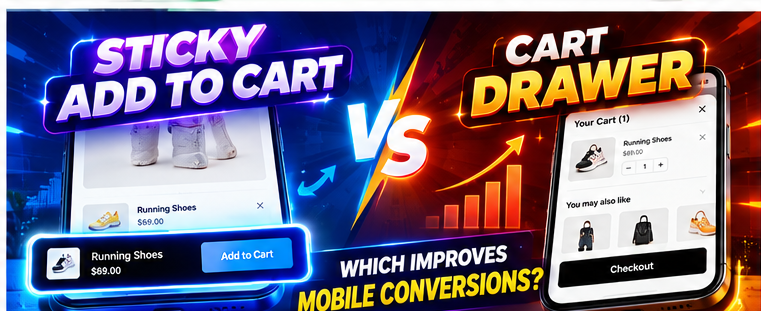
A sticky add to cart button makes it easier to add products while scrolling, whereas a cart drawer provides a convenient way to review selected items.
Understanding sticky add to cart vs cart drawer functionality can help Shopify merchants decide which features best support their mobile customers.
Common Mobile Shopping Challenges
Long Product Pages
Product pages often contain images, descriptions, size charts, specifications, and customer reviews.
When shoppers scroll through this content, the original Add to Cart button may disappear.
Difficult Cart Navigation
Customers may need to leave a product page to review their cart, interrupting their browsing experience.
Limited Mobile Screen Space
Mobile layouts must balance product information, navigation, purchase buttons, and cart controls.
Too Many Purchasing Steps
Customers may become frustrated when simple shopping actions require unnecessary scrolling or navigation.
What Is a Sticky Add to Cart Button?
A sticky add to cart button is a purchase control that remains visible in a fixed position while customers scroll.
Its purpose is to keep the Add to Cart action accessible.
For example, a customer reading a long product description can add the product without scrolling back to the top.
This is particularly useful for stores with detailed product pages.
What Is a Cart Drawer?
A cart drawer is a panel that opens over the current storefront page.
It allows customers to review products they have already added to their cart.
Depending on its configuration, the drawer may include product images, quantities, subtotal, recommendations, and checkout controls.
Sticky Add to Cart vs Cart Drawer: Key Differences
| Feature | Sticky Add to Cart | Cart Drawer |
|---|---|---|
| Primary purpose | Easier product adding | Easier cart reviewing |
| Location | Fixed purchase bar | Sliding cart panel |
| Mobile benefit | Less scrolling | Less page navigation |
| Customer action | Add a product | Review cart and proceed |
| Best use | Long product pages | Multi-product shopping |
Which Feature Is Better for Mobile Conversions?
There is no universal winner.
A sticky add to cart button may be more useful when customers frequently scroll through long product pages.
A cart drawer may be more useful when shoppers often add multiple products and need to review their selections.
Using both can create a complementary experience: customers add products through a convenient purchase button and review their cart through a drawer.
Actual conversion improvements should be measured through testing.
Introducing SA Sticky Add to Cart Drawer
SA Sticky Add to Cart Drawer provides both sticky purchase functionality and a configurable side cart.
Merchants can use these features to improve different parts of the shopping journey.
App link: https://apps.shopify.com/sk-sticky-add-to-cart-drawer
Step-by-Step Guide to Configure Both Features
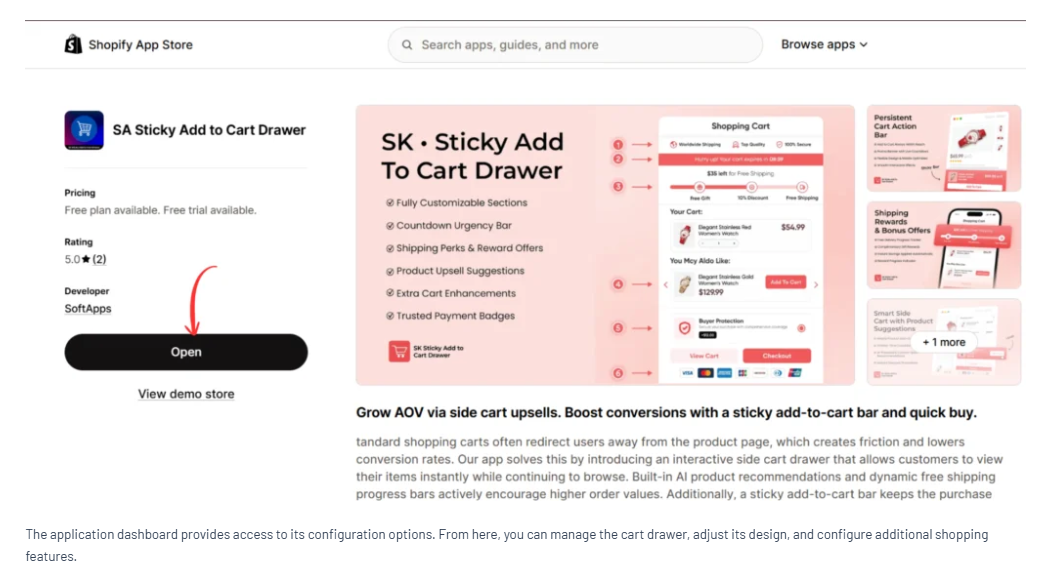
Step 1: Find the Application
Search the Shopify App Store for SA Sticky Add to Cart Drawer.


Step 2: Open the App
Install the app or open it from the listing.
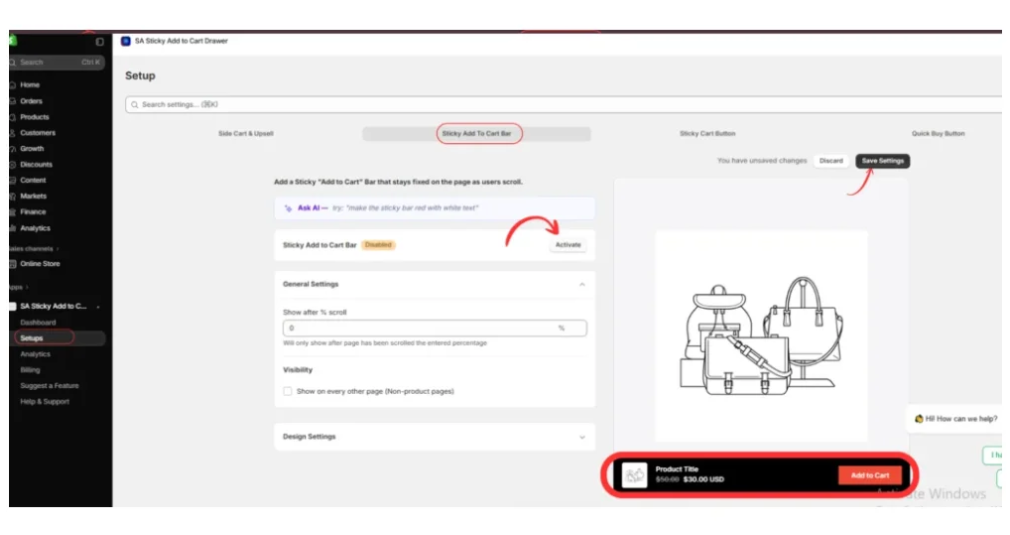
Step 3: Activate the Sticky Add to Cart Bar
Go to Setups → Sticky Add To Cart Bar.
Activate the feature and review the scroll visibility settings.
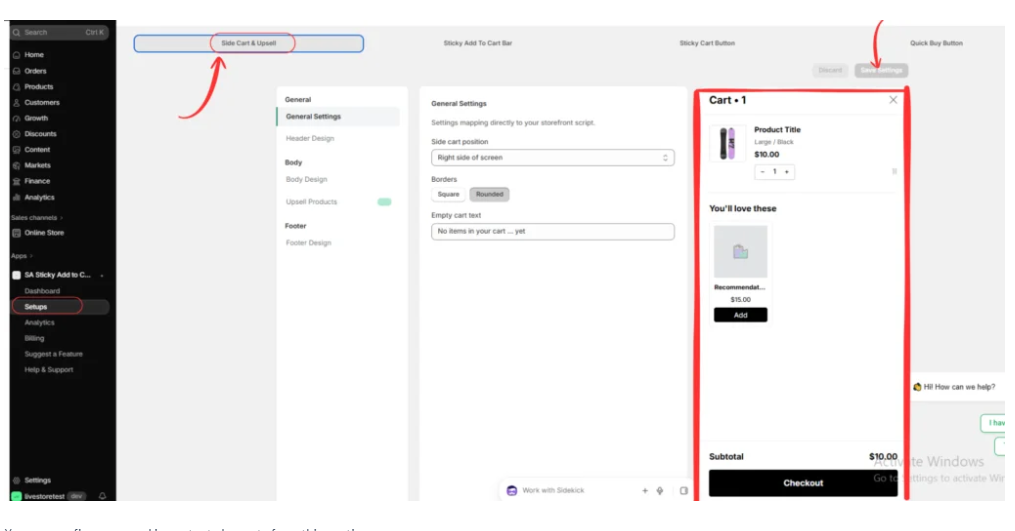
Step 4: Configure the Side Cart
Open Setups → Side Cart & Upsell.
Review the cart position, borders, and available design options.
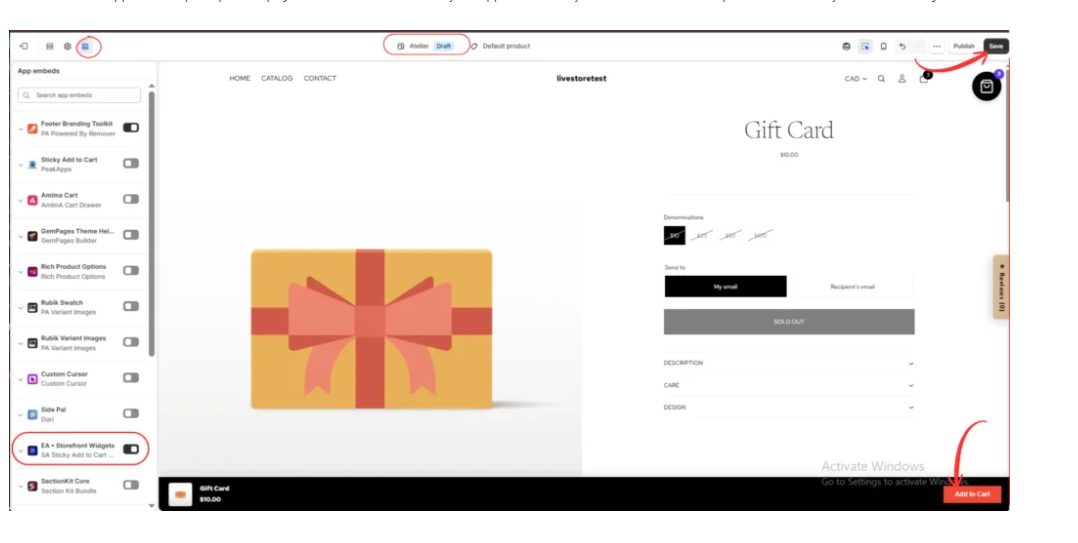
Step 5: Enable the App Embed
Open the Shopify theme editor and enable EA • Storefront Widgets.

Step 6: Preview the Sticky Bar
Open the product page template and scroll through the page.
Confirm that the sticky bar appears as intended.
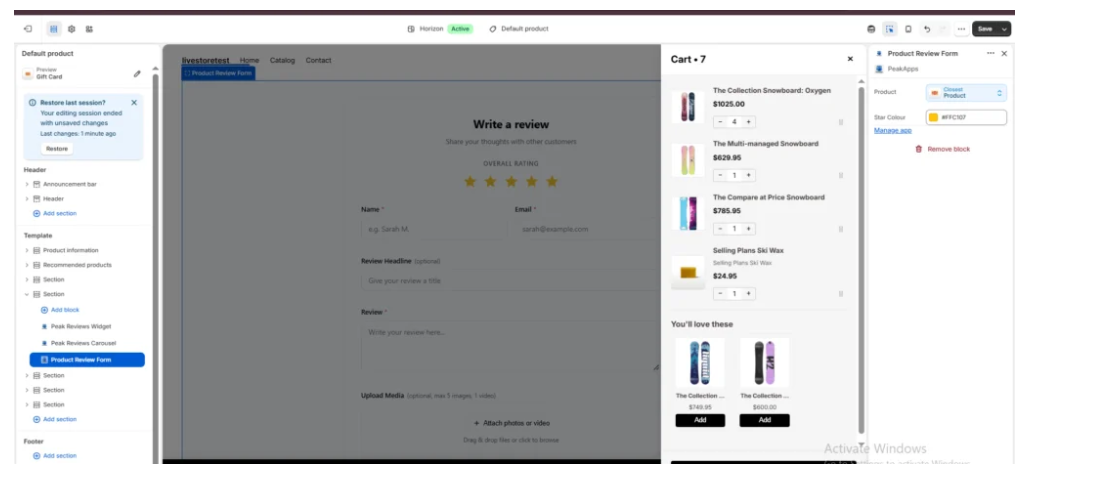
Step 7: Test the Cart Drawer
Add an available product and inspect the cart drawer.
Confirm that the product details and Checkout button are displayed correctly.
Mobile Design Best Practices
Keep purchase controls accessible, avoid overlapping buttons, maintain readable text, and ensure the cart can be closed easily.
Test different product types, including products with variants, longer titles, and different price ranges.
How to Measure Performance
Track add-to-cart activity, cart-to-checkout progression, checkout completion, and mobile conversion rates.
Where possible, compare equivalent customer groups or run controlled experiments.
Avoid judging performance from a single day’s results.
Conclusion
The sticky add to cart vs cart drawer comparison is not necessarily about choosing only one feature.
A sticky purchase bar improves access to the Add to Cart action, while a cart drawer makes reviewing selected products more convenient.
SA Sticky Add to Cart Drawer allows merchants to configure both features and evaluate their impact on the mobile shopping experience.
Explore the app: https://apps.shopify.com/sk-sticky-add-to-cart-drawer




