HOW TO CREATE STUDIO-QUALITY PRODUCT IMAGES FOR WIX STORES WITHOUT A PHOTOSHOOT
Introduction
Professional product photography is one of the most important elements of a successful ecommerce website. When customers visit your Wix store, product images help them evaluate product quality, understand features, and make purchasing decisions.
However, arranging professional photoshoots can be expensive. Hiring photographers, renting studio equipment, purchasing decorative props, and editing photographs can put additional pressure on small businesses.
Artificial intelligence offers an alternative.
With PA AI Image Generator, you can create studio-quality product images for your Wix store using existing product photographs and AI-generated environments.
In this guide, you will learn how to transform ordinary product photographs into professional-looking ecommerce visuals without arranging another photoshoot.
Why Studio-Quality Product Images Matter for Wix Stores
Professional product photography helps online businesses create a stronger visual identity and present products more effectively.
High-quality product photographs can help merchants:
-
Create a positive first impression.
-
Improve customer confidence.
-
Build a premium brand identity.
-
Highlight product features.
-
Maintain visual consistency.
-
Create engaging marketing campaigns.
-
Support better purchasing decisions.
Customers cannot physically examine products when shopping online, making accurate and attractive product photography particularly important.
Common Product Photography Challenges Wix Merchants Face
High Photography Costs
Professional photographers, studio rentals, lighting equipment, and editing services can increase business expenses.
Limited Access to Photography Studios
Small businesses may not have access to professional photography equipment or suitable shooting locations.
Unprofessional Product Backgrounds
Ordinary product photographs may contain dull backgrounds, distracting objects, or unsuitable lighting conditions.
Inconsistent Product Catalogs
Different photography styles can make product collections appear unorganized and reduce brand consistency.
Time-Consuming Photo Editing
Manually editing product photographs can take considerable time, especially for merchants with large product catalogs.
Limited Lifestyle Product Photography
Creating realistic lifestyle photographs traditionally requires arranging suitable environments, furniture, decorations, and lighting.
AI-powered product photography can help merchants overcome many of these challenges.
What Is AI Studio-Quality Product Photography?
AI studio-quality product photography involves using artificial intelligence to improve the visual presentation of existing product photographs.
Instead of physically placing products in different studio environments, merchants can generate new scenes digitally.
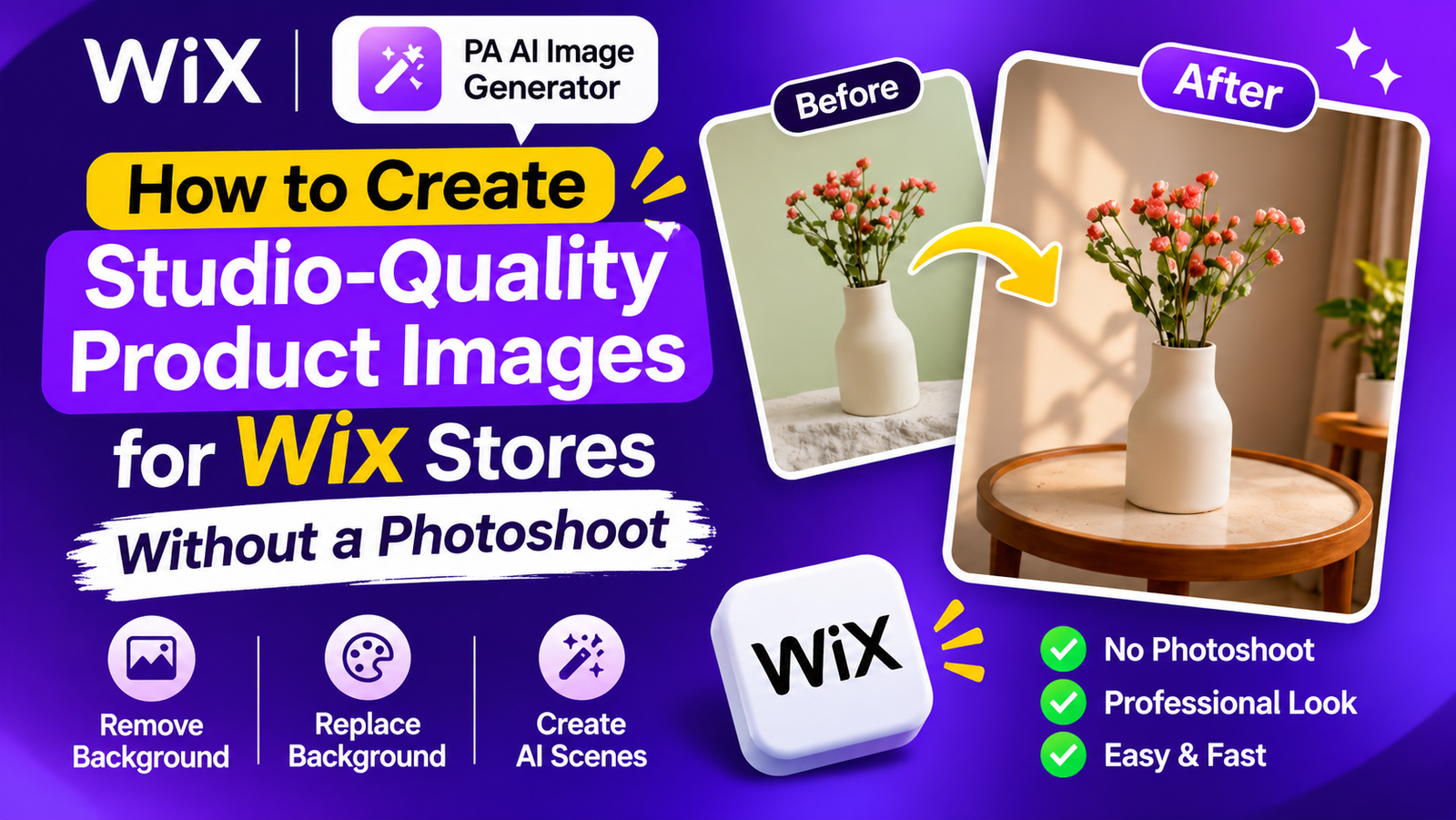
For example, a simple photograph of a ceramic vase can be transformed into an elegant lifestyle image featuring a wooden table, natural lighting, and a modern interior.
This approach allows businesses to experiment with different photography styles without repeatedly photographing their products.
Introducing PA AI Image Generator for Wix
PA AI Image Generator is an artificial intelligence-powered application designed to help Wix merchants improve their product photographs.
The application provides several useful image editing features:
-
AI background removal.
-
Custom background color replacement.
-
AI-generated product scenes.
-
Predefined lifestyle environments.
-
Custom text-based prompts.
-
Before-and-after image comparisons.
-
Publishing edited images to products.
Explore PA AI Image Generator on the Wix App Market
How to Create Studio-Quality Product Images for Wix Using AI: Step-by-Step Guide
Step 1: Visit the Wix App Market
Open your browser and search for Wix App Store on Google.
Click the official Wix App Market result.

Image 1: Search for the Wix App Market and open the official website.
Step 2: Search for PA AI Image Generator
Locate the search bar inside the Wix App Market.
Type PA AI Image Generator and press Enter.

Image 2: Search for PA AI Image Generator in the Wix App Market.
Step 3: Find the Application in the Search Results
Locate PA AI Image Generator from the available search results.
Click the application to open its official listing.

Image 3: Select PA AI Image Generator from the search results.
Step 4: Install PA AI Image Generator
On the application listing page, click Add to Site.
Follow the installation instructions to connect the application to your Wix website.

Image 4: Click Add to Site to install PA AI Image Generator.
Direct app link: PA AI Image Generator
Step 5: Open the Application in Your Wix Dashboard
After installation, log in to your Wix dashboard.
Navigate to Apps → AI Product Images.

Image 5: Open AI Product Images from the Apps section in your Wix dashboard.
The application displays your existing product catalog, allowing you to access product photographs without uploading them separately.
Step 6: Select the Product You Want to Transform
Browse your product catalog and select the product you want to edit.
For this tutorial, we will use a Ceramic Flower Vase.

Image 6: Select a product from your Wix catalog to create studio-quality product images.
Step 7: Explore the AI Photo Studio
After selecting your product, the Photo Studio will open.
Choose the photograph you want to transform.

Image 7: Explore the background removal, replacement, and AI photography tools.
Depending on your photography requirements, you can remove distracting backgrounds, replace background colors, or generate an entirely new product environment.
For studio-quality product photography, we will use the AI Scene feature.
Step 8: Generate a Professional Product Scene Using AI
Scroll down to the AI scene section.
You can choose from predefined scene options, including wooden table, kitchen counter, minimal studio, living room, and marble surface.
Alternatively, enter your own custom prompt.
For this example, enter
Click Create AI scene and review the generated result.

Click Create AI scene and review the generated result.
Image 8: Transform an ordinary ceramic vase photograph into a professional lifestyle product image using AI.
As shown in the screenshot, the application transforms the original photograph into an attractive lifestyle scene featuring a decorative wooden table and a realistic interior environment.
Step 9: Review and Publish Your Product Image
Compare the original photograph with the AI-generated result.
Ensure the product’s color, shape, design, and important details remain accurate.
Once satisfied, use the publishing option to update your main product photograph. The app’s publishing interface shown in the earlier tutorial indicates that original photographs remain in the product gallery.
10 AI Prompts for Studio-Quality Product Images
| Product category | AI photography prompt |
|---|---|
| Skincare | Place the product on a marble platform with soft studio lighting. |
| Jewelry | Display the product on black velvet with elegant golden lighting. |
| Perfume | Place the perfume bottle on a luxury marble pedestal. |
| Home decor | Display the product in a modern living room with natural sunlight. |
| Fashion | Place the product against a minimalist beige studio background. |
| Electronics | Display the product in a modern studio with soft shadows. |
| Candles | Place the candle on a wooden table in a cozy living room. |
| Cosmetics | Display the product on a pastel pink platform with soft lighting. |
| Handmade products | Place the product on natural linen with decorative dried flowers. |
| Accessories | Display the product on a cream-colored pedestal in a luxury studio. |
AI Product Photography vs. Professional Photoshoots
| Feature | AI product photography | Traditional photoshoots |
|---|---|---|
| Photography costs | Generally lower | Often higher |
| Studio equipment | Not required for editing | Often required |
| Editing process | AI-assisted | Manual or AI-assisted |
| Background customization | Digitally generated | Physical or digitally edited |
| Scene variations | Easy to experiment with | Additional setups may be required |
| Product accuracy | Requires verification | Direct physical photography |
| Production time | Generally shorter | Requires planning and preparation |
AI product photography is particularly useful for small businesses that want to improve existing photographs without arranging additional studio sessions.
How Studio-Quality Product Images Can Improve Your Wix Store
Create a Premium Brand Appearance
Professional-looking photographs can help your online store develop a stronger visual identity.
Improve Customer Confidence
Accurate and attractive product images help customers better understand what they are purchasing.
Reduce Product Photography Expenses
Generate different environments using existing photographs rather than organizing a separate photoshoot for every scene.
Maintain Consistent Product Collections
Use similar backgrounds and photography styles throughout your catalog to create a cohesive storefront.
Create Better Marketing Materials
AI-generated product scenes can also be useful for social media posts, promotional banners, email campaigns, and advertisements.
Best Practices for Creating Studio-Quality AI Product Images
Start with a clear original photograph and choose a scene that complements your product. Use descriptive prompts, realistic lighting, and consistent background styles.
Always review AI-generated photographs before publishing. Pay particular attention to product colors, sizes, labels, textures, and packaging details.
The goal is to improve product presentation without misrepresenting the actual product.
Common AI Product Photography Mistakes to Avoid
-
Using blurry or low-resolution photographs.
-
Choosing unrealistic product environments.
-
Adding excessive decorative elements.
-
Writing vague AI prompts.
-
Using inconsistent photography styles.
-
Ignoring changes to important product details.
-
Publishing generated images without reviewing them.
Frequently Asked Questions (FAQs)
Can I create studio-quality product images for Wix without a photoshoot?
Yes. PA AI Image Generator allows you to transform existing product photographs into professional-looking images using AI-generated backgrounds and scenes.
Do I need professional photography equipment?
No additional studio equipment is required for AI editing. However, starting with a clear and accurate product photograph is recommended.
Can I create custom AI product scenes?
Yes. You can enter your own text prompts or select predefined scene options inside the application.
Do I need Photoshop to create AI product photographs?
No. PA AI Image Generator provides image editing tools directly within your Wix dashboard.
How many credits does an AI scene use?
According to the supplied application interface, generating an AI scene uses two credits.
Is PA AI Image Generator free?
The application listing screenshot shows that a free plan is available. Additional image generation credits may require payment.
Can AI product photography increase Wix store sales?
Professional-looking product images can support customer confidence and improve product presentation. However, increased sales are not guaranteed.
Conclusion
Creating studio-quality product images for Wix stores no longer requires expensive equipment, complicated editing software, or repeated professional photoshoots.
With PA AI Image Generator, you can transform ordinary product photographs into attractive studio-style and lifestyle images directly from your Wix dashboard.
Build a more professional-looking product catalog, experiment with creative environments, and simplify your product photography workflow using artificial intelligence.




