The Ultimate Guide to Shopify Checkout Extensibility
Hey, let’s talk about a topic that’s honestly changed the game for Shopify store owners over the past couple of years, Checkout Extensibility. If you’ve been running a Shopify store for a while, you might remember the days when customizing your checkout page meant editing checkout.liquid, and that was only possible if you were on Shopify Plus. For everyone else, the checkout was basically a locked box you couldn’t touch.
That’s not the case anymore, and it’s a pretty big deal. Let’s break down what Checkout Extensibility actually is, why it matters, and how you can use it to build a checkout experience that actually fits your brand and your customers.
So What Is Checkout Extensibility Anyway?
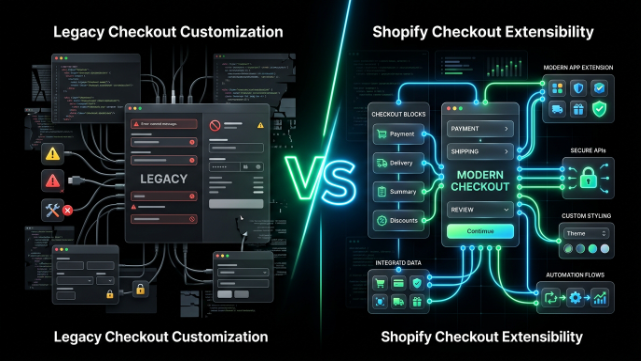
In simple terms, Checkout Extensibility is Shopify’s new system for customizing checkout using apps, extensions, and functions instead of editing raw code directly. Instead of hacking into checkout.liquid like the old days, developers now build small, modular pieces called UI extensions that plug into specific spots in the checkout flow.
Think of it like Lego blocks. Shopify built the base structure of checkout, and now developers can snap in custom pieces like upsell offers, custom fields, trust badges, delivery date pickers, or loyalty point displays, all without breaking the core checkout functionality or slowing it down.
The big shift here is that this isn’t limited to Plus stores anymore. Basic, Shopify, and Advanced plans can all use checkout extensions built by app developers, though Plus stores still get some extra capabilities like deeper branding control and custom checkout pages through Checkout Blocks. But the core ability to customize your checkout experience is now available to pretty much everyone.
Why Did Shopify Move Away from checkout.liquid?
This is worth understanding because it explains a lot about why the new system works the way it does.
The old checkout.liquid system let developers edit the checkout page directly with custom code. Sounds flexible, right? The problem was that this created a ton of instability. Every time Shopify pushed a core update to checkout, thousands of custom checkout.liquid files across different stores could break. Security was also a concern since deeply customized checkouts were harder to audit and keep PCI compliant.
Checkout Extensibility solves this by keeping Shopify’s core checkout code untouched and stable, while allowing customizations to happen through a controlled, sandboxed extension system. This means your checkout stays fast, secure, and compliant, while still letting you add the custom features your store needs.
The Building Blocks: UI Extensions and Functions
There are really two main pieces to understand here.
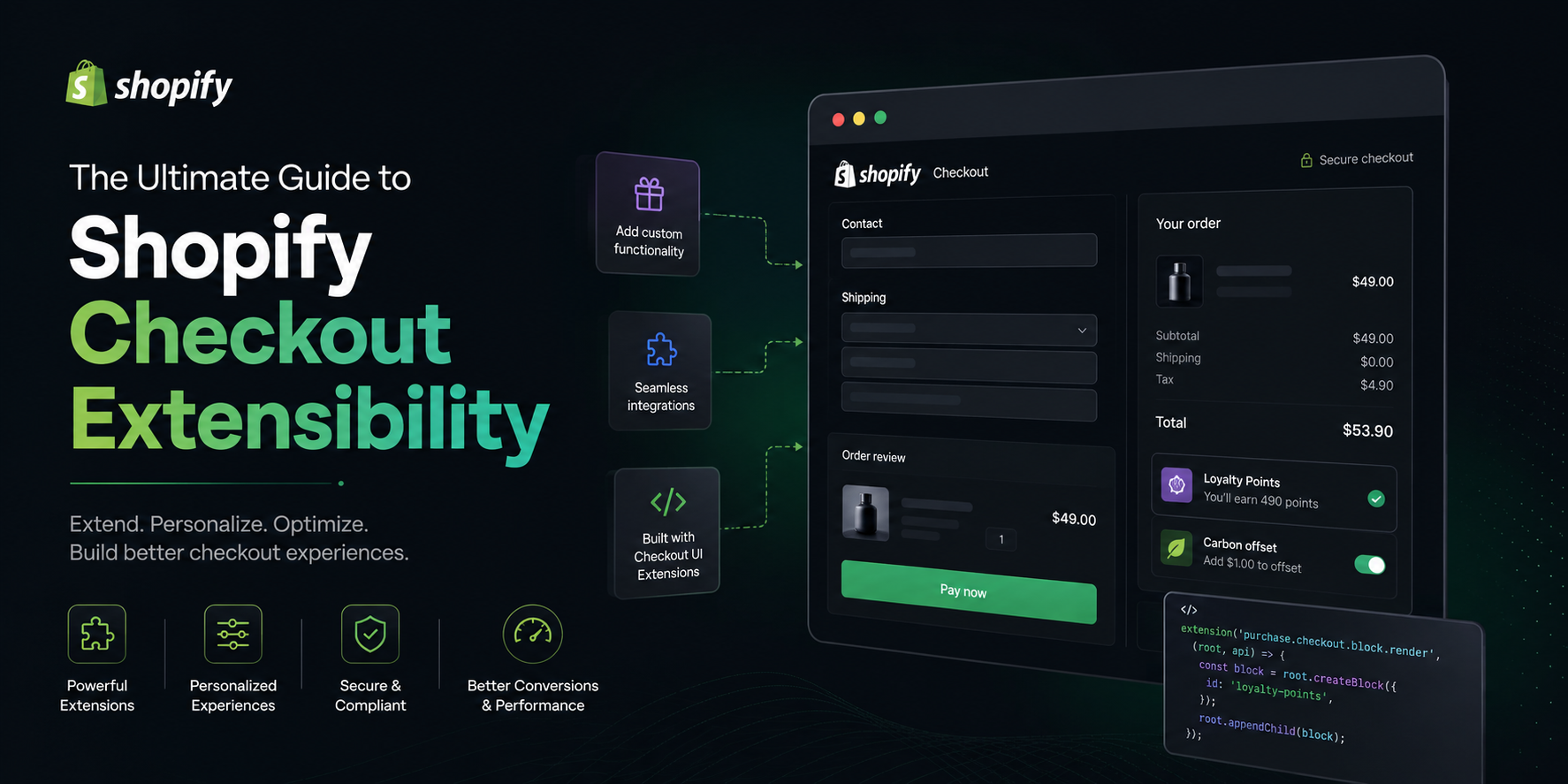
UI Extensions are the visual pieces you add to checkout. These could be banners, custom fields, upsell widgets, delivery instructions boxes, or trust seals. They show up at specific “extension points” within the checkout flow, like the top of the page, near the payment section, or on the order summary.
Shopify Functions are more about backend logic rather than visuals. These handle things like custom discount logic, custom shipping rate calculations, or payment method customization. Functions run on Shopify’s servers and let you build advanced, rules based logic without slowing down checkout performance.
Together, these two systems let developers build checkout experiences that feel custom built, without touching Shopify’s core checkout code at all.
What Can You Actually Customize With This?
Let’s get into the practical stuff, because this is where it gets exciting for store owners.
You can add post-purchase and in checkout upsells, which we’ve talked about before, letting customers add relevant products with one click.
You can add custom fields, like gift messages, delivery instructions, or even asking customers to select a preferred delivery date.
You can display trust badges and security seals near the payment section to reduce cart abandonment from customers who are hesitant about entering payment details.
You can customize branding elements like your logo placement, color scheme, fonts, and button styles so checkout feels like a natural extension of your storefront rather than a generic Shopify page.
You can add dynamic shipping options, showing customers real-time delivery estimates or letting them choose specific courier preferences.
You can integrate loyalty program information, showing customers how many points they’ll earn from their purchase right there at checkout, which can be a nice little nudge to complete the purchase.
You can also customize order summary displays, add cross-sell recommendations, or show personalized thank you messages after purchase.
Basically, if you’ve seen a slick, branded checkout experience on some big DTC brand’s Shopify store, there’s a good chance Checkout Extensibility is behind it.
How Do You Actually Set This Up?
There’s two routes here depending on your comfort level with code.
Route One: Using Apps Built on Checkout Extensibility
This is the easiest path for most store owners. Plenty of Shopify apps are now built specifically using the extensibility framework, meaning you can install them and configure custom checkout features without writing a single line of code.
You’d start by browsing the Shopify App Store for checkout customization apps, things like upsell apps, custom field apps, or trust badge apps. Install the app, then head into your Shopify admin, go to Settings, then Checkout, and you’ll typically see an option to customize your checkout where you can drag and drop these app extensions into place.
From there, you configure the specific settings for each extension, things like which products to feature, what text to display, or what triggers the extension to show up, and then publish your changes.
Route Two: Building Custom Extensions Yourself
If you or your development team wants full control, Shopify lets you build custom checkout UI extensions using their developer tools.
This involves setting up a Shopify Partner account, using the Shopify CLI to scaffold a new extension project, writing your extension using React-based components specifically designed for checkout, testing it in a development store, and then deploying it to your live store through the Shopify admin.
This route requires actual development knowledge, JavaScript and React familiarity specifically, along with an understanding of Shopify’s extension APIs. It takes more time and either your own coding skills or a developer’s help, but it gives you complete creative and functional control over what you build.
Checkout Branding: The Easy Win Everyone Should Do
Even if you don’t touch a single line of code, there’s one thing every Shopify store owner should do, and that’s use the Checkout Branding editor.
Head to your Shopify admin, go to Online Store, then Checkout, and you’ll find a visual editor that lets you customize colors, fonts, button styles, logo placement, and overall checkout layout without any coding at all. This alone can make a huge difference in making your checkout feel consistent with the rest of your brand instead of looking like a generic, unbranded Shopify page.
A lot of store owners skip this step, and honestly, it’s one of the fastest ways to build trust with customers right before they enter their payment details. A checkout page that doesn’t match your storefront branding can actually make customers second guess whether they’re on a legitimate, secure page.
What About Speed and Performance?
Here’s something a lot of people worry about, does adding all this customization slow down checkout? The good news is that Shopify designed the extension system specifically to avoid this problem. Extensions run in a sandboxed environment with strict performance budgets, meaning Shopify actively limits how much any single extension can impact page load times.
That said, it’s still smart practice to not go overboard. Adding five different apps that each add their own checkout extension can add up, even with Shopify’s safeguards. Stick to the extensions that genuinely add value, and periodically review your checkout to make sure it’s not getting cluttered or sluggish.
Common Mistakes Store Owners Make With Checkout Extensibility
Let’s go over a few pitfalls worth avoiding.
Don’t overload checkout with too many extensions at once. Every popup, banner, or extra field adds a bit of friction. Focus on the ones that genuinely improve conversion or customer experience rather than adding everything just because you can.
Don’t ignore mobile testing. A huge percentage of your traffic is likely coming from mobile devices, and checkout extensions need to look and function well on smaller screens. Always test on an actual phone before publishing changes live.
Don’t forget to test payment flows after every change. Since checkout is the most critical part of your sales funnel, any customization should be thoroughly tested with actual test orders before you push it live to real customers.
Don’t neglect accessibility. Make sure custom fields, buttons, and text are readable and usable by all customers, including those using screen readers or other accessibility tools. Shopify’s extension framework supports accessibility standards, but poorly designed custom extensions can still create issues.
A Quick Word for Pakistani Store Owners
If you’re running a Shopify store here in Pakistan, Checkout Extensibility opens up some genuinely useful opportunities specific to our market.
You can use custom fields to let customers select cash on delivery confirmation steps, since COD remains such a dominant payment preference here. A simple custom checkbox confirming the customer’s availability for delivery can actually reduce failed COD orders significantly.
You can also use custom branding to build trust with local customers who might still be a bit hesitant about online payments through JazzCash or Easypaisa. A checkout page that looks polished, secure, and professionally branded goes a long way in reducing hesitation at the final step of purchase.
Custom delivery date fields are also worth considering given how much delivery timing varies across couriers here, whether you’re using Leopards, TCS, or M&P. Letting customers select preferred delivery windows can reduce missed delivery attempts and improve your overall customer satisfaction.
And if you’re targeting both COD and digital payment customers, consider using conditional extensions that show different messaging or fields depending on the payment method selected, since the psychology and trust factors are genuinely different between these two customer segments here.
Is It Worth Investing In Custom Development?
This really depends on where your store is at right now. If you’re a smaller store just getting started, installing a few well-reviewed checkout apps and using the built-in branding editor will likely cover most of your needs without any development cost.
If you’re a larger store doing significant monthly revenue, or if you have very specific checkout requirements that off-the-shelf apps can’t handle, investing in custom checkout extension development starts to make a lot more sense. The upfront development cost can pay for itself through improved conversion rates and a checkout experience that’s genuinely tailored to your customers.
Wrapping This Up
Checkout Extensibility is honestly one of the most meaningful updates Shopify has rolled out in recent years, especially for store owners who aren’t on Plus. It levels the playing field, letting stores of pretty much any size build a checkout experience that feels custom, trustworthy, and aligned with their brand, without compromising the speed and security that makes Shopify checkout so reliable in the first place.
Start with the basics, get your checkout branding looking sharp, install a couple of well-reviewed apps for upsells or custom fields, and test everything thoroughly on both desktop and mobile. Once you’re comfortable with that, you can start exploring more advanced custom extensions if your store’s growth calls for it.
If all this feels a bit overwhelming to set up on your own, that’s exactly the kind of work we handle at TheScriptFlow. We help Shopify store owners across Pakistan and beyond build polished, high-converting checkout experiences using Shopify’s latest tools. Get in touch with us at thescriptflow.com and let’s get your checkout working as hard as it possibly can for your business.