The Ultimate Guide to Shopify Fulfillment
If you’ve ever placed an order online and received the wrong item, a damaged package, or a delivery that took three weeks longer than expected you already know how much fulfillment matters. For Shopify store owners, fulfillment isn’t just a backend process. It’s one of the biggest factors that determines whether a customer comes back or never shops with you again.
This guide covers everything you need to know about Shopify fulfillment from understanding how it works to choosing the right method for your store, managing shipping, handling returns, and scaling up as your business grows. Whether you’re just starting out or you’re already doing hundreds of orders a month, there’s something here for you.
What Is Shopify Fulfillment, Exactly?
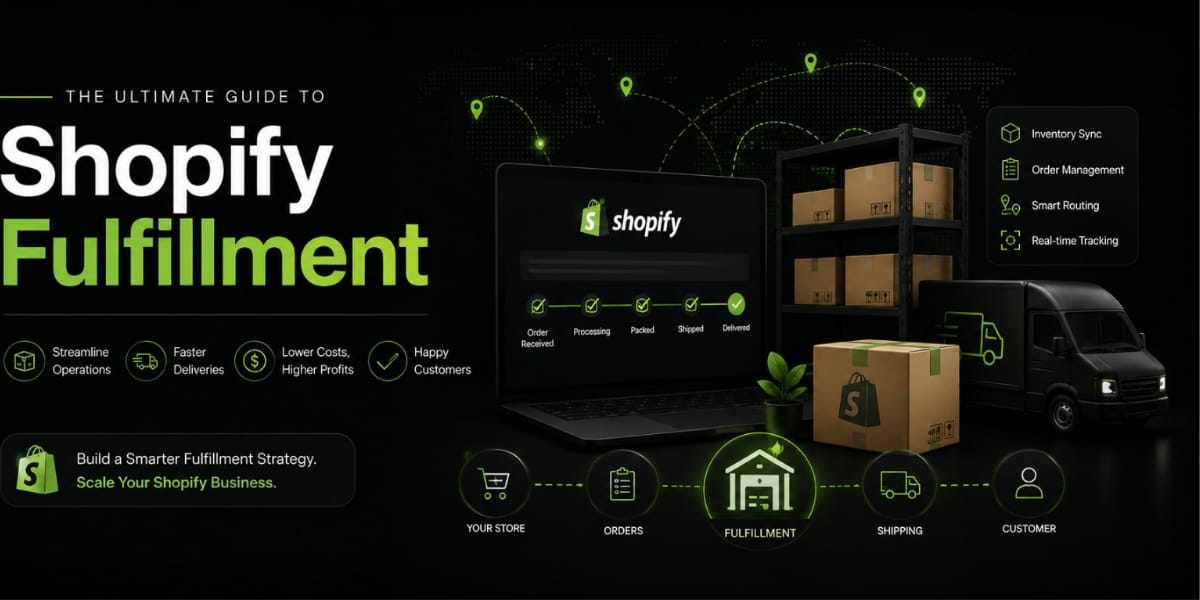
Fulfillment is the process of getting an order from your store to your customer’s doorstep. It sounds simple, but it involves a whole chain of steps receiving the order, picking the right products, packing them properly, generating a shipping label, handing off to a carrier, and tracking the delivery until it arrives safely.
On Shopify, fulfillment can be handled in several different ways depending on your business model, your products, and how much control you want over the process. Let’s break those down.
The Three Main Fulfillment Methods on Shopify
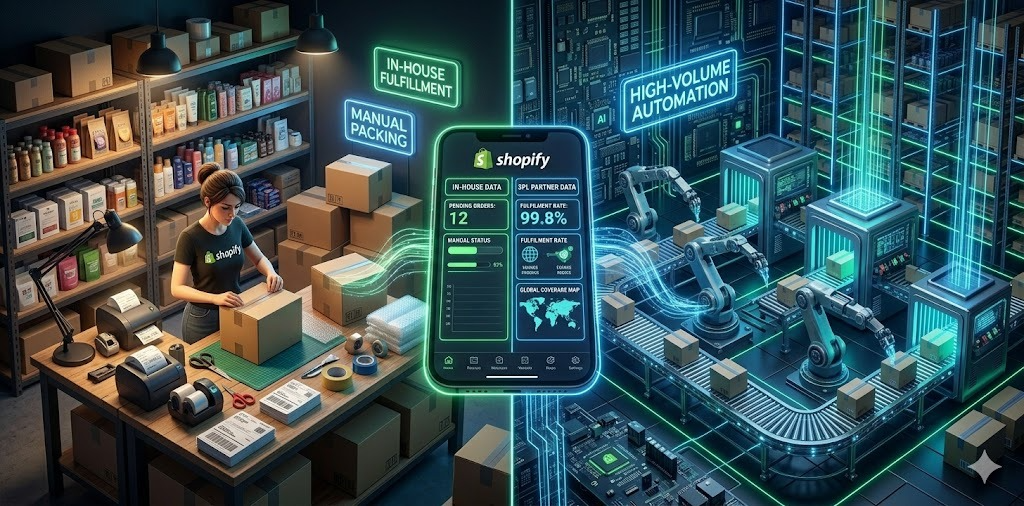
Self-Fulfillment (In House)
This is when you handle everything yourself storing products at home or in a warehouse, packing boxes, printing labels, and dropping shipments off at the post office or arranging pickups. Self fulfillment gives you complete control over packaging, quality checks, and customer experience.
It works well when you’re just getting started and order volumes are low. You save money on third party fees and get to personally ensure every order goes out exactly the way you want it. The downside? As you scale, it becomes extremely time consuming and physically demanding. Packing 10 orders a day is manageable. Packing 100 is a full time job.
Third Party Logistics (3PL)
A 3PL provider is a company that stores your inventory in their warehouse, picks and packs your orders when sales come in, and ships them out on your behalf. You send your products to them in bulk, and they handle the rest. Popular 3PLs that integrate with Shopify include ShipBob, ShipHero, Fulfillment by Amazon (FBA), and Deliverr.
The main advantages are speed and scalability. 3PLs often have warehouses in multiple locations, which means faster delivery times for customers across different regions. They also negotiate bulk shipping rates that you’d never get on your own. The tradeoff is cost you pay storage fees, pick and pack fees, and shipping fees, and you lose some control over how your orders are packaged.
Dropshipping
With dropshipping, you don’t hold any inventory at all. When a customer places an order, it gets sent directly to your supplier, who ships the product to the customer on your behalf. Shopify integrates with dropshipping apps like DSers, Zendrop, and AutoDS that make this process almost entirely automated.
Dropshipping has almost zero upfront investment since you don’t buy inventory until something sells. But margins are thin, shipping times can be long especially if suppliers are overseas, and you have very little control over product quality or packaging. It’s a great model for testing products, but harder to build a brand around long-term.
Shopify Fulfillment Network (SFN)
Shopify has its own fulfillment service called the Shopify Fulfillment Network. It’s designed specifically for Shopify merchants and integrates directly into your store dashboard with no third party apps needed.
With SFN, you send your inventory to Shopify’s warehouse partners, and they handle storage, picking, packing, and shipping. Shopify uses machine learning to distribute your inventory intelligently across multiple locations so orders are fulfilled from the closest warehouse to the customer, reducing both shipping time and cost.
SFN isn’t available to every merchant there are requirements around order volume and product types. But if you qualify and you’re already deep in the Shopify ecosystem, it can be a seamless option worth exploring.
Setting Up Fulfillment in Your Shopify Store
Before you start processing orders, you need to configure your fulfillment settings properly inside Shopify. Here’s what that looks like.
Fulfillment Locations
In your Shopify admin, go to Settings > Locations. This is where you tell Shopify where your inventory is physically stored. You can add multiple locations for example, your home address, a warehouse, or a 3PL facility. When an order comes in, Shopify routes it to the appropriate location based on your fulfillment priority order.
Manual vs Automatic Fulfillment
Under Settings > Checkout > Order Processing, you can choose whether orders are fulfilled manually or automatically. Manual fulfillment means you review each order before marking it as fulfilled and purchasing a shipping label. Automatic fulfillment triggers immediately when payment is captured.
For physical products, manual fulfillment is almost always the better choice. It gives you a chance to catch address errors, flag suspicious orders, or add a personal touch before shipping. Automatic fulfillment is more useful for digital products or subscriptions where delivery is instant.
Fulfillment Apps
Shopify’s App Store has dozens of fulfillment-related apps. ShipStation, EasyPost, Shippo, and Pirateship are popular choices for printing shipping labels at discounted rates. If you’re working with a 3PL, they’ll usually have their own Shopify app that syncs your orders directly into their system.
Shipping: The Core of Fulfillment
Shipping is where most of the fulfillment complexity lives. Getting this right affects your costs, your delivery times, and your customer satisfaction scores.
Shopify Shipping
Shopify has a built-in shipping feature that lets you buy and print shipping labels directly from your admin. It gives you access to discounted rates from major carriers like USPS, UPS, FedEx, and DHL often significantly cheaper than going to the post office yourself. You can also purchase labels in bulk, schedule pickups, and track all your shipments from one dashboard.
Shopify Shipping is available in the US, Canada, Australia, the UK, and a few other markets. If you’re in Pakistan, you’ll need to connect with local carriers or third-party integrations more on that in a moment.
Shipping Zones and Rates
In Settings > Shipping and Delivery, you define your shipping zones (geographic areas you ship to) and the rates you charge customers for each. You have a few options here:
Flat rate shipping means every customer pays the same fixed amount regardless of order size or weight. Free shipping is a powerful conversion tool studies consistently show that free shipping reduces cart abandonment. Calculated rates pull real time carrier prices and show customers exactly what shipping will cost at checkout based on their location and order weight.
Packaging and Weight
Shipping costs are calculated based on the weight and dimensions of your package, so getting your packaging right matters financially. Use the lightest packaging that still protects your products. Shopify lets you save your standard package sizes so the system can automatically calculate accurate shipping rates.
For Pakistani Shopify Merchants
If you’re running a Shopify store in Pakistan, fulfillment has some unique considerations. Shopify Shipping isn’t natively available in Pakistan, so you’ll need to integrate with local courier services. Popular options include TCS, Leopards Courier, Trax, and PostEx several of which have Shopify apps or API integrations.
Cash on delivery (COD) is still extremely common in Pakistan and significantly affects your fulfillment workflow. COD orders require extra steps you need to verify addresses, follow up with the courier for payment collection, and reconcile the collected cash against your orders. This adds complexity that most Western-centric fulfillment guides don’t even address.
Order Management and Tracking
Once orders are placed and shipments are created, staying on top of order management is critical.
Fulfillment Status in Shopify
Every order in Shopify has a fulfillment status: Unfulfilled, Partially Fulfilled, Fulfilled, or On Hold. Moving orders through these statuses in a timely way keeps your workflow organized and your customers informed.
Sending Tracking Information to Customers
When you fulfill an order and add a tracking number, Shopify can automatically send your customer a shipping confirmation email with a tracking link. This reduces “where is my order?” customer support tickets dramatically. Make sure your notification templates are set up properly in Settings > Notifications.
Order Tracking Apps
For a more premium tracking experience, apps like AfterShip, Track123, or Route let you create branded tracking pages instead of redirecting customers to the carrier’s generic tracking site. A branded tracking page keeps customers in your ecosystem and creates additional touchpoints for engagement.
Returns and Refunds
Returns are an unavoidable part of ecommerce, and how you handle them says a lot about your brand.
Setting Up a Return Policy
Be clear and upfront about your return policy. A generous return policy (like 30 days, no questions asked) builds trust and can actually increase conversions because customers feel less risk when buying. Add your return policy to your product pages, footer, and FAQ.
Managing Returns in Shopify
Shopify has a built-in returns management system. From any order, you can initiate a return, generate a return shipping label, and track the status of the return. When the product arrives back and is inspected, you can issue a refund directly from the order either to the original payment method or as store credit.
Reducing Return Rates
The best return strategy is preventing returns in the first place. Clear product photography, accurate size guides, detailed descriptions, and customer reviews all help customers make better purchase decisions and reduce return rates over time.
Inventory Management for Better Fulfillment
Poor inventory management kills fulfillment efficiency. Running out of stock mid-fulfillment, overselling, or holding too much dead stock all create problems.
Shopify’s Built In Inventory Tracking
Shopify tracks inventory automatically as orders come in and refunds are processed. Enable inventory tracking on each product variant and set low-stock alerts so you’re never caught off guard.
Multi Location Inventory
If you store inventory in multiple locations, Shopify’s multi location inventory feature lets you track stock levels at each location separately. You can set fulfillment priorities so Shopify always pulls from the most strategically located warehouse for each order.
Inventory Apps
For more advanced needs, apps like Stocky (built by Shopify), Inventory Planner, or Cin7 give you deeper analytics purchase order management, demand forecasting, and reorder point automation. These tools are especially useful when you’re working with multiple suppliers or seasonal demand patterns.
Scaling Your Fulfillment Operations
At some point, your fulfillment setup needs to grow with your business. Here’s how to think about scaling.
When to Move to a 3PL
The right time to switch from self fulfillment to a 3PL is different for everyone, but common triggers include spending more than 20 hours a week on fulfillment, consistently missing shipping deadlines, running out of storage space, or wanting to expand to new markets without opening your own warehouse.
When evaluating 3PLs, look at their Shopify integration, their warehouse locations relative to your customer base, their per order pricing structure, and their returns process. Get references from other Shopify merchants if you can.
Batch Processing
Whether you’re self fulfilling or using a 3PL, batch processing orders is more efficient than handling them one by one. Shopify lets you select multiple orders and buy shipping labels in bulk. Some merchants process all orders from the previous day each morning in a single batch.
Automation
Shopify Flow (available on the Shopify plan and above) lets you automate repetitive fulfillment tasks. You can build workflows that tag high risk orders for manual review, hold orders from specific countries, send internal alerts when stock drops below a threshold, or automatically cancel and refund orders that meet certain criteria.
Common Fulfillment Mistakes to Avoid
Even experienced store owners make these mistakes knowing them in advance can save you a lot of headaches.
Shipping rates that don’t match your actual costs is a classic problem. Many new merchants either overcharge (losing sales) or undercharge (losing money) because they haven’t properly set up their shipping zones and calculated rates. Test your checkout from multiple locations before going live.
Ignoring packaging quality is another one. Products that arrive damaged destroy customer trust instantly. Invest in appropriate packaging materials bubble wrap, air pillows, sturdy boxes especially for fragile items. The cost of proper packaging is always less than the cost of refunds and bad reviews.
Failing to communicate tracking information leaves customers anxious and leads to a flood of support requests. Automate your tracking emails and make your tracking page easy to find.
Not having a clear returns process frustrates customers who want to return something. A confusing or punitive returns policy drives customers away permanently.
Overselling is a fulfillment nightmare that happens when you sell more units than you actually have in stock. Keep inventory tracking enabled and use safety stock buffers for your top-selling products.
Fulfillment and Customer Experience
At the end of the day, fulfillment is a customer experience function as much as it’s a logistics function. The speed of delivery, the quality of packaging, the accuracy of the order, and how problems get resolved all leave lasting impressions on your customers.
Some of the most beloved ecommerce brands think Chewy or Zappos built their reputations largely on fulfillment excellence. Fast shipping, beautiful packaging, handwritten thank-you notes, and hassle-free returns created customer loyalty that no ad campaign could match.
You don’t have to be a big brand to create that kind of experience. Start with what you can control: ship orders fast, pack them carefully, communicate proactively, and make returns painless. These basics, done consistently, build the kind of customer trust that turns one time buyers into loyal repeat customers.
Final Thoughts
Shopify fulfillment is one of those areas where the details really matter. The difference between a mediocre fulfillment operation and a great one comes down to the systems you put in place, the tools you use, and how much you prioritize the customer experience at every step of the process.
Start simple, track your metrics, and upgrade your fulfillment setup as your store grows. Whether you’re fulfilling five orders a week from your kitchen table or five hundred orders a day with a 3PL partner, the goal is always the same get the right product to the right customer, on time, every time.
If you need help setting up or optimizing your Shopify store’s fulfillment workflow,