WHEN SHOULD YOU REQUEST A REVIEW AFTER A SHOPIFY ORDER?

Introduction
Customer reviews play an important role in building trust and helping shoppers make confident purchasing decisions. However, collecting reviews requires more than simply sending an email after every purchase.
Knowing when to request a review after a Shopify order can help merchants collect more meaningful customer feedback.
Requesting a review too early may frustrate customers who have not received their products. Waiting too long may mean customers forget important details about their experience.
This guide explains the best time to request customer reviews and how to send review request emails using SA Product Reviews & UGC.
The Main Problem Shopify Merchants Face
Many Shopify merchants receive orders regularly but struggle to collect authentic product reviews.
Common challenges include sending review requests before delivery, forgetting to follow up with customers, manually managing emails, and not knowing the right time to request feedback.
As order volume grows, managing these tasks manually becomes increasingly difficult.
When Should You Request a Review?
The ideal time is after the customer receives the product and has enough time to use it.
| Product type | Suggested time after delivery |
|---|---|
| Clothing and accessories | 3–5 days |
| Beauty and skincare | 7–14 days |
| Electronics | 7–14 days |
| Home décor | 5–10 days |
| Everyday products | 3–7 days |
These are general recommendations. Actual timing should depend on the product and delivery experience.
Why You Need a Shopify Review App
A Shopify review app helps merchants manage customer feedback more efficiently.
SA Product Reviews & UGC provides review request management, photo reviews, customizable review widgets, and other tools to support review collection.
App link: SA Product Reviews & UGC
Step-by-Step Guide to Request Reviews After a Shopify Order
Step 1: Open the Shopify App Store
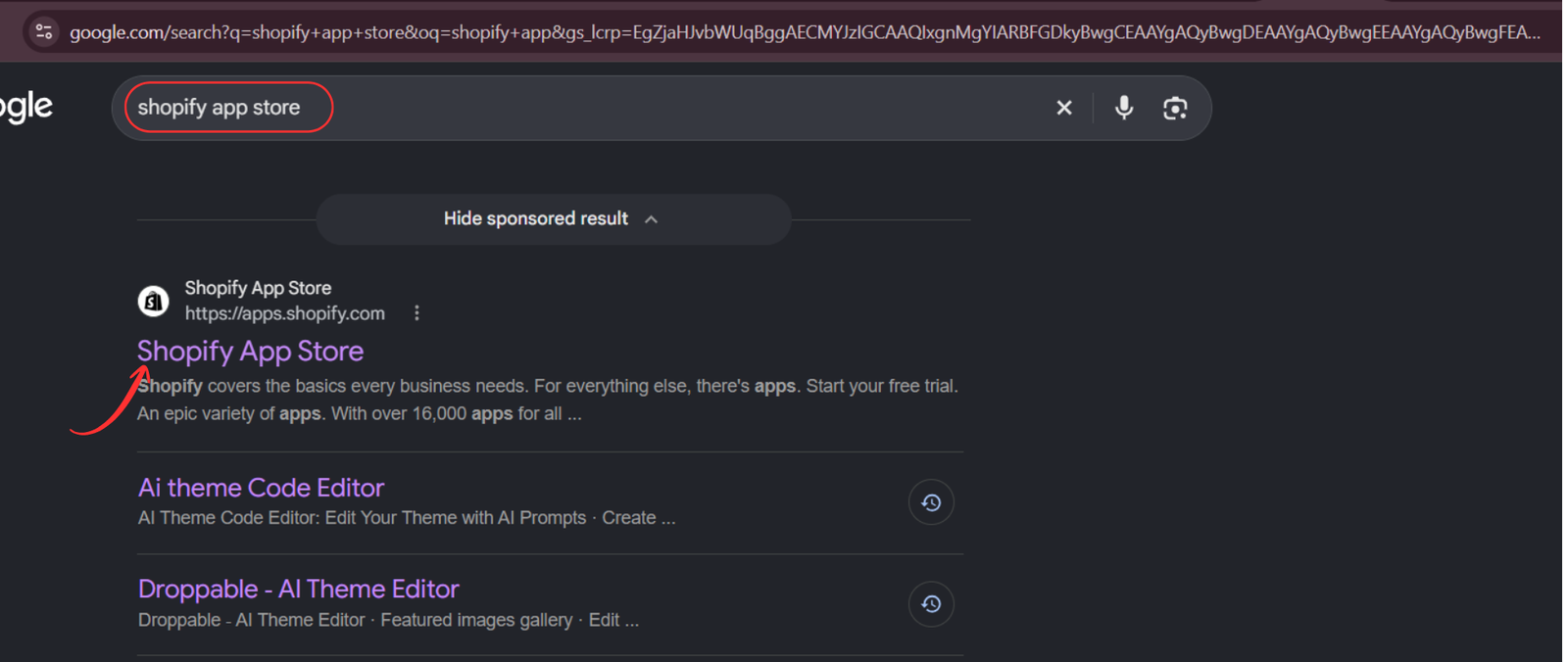
Open Google and search for Shopify App Store. Click the official Shopify App Store result.
Step 2: Search for SA Product Reviews & UGC
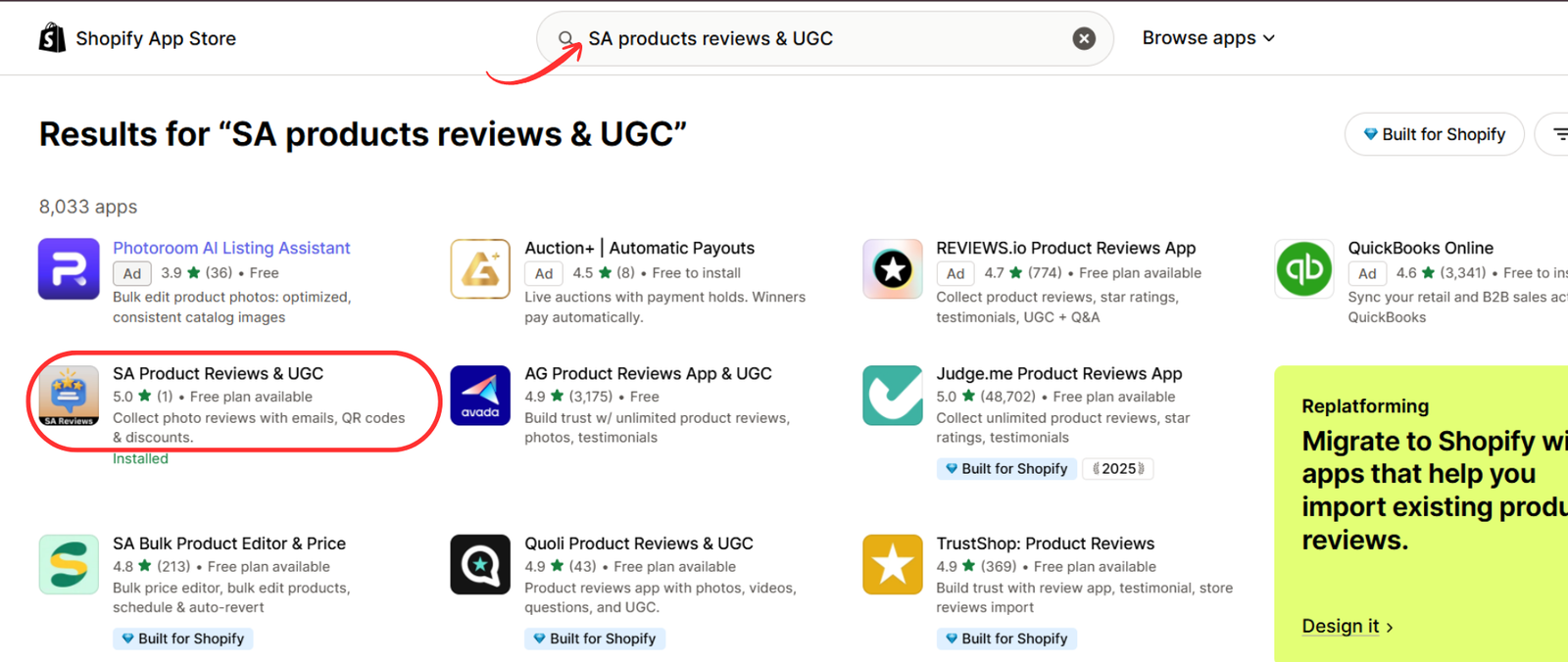
Inside the Shopify App Store, enter SA Product Reviews & UGC in the search bar. Select the app from the search results.
Step 3: Install the App
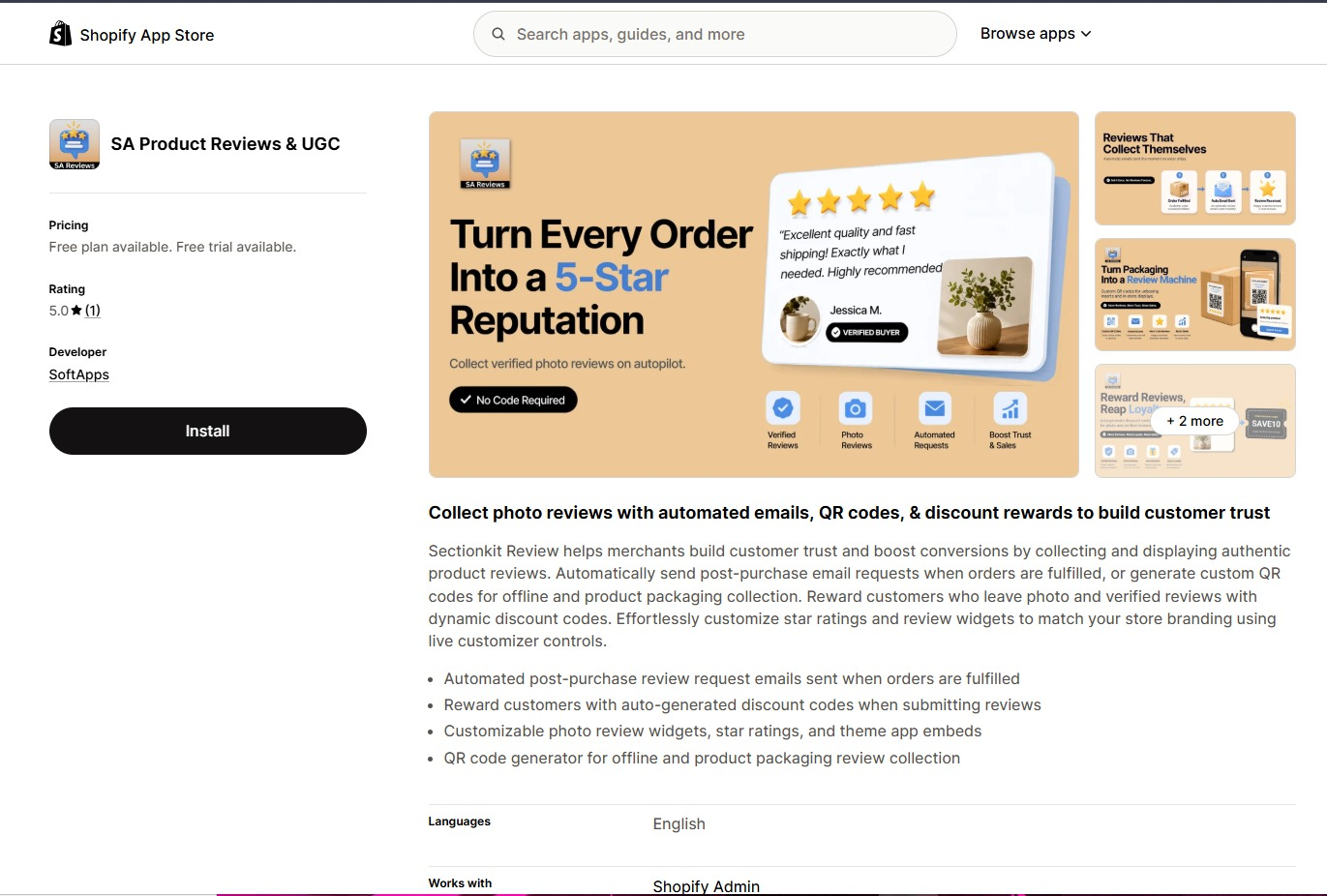
Open the app listing and click Install. Follow the Shopify authorization instructions to add the app to your store.
Step 4: Open the App
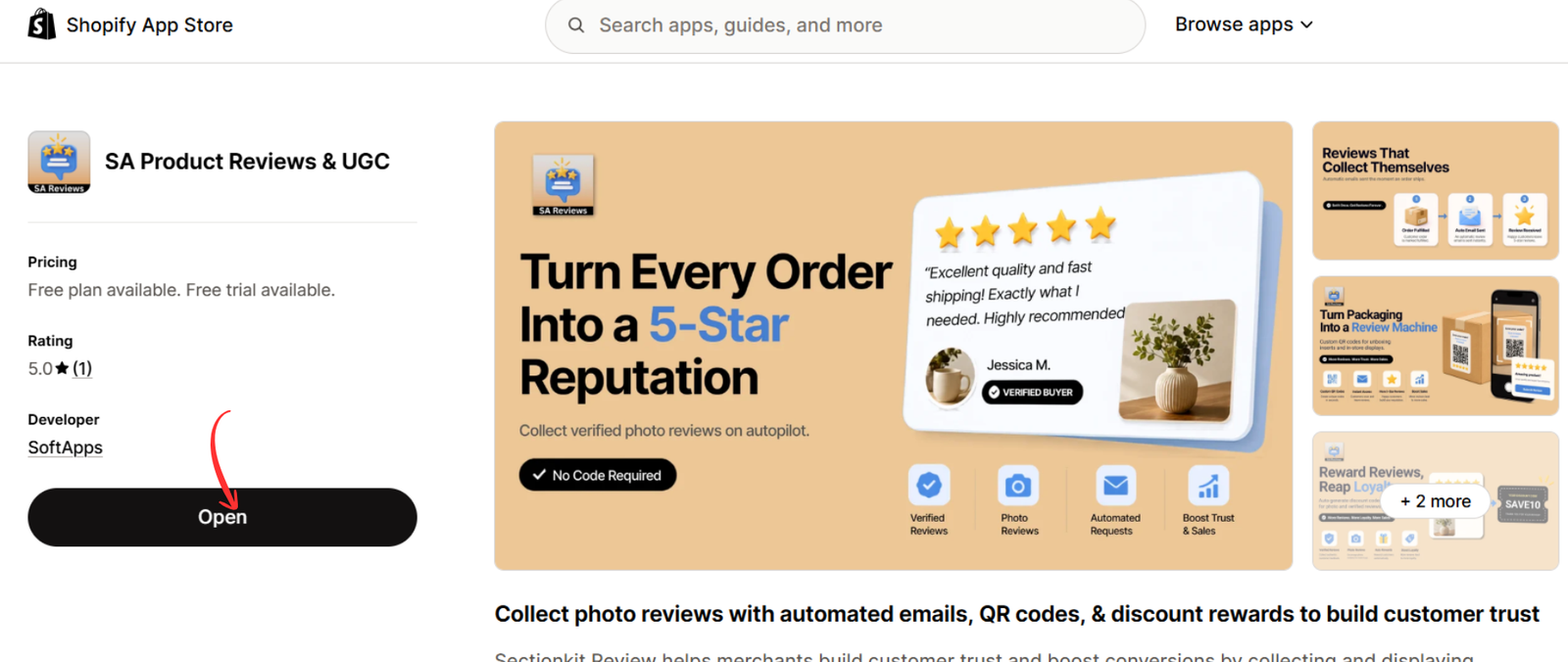
After installation, click Open to access the app from your Shopify admin.
Step 5: Check the Customer’s Order Status
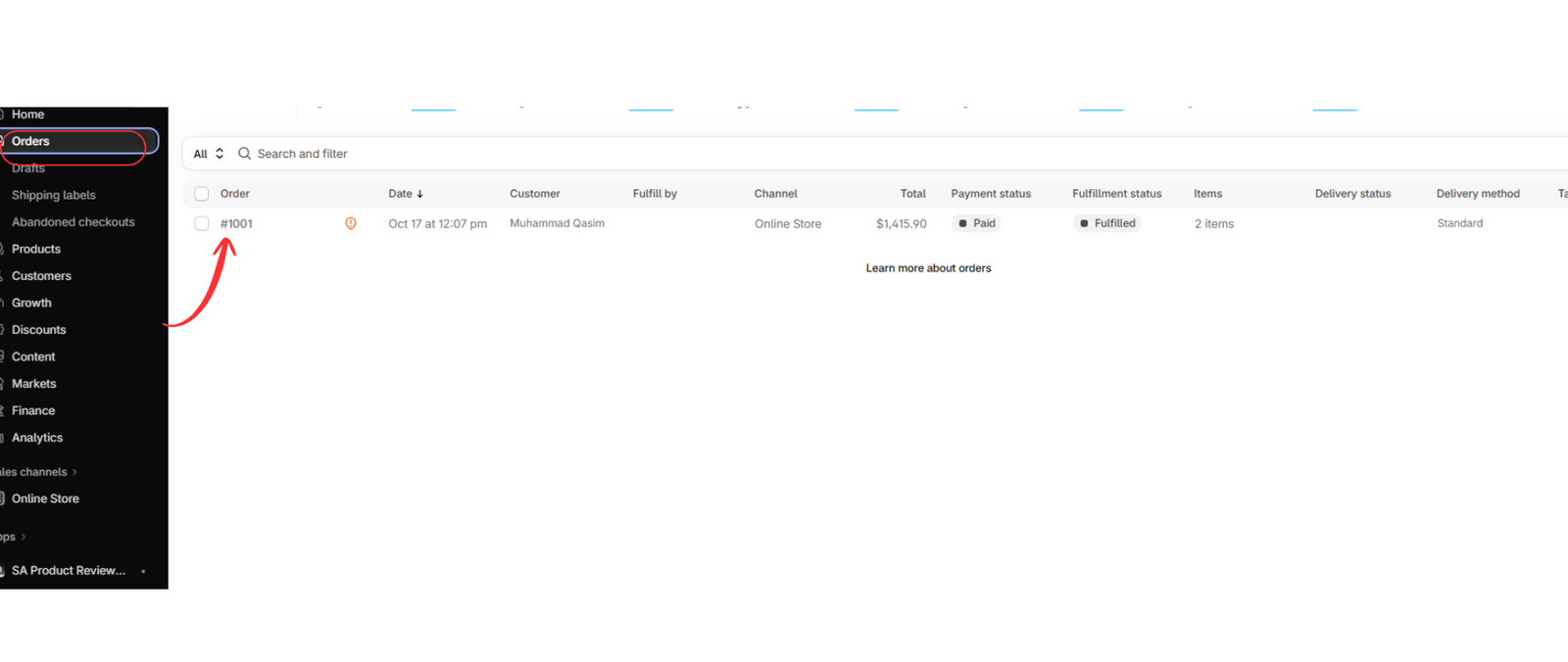
Go to Shopify Admin → Orders and select the relevant order.
Check whether it has been fulfilled. Remember that fulfillment does not necessarily mean delivery, so allow enough time for the customer to receive and experience the product.
Step 6: Open the Review Request Section
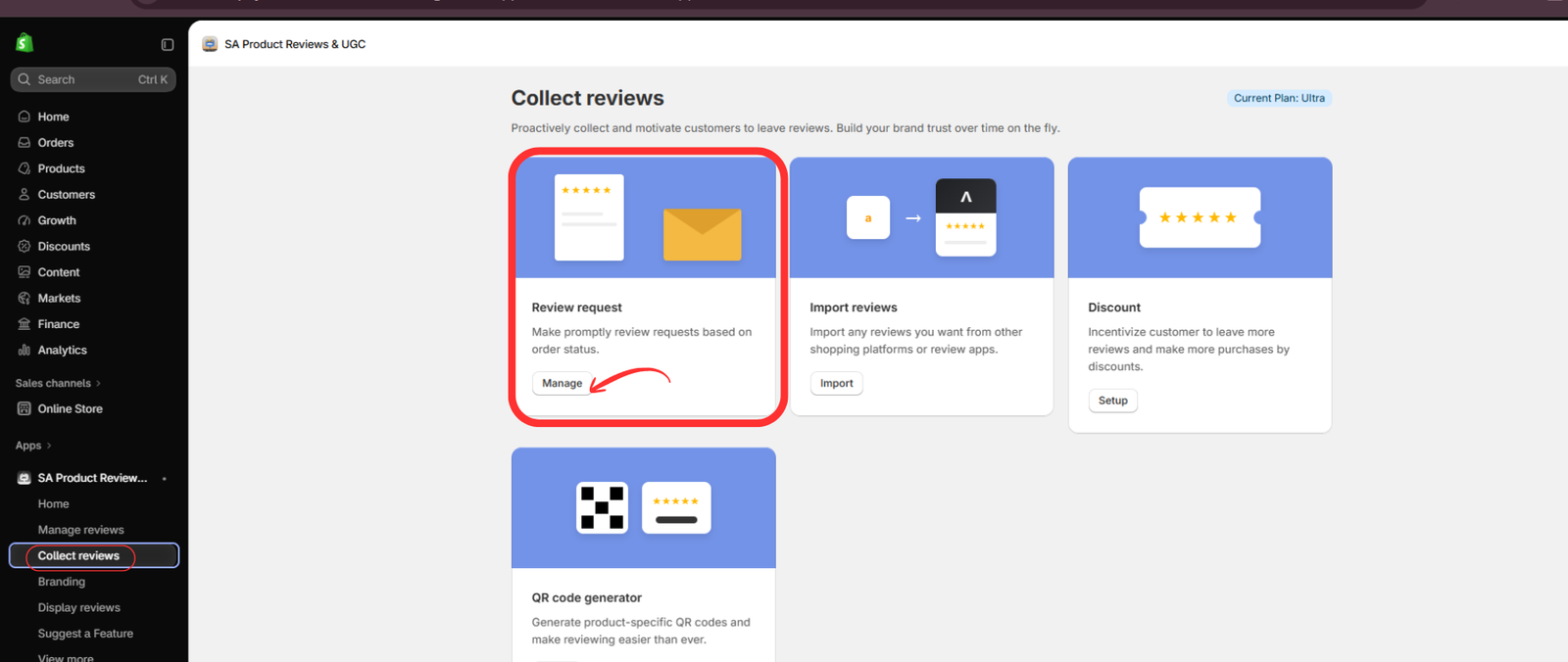
Return to SA Product Reviews & UGC and select Collect reviews from the left navigation.
Find the Review request card and click Manage.
Step 7: Send the Review Request
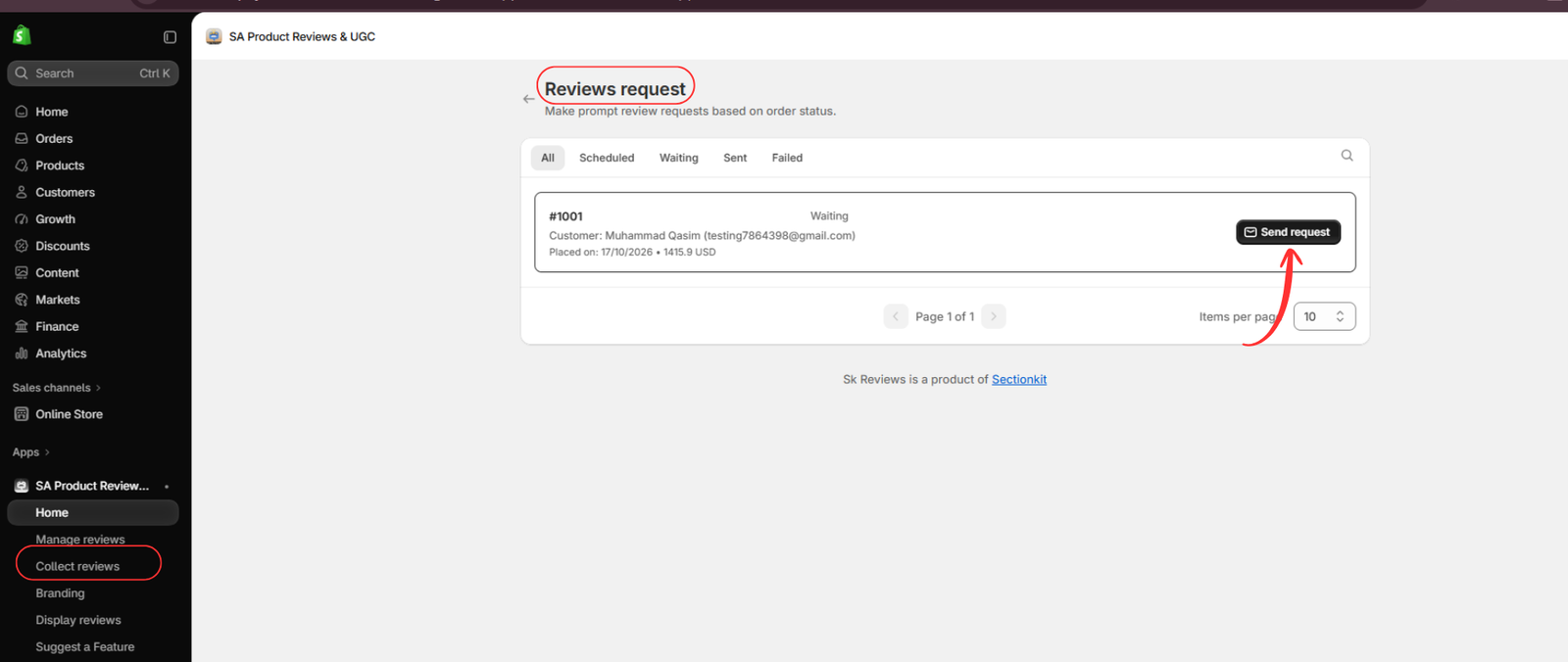
The Reviews request dashboard displays customer orders and their request statuses, including Scheduled, Waiting, Sent, and Failed.
Find the relevant customer order. Once the customer has had enough time to use the product, click Send request.
Step 8: Monitor the Review Request
Return to the review request dashboard to check whether the request has been sent successfully.
Review failed requests if necessary, and avoid sending excessive reminders to the same customer.
Step 9: Collect and Display Customer Reviews
As customers submit feedback, manage their reviews through the app and display authentic customer experiences on your Shopify product pages.
Best Practices for Shopify Review Requests
Request reviews after delivery rather than immediately after purchase. Give customers enough time to experience their products, use clear and polite email messages, and encourage honest feedback.
Avoid pressuring customers to leave positive ratings. Genuine feedback is more useful for both shoppers and merchants.
Conclusion
Knowing when to request a review after a Shopify order helps merchants create a better customer experience and collect more relevant feedback.
With SA Product Reviews & UGC, merchants can manage review requests and organize customer feedback from their Shopify dashboard.
Get started: https://apps.shopify.com/section-kit-review




