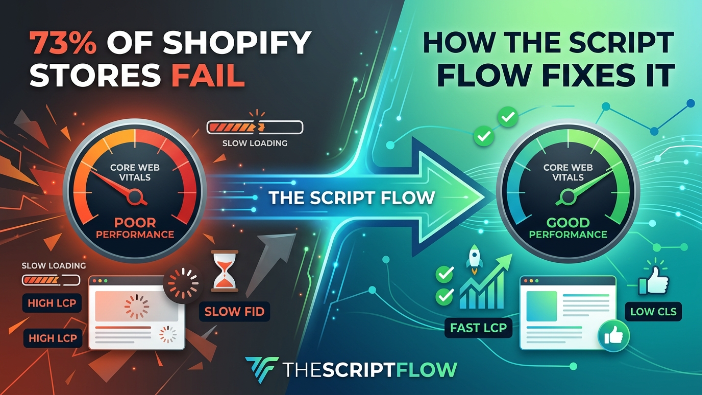
Why 73% of Shopify Stores Fail Their Core Web Vitals (And How TheScriptFlow Fixes It)
If you run a Shopify store, there is a good chance your site is slower than you think. Not just a little slow. Painfully slow. The kind of slow that sends shoppers straight to your competitors before your homepage even finishes loading.
A recent analysis of Shopify stores found that nearly 73% of them fail Google’s Core Web Vitals benchmarks. That is not a small problem. That is an industry wide crisis that is quietly killing conversion rates, destroying search rankings, and costing store owners thousands of dollars every single month.
But here is the good news. The reasons why Shopify stores fail Core Web Vitals are well understood. They are fixable. And a service called TheScriptFlow is specifically built to solve them.
Let us break down exactly what is happening, why it matters, and how you can turn things around.
What Are Core Web Vitals and Why Should You Care?
Core Web Vitals are a set of real world performance metrics that Google uses to measure the quality of user experience on a webpage. Google officially made them a ranking factor in 2021, which means your site speed and loading behavior directly affect where you show up in search results.
There are three main metrics:
Largest Contentful Paint, or LCP, measures how long it takes for the largest visible element on your page to load. This is usually your hero image or main product photo. Google wants this to happen within 2.5 seconds. Most Shopify stores take 4 to 6 seconds or longer.
Interaction to Next Paint, or INP, measures how quickly your page responds when a user clicks a button, taps a menu, or interacts with anything on the page. Google wants this under 200 milliseconds. Bloated Shopify themes and heavy JavaScript make this number balloon.
Cumulative Layout Shift, or CLS, measures how much the page visually jumps around while it loads. You know that experience where you go to click a button and then the page shifts and you click something else by accident? That is bad CLS. Google wants a score under 0.1.
When you fail these metrics, two things happen. First, Google pushes your store down in search rankings, meaning fewer people find you organically. Second, even the visitors who do find you leave faster because the experience feels broken. Both outcomes cost you money.
Why Shopify Stores Struggle More Than Other Platforms
Shopify is an incredible platform for launching an ecommerce business. It handles payments, inventory, fulfillment integrations, and a hundred other things out of the box. But that convenience comes with a hidden performance tax.
Here is the core problem. Shopify stores are built on layers. You have the base Shopify platform, then your theme, then your apps, and then any custom code you or a developer added along the way. Every single one of those layers adds scripts, stylesheets, fonts, tracking pixels, and requests to your page. By the time a real customer tries to load your store, their browser is juggling an enormous amount of work.
The average Shopify store loads between 80 and 120 separate resources just to show the homepage. Many stores load far more. Each one of those resources takes time. Some block other resources from loading while they wait. The result is a site that feels slow, unresponsive, and frustrating.
Let us look at the specific reasons why 73% of Shopify stores fail their Core Web Vitals.
Reason One: Theme Bloat
Shopify themes are designed to look beautiful in demos and be flexible enough to sell to a wide audience. That means they come packed with features, animations, layout options, and styling rules that most store owners will never use.
When you buy a theme and activate it, you are loading all of that code for every visitor, even the parts you turned off in the theme settings. A typical premium Shopify theme contains hundreds of kilobytes of CSS for layouts you are not using and JavaScript for features you disabled in the admin panel.
The browser does not know you turned those features off. It downloads everything, processes everything, and then figures out what to show. That unnecessary work directly inflates your LCP and INP scores.
Reason Two: App Overload
Apps are one of the best things about Shopify. There are apps for reviews, loyalty programs, upsells, live chat, email capture, size guides, wishlists, currency converters, and thousands of other features. Most successful stores use between 10 and 30 apps.
The problem is that every app injects its own JavaScript into your storefront. Most of these scripts load immediately when the page opens, even if the feature they power is only used by a fraction of visitors. Your review app loads its script for every visitor. Your live chat widget loads for every visitor. Your upsell popup loads for every visitor.
None of these apps are talking to each other or coordinating. They all just load as fast as they can, fighting over browser resources and slowing down the critical content your customers actually need to see.
A store with 20 apps can easily have 500 to 800 kilobytes of JavaScript loading on every page. That alone can add 2 to 3 seconds to your load time.
Reason Three: Unoptimized Images
Shopify does have some built in image optimization, but it does not solve everything. Store owners frequently upload images that are far too large for how they are displayed. A product image that displays at 600 pixels wide might be uploaded at 3000 pixels wide and 5 megabytes in size.
Beyond file size, many stores are not using modern image formats like WebP or AVIF, which load significantly faster than traditional JPG or PNG. They are also not using lazy loading properly, which means images that are far below the visible area of the page are still being downloaded immediately.
Images are often the single largest contributor to poor LCP scores in Shopify stores, and fixing them alone can produce dramatic improvements.
Reason Four: Third Party Scripts and Tracking Pixels
Modern ecommerce marketing relies on data. You have Google Analytics, Meta Pixel, TikTok Pixel, Pinterest Tag, Klaviyo, Google Ads conversion tracking, and possibly several more. Each of these is a third-party script that loads from an external server.
Third-party scripts are particularly damaging to performance because your store has no control over how fast those external servers respond. On a slow day, a third party script might take a full second to load. And if that script blocks the rest of your page from rendering while it loads, you just added a second to your LCP for every single visitor.
Most stores add these pixels one at a time over months or years without ever auditing their total impact. By the time you add everything up, you can have a dozen third party scripts loading synchronously on every page.
Reason Five: Font Loading Issues
Custom fonts make your store look professional and on brand. But fonts are another resource that needs to be downloaded before your page looks right. If your font files are large, hosted on a slow server, or not preloaded correctly, they create what is called a Flash of Invisible Text, where the page loads but shows no text until the font arrives.
This causes both a poor user experience and contributes to layout shift, hurting your CLS score.
Reason Six: No Render Blocking Script Management
This is the technical one, but it is important to understand. Scripts in your Shopify store can be loaded in different ways. A render blocking script tells the browser to stop loading the page, download and run this script, and then continue. This is the worst possible way to load a script that is not essential for the initial view.
Most Shopify apps and themes use render blocking scripts because it is the default and easiest approach for developers. The result is that your browser is constantly stopping and starting as it works through your page, and your visitors wait.
Properly managing script loading, deferring non critical scripts, and using async loading where appropriate can cut seconds off your load time.
The Real Cost of Failing Core Web Vitals
Before we talk about the solution, it is worth really understanding what poor performance is costing you.
Google published research showing that as page load time goes from one second to three seconds, the probability of a visitor bouncing increases by 32%. At five seconds, it jumps to 90%. At ten seconds, it is 123%.
Shopify itself has shared data showing that for every 100 milliseconds of improvement in store speed, conversion rates increase by about 1%. For a store doing $50,000 a month in revenue, getting from a 4 second load to a 2 second load could mean $10,000 or more in additional monthly revenue.
And that is before you account for the SEO impact. Poor Core Web Vitals mean lower rankings, which means less organic traffic. Every month your site underperforms is a month you are leaving customers and revenue on the table.
The stakes are high. And yet most Shopify store owners have no idea how bad their performance really is because the site feels fine to them on their fast laptop on their home WiFi. The problem shows up on mobile devices with average connections, which is exactly how most of your customers are shopping.
What TheScriptFlow Does Differently
TheScriptFlow was built specifically to solve the Shopify performance problem. It is not a general-purpose performance tool that you have to adapt to ecommerce. It is purpose built for Shopify stores, and its approach addresses the root causes of Core Web Vitals failures rather than just masking the symptoms.
Here is how it works.
TheScriptFlow starts with a comprehensive audit of everything loading on your store. Every script, every stylesheet, every font, every image, every third party request. It maps out exactly what is happening and in what order, so you can see precisely what is causing your performance problems.
Rather than giving you a report and leaving you to figure out what to do, TheScriptFlow then implements the fixes. This is where it really separates itself from tools that just measure performance.
Script orchestration is the core of what TheScriptFlow does. Instead of letting every app and pixel load itself however it wants, TheScriptFlow takes control of the loading order and method. Critical scripts that need to run early load immediately. Non critical scripts, like live chat widgets and upsell popups, load after the main content is visible. Tracking pixels and analytics load last, after your customer can already see and interact with your store.
This single change, reorganizing the loading order of your scripts, frequently produces dramatic improvements in LCP and INP scores without removing any functionality from your store.
Image optimization is handled automatically. TheScriptFlow converts images to modern formats, ensures they are sized correctly for how they are displayed, and implements proper lazy loading so only the images in the visible viewport are downloaded immediately.
Third party script management is a particular strength. TheScriptFlow uses a technique called script proxying to cache and serve third-party scripts from a fast, reliable server rather than depending on external providers. This eliminates the variable loading times from external services and gives you control over something you previously had no control over.
Font loading is optimized with proper preloading so text appears immediately and layout shifts from late-arriving fonts are eliminated.
For stores with significant traffic, TheScriptFlow also implements edge caching that serves your store from servers close to your customers, reducing the physical distance data has to travel and further improving load times.
Real Results From Real Stores
The proof is in what actually happens to Shopify stores after TheScriptFlow implementation.
Stores that previously scored in the red on Google’s PageSpeed Insights, with scores in the 20s and 30s out of 100, routinely reach scores in the 80s and 90s after implementation. LCP times that were 5 or 6 seconds come down to under 2 seconds. INP scores that were failing drop to well within the passing threshold.
More importantly, these improvements translate directly into business results. Stores see measurable decreases in bounce rate, increases in pages viewed per session, and improvements in conversion rate. Organic search rankings improve over the following weeks as Google recrawls the site and registers the improved Core Web Vitals scores.
One fashion boutique on Shopify saw their mobile conversion rate increase by 23% after their LCP dropped from 5.8 seconds to 1.9 seconds. A home goods store saw their Google organic traffic increase by 34% over three months after their Core Web Vitals went from all failing to all passing. These are not unusual outcomes. They are what happens when you stop leaking performance and fix the fundamentals.
How to Know If Your Store Has a Problem
If you have never tested your store’s Core Web Vitals, start right now. Go to PageSpeed Insights at pagespeed.web.dev and enter your store URL. Test your homepage, your most important collection page, and your bestselling product page.
Look at the mobile scores specifically, because that is where most of your traffic comes from and where performance problems are most severe.
If you see scores below 50, you have a significant problem. If you see scores between 50 and 70, you have room for meaningful improvement. If all three Core Web Vitals are marked as failing or needing improvement, you are almost certainly losing customers and rankings every single day.
Also look at Google Search Console if you have it set up. There is a Core Web Vitals report that shows you how Google is actually scoring your pages based on real user data. This is even more important than the lab test from PageSpeed Insights because it reflects what real visitors are experiencing.
Steps You Can Take Right Now
Even before bringing in a specialized solution, there are things you can do to start improving your store’s performance.
Audit your apps and remove any that you are not actively using or that do not provide clear business value. Every app you remove is one fewer script loading on every page. Be ruthless. If you installed an app three months ago and never really used it, delete it.
Check your images. Go through your product pages and collection pages and look at your image file sizes. If you have product images over 500 kilobytes, they are too large. Compress them using a tool like Squoosh or TinyPNG and re upload them.
Look at your theme. If you are using a heavily featured premium theme but only using a fraction of its capabilities, consider whether a leaner theme might serve you better. There are performance focused Shopify themes that are built with speed as a priority.
Move your tracking pixels to load via Google Tag Manager with proper triggers so that they do not all fire synchronously on page load.
These manual steps will produce some improvement. But if you are serious about passing Core Web Vitals and capturing all the conversion and SEO benefits that come with it, working with a purpose-built solution like TheScriptFlow will get you there faster and more completely than trying to manage it manually.
The Bigger Picture
Core Web Vitals are not going away. Google has made clear that page experience signals are a permanent part of how it evaluates and ranks websites. If anything, the weight of these signals in search rankings is likely to increase over time as Google pushes the web toward better user experiences.
At the same time, shopper expectations are rising. People are accustomed to fast, smooth experiences on the apps they use every day. When they land on a slow ecommerce store, the contrast is jarring. The tolerance for slow-loading product pages is lower than it has ever been, and it will only get lower.
Store owners who fix their performance now are not just solving a current problem. They are building a competitive advantage that compounds over time. Faster stores rank higher, convert better, and retain customers more effectively. The gap between well-optimized stores and poorly optimized ones will widen as both organic traffic and paid traffic becomes more expensive and competitive.
Conclusion
73% of Shopify stores failing their Core Web Vitals is a staggering number. It means that nearly three in four stores are leaving money on the table, ranking lower than they should, and sending customers away before they even see what is for sale.
The causes are understandable. Shopify is a layered platform and performance debt accumulates silently over time through themes, apps, pixels, and code that nobody audits. Most store owners do not discover the problem until they notice their rankings dropping or start wondering why their conversion rate is stuck.
TheScriptFlow exists to break that cycle. By taking a systematic, Shopify-specific approach to script management, image optimization, font loading, and third-party resource handling, it transforms stores from performance liabilities into performance assets.
If your store is in that 73%, the path forward is clear. Measure where you stand, understand what is causing the problem, and implement fixes that address the root causes. The customers are out there. Make sure your store is fast enough to keep them.