10 Best Heatmap Apps for Shopify
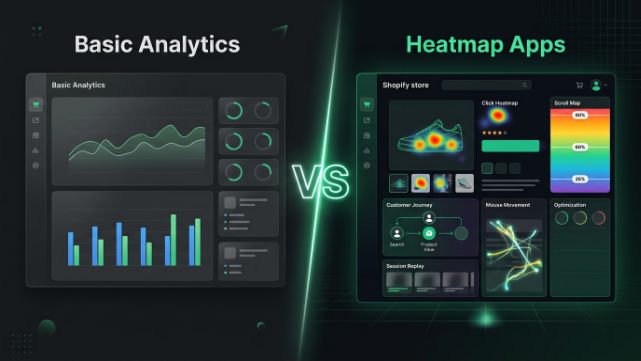
If you read my last post on analyzing user behavior, you already know heatmaps are one of the most powerful tools in your kit. But knowing you need one and actually picking one are two very different things, because the Shopify App Store is absolutely flooded with heatmap options right now. Some are free, some are built specifically for ecommerce, some are general-purpose analytics platforms, and a couple are more specialized than people expect. Let’s go through the ten worth actually considering.
Why You Need To Be Picky About This
Quick heads up before the list: heatmap and session recording scripts run on every single page load, which means a poorly built app can genuinely slow your store down. That matters more than people realize because a slower store hurts your conversion rate and your Core Web Vitals, which in turn hurts your SEO. Speed should be part of your decision, not just features and price.
Also worth knowing upfront: Shopify’s checkout is a restricted environment for most stores. Unless you’re on Shopify Plus with checkout extensibility access, most heatmap tools can’t track the actual payment page itself, only everything leading up to “checkout started.”
Okay, let’s get into it.
1. Lucky Orange
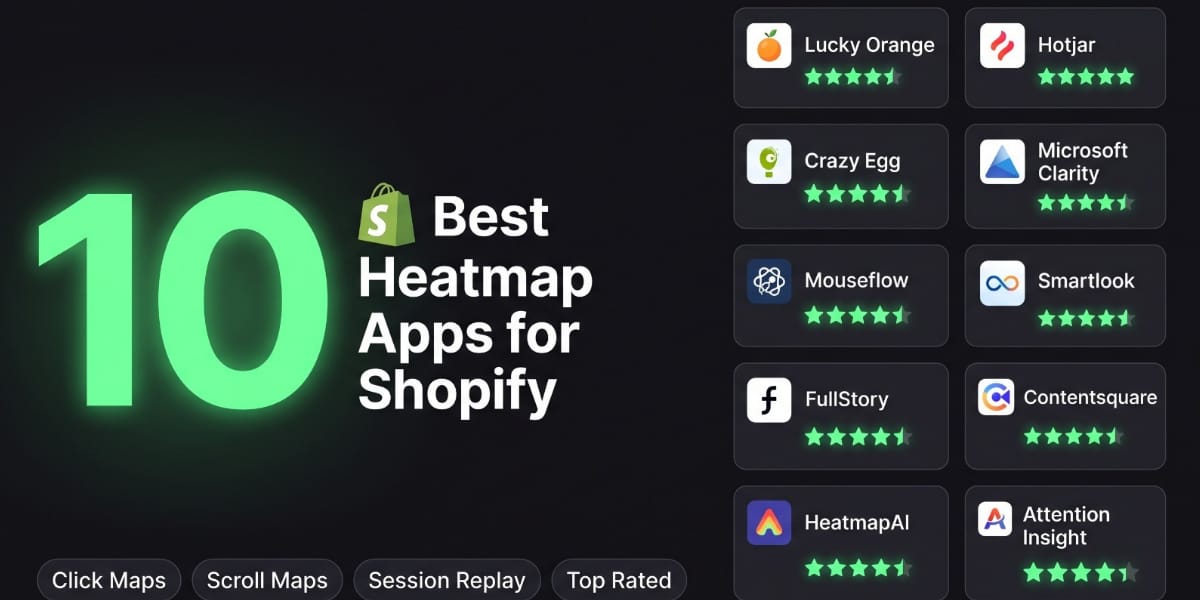
Lucky Orange is one of the most well rounded heatmap apps built specifically with ecommerce in mind, with one click Shopify installation. What makes it stand out is the Live View feature, letting you watch visitors move through your store in real time rather than only in replay after the fact. On top of heatmaps and session recordings, you get surveys, live chat, conversion funnels, and checkout event tracking that shows you where in the funnel people drop off. It has a limited free plan and paid plans that scale with traffic, making it a strong all in one pick if you want heatmaps, recordings, and basic feedback tools without stitching together multiple apps.
2. Hotjar
Hotjar is one of the most recognized names in this space, combining heatmaps, session recordings, and on site surveys in one dashboard. Worth knowing: Hotjar is now part of Contentsquare, so the two tools share ownership even though they’re positioned differently. Simplified Shopify install apps exist specifically to add the Hotjar script without touching any code. The free plan works fine for smaller stores with lower daily traffic, but you’ll hit recording limits fairly quickly at higher volume and need to upgrade. Its script also tends to be heavier than lighter alternatives, so keep an eye on page speed after installing it, especially if you’re already running several other apps.
3. Crazy Egg
Crazy Egg has been around a long time and is well known for pairing heatmaps with A/B testing. If you’re planning to split test your product pages or landing pages, Crazy Egg lets you combine that testing directly with visual heatmap data, which is a nice combination most other tools don’t offer natively. It’s a bit heavier on page load than some lighter options, so it’s worth testing your site speed after installation.
4. Microsoft Clarity
Clarity is the best free option out there, full stop. It gives you unlimited heatmaps and unlimited session recordings with no traffic caps, which is almost unheard of for a completely free tool, and it’s noticeably lighter on page speed than most competitors. You can install it via a small snippet in your theme.liquid file, or use a dedicated Clarity app from the Shopify App Store for a no-code setup. The tradeoff is that it isn’t built specifically for ecommerce, so you won’t get revenue attribution per element or built-in checkout funnel tracking the way you would with a commerce-focused tool. But for the price, it genuinely can’t be beaten.
5. Mouseflow
Mouseflow is a solid, detail oriented option a lot of merchants gravitate toward because of how granular the mouse tracking data gets. Beyond standard click and scroll heatmaps, it shows detailed movement patterns and session replay tools that let you watch exactly where a visitor hesitated or got frustrated. It offers multiple pricing tiers based on session volume and works well for stores that want to go deeper into behavioral analysis rather than just a surface level overview.
6. Smartlook
Smartlook rounds out the “general UX and behavior analysis” category alongside Hotjar and Mouseflow, offering heatmaps, session recordings, and event tracking in one platform. It’s a good fit if your priority is understanding overall customer experience across your store rather than isolating one specific page or funnel step, and it plays well as either a standalone tool or alongside your existing analytics setup.
7. FullStory
FullStory is a more enterprise leaning behavioral analytics platform, originally built around deep session replay and “digital experience intelligence” rather than being ecommerce first out of the box. It gives you very detailed replay and search capabilities, letting you filter sessions by specific behaviors like rage clicks or dead clicks across your entire visitor pool. It’s a heavier tool, both in terms of price and setup, so it tends to make more sense for larger stores with dedicated CRO resources rather than a solo merchant just getting started.
8. Contentsquare
Contentsquare is the parent platform now behind Hotjar, and on its own it’s a large scale experience analytics suite aimed at bigger brands. It goes beyond basic heatmaps into zone-based analytics, journey analysis, and AI flagged friction points across your whole site. This is very much an enterprise tier tool in terms of both capability and cost, so it’s worth mentioning as the “top of the ladder” option rather than something most small or mid sized Shopify stores would start with.
9. HeatmapAI
This falls into a newer category of tools built around using AI to interpret heatmap data rather than just generate it taking a heatmap screenshot plus your analytics metrics and turning that into prioritized, plain language recommendations instead of leaving you to eyeball the color patterns yourself. It’s less about replacing your core heatmap tool and more about speeding up the “so what do I actually do with this” step that trips up a lot of store owners once they’ve got the visual data in front of them.
10. Attention Insight
Attention Insight is a bit different from everything else on this list because it’s not tracking real visitor behavior at all it’s an AI powered predictive eye tracking tool trained on real eye tracking studies, so it generates an attention heatmap for a design before you ever publish it. That makes it genuinely useful during the design phase: upload a new product page or landing page mockup and see where attention is predicted to land before you commit to a layout. It’s not a replacement for real behavioral heatmaps once your store is live, but it’s a smart pre launch check to catch obvious hierarchy problems, like a CTA that’s likely to get visually buried, before real traffic ever sees it.
How To Actually Choose Between These
With this many solid options, the decision usually comes down to three questions. First, what’s your traffic volume, since free plans cap out fast on some tools. Second, do you want an all in one tool or are you okay running a heatmap tool alongside separate analytics and survey apps. Third, how much do you care about page speed, since stacking heavy tracking scripts on top of your existing apps can genuinely hurt load times and Core Web Vitals.
A reasonable approach for smaller stores is starting with Microsoft Clarity since it’s free and lightweight, then layering in something ecommerce specific like Lucky Orange once you know what problems you’re actually chasing. If you’re doing pre launch design work, running a quick Attention Insight check before publishing a new page is a smart habit too. Just avoid running two overlapping session recording tools at once, since that doubles your script load for no real benefit.
A Note for Store Owners in Pakistan
If you’re running a Shopify store here, mobile behavior data matters more than almost anything else these apps will show you, simply because such a large share of buyers browse and shop through phones, often on inconsistent mobile data connections. When you’re reviewing heatmaps and session recordings, pay close attention to load-related drop offs and tap accuracy on smaller screens, since a button that looks fine on desktop can be genuinely hard to tap on a budget Android phone with a smaller display.
It’s also worth checking whether your chosen heatmap tool is adding noticeable load time to your store, since a heavier script combined with slower local internet speeds compounds quickly and can push otherwise interested buyers away before they even see your products properly. Lighter tools like Microsoft Clarity tend to be a safer starting point for exactly this reason.
Wrapping It Up
There’s no single “best” heatmap app for every store it depends on your traffic, budget, and whether you want an all in one platform or something more specialized. Microsoft Clarity is the easiest starting point if you want something free and lightweight. Lucky Orange is a strong ecommerce first pick. Crazy Egg pairs well with testing, and FullStory or Contentsquare make sense once you’re operating at a bigger scale. Attention Insight is worth having in your back pocket for pre launch design checks.
If you’d rather skip the trial and error and just have someone set up the right heatmap tracking for your store, interpret the data, and actually implement the fixes it reveals, that’s exactly the kind of work our team at TheScriptFlow handles for Shopify merchants across Pakistan and internationally. Head over to thescriptflow.com and we’ll help you turn your heatmap data into real conversion improvements.